
If you’re a small business owner, you’ve probably felt the pain of juggling customer info in spreadsheets, losing track of follow-ups, and watching potential sales slip through the cracks. This is where a Customer Relationship Management (CRM) system comes in. Think of it less like a piece of software and more like a smart digital assistant for your entire business. It acts as a central hub for all your contacts, conversations, and sales activities, turning messy data into your biggest asset for growth.
Has Your Business Outgrown Spreadsheets?
For many small businesses, the journey starts with the basics: a spreadsheet for contacts, a separate document for sales leads, and a flurry of sticky notes for reminders. This system works, but only for a while. Eventually, you hit a tipping point—that moment when the manual approach starts causing more problems than it solves.
Do any of these situations hit a little too close to home?
- Forgotten Follow-ups: A promising lead calls you back, but you can’t for the life of you find your notes from the last conversation. The opportunity goes cold.
- Inconsistent Service: A customer speaks to two different people on your team and gets two completely different experiences because there’s no shared history of their past interactions.
- Lost Leads: A potential customer’s details are buried deep in an old email thread, never making it onto anyone’s “to-do” list.
- No Clear Picture: You have no easy way to see your sales pipeline, making it impossible to forecast revenue or figure out where deals are getting stuck.
This is the chaos of manual management. It’s the business equivalent of trying to run a command center from a cluttered desk covered in loose papers. Each note and spreadsheet cell holds a tiny piece of the puzzle, but there’s no way to see the whole picture. This reactive, disorganized approach doesn’t just cost you sales; it chips away at the customer relationships you work so hard to build.

Moving from Chaos to a Command Center
This is precisely when bringing in a customer relationship management for small businesses strategy becomes a game-changer. A CRM isn’t just another tool; it’s a fundamental shift from a scattered system to a centralized command center. Imagine swapping that messy desk for an intelligent digital assistant that remembers every detail, organizes every task, and gives you a complete, 360-degree view of every customer relationship.
A CRM gathers all your customer information in one place, making it instantly available to your team. This alone can dramatically improve customer service, ensuring questions are answered quickly and correctly every single time.
Instead of digging through spreadsheets, your team has immediate access to a customer’s entire history—every email, every call, every purchase. This lets you offer the kind of personalized, consistent service that builds real trust and loyalty. By keeping all that information in one spot, you can also easily track feedback, a topic we dive into in our guide to customer feedback management software.
Ultimately, a CRM helps you move from reactive problem-solving to building a proactive strategy for real, sustainable growth.
Understanding Customer Relationship Management
Let’s start by cutting through the jargon. At its core, Customer Relationship Management (CRM) is simply a way to manage every single interaction you have with your customers and potential customers.
Most of the time, when people say “CRM,” they’re talking about the software—the tool that makes this all possible. Think of it less like a spreadsheet and more like a central hub for your entire business. It’s where every phone call, email, and meeting note lives, giving you a complete picture of your relationship with every single person you do business with.
For a small business owner, this isn’t about getting bogged down in complicated corporate systems. It’s about bringing order to the chaos and making sure no opportunity or customer ever gets forgotten.

The Three Core Jobs of a CRM
So, what does a CRM actually do? It’s easiest to understand by breaking it down into three main functions. While they each handle a different part of the customer journey, the magic happens because they all work together inside one system.
- Running Your Sales Pipeline: This is the big one. A CRM tracks a potential deal from the very first inquiry all the way until you close the sale. It gives you a bird’s-eye view of your sales process, showing you exactly where every lead is so nothing falls through the cracks.
- Automating Your Marketing: A good CRM helps you send the right message to the right person at just the right moment. You can group contacts based on their interests or how they’ve interacted with you before, letting you run targeted email campaigns and nurture leads without lifting a finger.
- Delivering Top-Notch Customer Service: When a customer calls with an issue, a CRM puts their entire history right in front of your support team. Every purchase, conversation, and previous support ticket is in one place, which means you can provide fast, personal service that actually solves their problem.
A CRM acts as the single source of truth for your entire company. It breaks down the walls between your sales, marketing, and service teams, making sure everyone is on the same page and working with the same up-to-date information.
This all-in-one approach is what makes customer relationship management for small businesses such a game-changer. It shatters the myth that CRMs are only for massive corporations. In fact, data shows that 65% of SMBs start using a CRM within their first five years, highlighting just how crucial it is for growth. This isn’t just for mid-sized companies either; even tiny teams are using CRM to manage hundreds of leads effectively. You can learn more about these CRM adoption trends and how they’re shaping the small business world.
A Real-World Example: How a CRM Works
Let’s make this concrete. Imagine a local landscaping company called “GreenSprout Lawns,” run by its owner, Sarah.
Before she had a CRM, Sarah’s system was a mix of sticky notes, a messy spreadsheet, and a whole lot of stuff she tried to remember. Leads got lost. Follow-ups were hit-or-miss. It was stressful and inefficient.
Now, with a CRM, her day looks completely different.
- A New Lead Arrives: A homeowner fills out the “Request a Quote” form on the GreenSprout website. The CRM instantly creates a new contact for them and adds a new deal to the “New Leads” column of her sales pipeline. No manual data entry needed.
- The Follow-Up is Automatic: The system immediately sends an automated “Thanks, we’ll be in touch soon!” email to the homeowner. At the same time, it creates a task for Sarah to call them within 24 hours. The sticky note is officially dead.
- She Manages the Deal: Sarah calls the lead and takes notes right inside the CRM record. After emailing the proposal, she drags the deal over to the “Quote Sent” stage. Her CRM is now set to remind her to check in after three days if she hasn’t heard back.
- The Job Gets Done: The client says yes! Sarah marks the deal as “Won.” From there, the CRM can push the job details to her calendar, and all the client’s information is instantly available on a mobile app for her crew in the field.
- Building Future Business: Once the lawn looks great, the system can send an automatic email asking for a Google review. Better yet, Sarah can tag this customer for a “Spring Clean-Up” marketing campaign she plans to run next year.
This simple workflow shows how a CRM transforms customer-facing tasks from a chaotic scramble into a smooth, reliable process that fuels growth.
7 Essential CRM Features That Drive Growth
Okay, we’ve covered the “what” and the “why.” Now, let’s get into the “how” by looking at the specific CRM features that actually make a difference for a small business. Think of these not as a boring technical checklist, but as direct solutions to the real-world problems you face every day.
The right features don’t add complexity; they simplify your life and help you spot new opportunities. For a small business, this means zeroing in on a core set of functions that deliver the biggest impact without burying your team in a tool they’ll never use.
A Perfect Memory for Every Customer Interaction
At its heart, the most basic job of any CRM is contact management. But this is so much more than a glorified digital address book. It’s about creating a living, breathing profile for every single customer and prospect. This profile should include their contact details, a complete history of every conversation, purchase records, and any personal notes you’ve jotted down.
Imagine a customer calls you out of the blue. Instead of fumbling to remember who they are or what you last talked about, a single click brings up every email, phone call, and support ticket. This “perfect memory” lets you offer incredibly personal and efficient service. It makes people feel seen and valued, which is the secret sauce for keeping customers loyal.
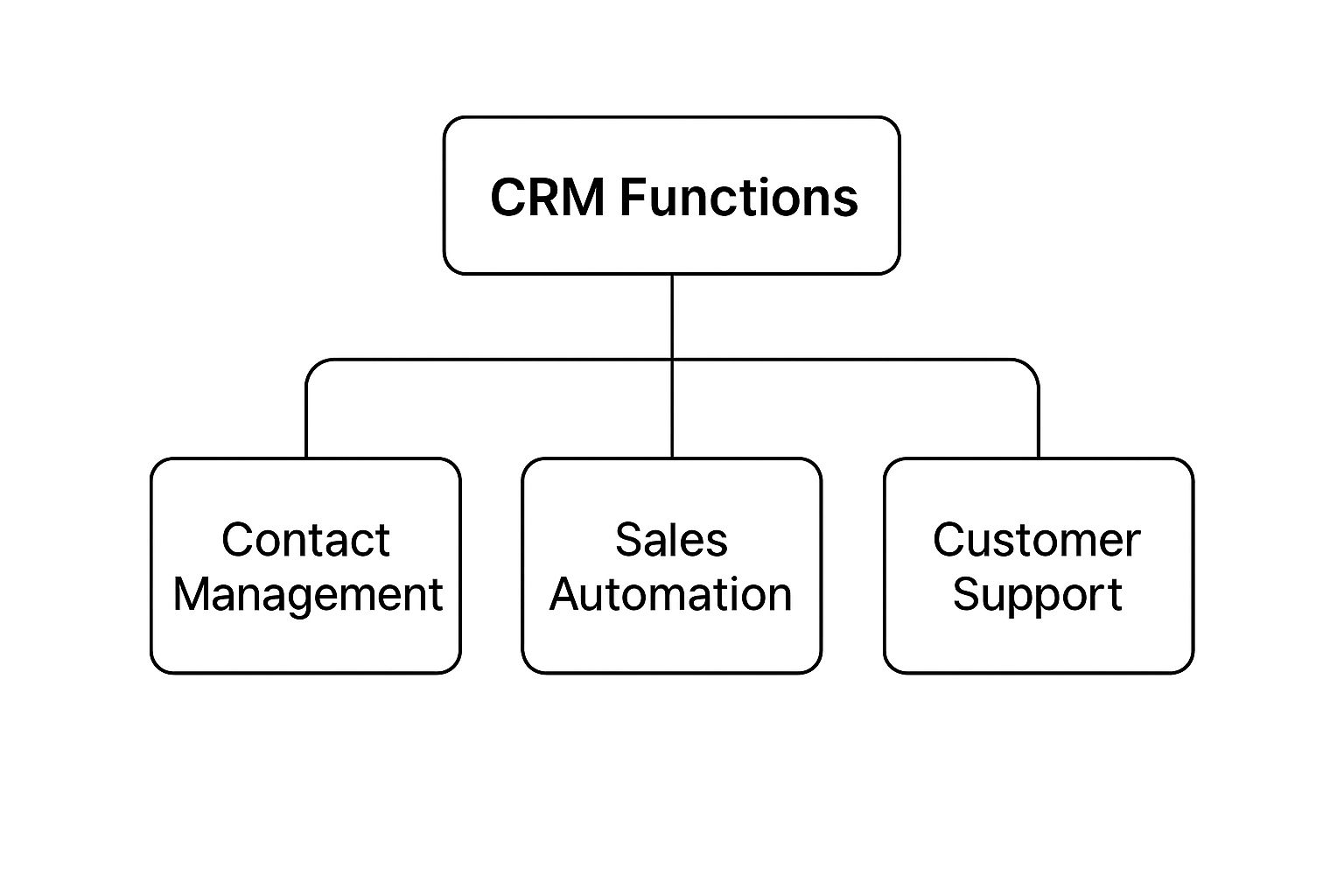
As you can see, everything revolves around that central customer profile. From there, all your key business activities—sales, marketing, and support—can draw from the same source of truth.
Your Visual Roadmap to More Sales
Another non-negotiable feature is pipeline management. This takes the fuzzy concept of your “sales process” and turns it into a clear, visual roadmap. Most CRMs do this with a Kanban-style board where you can track every deal as it moves through stages like “New Lead,” “Contact Made,” “Proposal Sent,” and ultimately, “Closed-Won.”
For a small business owner, this is a game-changer. You can see at a glance where deals are getting stuck, forecast your future revenue with a lot more confidence, and make sure no opportunity falls through the cracks. It turns selling from a guessing game into a predictable, manageable process.
Putting Repetitive Work on Autopilot
As a small business owner, you wear a lot of hats, and your time is gold. This is where automation becomes your secret weapon. A solid CRM can put dozens of those routine, time-sucking tasks on autopilot, freeing you and your team up to focus on what really matters: building relationships and closing deals.
What kind of stuff can you automate?
- Welcome Emails: Instantly send a personalized welcome message the moment a new lead fills out a form on your site.
- Follow-up Reminders: Automatically create a task for you to follow up three days after sending a proposal.
- Data Entry: Forget manually logging every call or email. The CRM can do it for you, attaching the record to the right contact automatically.
By automating these simple but critical tasks, a CRM can give you back hours every single week. Some studies show this can boost sales productivity by up to 34%. That means your small team can get a whole lot more done without burning out.
Core CRM Features vs Advanced Capabilities
When you start looking at different CRMs, it’s easy to get overwhelmed. A helpful way to cut through the noise is to separate what you need right now from what you might want down the road.
Here’s a quick breakdown to help you focus on the essentials first.
| Feature Category | Essential for Small Businesses | Advanced (For Scaling Businesses) |
|---|---|---|
| Contact & Lead Management | Centralized contact database and pipeline visualization. | Lead scoring to automatically rank prospects by their likelihood to buy. |
| Automation | Basic task automation for follow-ups and data entry. | Complex workflow automation that triggers multi-step marketing campaigns. |
| Reporting | Standard dashboards showing sales activity and pipeline health. | Custom, in-depth analytics with sales forecasting and trend analysis. |
By focusing on these core, essential features, you can pick a CRM that solves today’s problems right away. The goal is to start with a tool that’s powerful yet simple, giving you a solid foundation to build on as your business grows.
How a CRM Directly Boosts Your Bottom Line
Let’s get straight to the point. You’re not looking at a CRM just to be more organized. You want results—the kind you can see on your bank statement. A good CRM system isn’t another expense; it’s an engine designed to drive real growth for your business.
It does this by focusing on three things that matter most to any small business owner: winning more sales, making your team more productive, and keeping customers happy so they come back again and again. By giving you one central place for all your customer information, a CRM helps you make smarter decisions that directly impact these areas.

Win More Sales with a Smarter Process
Before a CRM, the sales process often feels like a shot in the dark. You’re juggling sticky notes, trying to remember conversations, and inevitably, good leads slip through the cracks. A customer relationship management for small businesses system changes all that. It turns the chaos into a predictable, repeatable process for closing deals.
You can see your entire sales pipeline at a glance, knowing exactly where every prospect is in their journey. This clarity means your team can focus on the most promising opportunities and never miss a follow-up. The proof is in the numbers: businesses using a CRM see their sales increase by an average of 29%. They also get 42% better at predicting future sales, which is huge for managing cash flow and planning ahead.
Drive Productivity by Automating Busywork
Think about your typical workday. How much time gets eaten up by manual tasks like data entry, sending the same follow-up emails, or scheduling reminders? It all adds up, and it’s time you could be spending actually talking to customers and selling. A CRM gives you that time back by putting those repetitive chores on autopilot.
Imagine your system automatically logging calls, sending out welcome emails to new leads, or nudging you to check in on a big proposal. Suddenly, your team is free to focus on what humans do best: building relationships.
This isn’t just about saving a few minutes here and there. It’s a massive productivity boost. In fact, sales productivity jumps by an incredible 34% after a CRM is put in place. For a small team, that’s like hiring another person without adding to the payroll.
This efficiency allows your team to manage more leads and provide better service without feeling completely swamped.
Create Lasting Loyalty and Predictable Revenue
Finally, a CRM is your secret weapon for turning first-time buyers into loyal fans. In today’s market, a personal touch is what makes you stand out. When you have a complete history of every conversation, purchase, and support ticket right in front of you, you can deliver that tailored experience that builds real loyalty.
You can start anticipating what your customers need, solve problems before they even happen, and make every single person feel seen and valued. This is why a whopping 75% of companies see a real jump in customer satisfaction after getting a CRM. And as we all know, happy customers don’t just stick around—they buy more and tell their friends about you. We dive deeper into this in our guide on how to improve customer satisfaction.
At the end of the day, a CRM helps you build a business on strong relationships, not just one-off sales. It’s an investment that pays for itself by making your entire operation smarter, faster, and more focused on the people who matter most: your customers.
Choosing Your First CRM System
Taking the leap from spreadsheets to a dedicated CRM can feel massive, but it doesn’t have to be a headache. The secret is walking into the process with a clear plan. If you break it down into manageable steps, you can confidently pick a tool that fits your business like a glove—and one your team will actually want to use.
The goal here isn’t just to buy another piece of software. It’s about solving real-world problems and setting your business up to grow. Think of it like buying the first major tool for your workshop. You wouldn’t just grab the biggest, most expensive machine on the floor; you’d figure out what you plan to build first, then find the perfect tool for that specific job.
Define Your True Business Needs
Before you even glance at a CRM website, grab a pen and paper. Ask yourself one deceptively simple question: What specific problems are we trying to solve? Getting this right is, without a doubt, the most critical part of the whole process.
Are leads slipping through the cracks? Is your customer communication all over the place? Is sales forecasting more like a wild guess? Pinpoint your top three to five biggest headaches and write them down.
Your list might look something like this:
- We desperately need one central hub for all customer info and communication history.
- Our team can’t see our sales pipeline clearly, so we have no idea where deals really stand.
- We’re drowning in manual data entry and need to automate simple things like follow-up reminders.
This list is now your compass. It will guide every decision you make from here on out, helping you cut through the marketing fluff and focus on the features that will make a real difference from day one.
Research Smart: Industry-Specific vs. All-In-One
With your needs clearly defined, you can start digging into your options. You’ll quickly see that CRMs generally fall into two main camps. All-in-one CRMs are the jack-of-all-trades, built to be flexible enough for almost any industry. For many small businesses, these are a fantastic starting point.
On the other hand, you have industry-specific CRMs. These are custom-built for niches like real estate, construction, or legal practices. They come pre-loaded with the workflows and language you already use, which can make getting started a whole lot faster. The only catch is they might be less flexible if your business operates in a unique way. It’s smart to explore both to see which philosophy feels right for you.
Remember, your budget is more than just the monthly subscription cost. Always ask about one-time setup fees, data migration costs if you’re coming from another system, and any extra charges for training or premium support. A “cheaper” plan can get expensive fast if the features you actually need are locked behind a pricier tier.
Make the Most of Free Trials and Demos
Almost every CRM out there offers a free trial or a live demo—and you should take full advantage of them. This is your chance to get your hands dirty and see how the system truly feels to use. Don’t just click around aimlessly; use your list of business needs to run real-world tests.
Try to complete the exact tasks you identified as pain points. Can you import a list of contacts without pulling your hair out? Is it intuitive to create a new deal and move it through your pipeline? Can you set up a simple automation rule for a follow-up task? If it feels clunky and confusing during the trial, that’s a major red flag for how your team will feel about it later.
When you hop on a demo call, come armed with specific questions.
Checklist of Questions to Ask During a Demo:
- Onboarding and Support: “What does your onboarding process look like for a small team, and what kind of support is included in this plan?”
- Ease of Use: “Could you show me how a non-technical person would perform [mention a key task from your list]?”
- Integrations: “How does your platform connect with the tools we already rely on, like our email and calendar?”
- Scalability: “If our team doubles in size next year, what does that upgrade path look like, and what are the costs?”
- Reporting: “Can you walk me through building a simple report to track our sales team’s weekly activity?”
Asking targeted questions like these helps you get past the polished sales pitch. It forces the conversation to focus on how this customer relationship management for small businesses tool will actually work in your day-to-day world. This thoughtful approach is the difference between buying a product and finding a true partner for your business.
A structured plan is your best friend during this process. This checklist breaks down the journey from initial research to full team adoption, helping you stay on track and make a smart investment.
CRM Implementation Checklist for Small Businesses
| Phase | Key Action | Success Tip |
|---|---|---|
| 1. Discovery & Planning | Define your top 3-5 business needs and set a realistic budget. | Focus on problems, not features. What headaches are you trying to eliminate? |
| 2. Research & Shortlisting | Identify 3-4 potential CRMs that align with your needs (All-in-One vs. Industry-Specific). | Read reviews from businesses similar in size and industry to yours. |
| 3. Evaluation & Testing | Sign up for free trials and schedule demos for your top contenders. | Create a simple scorecard to rate each CRM based on your key needs and ease of use. |
| 4. Final Selection | Choose the CRM that best solves your problems and fits your team’s workflow. | Don’t just pick the cheapest option. Consider the long-term value and potential for growth. |
| 5. Implementation & Data | Plan your data migration and configure the CRM settings and user permissions. | Start with clean data. Take the time to remove duplicates and outdated contacts before importing. |
| 6. Team Training | Conduct hands-on training sessions focused on daily tasks and workflows. | Appoint a “CRM champion” on your team to provide peer support and encourage adoption. |
| 7. Launch & Review | Go live with the new system and schedule a 30-day check-in to gather feedback. | Adoption won’t happen overnight. Be patient and highlight early wins to build momentum. |
Following these steps methodically ensures you’re not just buying software but implementing a solution that will genuinely support your business’s growth and efficiency for years to come.
What’s Next for Small Business CRM?
Choosing a CRM system isn’t just about fixing today’s customer management headaches. It’s about setting your business up to win in the future. The world of CRM is changing fast, and what was once a simple digital rolodex is now becoming a smart, proactive partner in your company’s growth.
Keeping an eye on these trends will help you pick a system that not only works for you today but also gives you a competitive edge for years to come.
The biggest game-changer is undoubtedly artificial intelligence (AI). AI is turning CRM from a passive database into an active advisor. Think of it as a built-in business consultant that can sift through your data, predict which leads are ready to buy, and even suggest the next best move for your sales team.
Smarter Tools and On-the-Go Access
This shift toward intelligent systems is already making a huge impact. AI-powered features are saving small businesses countless hours by automating tedious data entry and using predictive analytics to pinpoint high-value prospects. You can dig deeper into these emerging CRM trends over at sellizer.io.
Along with AI, another unstoppable trend is the push for mobile-first CRM solutions. As a small business owner, you’re rarely chained to a desk. Having full CRM power in your pocket isn’t a luxury; it’s a necessity. This means your team can:
- Update a customer’s file right after a field visit.
- Pull up the entire sales pipeline on a tablet just before a meeting.
- Answer urgent customer questions instantly, no matter where they are.
This kind of mobile access means your team can manage relationships from anywhere, which drastically improves how quickly you can respond and how well you can serve your customers.
The future of CRM is a single, intelligent hub that pulls every piece of your business together. Deeper connections with your accounting software, marketing tools, and project management apps will become the norm, finally breaking down those frustrating data silos for good.
This interconnected system allows your CRM to become the true command center for your entire operation. This is especially critical for local businesses that need a direct line between their customer data and their visibility in local search. Our guide on local SEO for small businesses explains how these two strategies feed into each other.
Ultimately, picking the right CRM is an investment in a platform that will grow and innovate right alongside you.
Common Questions About CRM for Small Business
Even after seeing all the benefits, pulling the trigger on a new system can feel like a big leap. It’s totally normal to have some last-minute questions pop up. Investing in a CRM is a significant move for a small business, so let’s tackle those nagging concerns head-on.
Here are straight-up answers to the questions we hear most often from entrepreneurs who are right where you are now.
Is a CRM Too Expensive for My Small Business?
This is almost always the first question, and for good reason. When you’re watching every dollar, any new expense gets scrutinized. The good news? The old idea of a CRM being a budget-busting behemoth for massive corporations is long gone. Today’s market is packed with powerful, affordable tools built just for small teams like yours.
Many of the best CRM platforms have free-forever plans that give you more than enough firepower to get started. When you’re ready to upgrade, paid plans often begin around $15 to $25 per user per month. That’s a tiny price to pay when you consider a good CRM can boost sales by up to 29%.
Don’t think of it as an expense. It’s an investment in your own efficiency. If a CRM helps you land just one more client or save one important customer you might have lost, it’s probably already paid for itself for the entire year.
Will My Team Actually Use It?
This is the other big worry. What’s the point of buying a fancy tool if your team ignores it and sticks with their trusty old spreadsheets? It’s a valid concern, and it’s precisely why modern CRMs are so focused on being incredibly easy to use.
The best systems feel intuitive from the moment you log in. They have clean dashboards and simple workflows that just make sense. When you’re testing out different options, put on your “new user” hat. Ask yourself, “Could the least tech-savvy person on my team get the hang of this in an afternoon?” If the answer is yes, you’ve found a winner.
To get your team on board:
- Solve Their Problems: Ask your team what their biggest daily headaches are. Then, show them exactly how the CRM makes those specific frustrations disappear.
- Start Small: Don’t overwhelm everyone by trying to implement every single feature on day one. Just focus on mastering the core stuff first, like managing contacts and tracking deals.
- Lead the Way: If you, the boss, are actively using the CRM every day, your team will see it’s important and follow your lead.
How Secure Is My Customer Data?
Your customer list is your company’s crown jewel. The idea of handing it over to another company can be nerve-racking, and it should be. Reputable CRM providers get this. They make data security their absolute top priority, using bank-level security to protect your information.
Look for providers that are loud and proud about their security features, like:
- Data Encryption: This essentially scrambles your data, making it completely unreadable to anyone who shouldn’t have access.
- User Permissions: You get to be the gatekeeper, controlling exactly who on your team can see, add, or edit specific information.
- Regular Backups: Your data is constantly being saved, so if anything ever goes wrong, it can be restored in a snap.
Before you sign on the dotted line, read their security and privacy policies. Any trustworthy company will be completely transparent about how they protect your data. Getting these questions answered is the final step to feeling confident and ready to build better, more profitable customer relationships.
Ready to turn customer relationships into your biggest growth driver? Reviews To The Top provides the tools you need to manage feedback, centralize communication, and build a stellar reputation that attracts more business.


