
If you are searching for my review on google, you usually need one of two things fast. You either want to find, edit, or delete a review you already left, or you need to manage the reviews your business is receiving because they affect trust, calls, messages, bookings, and tours.
For operators, this is not small stuff. Google hosts about 58% of online reviews worldwide, 81% of consumers use Google reviews to assess local businesses, and review stars can lift Google Maps click-through rates by up to 35%, which is why reviews often sit right in the path between a search and a lead (Shapo).
Your Guide to Managing Google Reviews
A patient updates a review after a staff member fixes a billing issue. Ten minutes later, that revised star rating is part of what the next local searcher sees before they call your office. These are the stakes behind my review on google. One person is trying to correct their experience. The business is trying to protect trust, search visibility, and booked revenue.
For practice managers and local operators, review management works on two tracks at once. Customers need a fast path to find, edit, or remove what they posted. Your team needs a process for monitoring new reviews, responding on time, spotting risk, and using review activity to support local SEO. If either side breaks, the business feels it in lower conversion rates, weaker map performance, and more lost opportunities to competitors nearby.
Three terms show up often in this work:
- GBP means Google Business Profile
- SEO means Search Engine Optimization
- AIO means Artificial Intelligence Optimization
The trade-off is straightforward. Speed matters to the reviewer, but consistency matters to the operator. A customer wants to fix one review and move on. A med spa, dental office, vet clinic, HVAC company, or senior living team needs response standards, escalation rules, and clear ownership so review volume does not turn into operational drag.
That is why I treat review management as a revenue process, not just a reputation task.
If your team is trying to increase review volume while keeping quality control in place, this guide on strategies to boost your Google reviews pairs well with the operational steps below. If you are building the workflow itself, this walkthrough on how to manage Google reviews for a business gives you a practical starting structure.
Use a simple rule internally: help customers manage their own review without friction, and help your staff manage the business impact with discipline. That two-sided approach keeps the user experience clean while improving the signals that influence local rankings, click-throughs, and lead flow.
How to Find Edit or Delete Your Google Review
Many people asking about my review on google want the answer in under a minute. The good news is that Google makes this fairly easy once you know where your contributions live.
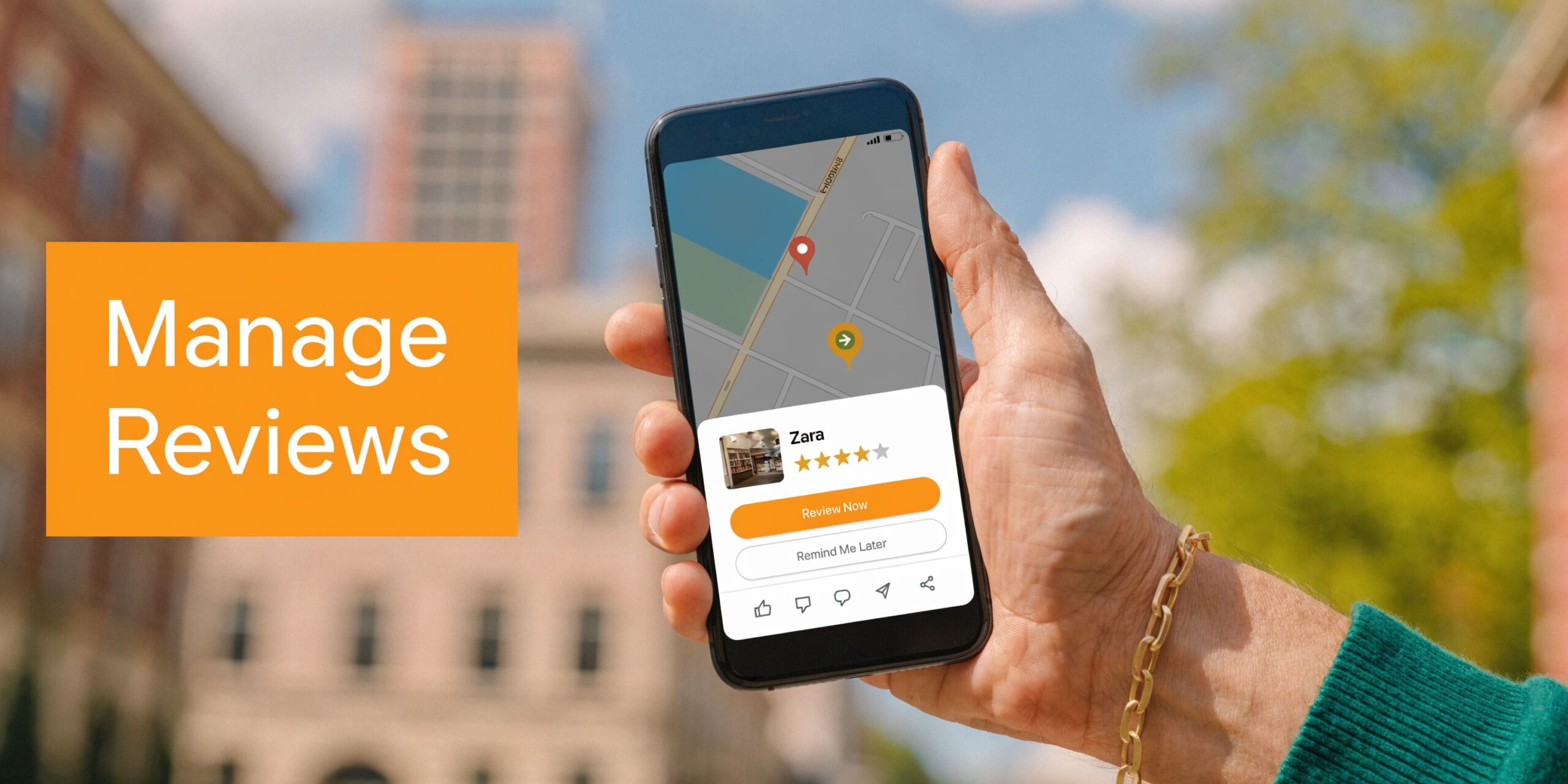
On mobile
Open Google Maps while signed into the same Google account you used to post the review.
Tap your profile picture, then look for Your profile or Your contributions. Inside that area, you should see your reviews.
When you find the business, tap the review. Google normally gives you options to edit or delete it. Editing lets you change the star rating, rewrite the text, or update details if the situation changed. Deleting removes your review entirely.
This is the fastest path if you are on an iPhone or Android phone and trying to fix a review while you are on the go.
On desktop
Search the business on Google or open Google Maps in your browser while logged in.
Click your profile image, then go to Your contributions. From there, open the reviews list and locate the business. Once selected, you can revise the content or remove the review.
If you cannot find it right away, search the business name inside Maps first, then open your contribution history from your account menu. That often surfaces the review faster.
When your review does not appear publicly
Sometimes a reviewer can see a submitted review in their account, but the public cannot. That usually creates confusion because the person assumes the review posted normally.
A few practical checks help:
- Confirm the account: Make sure you are logged into the same Google account used when the review was left.
- Check for pending edits: A recent update may take time to reflect.
- Look at public view: Open the business profile in an incognito browser and compare what is visible.
- Review the wording: If the post includes risky language, links, or unusual formatting, it may not display as expected.
Tip: If your main goal is to leave a fresh review, skip the account-history path and go directly through the business profile on Maps. This guide on how do I leave a Google review covers that clean path.
Should you edit or delete
Edit your review if the business corrected the problem, followed up well, or you just want to clarify details.
Delete it if it no longer reflects your experience or you posted it from the wrong account. For most users, editing is better because it preserves context and gives other customers a fuller picture.
A Business Owner's Playbook for Responding to Reviews
The business side of my review on google is where revenue shows up. Customers leave feedback for one business, but dozens of future buyers read it.
Every review response does two jobs. It speaks to the original reviewer, and it signals professionalism to the next person comparing providers in [City] for “dentist near me,” “AC repair near me,” or “vet near me.”

What works in real review responses
Short, human, specific replies work. Robotic replies do not.
Thank the reviewer. Mention the service if appropriate. Keep protected information out of public replies. In healthcare, that means no PHI or protected health information. In housing-related businesses, keep language neutral and consistent.
A good response sounds like a real manager wrote it. A bad response sounds copied, defensive, or legalistic.
Positive review response template
Use this for dental, med spa, auto repair, HVAC, and similar service businesses:
Hi [First Name], thank you for taking the time to share this. We are glad you had a good experience with our team at [Business Name]. We appreciate your trust and your feedback on [service or visit type]. If you ever need anything in the future, we are here to help.
For healthcare, keep it HIPAA-aware:
Thank you for your feedback, [First Name]. We appreciate you choosing [Practice Name]. Our team works hard to make every visit clear, comfortable, and well organized, and we are glad your experience reflected that.
Negative review response template
The goal is not to win the argument in public. The goal is to lower friction and move the issue offline.
Hi [First Name], thank you for bringing this to our attention. We are sorry to hear your experience did not meet expectations. We would like the chance to look into what happened and address it directly. Please contact [name, role, or front desk email/phone] so we can review the details and work toward a resolution.
For healthcare, keep it generic:
Thank you for your feedback. We take concerns seriously and want to review this appropriately. For privacy reasons, we cannot discuss details here, but we invite you to contact our office directly so our team can assist.
Key takeaway: A review reply is public-facing customer service. Write for the next buyer reading the thread, not only for the person who posted it.
Review request scripts you can use today
For a home service business like HVAC, timing matters. Ask after the job is complete and the customer has confirmed the system is working.
SMS request script
Hi [First Name], thanks for choosing [Business Name] for your HVAC service today. If you have a moment, would you share your experience in a Google review? Your feedback helps other homeowners in [City] find a trusted local team. [Review Link]
Email request script
Subject: Thanks for choosing [Business Name]
Hi [First Name],
Thank you for trusting [Business Name] with your HVAC service. We appreciate the opportunity to help.
If you are willing, please leave a Google review and let us know how the visit went. Your feedback helps us improve and helps other customers looking for HVAC service near me in [City].
[Review Link]
Thank you again,
[Name]
[Business Name]
A 7 day launch checklist
If you are building a review program for one location or many, keep the first week simple.
- Day 1: Confirm GBP ownership, categories, hours, phone numbers, and service details.
- Day 2: Create response templates for positive, negative, and no-comment star-only reviews.
- Day 3: Choose request channels such as SMS, email, front-desk QR cards, or post-visit follow-up.
- Day 4: Train staff on when to ask and what not to say. No incentives. No pressure.
- Day 5: Set escalation rules for complaints, legal risk, and healthcare privacy issues.
- Day 6: Assign a response owner and a backup owner with service-level expectations.
- Day 7: Start tracking review volume, recency, star trends, and business outcomes from GBP activity.
If you want a deeper operational workflow for teams, this guide on how to respond to reviews is useful. One option for larger organizations is to use a managed system such as Reviews To The Top, which centralizes requests, monitoring, responses, and escalations across locations.
Handling Fake Negative or Inappropriate Reviews
Business owners often hear one piece of advice: flag the review and move on. That is incomplete.
In some categories, fake review pressure is not minor. For home services and healthcare, an estimated 18% of reviews are fake, with locksmiths, HVAC, and legal services among the most affected. Some operators now audit fake-review patterns the way SEOs audit link profiles, including review velocity and evidence gathering for escalation (YouTube).
Red flags worth taking seriously
A suspicious review does not always use harsh language. Sometimes it is vague, generic, or strangely broad.
Watch for patterns like:
- No service detail: The review says almost nothing specific about the visit, technician, office, or outcome.
- Geographic mismatch: The profile reviews unrelated businesses in distant places.
- Ratings-only behavior: The account leaves stars across many businesses with little written context.
- Competitive timing: A cluster appears right after your location starts climbing in local visibility.
The same caution applies to glowing fake reviews. If the pattern looks manufactured, it can create problems later.
What to do besides flagging once
Google gives you a reporting path, but many operators stop too early. A stronger process looks like this:
- Document the review with screenshots and dates.
- Compare the name, timing, and content against your customer records without exposing private information publicly.
- Flag the review inside your GBP.
- Have a second authorized team member review the same case and document why it appears inauthentic or policy-violating.
- Re-report if it remains live and your evidence is still valid.
- Post a calm public response if needed, especially when the review may influence prospects while you wait.
A measured response might say:
We take feedback seriously, but we cannot identify a record that matches this experience. Please contact our office directly so we can investigate.
That keeps you professional without accusing the reviewer publicly.
Hidden reviews and filter issues
Another frustration is when legitimate reviews disappear while questionable ones stay visible. Google’s filters can be inconsistent, especially around negative feedback and edge-case moderation. That is one reason businesses need active monitoring instead of assuming the platform will sort everything cleanly.
If you need the practical workflow for escalation, start with this guide on how to dispute a review on Google. Dental teams with stricter privacy concerns often benefit from category-specific processes, such as these review strategies for dental practices.
How Reviews Fuel Your Local Search Visibility
A patient searches your category, sees three local listings, and compares them in seconds. One profile has recent reviews, thoughtful responses, and service details that match the search. Another has an old rating, thin profile content, and no visible activity. The first business usually earns the click, and that visibility often turns into calls, booked appointments, and revenue.
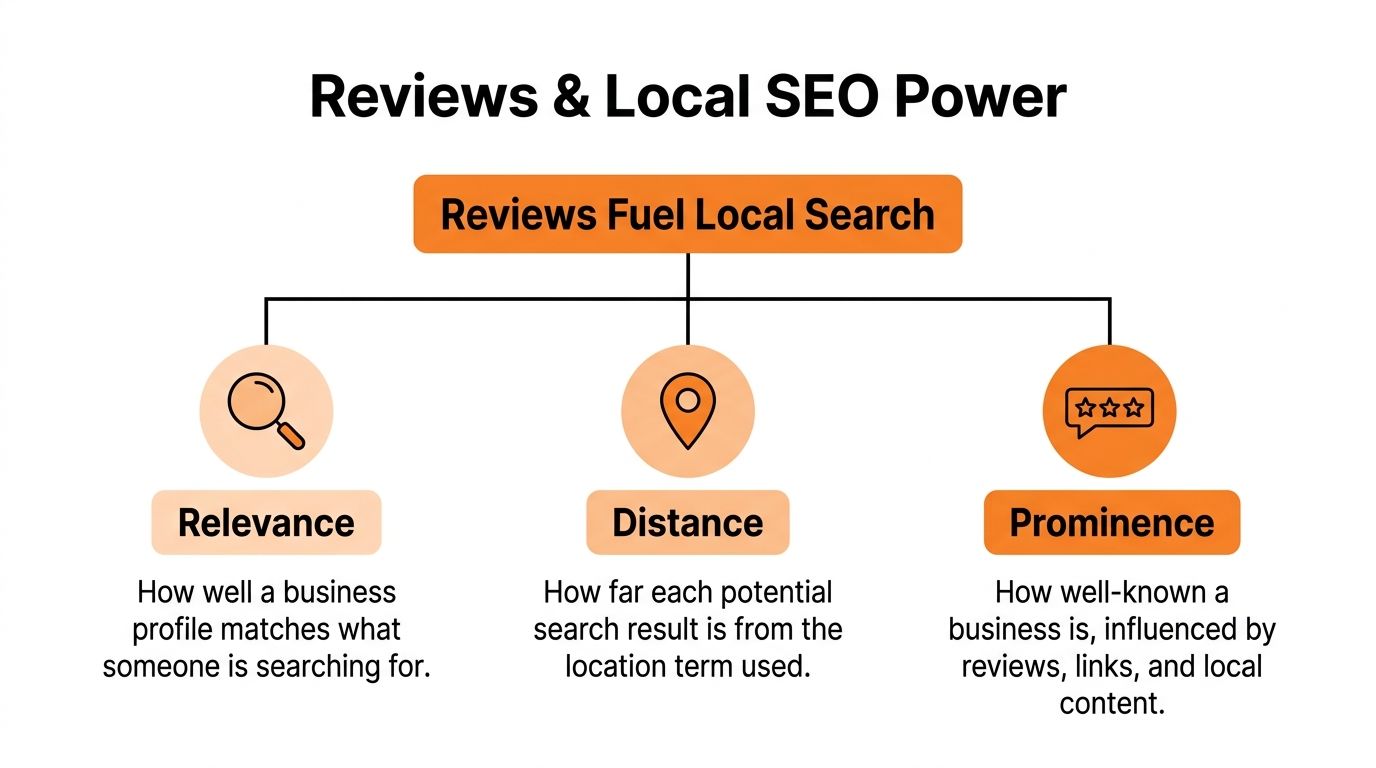
Google’s local results still revolve around three factors: proximity, relevance, and prominence. Reviews do not control all three, but they influence how strong your profile looks in the results and how often searchers choose you once you appear.
Proximity relevance and prominence
Proximity is the searcher-to-business distance. If someone types “vet near me,” Google weighs the user’s location or the place named in the search.
Relevance is category and service match. Your Google Business Profile should clearly reflect what you offer through the right primary category, supporting categories, services, business description, and accurate hours.
Prominence is where reviews carry real weight. A steady stream of credible reviews, review text that mentions real services, and consistent owner responses all help reinforce that the business is active, trusted, and established in its market.
That matters on both sides of the coin. When a customer updates or removes my review on Google, it affects more than one opinion on a screen. It changes the freshness, sentiment mix, and trust signals attached to your profile. For the business operator, that is not just a reputation issue. It can influence click-through rate from the local pack and the number of qualified leads your location captures.
If you want the search-specific breakdown, this guide explains how Google reviews help SEO.
A short GBP optimization checklist
Before pushing harder for more reviews, make sure the profile can convert the visibility it earns.
- Check core accuracy: Name, address, phone, website, hours, and categories should be correct.
- Add service detail: List real services and service areas tied to buyer intent.
- Keep media current: Add current photos that reflect the actual customer experience.
- Use the right landing page: Send GBP traffic to the page that matches the search, not automatically to the homepage.
- Answer reviews consistently: Responses show both prospects and Google that the profile is being managed.
I usually advise practice managers to treat reviews as part of local search operations, not a separate task for the front desk to squeeze in when there is time. Review generation, response quality, profile accuracy, and landing page relevance work together. If one piece is weak, the profile can still rank, but it will convert less traffic into real inquiries.
If your team wants tighter control over both visibility and governance, focus on reputation management and optimize your Google Business Profile as one operating system.
A visual overview helps if you need to explain this internally:
Measuring the ROI of Your Review Management Program
Review work needs a scorecard. Otherwise, the team stays busy without proving business impact.
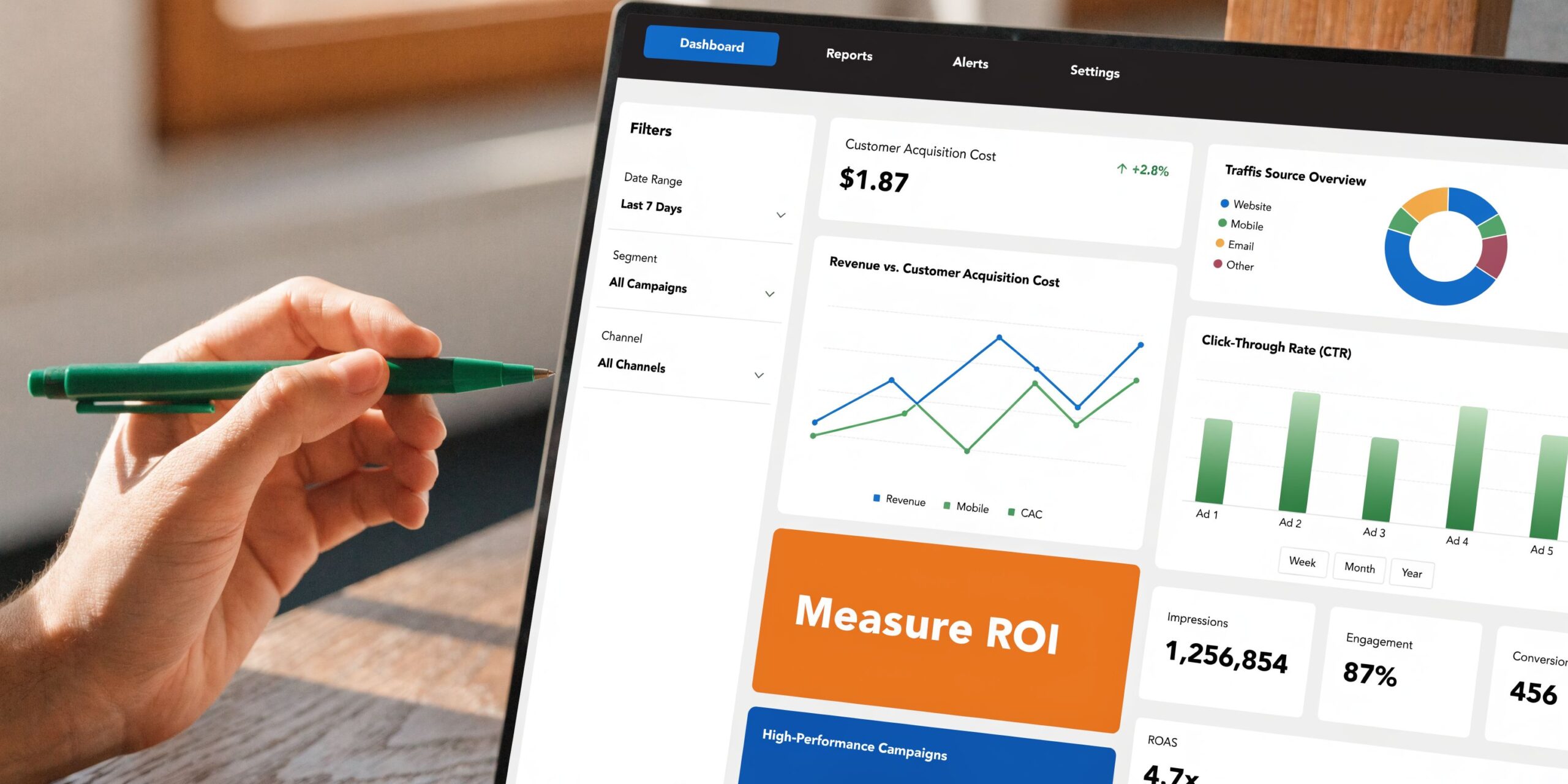
What to track every month
Start with a small set of metrics your location managers can influence.
- Review volume: Are new reviews coming in steadily?
- Recency: Did the profile receive fresh feedback recently?
- Star rating trend: Is sentiment improving, flat, or slipping?
- Response time: Are reviews answered quickly enough to show attentiveness?
- GBP activity: Are profile views, calls, website clicks, direction requests, or bookings moving in the right direction?
Google Business Profile performance matters because 5% of GBP views result in a conversion action such as a call, website click, or direction request, which makes profile activity a practical lead-generation metric to watch (Safari Digital).
Connect GBP to booked business
Use UTM parameters on the website link in your GBP so traffic from the profile is clearly labeled in analytics.
A simple structure looks like this:
- Source: google
- Medium: organic
- Campaign: gbp
If you route bookings through a scheduling page, apply the tagged URL there. If calls matter most, use call tracking or at least compare GBP call activity with front-desk logs and booked appointments.
Tip: Multi-location operators should review metrics by location, region, and brand. Averages hide location-level problems.
Practical targets without guesswork
You should set internal targets for review volume, recency, response time, star rating, GBP views and calls, and lead-to-sale conversion. The exact threshold should match your category, lead flow, and competition in [City]. A single-location vet clinic and a regional HVAC brand should not use the same target numbers.
Frequently Asked Questions About Google Reviews
Can I edit my Google review after posting it
Yes. If you can find the review under your Google Maps contributions, you can usually update the text and star rating or delete it.
Why can I see my review but nobody else can
That often points to visibility or filtering issues. Check the account used, confirm the review appears in public view, and simplify any wording that may have triggered moderation.
Should businesses respond to every review
Yes, in most cases. Positive reviews reinforce trust. Negative reviews show how you handle friction. Star-only reviews still deserve a short acknowledgment.
What should a healthcare practice avoid in replies
Do not confirm treatment details, appointment history, diagnosis, or any other protected information. Keep the reply generic and invite the person to contact the office directly.
Can fake reviews hurt local performance
They can distort trust, consume staff time, and influence buyer decisions while they remain live. That is why monitoring, documentation, and escalation matter.
How do I track whether review work is producing revenue
Tie review activity to GBP metrics, site traffic from tagged links, calls, bookings, and lead-to-sale results. If you need a broader finance view, this article on how to calculate marketing ROI is a practical reference.
What if my team does not have time to manage this weekly
Centralize the workflow. Assign ownership, use templates carefully, and build a simple reporting routine. If nobody owns the process, response times slip and review requests become inconsistent.
If review management keeps sliding down the list, Reviews To The Top offers month-to-month support for local and multi-location businesses that need help with requests, monitoring, replies, profile accuracy, and reporting. If you want a practical plan tied to calls, bookings, and local visibility, you can book a strategy call or request a demo.


