
You can't delete a negative Yelp review, but you can get it removed by flagging it for a policy violation or drown it out with a flood of positive reviews. Taking control of your Yelp reputation is critical because nearly 9 out of 10 consumers consult online reviews before making a purchase, directly impacting your calls, bookings, and revenue. This guide provides a step-by-step playbook for managing negative feedback and turning your reputation into a competitive advantage.
Key Facts About Managing Yelp Reviews
- Removal is Rare: You cannot delete a review yourself. Yelp will only remove reviews that violate its specific Yelp's Content Guidelines, such as hate speech, conflicts of interest, or secondhand experiences.
- Your Response is Your Power: A professional, timely public response can neutralize the damage of a negative review and demonstrate your commitment to customer service to future prospects.
- Dilution is the Best Strategy: The most effective long-term solution is to consistently generate new, positive reviews to push negative ones down and improve your overall star rating.
- Google Cares About Yelp: Your Yelp reputation contributes to your "prominence" in Google's local search algorithm, impacting your ranking in the Google Maps Pack for "near me" searches.
Step 1: Flag the Review for Removal (If It's a Violation)
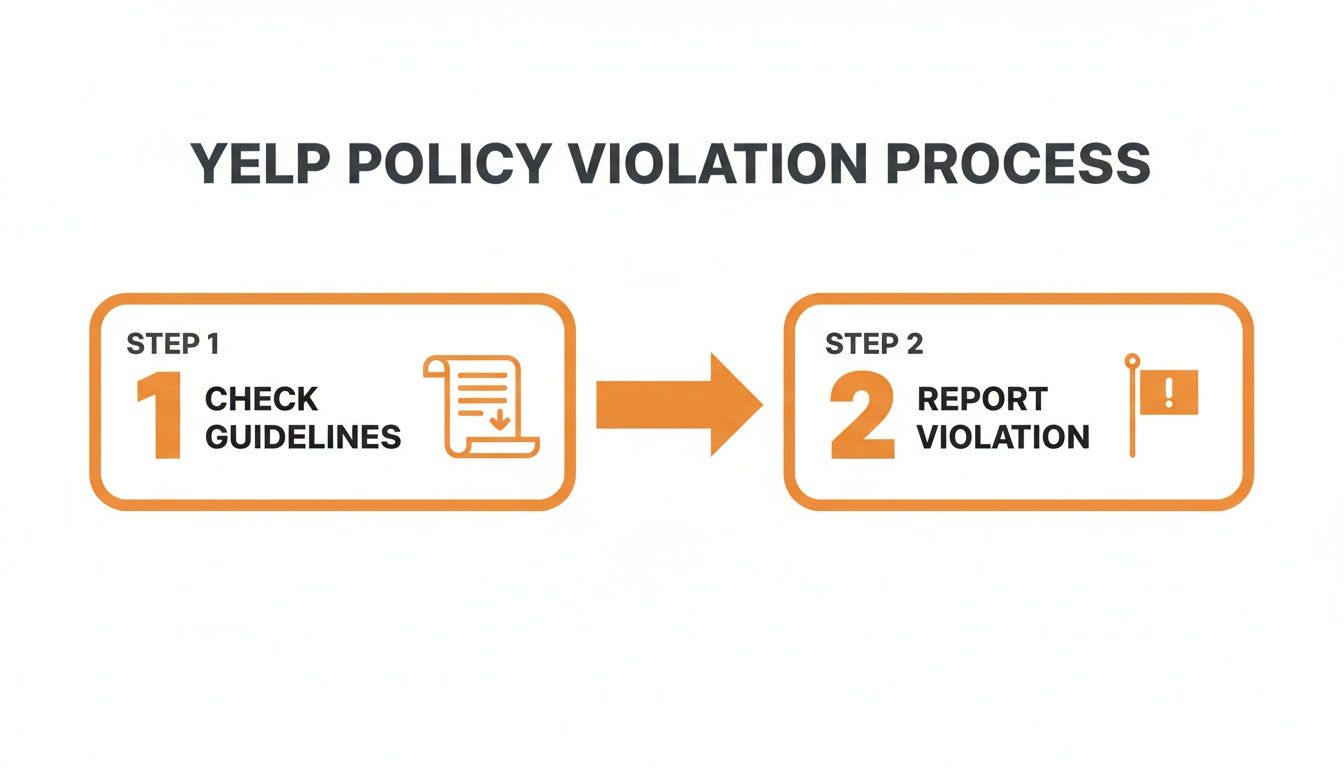
The only way to get rid of a negative Yelp review is to report it for a clear policy violation. Yelp moderators act as referees, enforcing their platform's rules, not judging whether a customer's opinion is "fair." A customer complaining that your HVAC service in [City] was overpriced is an opinion and will stay. A review from an ex-employee is a conflict of interest and can be removed.
How to Spot a Reportable Violation
Focus on these common violations when reviewing a negative comment:
- Conflict of Interest: The review is from a competitor, a disgruntled ex-employee, or someone paid to damage your rating.
- Not a Firsthand Experience: The review is based on someone else's story (e.g., "My friend told me their dental cleaning here was awful.").
- Irrelevant Content: The review is a rant about politics, the neighborhood, or anything unrelated to their consumer experience with your business.
- Hate Speech, Threats, or Harassment: The review contains threats or discriminatory language. Yelp takes these very seriously.
- Private Information: The review includes an employee's full name, home address, or personal phone number.
How to Report the Review
- Log in to your Yelp for Business account. This is mandatory.
- Navigate to the "Reviews" section and find the review in question.
- Click the three dots (…) and select "Report Review."
- Choose the most accurate violation from the list provided.
- In the text box, provide a brief, factual explanation. For example: "This review was posted by a former employee, [Name], who was terminated on [Date]. This is a clear conflict of interest."
After you submit, expect a decision via email within 3-5 business days. According to Yelp's 2024 Trust & Safety Report, their team is actively removing content that violates their policies, but the bar for removal is high. This process is different from getting a Google review removed, which has its own set of rules.
Step 2: Respond Publicly and Professionally
If a review doesn't violate policy, it will stay public. Your public response is your opportunity to demonstrate professionalism to the hundreds of potential customers who will read it. The goal is not to win an argument but to win the trust of future clients.

Response Templates & Scripts
Having pre-approved templates saves time and ensures a consistent, professional tone.
Negative Review Response Template
Use this to de-escalate and take the conversation offline.
Hi [Customer Name], thank you for sharing your feedback. We are sorry to hear your experience at our [City] location did not meet your expectations. We are committed to getting it right and would appreciate the chance to learn more. Please contact me directly at [Phone Number] or [Email Address]. — [Your Name], [Your Title]
Positive Review Response Template
Engaging with happy customers builds loyalty and shows you're attentive.
Hi [Customer Name], thank you so much for the kind words! We’re thrilled you had a great experience with our team. We appreciate your support and look forward to seeing you again! — [Your Name], [Your Title]
Compliance Note for Healthcare & Housing: For healthcare providers (dental, med spa, vet), never confirm someone was a patient or mention Protected Health Information (PHI) in a public response to remain HIPAA-aware. For property management, keep all responses neutral to comply with Fair Housing guidelines. Avoid specifics and use generic language like, "We invite you to contact our office to discuss your experience."
Step 3: Launch a System to Generate Positive Reviews
The ultimate strategy for dealing with negative reviews is to bury them with positive ones. A steady stream of 4- and 5-star reviews will raise your overall rating and build a powerful defense against the occasional bad experience.

Review Request Scripts
Ask for reviews at the peak of customer satisfaction—right after a great service experience.
SMS Review Request Script (For a Med Spa)
Hi [Client Name]! This is [Your Name] from [Med Spa Name]. We hope you enjoyed your treatment today! If you have a moment, we'd love it if you could share your experience on Yelp: [Link to Yelp Page]. Thank you!
Email Review Request Script (For an Auto Repair Shop)
Subject: How did we do on your recent service?
Hi [Customer Name],
Thanks for trusting us with your vehicle. We hope your service was excellent. Feedback from customers like you helps our [Neighborhood] shop improve. Would you mind leaving us a quick review on Yelp?
[Link to Your Yelp Page]
Thank you for your business!
The Team at [Shop Name]
7-Day Review Program Launch Checklist
Follow this plan to systematize review generation.
- Day 1: Claim and fully optimize your Yelp for Business profile. Ensure address, hours, and photos are current.
- Day 2: Choose your tool—a dedicated reputation management platform or a manual process managed by your team.
- Day 3: Customize your SMS and email request templates with your branding and a direct link to your Yelp page.
- Day 4: Train your team on when and how to ask for a review.
- Day 5: Identify your first 10-15 happy customers from the past week to contact.
- Day 6: Send your first wave of review requests.
- Day 7: Implement a daily habit of monitoring for new reviews and responding to 100% of them within 24 hours.
Step 4: Measure the Impact on Your Business
Effective reputation management must translate to measurable business results. Track these Key Performance Indicators (KPIs) to connect your efforts to your bottom line.
Key Metrics and Targets
- Star Rating: Aim for a 4.5-star average or higher.
- Review Volume & Recency: Target 5-10+ new reviews per location, per month.
- Response Time: Respond to 100% of reviews in under 24 hours.
- Google Business Profile (GBP) Views/Calls: As your reputation improves, look for a 10-15% lift in profile views, clicks-to-call, and direction requests.
- Lead-to-Sale Conversion: Monitor if leads from platforms like Yelp and Google are converting at a higher rate.
How Reviews Impact Google's Local Search Ranking
Google ranks local businesses using three main factors: proximity (how close you are to the searcher), relevance (how well your services match the query), and prominence (how well-known and respected your business is). Your review volume, velocity, and average star rating on sites like Yelp are major signals of prominence. A strong reputation helps you rank higher in the Google Maps pack for valuable searches like "best HVAC near me" or "dentist in [City]."
Checklist for Optimizing Your Google Business Profile
- Verify your business address and service area.
- Select all relevant business categories.
- Add high-quality, recent photos and videos.
- Answer all questions in the Q&A section.
- Publish regular Google Posts (weekly updates).
- Ensure your review count and star rating are strong.
To measure direct ROI, use UTM tags on the links in your Yelp and GBP profiles. This allows you to track how many website visitors, calls, and form submissions originate from each platform in Google Analytics.
Frequently Asked Questions (FAQ)
1. How long does Yelp take to remove a flagged review?
Yelp's moderators typically review flagged content and make a decision within 3-5 business days. You will receive an email notification with their final decision.
2. Can I sue someone for a bad Yelp review?
While you can technically sue for defamation, it is extremely expensive, time-consuming, and often results in negative publicity (the "Streisand Effect"). It is almost always better to use Yelp's flagging tools and professional response strategies.
3. Will Yelp remove a review if I give the customer a refund?
No. Offering refunds or other compensation in exchange for removing or altering a review is a violation of Yelp's policies and can result in a "Consumer Alert" being placed on your business page.
4. Does responding to a negative review make it more visible?
No, there is no evidence that responding to a review boosts its visibility on your Yelp page. However, failing to respond makes your business look unresponsive to future customers reading the reviews.
5. How many bad reviews are too many?
It's about the ratio, not the raw number. A business with hundreds of positive reviews can easily absorb one negative review. A new business with only a few reviews will see its average rating drop significantly from a single one-star comment. The goal is to build a strong base of positive feedback to make negatives statistically insignificant.
6. What is PHI?
PHI stands for Protected Health Information. Under HIPAA, this is any information that can be used to identify a patient, including their name, treatment dates, or health conditions. Healthcare businesses must avoid mentioning PHI in public review responses.
7. How does Google's proximity-relevance-prominence model work?
When you search for a local service, Google's algorithm first finds businesses proximate (near) to you. It then filters for those relevant to your search term (e.g., "emergency plumber"). Finally, it ranks the remaining businesses based on prominence—a measure of authority determined by links, articles, and especially online review signals like quantity and quality.
Managing your online reputation is a continuous process, not a one-time fix. It directly impacts your ability to attract new customers and grow your business. If you need expert help turning your reviews into a powerful marketing engine, book a strategy call to learn about our month-to-month support.


