
Getting a Google review removed is possible, but only if it violates Google’s specific content policies—not just because it's negative. Because 81% of consumers use Google to evaluate local businesses, successfully removing fake or malicious reviews is critical for protecting your star rating and driving conversions like calls, bookings, and new customers. This guide explains exactly how to identify violations and navigate the removal process.
Key Facts
- Success Rate: Review removal is only successful if you can prove a specific Google policy violation, like spam, hate speech, or a conflict of interest.
- Timeline (Initial Flag): After flagging a review, expect Google to make a decision within 3 business days.
- Timeline (Appeal): If your initial request is denied, a one-time appeal to a human moderator can take 7–10 business days.
- Best Defense: The most effective long-term strategy is to generate a consistent stream of positive reviews to minimize the impact of any single negative one.
- What You Can't Remove: Reviews based on a customer's genuine negative opinion or a disagreement over facts are not eligible for removal.
Step-by-Step: How to Get a Google Review Removed
The process for getting a Google review removed requires precision. You must identify a clear policy violation, report it through the correct channels, and be prepared to appeal if necessary.
Step 1: Confirm the Review Violates Google's Policies
First, determine if the review is eligible for removal. Google protects genuine feedback, even if it's critical. Your only chance is to prove the review breaks a rule. Your online reputation is a key factor in Google’s local search algorithm, which uses a proximity, relevance, and prominence model to rank businesses for searches like "HVAC repair in [City]" or "best dental clinic near me." Profiles with spammy or fake reviews can hurt your visibility.
Google will not remove a review simply because:
- A customer had a genuinely negative experience.
- There's a disagreement over the price or facts of a service.
- It describes a poor customer service interaction that actually happened.
Use this checklist to see if you have a case.
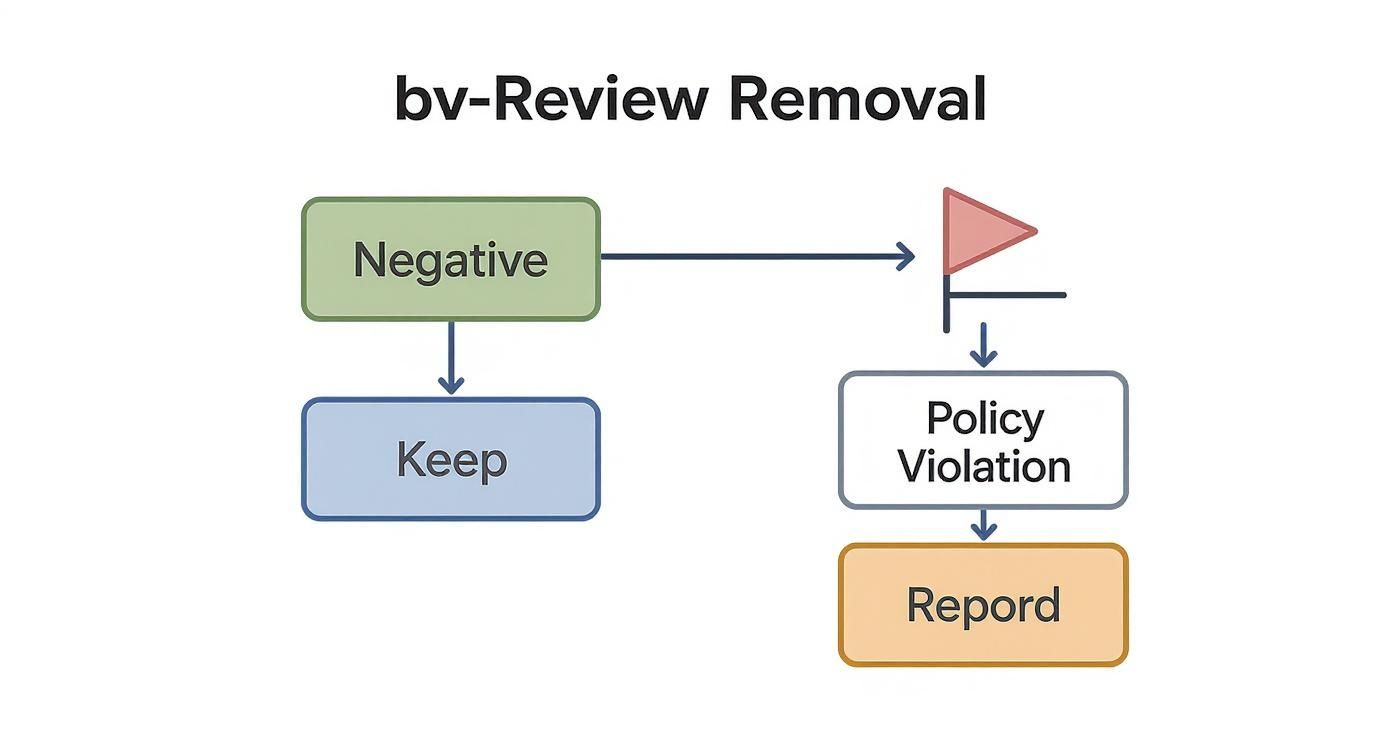
Review Removal Eligibility Checklist
| Violation Type | Is it Removable? | Example Scenario |
|---|---|---|
| Spam & Fake Content | Yes | A "customer" who never visited your med spa leaves a 1-star review mentioning a competitor by name. |
| Off-Topic | Yes | The review is a political rant unrelated to the service provided at your vet clinic in [Neighborhood]. |
| Hate Speech | Yes | The review contains slurs or attacks someone based on race, religion, or gender identity. |
| Harassment | Yes | An ex-employee posts personal threats against a specific staff member. |
| Conflict of Interest | Yes | You discover the owner of a competing auto shop left you a negative review to lower your rating. |
| Just a Negative Opinion | No | A customer writes, "The service was slow and my food was cold. I won't be back." |
| Disagreement Over Facts | No | A review states, "They overcharged me," when your records show the charge was correct. |
If you can't find a clear violation, your best course of action is to craft a professional public response.
Step 2: Flag the Review for Removal
Once you've identified a violation, it's time to flag the review. You can do this from Google Search, Google Maps, or your Google Business Profile (GBP) dashboard. For multi-location businesses, the GBP dashboard is the most efficient way to manage and track reports.
- Find the review you want to report.
- Click the three vertical dots next to the reviewer's name.
- Select "Report review."
- Choose the violation type that best matches your evidence. Be precise. For example, if a review praises a competitor, select "Conflict of interest." If it contains personal insults, choose "Harassment."
After submitting, wait up to 3 business days for a decision. You can check the status in the "Reviews" section of your GBP dashboard.
Step 3: Appeal a Denied Request (If Necessary)
It's common for initial removal requests to be denied by Google's automated system. If this happens, you can file a one-time appeal via the Google Business Profile Help portal. This appeal is reviewed by a human, giving you a chance to provide context and evidence.
Before appealing, assemble your proof:
- Screenshots: Capture the review, the reviewer's profile, and any other relevant information (e.g., a pattern of them leaving negative reviews for similar businesses).
- Internal Records: Confirm the reviewer does not appear in your CRM, appointment logs, or payment systems. You can state this in your appeal without revealing private customer data (PHI). For example: "We have no record of a client named John Doe in our system."
- Context: Prepare a brief, factual explanation of why the review violates a specific policy.
When contacting Google Business Profile Support, use a clear and professional tone. Present the facts calmly. After submitting your appeal, expect to wait 7–10 business days for a final decision.
Templates & Scripts for Review Management
While waiting for Google's decision, focus on proactive reputation management. Using templates for review requests and responses ensures consistency and saves time.
Review Request Scripts
The best way to combat a negative review is to generate more positive ones.
-
SMS Request (Med Spa):
"Hi [Client Name], it's [Your Name] from [Spa Name]! We loved seeing you today. If you have a moment, would you mind sharing your experience on Google? Your feedback helps others in [City] find great local businesses. [Link to Google Review Page]" -
Email Request (Senior Living):
Subject: Your thoughts on your recent tour of [Community Name]"Hi [Family Member Name],
Thank you for visiting our community. We hope you had an informative and welcoming experience.
Would you be willing to take 60 seconds to share your impressions on Google? Your feedback is incredibly valuable to other families in [City] searching for senior care.
[Link to Google Review Page]
Sincerely,
The Team at [Community Name]"
Review Response Templates
Always respond to every review. A calm, professional reply shows potential customers that you are engaged and attentive.
- Negative Review Response (while awaiting removal):
"Hi [Reviewer Name], thank you for sharing your feedback. We take all customer experiences seriously and are looking into this matter internally. Our goal is to provide 5-star service, and we would appreciate the opportunity to connect with you directly. Please contact our manager, [Manager Name], at [Phone Number or Email]."
Pro-Tip: For more guidance, see these negative review response examples. - Positive Review Response:
"Hi [Reviewer Name], thank you so much for the kind words! We're thrilled to hear you had a great experience with [mention a specific detail, e.g., 'your technician, Mike' or 'the new A/C installation']. We appreciate your support and look forward to seeing you again!"
7-Day Review Program Launch Checklist
- Day 1: Set Goals. Aim for a 4.5+ star rating, <24-hour response time, and 5-10 new reviews per month per location.
- Day 2: Create Templates. Draft your SMS/email review requests and response scripts.
- Day 3: Train Your Team. Teach staff the best time to ask for a review (e.g., right after a positive service experience).
- Day 4: Optimize Your GBP. Complete every section of your Google Business Profile, add new photos, and list all services.
- Day 5: Set Up Tracking. Use Google's Campaign URL Builder to create a UTM-tagged link to your website's booking page and add it to your GBP.
- Day 6: Soft Launch. Send requests to 5-10 recent, happy customers to test your process.
- Day 7: Full Launch. Start actively requesting reviews and monitor your GBP dashboard daily.
How to Measure Your Reputation Management Efforts

Track metrics that tie directly to business growth. Go beyond star ratings and monitor these Key Performance Indicators (KPIs) in your GBP Insights dashboard:
- Review Volume & Recency: How many new reviews are you getting each month?
- Response Time: Are you responding to all reviews within 24 hours?
- GBP Views/Calls: Is traffic to your profile and direct calls increasing?
- Lead-to-Sale Conversion: Use your UTM-tagged links to track how many website clicks from your GBP turn into actual bookings or sales. This demonstrates clear ROI from your efforts.
A proactive approach turns your online reputation from a defensive chore into a powerful engine for growth. While getting a single fake review removed is important, building a system that consistently generates positive feedback is the key to long-term success.
If you need help, our team offers flexible, month-to-month support to optimize your Google Business Profile and manage your online reviews. We handle the details so you can focus on running your business. Ready to take control? Let's book a strategy call today.
Frequently Asked Questions (Q&A)
1. How long does it take for Google to remove a review?
The initial flagging process typically takes up to 3 business days for a decision. If you appeal a denial, the manual review process can take an additional 7 to 10 business days. You can monitor the status of your reported reviews in your GBP dashboard.
2. Can I pay a service to remove a bad Google review?
You can, but it is highly discouraged. Many of these services use tactics that violate Google's terms of service, which can result in penalties for your business profile. The only legitimate way to remove a review is by following Google's official reporting and appeal processes.
3. Should I respond to a negative review I'm trying to remove?
Yes. Responding to the review has no impact on Google's removal decision. A polite, professional public response shows potential customers that you are attentive and take feedback seriously while you wait for Google to review your case.
4. What are my legal options for a defamatory review?
For reviews that contain false, damaging statements (defamation), you may have legal options. However, this typically requires obtaining a court order to compel Google to remove the content. This process can be lengthy and expensive, so it's usually reserved for extreme cases causing significant, measurable harm to your business.
5. What is Google’s proximity–relevance–prominence model?
This is the core algorithm Google uses for local search rankings.
- Proximity: How close your business is to the person searching.
- Relevance: How well your business profile matches the search query (e.g., "emergency vet").
- Prominence: How well-known your business is, which is heavily influenced by your review count, star rating, and recency of reviews. A strong review profile boosts your prominence.


