
Getting more Google reviews for doctors is essential because they directly influence how many new patients find and choose your practice. A strong, positive review profile builds immediate trust with people searching online, leading to more calls, messages, and scheduled appointments. This digital reputation is often the deciding factor for patients looking for a new healthcare provider.
Key Facts: Why Google Reviews Matter for Medical Practices
- Drives Patient Acquisition: A high star rating and a steady volume of reviews lead directly to more calls and bookings from your Google Business Profile (GBP).
- Boosts Local SEO: Google uses review quantity, quality, and recency as a top-three ranking factor for the "Map Pack" results when patients search for doctors "near me."
- Builds Instant Trust: Over 72% of patients will not consider a doctor with less than a 4-star rating, making social proof a critical first impression.
- HIPAA Compliance is Key: You can ethically and legally request reviews by using generic, non-specific language and never confirming someone is a patient in a public reply.
- Automation is Essential: Manually asking every patient for feedback is not scalable. Automated SMS and email workflows are the only way to generate a consistent stream of new reviews.
How to Get More Reviews: A Step-by-Step Guide
For any medical practice, building patient trust starts long before they walk through your doors. When someone in [City] searches for a "pediatrician near me" or a "dentist in [Neighborhood]," Google’s algorithm instantly evaluates which local practices are the most credible. It looks beyond your website, paying close attention to your Google Business Profile, where patient reviews are a major ranking factor.
Google's local search model hinges on three elements:
- Proximity: How close is your office to the person searching?
- Relevance: How well do your listed services match what the person is looking for?
- Prominence: How well-known is your practice? Google measures this through signals like links, but the quantity, quality, and recency of your online reviews are among the most important.
A consistent flow of positive feedback tells Google that your practice is active, trusted, and a top choice, boosting your visibility in the coveted Google "Map Pack"—the top three local results that get the most clicks.
Step 1: Optimize Your Google Business Profile
Before asking for a single review, ensure your digital front door is polished. An incomplete or inaccurate profile hurts your credibility.
Google Business Profile Optimization Checklist:
- Verify Accuracy: Confirm your practice name, address, and phone number (NAP) are 100% correct and consistent everywhere online.
- Complete All Sections: Fill out your business hours, services offered, insurance information, and accessibility details.
- Upload High-Quality Photos: Add recent, professional photos of your office exterior, interior, and team members.
- Enable Messaging: Turn on the Google Messaging feature to allow prospective patients to contact you directly from your profile.
- Use Q&A Proactively: Add your own common questions and answers to the Q&A section to address patient concerns upfront.
Step 2: Ask for Reviews at the Right Time
The best time to ask for a review is within 24 hours of an appointment. The experience is fresh, and patients are far more likely to leave detailed feedback. After a week, response rates drop significantly.
The most effective channel is SMS (text messaging). Text messages have an open rate of over 98%, compared to around 20% for email. A simple tap on a link in a text message is the lowest-friction way for a patient to leave a review.
Step 3: Use a HIPAA-Compliant Process
The most important rule is to never confirm someone is a patient or mention their specific care in a public forum. Your request must be neutral and free of any Protected Health Information (PHI). Build a clear wall between your private patient relationship and the public review request. While you can be personal inside a secure patient portal, the message asking for a Google review must be generic. For more information, you can optimize your Google Business Profile with expert help.
Templates & Scripts for Your Practice
Keep your requests short, friendly, and direct. The goal is to remove all friction. Always include a direct link that takes patients straight to the "leave a review" pop-up on your Google Business Profile.
Review Request Scripts (HIPAA-Aware)
SMS Template (For a Dental Practice):Hi [Patient First Name], thanks for visiting [Practice Name]! We'd love to hear your feedback. Would you mind sharing your experience with our team on Google? [Direct Link to GBP Review]
Email Template (For a Med Spa):Subject: How was your visit to [Practice Name]?Hi [Patient First Name],Thank you for choosing us! We are always striving to improve, and your feedback is incredibly valuable.If you have a moment, we would appreciate you leaving a review on our Google profile.[Direct Link to GBP Review]Thank you,The Team at [Practice Name]
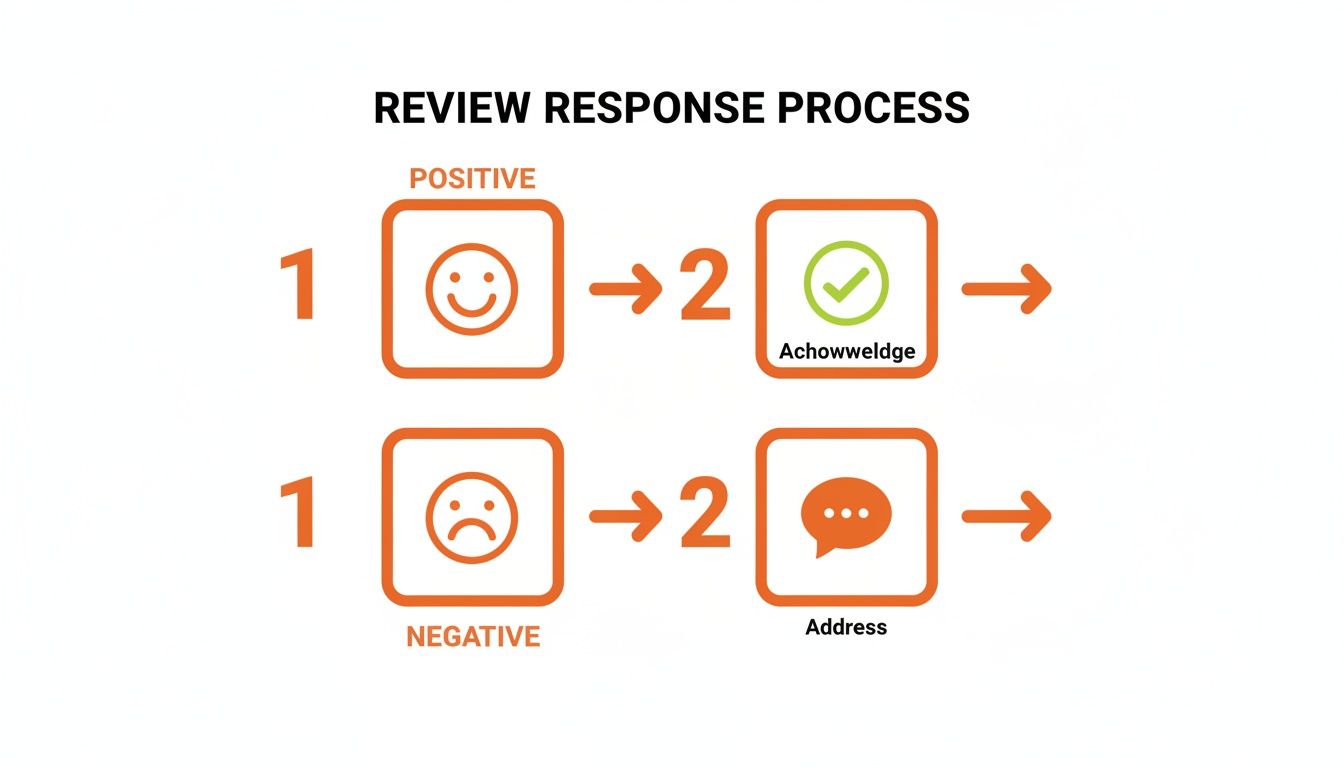
Review Response Templates (HIPAA-Aware)
Every review is a public conversation. Responding thoughtfully shows you are committed to patient care. This is the heart of effective reputation management.
Positive Review Response Template:
"Thank you for sharing your positive experience. Our team is dedicated to providing excellent care, and your kind words mean a great deal to us. We appreciate you taking the time to leave your feedback."
Negative Review Response Template:
"Thank you for bringing this to our attention. We take all feedback seriously and are committed to providing the best possible experience. Please contact our Practice Manager, [Name], at [Phone Number] or [Email Address] so we can better understand and address your concerns directly."
7-Day Launch Checklist for Your Review Program
You can build a sustainable review generation system in just one week.
- Day 1: Polish Your Google Business Profile. Ensure 100% accuracy: name, address, phone, hours, and services.
- Day 2: Segment Your Patient List. Start with all patients from the past 30 days.
- Day 3: Finalize Your Request Templates. Write your HIPAA-compliant SMS and email scripts.
- Day 4: Set Up Automation. Use a reputation management tool to automatically send requests 24 hours after an appointment.
- Day 5: Train Your Front-Desk Staff. A simple heads-up at checkout ("You may get a text asking for feedback") can boost response rates by over 20%.
- Day 6: Launch the First Batch. Activate your automated workflow and monitor the first sends.
- Day 7: Respond to All New Reviews. Make it a rule to respond to every review within 24 hours to show you are listening.
How to Measure the Success of Your Review Strategy
How do you know your efforts are paying off? Measuring the return on investment (ROI) means connecting your reviews to tangible results, like more phone calls and new patient bookings. This proves that managing Google reviews for doctors is a core driver of practice growth.
Key Performance Indicators (KPIs) to Track
Set a baseline before you start, then track these metrics monthly.
- Review Volume Target: 5-10 new reviews per doctor, per month.
- Star Rating Target: Maintain an average of 4.5 stars or higher.
- Response Time Target: Respond to 100% of reviews within 24 hours.
- GBP Performance: Track monthly calls, website clicks, and direction requests in your GBP Insights.
- Lead-to-Patient Conversion: Measure how many calls from your GBP turn into booked appointments.
Tying Reviews to New Patient Bookings with UTMs
You can prove the financial impact of your GBP by using UTM parameters. A UTM is a small piece of code added to a URL that tells Google Analytics exactly where your website visitors came from.
Create a unique link for the "Website" button on your GBP. For example:yourpracticewebsite.com/book-appointment?utm_source=google&utm_medium=organic&utm_campaign=gbp
Now, in Google Analytics, you can see precisely how many people clicked that link from your GBP and completed an appointment request. This allows you to assign a real dollar value to the leads your profile is generating, proving the direct ROI of your efforts. Tracking these conversions is simple with the right customer satisfaction measurement tools.
5 Frequently Asked Questions (FAQs)
1. Can I get a fake or malicious review removed?
Yes, but only if it violates Google's content policies (e.g., spam, conflict of interest, hate speech). You can "flag" the review from your GBP dashboard, but Google will not remove a review simply because it's negative. Always post a calm, professional public reply first while you wait for Google's decision, which can take weeks.
2. What is the difference between a Google review and a HIPAA testimonial?
A Google review is unsolicited feedback a patient posts on a public platform. Because the patient initiates the disclosure, it does not create a HIPAA violation for you. A testimonial is when your practice actively uses a patient's story for marketing (e.g., on your website). This requires explicit, written patient authorization. Never repurpose a Google review as a testimonial without signed consent.
3. Should my practice ever buy Google reviews?
No. Buying reviews is a direct violation of Google's terms of service. If caught, Google can remove the fake reviews, suspend your GBP listing, and cause your practice to plummet in local search rankings. The risk to your reputation is not worth it.
4. How many reviews does my practice actually need?
Consistency and recency matter more than the total number. A steady flow of new reviews shows Google and prospective patients that your practice is active and trusted. A good goal is to generate 5-10 new reviews per doctor, per month.
5. How should I respond if a review contains incorrect medical information?
Do not correct or discuss medical details publicly, as this could violate HIPAA. Use the standard negative review response template: acknowledge the feedback, express your commitment to patient experience, and provide a private contact method (phone number or email) to resolve the issue offline.
Ready to turn patient feedback into your most powerful growth engine? Our team provides expert guidance and tools for physicians. We help you design and manage a disciplined review program that boosts your visibility and drives measurable results with flexible, month-to-month support. Book a strategy call with us today.


