
Choosing the right customer satisfaction measurement tools is essential for turning client feedback into more calls, bookings, and sales. By systematically gathering what customers think, you can pinpoint what's working and what isn't, helping you improve service, boost your online reputation, and ultimately increase conversions. This process directly impacts your bottom line by helping you rank higher in local search results and attract more high-intent customers looking for services "near me" in your [City] area.
Key Facts
- What is CSAT? Customer Satisfaction (CSAT) is a key metric, usually measured on a 1-5 scale, that tells you how satisfied a customer is with a specific interaction or service.
- Why does it matter? High customer satisfaction leads to better online reviews, higher local search rankings (Google's algorithm favors businesses with strong reputations), and more conversions.
- Top Tool Types: Tools range from all-in-one reputation management platforms like Reviews To The Top to simple survey builders like SurveyMonkey and embedded help desk widgets like Zendesk.
- Key Metrics: Common acronyms include NPS (Net Promoter Score), which measures loyalty, and CES (Customer Effort Score), which measures ease of experience.
- Local SEO Impact: Positive satisfaction signals (reviews, ratings) are a core component of Google's local ranking factors: Proximity (how close you are), Relevance (how well you match the search), and Prominence (how well-known and reputable you are).
How to Set Up a Customer Satisfaction Program
Getting started is straightforward. Follow this step-by-step process to launch a program that delivers measurable results.
Step 1: Choose Your Primary Metric (Start with CSAT)
While NPS and CES are useful, Customer Satisfaction (CSAT) is the most direct measure of a recent experience. It’s a simple question: "How satisfied were you with your service today?" answered on a 1-5 scale. This is easy for customers to answer and for your team to understand.
Step 2: Select the Right Tool for Your Business
Review the list below. A multi-location dental practice needs a scalable tool with location-based reporting, while a single HVAC operator may just need a simple, automated SMS tool. Prioritize a tool that integrates with your existing software (e.g., your Practice Management Software or CRM).
Step 3: Automate the Feedback Request
The best time to ask for feedback is within 1-24 hours of the service.
- Med Spa: Trigger an SMS survey 1 hour after a client checks out.
- Auto Repair Shop: Send an email survey the next morning after a vehicle pickup.
- Veterinary Clinic: Automate a request after the post-visit summary is emailed.
Step 4: Respond to All Feedback (Positive and Negative)
Use templates to respond quickly and consistently. Acknowledging feedback shows you're listening and makes customers 4x more likely to return. This is a critical part of online reputation management.
Step 5: Measure, Analyze, and Act
Track your CSAT score, review volume, and response times weekly. Share feedback with your team to celebrate wins ("Mrs. Smith loved the front desk's help!") and address issues ("We had three comments about wait times this week.").
Templates & Scripts for Your Program
Use these practical assets to get your program running quickly.
1. Review Request Scripts
SMS Script (for a Vet Clinic):
Hi [Client Name], this is [Clinic Name]. Thanks for trusting us with [Pet's Name]'s care today! On a scale of 1-5, how satisfied were you with your visit? Your feedback helps us improve.
Email Script (for an HVAC Company):
Subject: How did we do on your service call?
Hi [Customer Name],
Thanks for choosing [Company Name] for your recent HVAC service at [Customer Address]. We'd love to get your quick feedback on your experience with our technician.
[Link to 1-Question CSAT Survey]
Your input helps us ensure we're providing the best service in [City].
Thank you,
The Team at [Company Name]
2. Review Response Templates
Positive Review Response (5-Star):
Hi [Customer Name], thank you so much for the wonderful feedback! We're thrilled to hear you had a great experience with [Mention specific detail if possible, e.g., "our hygienist, Sarah"]. We appreciate you choosing us and look forward to seeing you again soon at our [Neighborhood] location!
Negative Review Response (1- or 2-Star):
Hi [Customer Name], thank you for bringing this to our attention. We are very sorry to hear that your experience did not meet your expectations. Providing excellent service is our top priority, and we've clearly missed the mark here. We would appreciate the opportunity to learn more and make things right. Please call our practice manager, [Manager Name], at [Phone Number] at your convenience.
7-Day Launch Checklist
Use this timeline to get your new review program off the ground in one week.
- Day 1: Finalize your choice of customer satisfaction measurement tool and sign up.
- Day 2: Integrate the tool with your core business software (CRM, PMS, etc.). Set up the automation trigger (e.g., "after appointment complete").
- Day 3: Customize your SMS and email request templates with your branding and messaging.
- Day 4: Set up your response templates (positive and negative) inside the platform. Assign user roles and alerts (e.g., alert the manager for any review under 3 stars).
- Day 5: Do a final test run with a staff member or test account to ensure the automation works correctly.
- Day 6: Train your front-line staff (front desk, technicians) on the new program. Explain why it's important and how to talk to customers about it.
- Day 7: GO LIVE! Activate the automation and monitor the first few requests and responses closely.
How to Measure Success
Track these key performance indicators (KPIs) to ensure your program is driving real business results.
- Star Rating: Aim for a 4.5-star average or higher on key sites like Google.
- Review Volume & Recency: Target 5-10 new reviews per location per month. Google's algorithm values a steady stream of recent feedback.
- Response Time: Respond to all reviews within 24 hours. For negative reviews, aim for under 4 hours.
- CSAT Score: Target an average score of 4.0/5.0 or higher.
- GBP Performance: Monitor Google Business Profile Insights. Look for a 15-20% increase in calls, clicks, and booking requests within 90 days of launching your program. To track this, use UTM tags on your GBP links (e.g.,
?utm_source=google&utm_medium=organic&utm_campaign=gbp_listing). This lets you see in Google Analytics exactly how many website visits and conversions came from your profile.
Quick Checklist: Optimize Your Google Business Profile
- Verify all your locations.
- Ensure your Name, Address, and Phone Number (NAP) are 100% consistent everywhere.
- Choose accurate primary and secondary business categories.
- Add high-quality, recent photos of your team and location.
- Enable the messaging feature and respond to inquiries within 1 hour.
- Use Google Posts weekly to share updates or offers.
- Actively generate and respond to all reviews.
1. Reviews To The Top
Best for: Multi-location service businesses seeking an AI-powered, all-in-one platform for reputation management, local SEO, and customer messaging.
Reviews To The Top, powered by the robust Birdeye engine, stands out as a premier choice among customer satisfaction measurement tools. It’s not just a survey platform; it's a comprehensive growth engine designed specifically for local and multi-location businesses. It combines review generation, listings management, and unified messaging into a single, AI-driven system, making it exceptionally effective for organizations that need to manage their online presence at scale without overburdening frontline staff. This white-glove service translates customer feedback directly into improved local search rankings, higher star ratings, and ultimately, more calls and bookings.
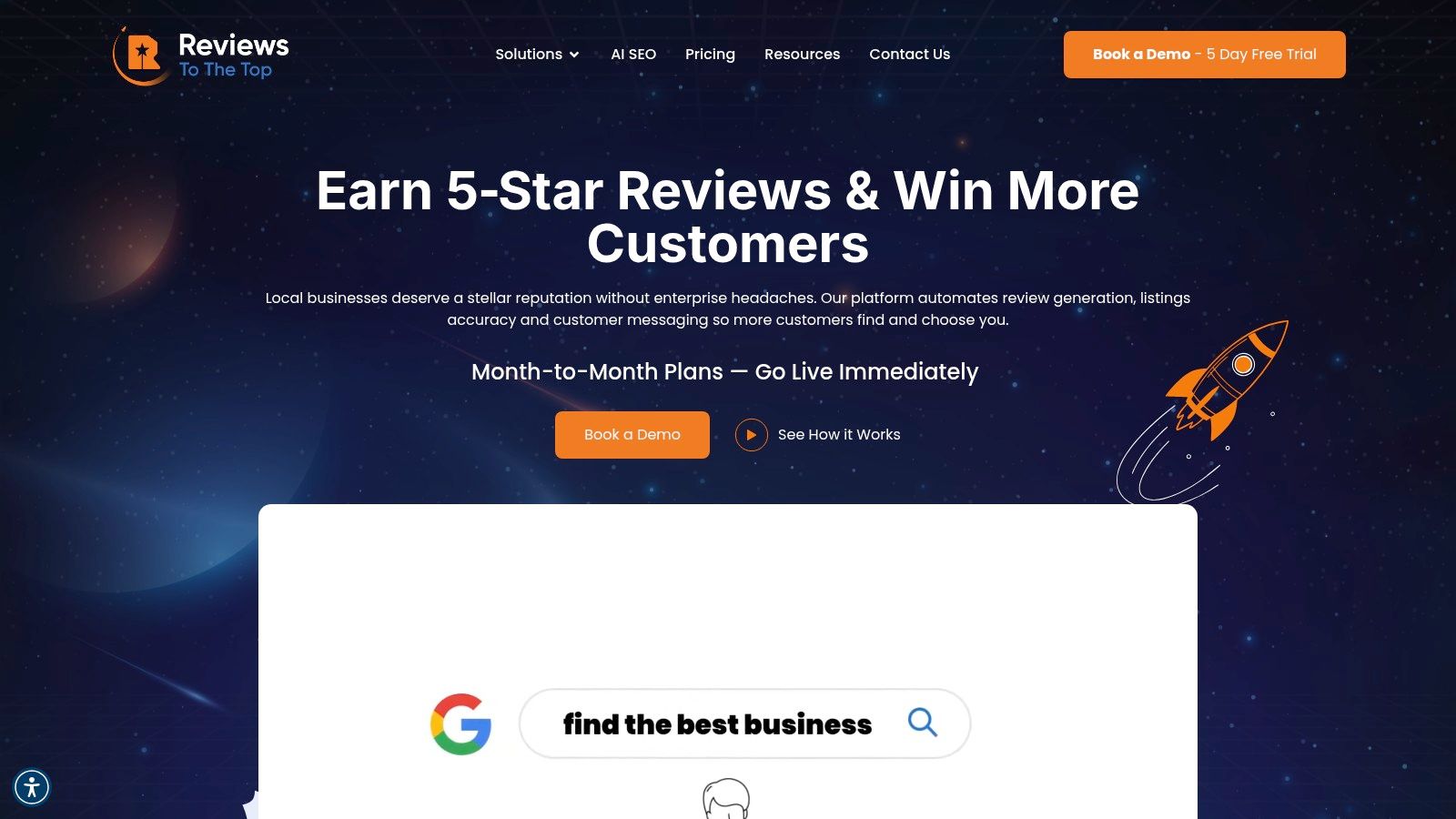
The platform’s core strength lies in its automation and scalability. Its Listings AI ensures your business information is accurate and consistent across over 150 directories, a critical factor for local SEO. Simultaneously, the Reviews AI automates the process of requesting and responding to reviews on more than 200 sites, helping you maintain a fresh stream of positive feedback. This comprehensive approach ensures that potential customers not only find you in "near me" searches but also see a stellar reputation that encourages them to convert.
Key Strengths & Use Cases
- Automated Review & Listings Management: A dental service organization (DSO) can use the platform to standardize review request timing after appointments across 50+ locations, ensuring a consistent flow of recent patient feedback on sites like Google, Healthgrades, and Vitals. The AI drafts HIPAA-aware responses, which are routed to a regional manager for final approval.
- Centralized AI-Powered Messaging: An automotive service franchise can manage all incoming messages from Google Business Profile, Facebook, and web chat in one inbox. The AI can answer common questions about hours or services and escalate complex inquiries about a specific repair to the correct service manager.
- Industry-Specific Playbooks: A home services company can leverage pre-built playbooks for HVAC or plumbing to tailor its outreach and response strategy. This ensures the language and timing of requests align with the typical customer journey for that industry, improving response rates.
Pricing and Onboarding
Reviews To The Top offers transparent, flexible pricing with no setup fees and month-to-month contracts.
- Launch: $299 per location/month for the core Reviews, Listings, and Messaging AI.
- Lift: $399 per location/month, adding Social AI for social media management.
- Orbit: Custom pricing for enterprise needs, allowing selection from a suite of modular add-ons like Surveys, Referrals, and Competitor Insights.
Onboarding is supported by a dedicated account manager, ensuring a smooth and guided setup. A 5-day free trial or demo is available to explore the platform’s capabilities firsthand.
| Pros | Cons |
|---|---|
| Comprehensive AI Stack: Automates reviews, listings, and messaging across hundreds of sites, saving significant time. | Per-Location Pricing: Costs can add up for businesses with a large number of locations, requiring negotiation for an Orbit plan. |
| Designed for Scale: Excellent governance tools like templates, permissions, and SLAs for multi-location brand management. | AI Requires Oversight: AI-generated replies are effective but need human review for compliance, especially in regulated fields. |
| White-Glove Support: A dedicated account manager and industry-specific strategies accelerate results. | |
| Flexible, Modular Plans: Month-to-month pricing lets you pay for only what you need and scale as you grow. | |
| Deep Integration Ecosystem: Connects with over 3,000 other software systems, fitting seamlessly into existing workflows. |
Website: https://reviewstothetop.com
2. Qualtrics (Customer Experience/XM Platform)
Qualtrics is an enterprise-grade experience management (XM) platform designed for large, multi-location organizations that require sophisticated tools to manage their customer satisfaction programs. It moves beyond simple surveys, offering a comprehensive suite for capturing and analyzing feedback across numerous touchpoints, making it one of the most powerful customer satisfaction measurement tools for scaling complex operations. This platform is ideal for regional managers in sectors like dental service organizations (DSOs) or home services franchises who need to standardize feedback collection while customizing dashboards for individual locations.
The platform’s strength lies in its omnichannel feedback capabilities, allowing businesses to deploy CSAT, NPS, and Customer Effort Score (CES) surveys via web, in-app, email, and SMS. For a multi-location med spa, this means you can trigger a post-treatment CSAT survey via SMS and a quarterly relationship NPS survey via email, all managed from a central hub.
Key Features & Use Cases
- Advanced Analytics: Tools like Stats iQ and Text iQ use AI to analyze open-text feedback, identifying trends and sentiment without manual review. This helps a regional marketing lead for an automotive service brand quickly spot recurring issues across multiple service centers.
- Role-Based Governance: Qualtrics allows you to create specific dashboards and access permissions for different user levels. A franchise owner can see their location’s data, while corporate marketing sees aggregated performance across the entire network.
- Omnichannel Deployment: You can automate survey triggers based on customer actions recorded in your CRM or practice management software, ensuring timely and relevant feedback collection.
Pros and Cons
| Pros | Cons |
|---|---|
| Highly Scalable: Built for global enterprise use. | Steep Learning Curve: Requires significant training. |
| Robust Analytics: Deep insights from text and data. | Expensive: Pricing is quote-based and high-tier. |
| Extensive Integrations: Connects to major CRMs. | Overkill for Small Businesses: Too complex for simple needs. |
Pricing is entirely quote-based and tailored to organizational needs. While this makes it inaccessible for smaller clinics or single-location businesses, its robust feature set provides immense value for coordinating large-scale customer experience initiatives.
Website: https://www.qualtrics.com/marketplace/customer-satisfaction-survey/
3. Medallia (Experience Cloud)
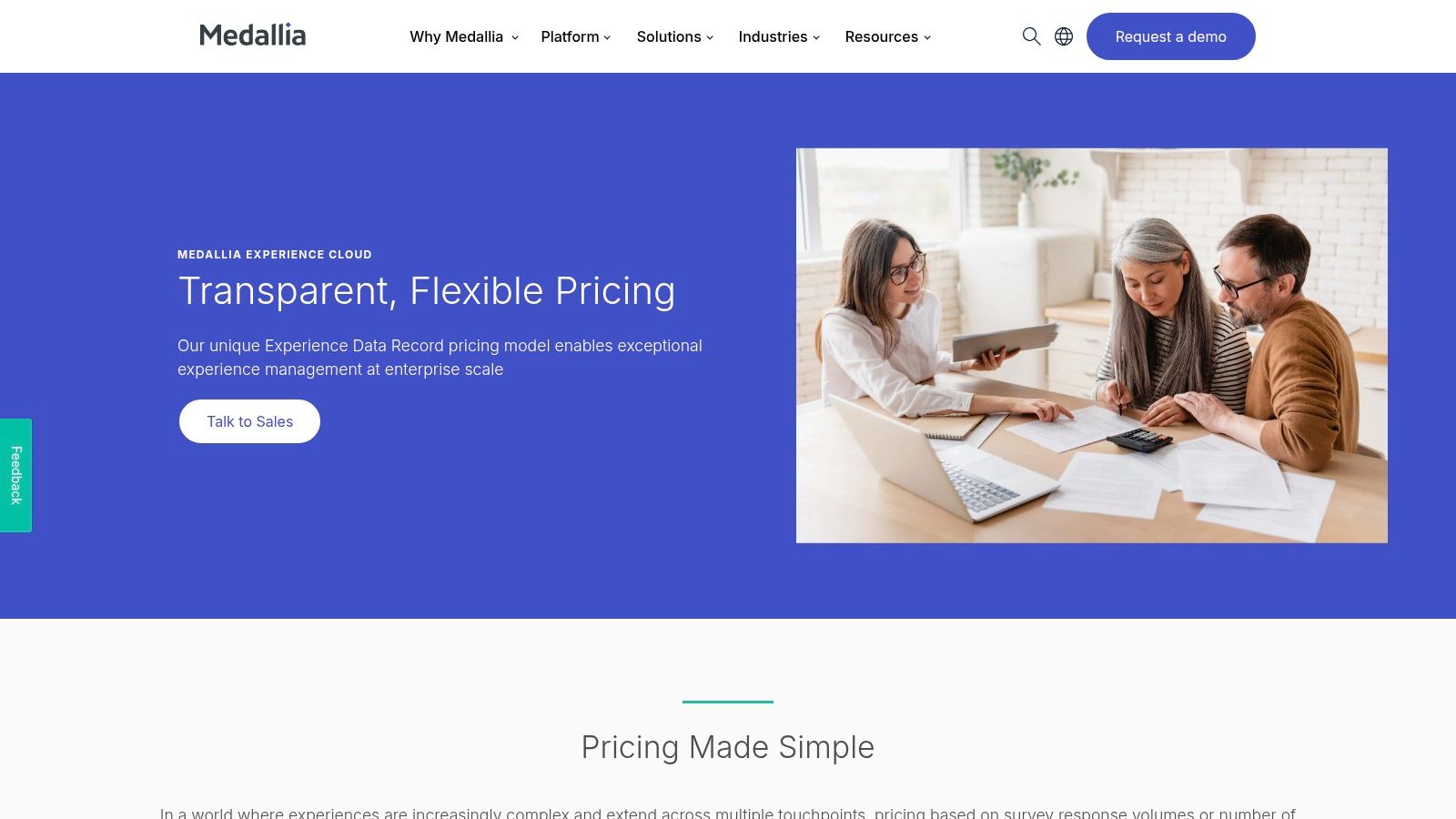
Medallia is an end-to-end experience management platform designed for large-scale enterprises that need to unify customer feedback from a vast array of sources. It goes beyond traditional surveys by capturing signals from digital interactions, social media, speech, and even video, making it one of the most comprehensive customer satisfaction measurement tools available. This makes it a strong choice for complex, multi-touchpoint organizations, such as a large DSO or a national home services franchise, seeking to build a holistic view of the customer journey.
The platform's unique strength is its ability to ingest and analyze diverse data types. For a regional network of senior living communities, this means Medallia can analyze not just post-tour surveys but also call center voice recordings and online reviews to identify key drivers of satisfaction or dissatisfaction. Its AI-powered analytics engine then uncovers themes and sentiment across all these sources, providing actionable insights.
Key Features & Use Cases
- Broad Signal Capture: Medallia gathers feedback from surveys plus digital, speech, video, and social channels, creating a unified customer profile. An automotive service brand can use this to correlate negative online reviews with specific call center interactions.
- AI-Powered Analytics: The platform uses AI to analyze unstructured data like call transcripts and open-text survey responses, automatically identifying trends and root causes without manual effort.
- Role-Based Reporting & Workflows: It delivers tailored dashboards and automated alerts to different roles, from a clinic administrator seeing local feedback to a corporate marketing lead viewing network-wide performance.
Pros and Cons
| Pros | Cons |
|---|---|
| Predictable TCO: Pricing encourages broad data capture. | Enterprise Sales Motion: No public plan pricing. |
| Holistic CX View: Captures diverse feedback signals. | No Free Version: Not accessible for small businesses. |
| Highly Scalable: Built for complex, global programs. | Complex Implementation: Can require significant setup. |
Medallia’s pricing is quote-based, built on a model of Experience Data Records (EDRs) with unlimited user seats, encouraging widespread adoption within an organization. While its enterprise focus and pricing make it unsuitable for single-location businesses, its powerful, multi-signal approach provides immense value for managing complex customer experience programs at scale.
Website: https://www.medallia.com/pricing/
4. SurveyMonkey (Momentive)
SurveyMonkey is one of the most recognizable names in online surveys, offering an accessible and fast platform for businesses of all sizes to gather feedback. It stands out as an excellent choice for small to mid-market teams, such as individual veterinary clinics or a growing home services franchise, that need reliable customer satisfaction measurement tools without the enterprise-level complexity. Its strength lies in its vast template library and intuitive builder, allowing users to launch CSAT, NPS, or custom feedback surveys in minutes.
The platform is designed for rapid deployment across multiple channels, including web, email, and SMS, making it highly versatile. A marketing manager for an urgent care clinic can quickly embed a post-visit satisfaction survey on their "thank you" page or send it via email, all while tracking responses in a clean, real-time dashboard. This ease of use makes it a go-to for teams needing actionable insights without a dedicated analytics department.
Key Features & Use Cases
- Extensive Template Library: Access pre-built CSAT and NPS survey templates that can be customized with advanced logic, such as skip logic and question randomization, to improve completion rates.
- Multi-Channel Distribution: Send surveys via shared web links, email invitations, SMS, or by embedding them directly onto a website, providing flexibility for reaching customers wherever they are.
- Real-Time Reporting: Dashboards automatically generate charts and graphs as responses come in. Data can be easily exported to formats like CSV, PDF, and SPSS for deeper analysis. As a versatile option in the world of customer feedback management software, it allows for quick reporting to stakeholders.
Pros and Cons
| Pros | Cons |
|---|---|
| Fast Setup: User-friendly with a large template ecosystem. | Advanced Features Locked: Governance requires Enterprise plan. |
| Flexible Plans: Monthly and annual options for teams. | Response Limits: Lower-tier plans have response caps. |
| Broad Distribution: Easily share surveys via multiple channels. | Basic Analytics: Lacks deep AI text analysis of competitors. |
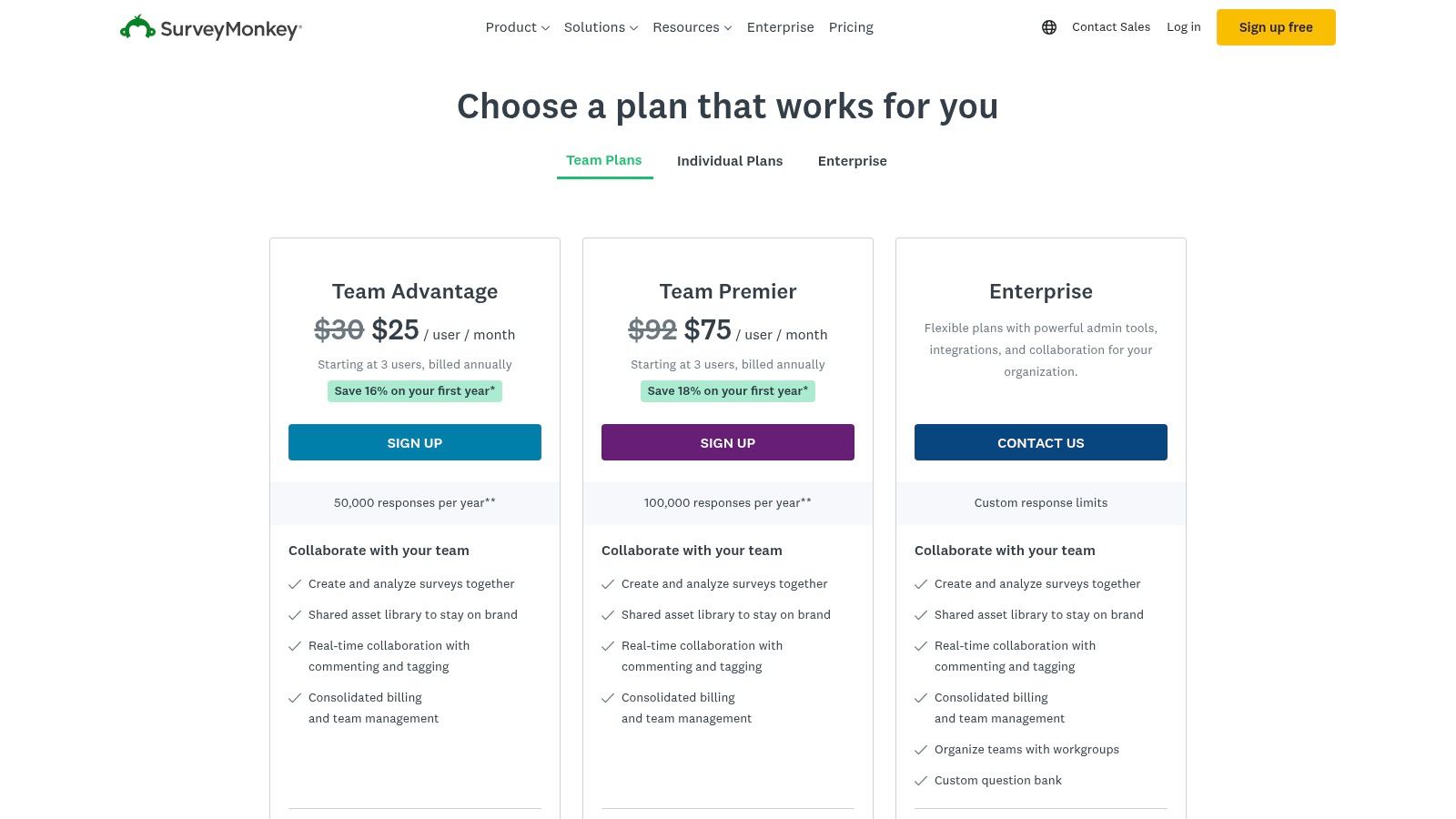
SurveyMonkey offers a range of plans, from a free basic option to individual, team, and enterprise tiers, with pricing that scales based on features and response volume. This flexible structure makes it a practical starting point for businesses just beginning their customer satisfaction programs.
Website: https://www.surveymonkey.com/pricing/?utm_source=openai
5. Zendesk (Support + built-in CSAT)
Zendesk is a customer service-first platform where satisfaction measurement is natively integrated into support workflows. Instead of being a standalone survey tool, its strength lies in automatically triggering CSAT feedback requests the moment a support ticket is resolved. This makes it one of the most efficient customer satisfaction measurement tools for businesses that want to link feedback directly to agent performance and support quality. For an urgent care clinic, this means a patient’s feedback is captured immediately after their billing question is answered, providing instant insight into the service interaction.
The platform allows you to embed simple, one-click CSAT surveys (using customizable scales or emojis) directly into resolution emails or messaging conversations. For a multi-location veterinary hospital using Zendesk to manage client inquiries, this provides a seamless way to gauge satisfaction with each specific interaction without adding another software vendor to their technology stack. This approach simplifies the feedback loop, connecting customer sentiment directly to the operational teams responsible for service delivery.
Key Features & Use Cases
- Native CSAT Automation: Automatically send a satisfaction survey when a support ticket is marked as "solved." This helps a home services franchise track client happiness after each service call or scheduling change.
- Built-in Analytics (Explore): Zendesk Explore provides dashboards to track CSAT scores over time, by agent, or by support channel. A regional manager for a dental service organization can use this to identify top-performing front-desk staff or pinpoint locations needing more training.
- API Access: For more advanced needs, the API allows you to pull CSAT data into external business intelligence tools or custom dashboards, merging it with other operational metrics.
Pros and Cons
| Pros | Cons |
|---|---|
| No Extra Vendor: CSAT lives where support work happens. | Gated Features: Key CSAT functions require higher-tier plans. |
| Easy Automation: Simple to tie surveys to ticket resolution. | Reporting Limits: Deeper analytics require pricier tiers. |
| Direct Link to Performance: Clear insight into agent effectiveness. | Limited Survey Types: Primarily focused on post-interaction CSAT. |
Zendesk's pricing is tiered, with CSAT functionality included in the Support Professional plan and above. While the basic feature is simple, its integration into a comprehensive customer communication management software suite offers a powerful, unified solution for service-centric businesses.
Website: https://www.zendesk.com/pricing/?utm_source=openai
6. Delighted by Qualtrics
Delighted, a Qualtrics company, offers a turnkey solution for businesses that need to launch customer feedback programs quickly and efficiently. It simplifies the process of collecting transactional feedback, making it one of the most accessible customer satisfaction measurement tools for small to medium-sized businesses or individual teams. For an urgent care clinic or a local plumbing franchise, Delighted provides a fast, low-friction way to start measuring CSAT, NPS, or CES without the complexity of an enterprise-level platform.
The platform excels at immediate, multi-channel deployment. A veterinary clinic, for instance, can automatically send a CSAT survey via email or SMS moments after a pet's appointment is completed. This ensures timely feedback while the experience is still fresh in the client's mind. The prebuilt reports and dashboards make it easy for a practice manager to track satisfaction scores and identify trends without needing a data analyst.
Key Features & Use Cases
- Rapid Deployment Templates: Get started in minutes with templates for CSAT, NPS, and CES surveys deliverable via email, web, link, kiosk, or even in-app SDK.
- Broad Integration Library: Features over 35 free integrations with common tools like Slack, Shopify, and Zapier, plus premium connectors for Salesforce and HubSpot, simplifying workflow automation for a growing business.
- AI-Driven Smart Trends: Automatically analyzes survey comments to surface recurring themes and sentiment, helping a regional manager for an auto service center quickly understand top praises and complaints across locations.
Pros and Cons
| Pros | Cons |
|---|---|
| Very quick to implement: Clear, low-entry pricing. | Response/user caps by tier: Limits scalability. |
| Generous free tier: Ideal for testing programs. | Less customizable: Not as flexible as enterprise suites. |
| Good integration breadth: Connects to common platforms. | Basic reporting: Lacks deep analytics of parent Qualtrics. |
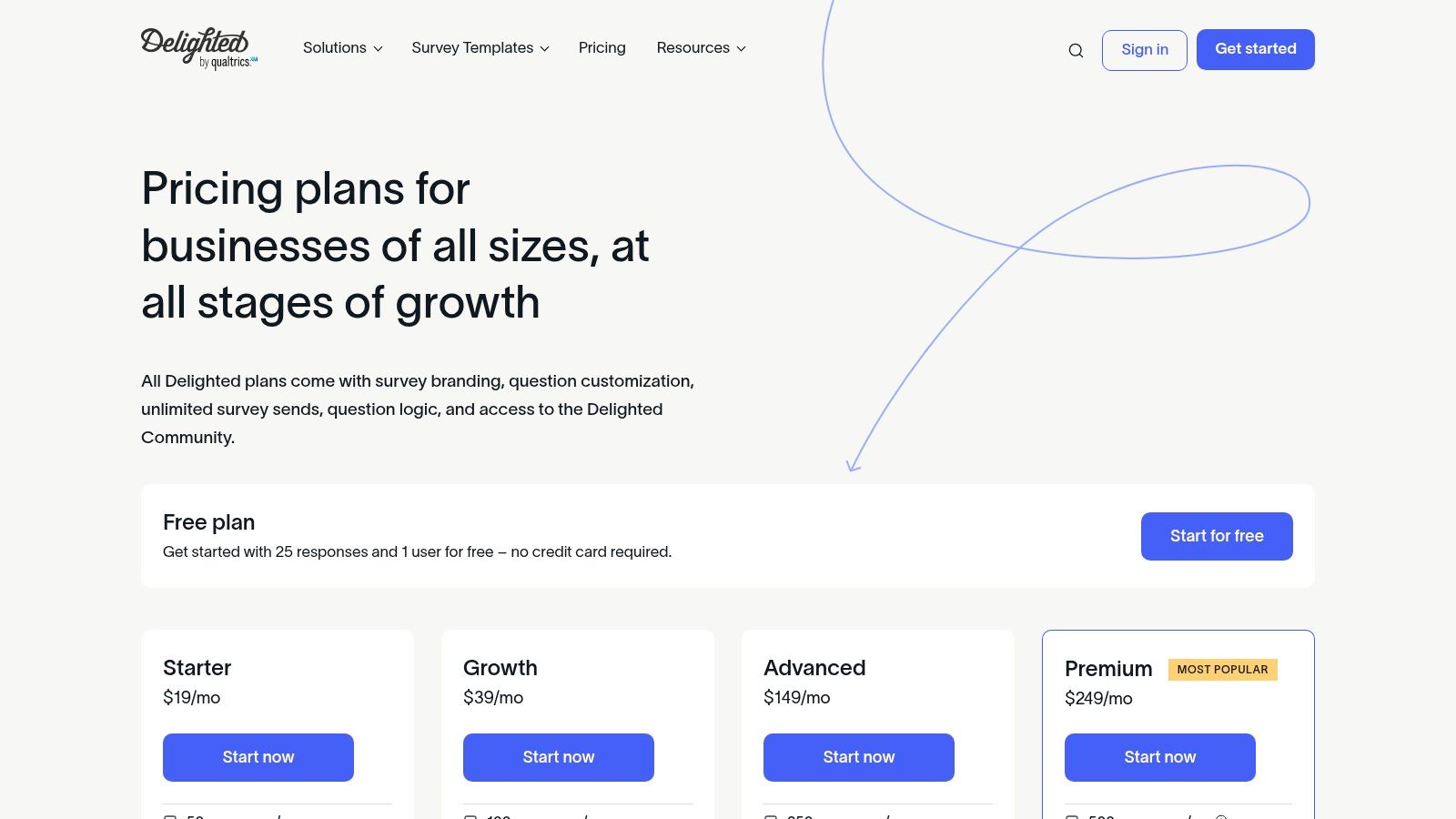
Delighted offers a free tier for up to 1,000 sends per month, with paid plans starting at $224/month. This transparent pricing makes it an excellent choice for businesses taking their first step into structured customer feedback or those needing a straightforward, effective tool without a major investment.
Website: https://delighted.com/pricing
7. Hotjar (Surveys & Feedback)
Hotjar bridges the gap between customer feedback and user behavior, offering a unique combination of surveys and product analytics. It stands out among customer satisfaction measurement tools by allowing digital and marketing teams to not only collect CSAT scores but also to visually understand the why behind them. For a marketing manager at a home services franchise, this means you can identify a webpage with low satisfaction scores and then watch session replays to see exactly where users are getting stuck or frustrated.
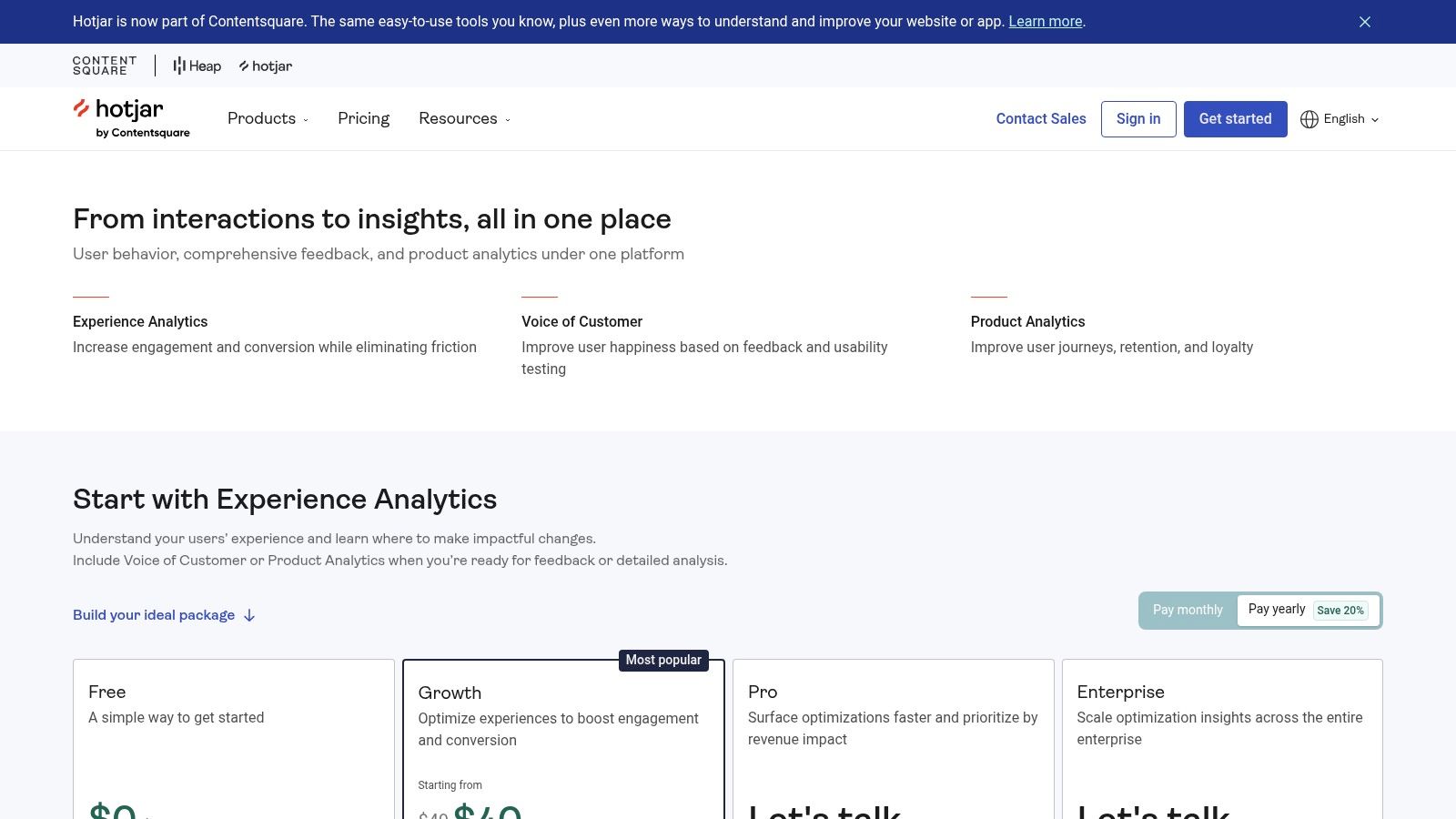
The platform is designed for teams who want to connect qualitative feedback directly to website or app performance. For instance, a veterinary clinic could use a feedback widget to ask visitors about their online booking experience and then use heatmaps to see which parts of the scheduling page are being ignored, leading to actionable UX improvements.
Key Features & Use Cases
- Combined Analytics: Correlate CSAT survey responses with session replays and heatmaps to diagnose issues. A med spa can see if a low satisfaction score on their services page is tied to users struggling to find pricing information.
- On-Site Feedback Widgets: Deploy unobtrusive feedback polls and surveys directly on your website to capture user sentiment in the moment without disrupting their journey.
- AI-Powered Survey Builder: Quickly create effective surveys using an AI assistant and over 40 templates, making it simple to launch feedback campaigns in multiple languages.
Pros and Cons
| Pros | Cons |
|---|---|
| Combines feedback with behavioral data: Links "what" to "why." | Overhead for non-digital teams: Analytics may be too complex. |
| Simple packaging & free plan: Accessible for growing teams. | Response limits on plans: Allotments vary based on tier. |
| Excellent for UX/website optimization: Pinpoints site issues. | Less focused on omnichannel: Primarily web and app-based. |
Hotjar offers a free-forever plan with limited responses and data collection, making it easy to get started. Paid plans scale based on the number of sessions or responses you need to capture, offering a flexible model for businesses of different sizes.
Website: https://www.hotjar.com/pricing/?utm_source=openai
8. Typeform
Typeform transforms standard surveys into engaging, conversational experiences, making it a standout choice for businesses focused on boosting response rates. Its one-question-at-a-time format feels more like a chat than a form, which can significantly increase completion for CSAT and other feedback requests. This approach makes it one of the most user-friendly customer satisfaction measurement tools for service-based businesses like med spas or automotive repair shops looking to capture in-the-moment feedback without causing survey fatigue.
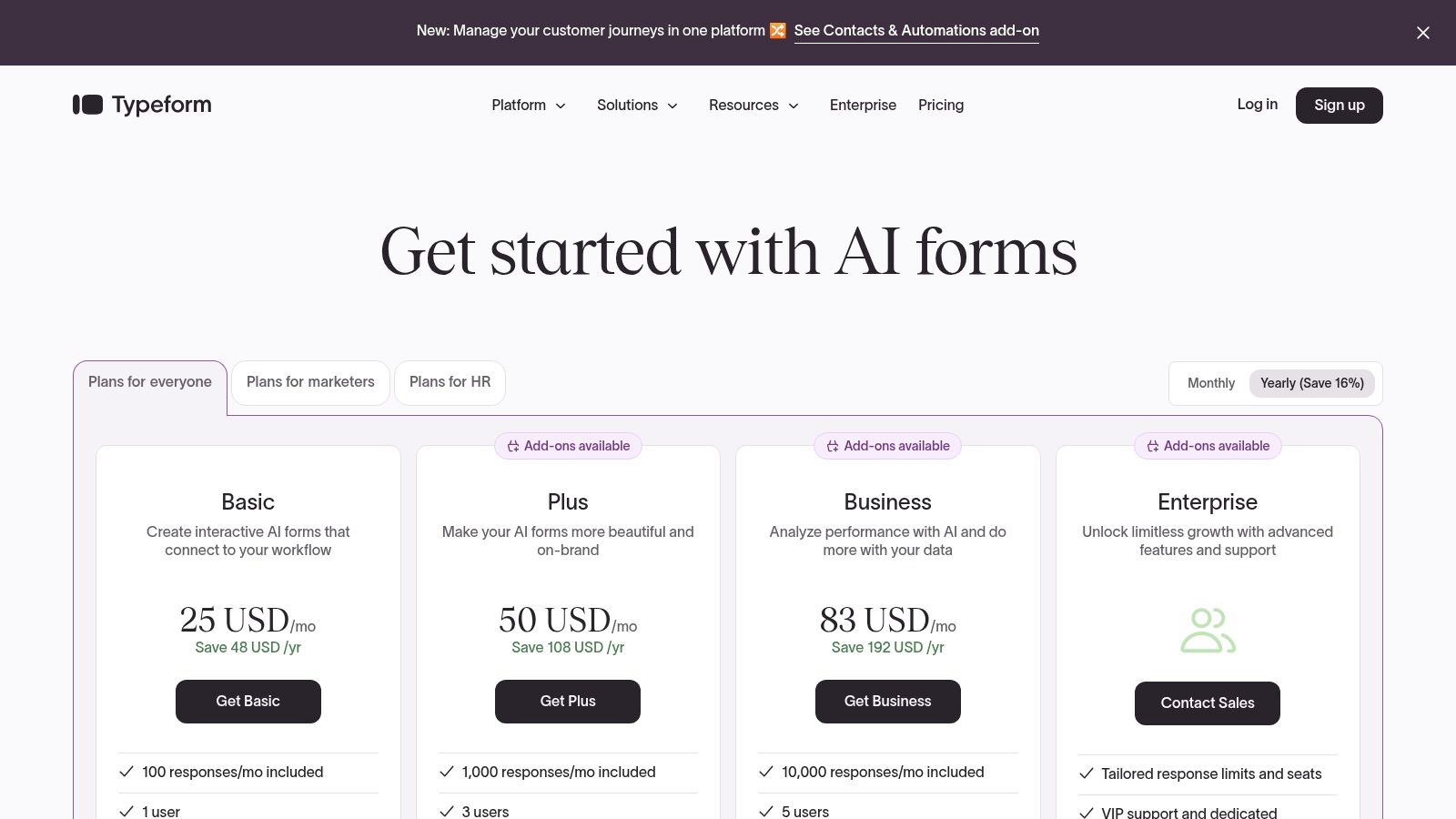
The platform’s strength is its intuitive design and seamless integration capabilities, allowing a veterinary clinic to embed a post-visit satisfaction survey directly on their website or trigger it from a marketing email. For a multi-location dental practice, Typeform's Logic feature can direct patients down different question paths based on their initial satisfaction score, gathering more detailed insights from both happy and unhappy customers automatically.
Key Features & Use Cases
- Conversational Logic: Create dynamic surveys that adapt based on user answers. A home services franchise can use this to ask follow-up questions specific to the service performed (e.g., HVAC vs. plumbing) without creating separate forms.
- Extensive Integrations: With over 300 integrations, you can connect feedback directly to tools like Slack for real-time alerts or Google Sheets for analysis, streamlining workflows for a practice manager.
- Drop-off Analysis: Higher-tier plans provide insights into where users abandon the survey. This helps a marketing lead for a senior living community refine their tour feedback form to maximize completion rates.
Pros and Cons
| Pros | Cons |
|---|---|
| High completion rates due to conversational UX. | Response caps by tier can be limiting. |
| Clear pricing tiers and predictable response limits. | Advanced compliance features are gated to higher plans. |
| Beautifully designed and highly customizable. | Less suited for complex, enterprise-level analytics. |
Pricing is tiered with specific response limits, starting from a free plan. Paid plans offer higher response caps and advanced features, making it a scalable option for growing businesses. While enterprise features are reserved for top tiers, its core offering provides exceptional value for enhancing customer engagement.
Website: https://www.typeform.com/pricing?utm_source=openai
9. HubSpot Service Hub
HubSpot Service Hub is an all-in-one customer service platform that integrates help desk software with powerful feedback tools. It is designed for businesses already embedded in the HubSpot ecosystem, turning its CRM into a central command for both service interactions and satisfaction measurement. For businesses like a multi-location automotive service center or a growing dental practice using HubSpot for marketing, Service Hub offers one of the most seamless customer satisfaction measurement tools by directly linking feedback to customer records and support tickets.
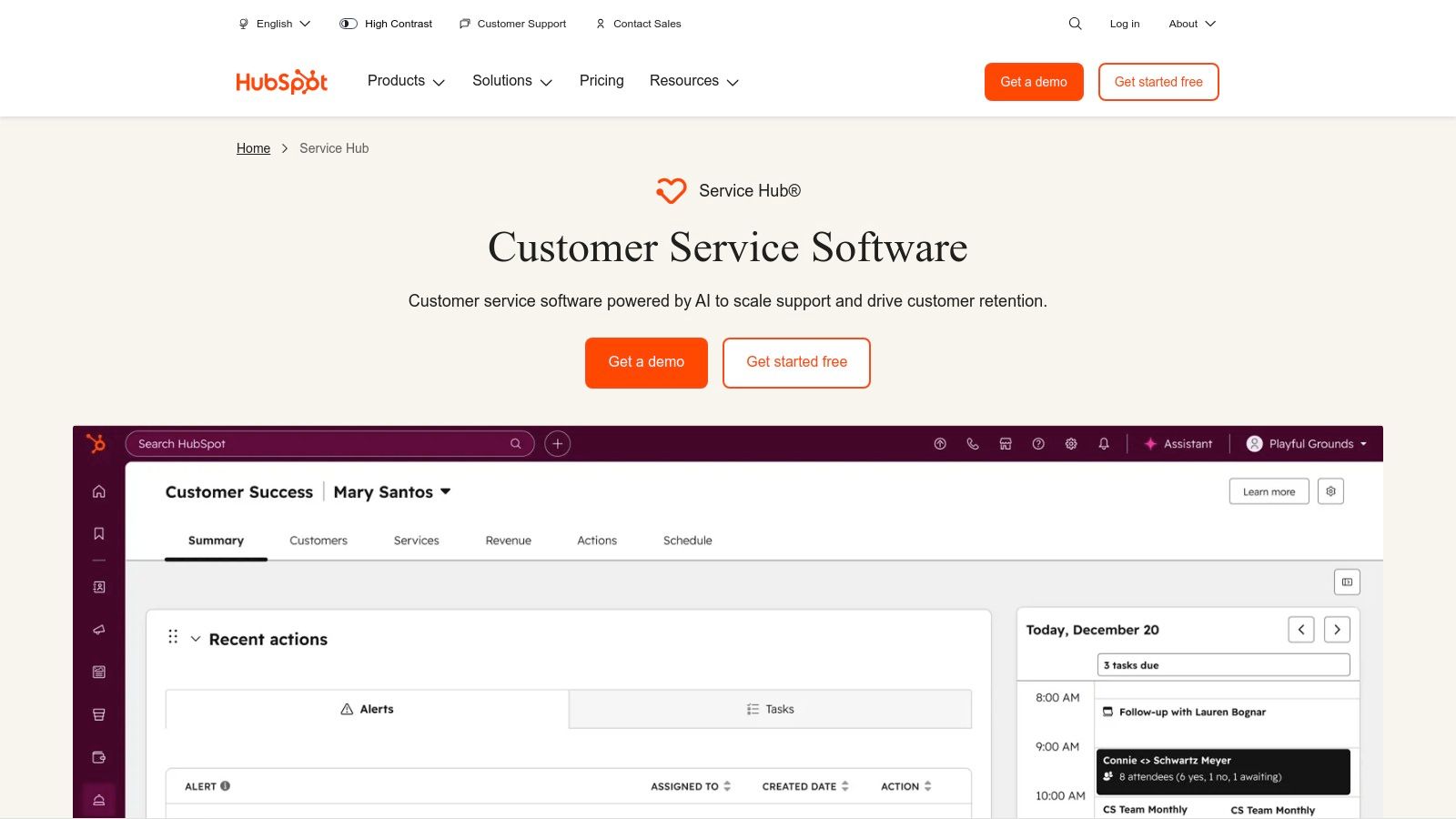
The platform's key advantage is its ability to create a closed-loop feedback system. A practice manager at an urgent care clinic can automate a CSAT survey to be sent via email after a support ticket is closed. If the feedback is negative, a new ticket can be automatically generated and assigned to a manager for follow-up, ensuring no dissatisfied patient slips through the cracks. This native integration makes it simple to track customer feedback without juggling separate platforms.
Key Features & Use Cases
- Integrated Survey Tools: Create and send CSAT, NPS, and CES surveys directly from the HubSpot platform via email, web pages, or chat. This is perfect for a home services franchise wanting to gauge satisfaction after each job completion.
- Ticket and SLA Integration: Link survey responses directly to support tickets and Service Level Agreements (SLAs). This helps a regional manager for a med spa chain monitor agent performance and identify training needs based on customer feedback.
- CRM-Powered Automation: Use HubSpot workflows to trigger actions based on survey responses, such as creating follow-up tasks for specific teams or enrolling happy customers into a review request campaign.
Pros and Cons
| Pros | Cons |
|---|---|
| Closed-loop from feedback to tickets when using HubSpot CRM. | Full CSAT features require Service Hub Professional or Enterprise. |
| Extensive support content and 24/7 support on paid tiers. | Seats-based pricing can increase cost as teams grow. |
| Seamless integration with HubSpot's Marketing and Sales Hubs. | Can be complex if not already using the HubSpot ecosystem. |
Pricing for Service Hub starts with a limited free version, but access to robust customer feedback tools requires the Professional plan (starting at $450/month for 5 paid users) or the Enterprise plan. This seat-based model makes it a significant investment but offers immense value for teams standardizing on the HubSpot platform.
Website: https://www.hubspot.com/products/service
10. GetFeedback (Salesforce‑centric CX)
GetFeedback is a customer experience (CX) solution built specifically for organizations deeply integrated with the Salesforce ecosystem. It excels at deploying CSAT, NPS, and CES surveys that automatically write feedback data directly into Salesforce records, making it one of the most effective customer satisfaction measurement tools for businesses that use Salesforce as their central CRM. This platform is ideal for a sales-driven organization like a multi-location home services franchise or a B2B service provider that wants to trigger feedback requests based on deal stages or case closures within Salesforce.
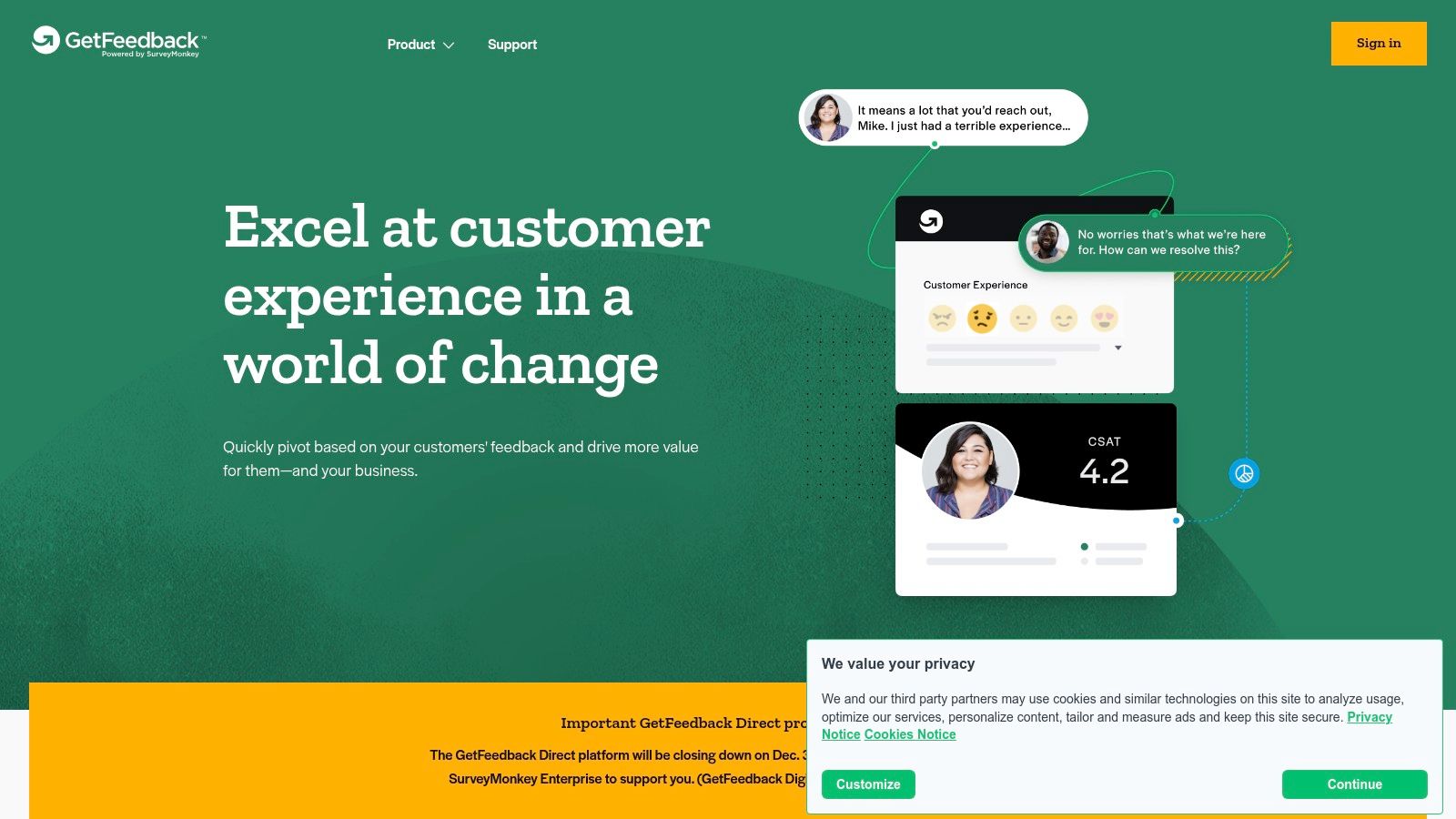
The platform’s core strength is its native Salesforce integration, which allows you to automate workflows and create a closed-loop feedback system entirely within your CRM. For example, a veterinary hospital group can automatically send a CSAT survey via SMS after an appointment is marked "complete" in Salesforce Health Cloud and have the score and comments populate the client's contact record in real time.
Key Features & Use Cases
- Salesforce Integration: Features a managed AppExchange application that maps survey responses directly to Salesforce objects and fields, providing a single source of truth for customer data.
- Real-Time Alerts & Triggers: You can configure automated workflows to create a new support case or alert a regional manager when a low CSAT score is received, enabling immediate service recovery.
- Multi-Channel Templates: Offers ready-to-use survey templates for email, web, in-app, and SMS channels, allowing for rapid deployment of transactional feedback collection at key customer journey points.
Pros and Cons
| Pros | Cons |
|---|---|
| Strong Salesforce integration and in-CRM automation. | Public pricing details are limited and often require a quote. |
| Rapid launch templates for transactional CSAT surveys. | Less suitable for businesses not using Salesforce as their CRM. |
| Enables a fully closed-loop feedback process. | Reviews note cost can be a factor for Salesforce-focused plans. |
While a 14-day free trial is available, pricing is generally quote-based and tailored to the scale of your Salesforce usage. Its deep CRM integration provides immense value for organizations looking to operationalize customer feedback within their existing sales and service processes.
Website: https://www.getfeedback.com/
11. Nicereply
Nicereply is a specialized feedback platform designed for customer support teams that need a fast and direct way to measure agent-level performance. It stands out by embedding CSAT, NPS, and Customer Effort Score (CES) surveys directly into helpdesk workflows, making it one of the most efficient customer satisfaction measurement tools for service-oriented businesses. It is ideal for a support manager at a home services franchise or a practice manager at a veterinary clinic who needs to track individual agent performance and integrate feedback without complex setups.
The platform’s core strength is its deep integration with helpdesk software like Zendesk, Help Scout, and Front. This allows survey responses to be written back into support tickets as notes or custom fields, giving teams immediate context. For an urgent care clinic's patient support team, this means a low CSAT score can automatically trigger a follow-up action right within the existing ticket.
Key Features & Use Cases
- Helpdesk Integration: Pushes survey data directly into support tickets, enabling managers to analyze agent performance and customer sentiment without leaving their primary tool.
- Multiple Distribution Channels: Deploy surveys directly in an email signature, trigger them after a ticket is closed, or use shareable links. This provides flexibility for different support interactions.
- Customizable Surveys: Tailor surveys with your brand's logo, colors, and choice of rating scale (emojis, stars, numbers) to create a consistent customer experience.
- Support-Focused Analytics: The reporting dashboard is built specifically for support managers, tracking metrics like response rates, CSAT scores per agent, and trends over time.
Pros and Cons
| Pros | Cons |
|---|---|
| Fast Deployment: Very easy to set up with helpdesks. | Support-Centric: Less suited for broader CX programs. |
| Affordable Tiers: Accessible for smaller teams. | Timing Configuration: Closed-ticket triggers need care. |
| Seamless Integrations: Connects to many platforms. | Limited Governance: Not built for enterprise-level control. |
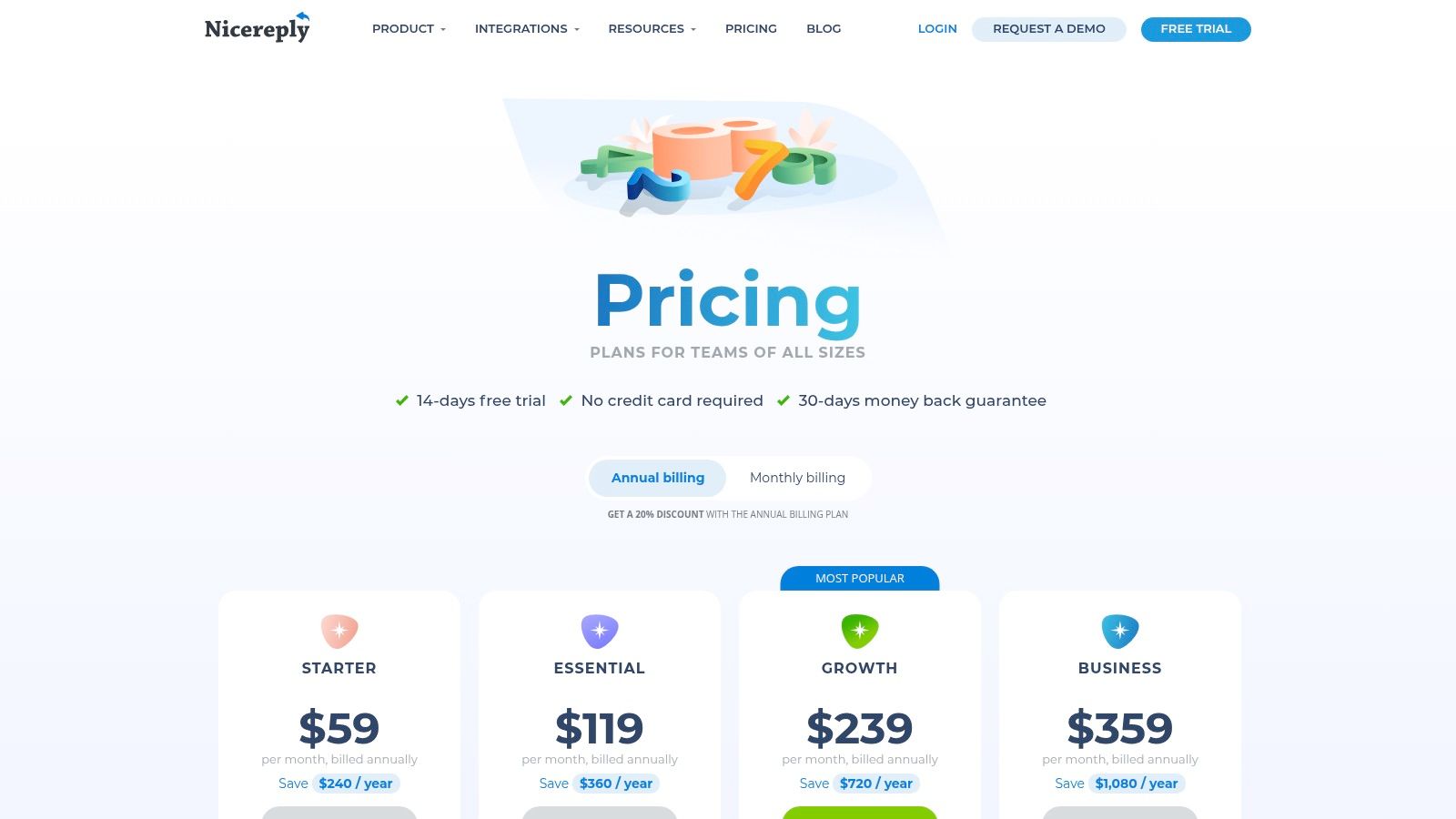
Pricing starts with a Mini plan for small teams, scaling up to Business and Enterprise tiers. Its focus on support workflows makes it a highly practical choice for teams wanting to quickly implement and act on direct customer feedback.
Website: https://www.nicereply.com/pricing
12. Survicate
Survicate is a versatile, multi-channel feedback tool designed for product, marketing, and customer experience teams looking for rapid deployment and flexibility. It excels at collecting CSAT, NPS, and CES feedback across various touchpoints, including web, email, in-product, and mobile. For businesses like a multi-location veterinary clinic or an automotive service center, Survicate provides one of the most accessible customer satisfaction measurement tools to gather quick insights without a steep learning curve or significant upfront investment.
The platform’s key differentiator is its user-friendly interface and extensive template library, which allows teams to launch targeted surveys in minutes. A marketing manager for a home services franchise can use a pre-built CSAT template to trigger a website survey after a customer books a service, gathering immediate feedback on the booking experience.
Key Features & Use Cases
- 125+ Survey Templates: Includes templates for CSAT, NPS, and CES, allowing for quick creation of feedback forms. This is ideal for a dental practice manager who needs to send a post-appointment satisfaction survey without designing it from scratch.
- Multi-Channel Deployment: Distribute surveys via email, shareable links, website pop-ups, in-product widgets, and mobile apps. A med spa can use an email survey for follow-ups and an in-app survey for their loyalty program members.
- AI-Assisted Survey Creation: The platform uses AI to help generate relevant survey questions, speeding up the setup process for busy teams.
- CX Metric Dashboards: Automatically calculates metrics and displays them in trend reports and score widgets for easy monitoring of customer satisfaction over time.
Pros and Cons
| Pros | Cons |
|---|---|
| Generous Free Plan: Start collecting feedback at no cost. | Key Features Gated: Advanced integrations require higher-tier plans. |
| Fast Setup: AI assistance and templates enable quick deployment. | Branding Controls Limited: Custom branding is not on the free plan. |
| Flexible Response Packaging: SMB-friendly pricing model. | Response Overage Charges: Can incur extra costs on paid plans. |
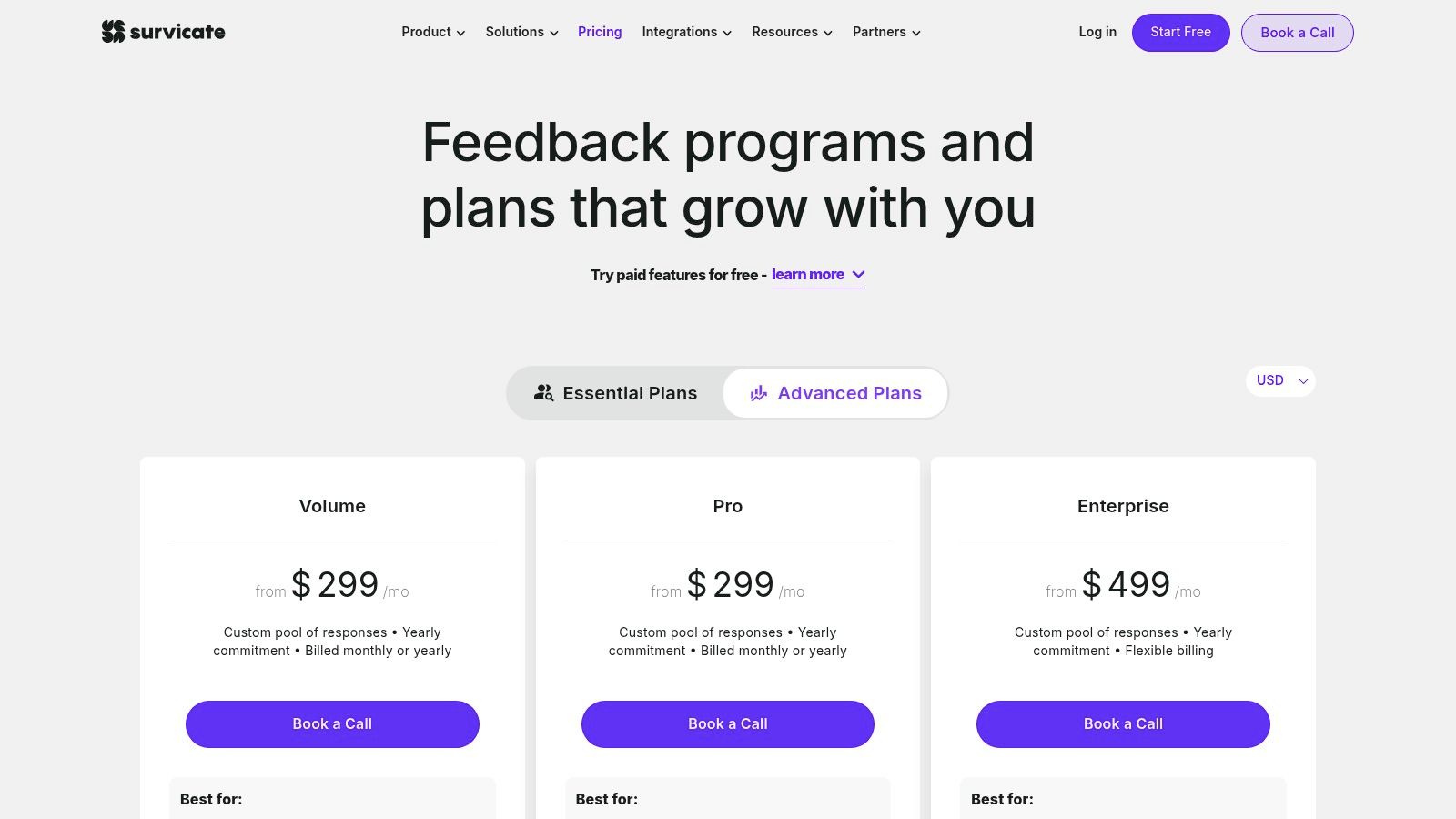
Survicate offers a free plan to get started, with paid plans that are structured around response volume, making it an affordable and scalable solution for small to mid-sized businesses.
Website: https://survicate.com/pricing/?utm_source=openai
Frequently Asked Questions (FAQ)
1. What is the best tool for a small local business?
For a single-location business, an easy-to-use and affordable tool like Delighted, Survicate, or a platform like Reviews To The Top that combines feedback with review generation is often the best choice. Prioritize simplicity and automation.
2. How do customer satisfaction tools help with local SEO?
These tools help you generate more customer feedback. Positive feedback often translates into online reviews on sites like Google. A high volume of recent, positive reviews is a major ranking factor in Google's local search algorithm, improving your visibility in "near me" searches.
3. What is the difference between CSAT, NPS, and CES?
- CSAT (Customer Satisfaction) measures satisfaction with a specific interaction (e.g., "How was your appointment today?").
- NPS (Net Promoter Score) measures overall loyalty to the brand (e.g., "How likely are you to recommend us?").
- CES (Customer Effort Score) measures how easy it was for a customer to get their issue resolved.
4. How often should I ask for feedback?
You should ask for transactional feedback (CSAT) after every key interaction, such as after an appointment, service call, or support ticket resolution. Ask for relationship feedback (NPS) less frequently, perhaps once or twice a year.
5. How much should I budget for a customer satisfaction tool?
Costs vary widely. Simple survey tools can start free or around $50/month. All-in-one reputation and experience platforms for multi-location businesses typically range from $250-$500 per location per month.
Choosing the right tool is the first step toward building a business that people in your community trust and recommend. By systematically listening to your customers, you can refine your operations, improve your local search ranking, and drive sustainable growth. To effectively manage your online presence and optimize your Google Business Profile, a dedicated strategy is key.
If you want a partner to handle the heavy lifting, our team offers month-to-month support to help you implement these strategies and become the top-rated choice in your area. Ready to turn feedback into your best marketing asset? Let's book a strategy call to discuss your goals.


