
If you're juggling reviews, listings, messages, and location accuracy across one site or a hundred, birdeye inc matters because it turns scattered customer signals into one operating system for local visibility. That matters directly to conversions. When people search "dentist near me," "urgent care in [City]," or "HVAC repair in [Neighborhood]," the businesses that show the right info, earn recent reviews, and respond quickly tend to win the call, form fill, booking, or tour request.
Operators usually don't have a software problem. They have an execution problem. Birdeye gives you the infrastructure to centralize that work so your locations can be found, trusted, and chosen without relying on front-desk memory or ad hoc follow-up.
Table of Contents
- What Is Birdeye and Why It Matters for Your Business
- How Birdeye's Platform Boosts Your Local SEO
- A Deep Dive into Birdeye's Core Features
- Your 7-Day Birdeye Launch Plan with Reviews To The Top
- Essential Scripts and Response Templates to Get Started
- How to Measure Success and Optimize Your Local Presence
- Frequently Asked Questions About Birdeye
- Is Birdeye a good fit for a single-location business
- How much does Birdeye cost
- How does Birdeye help with negative or fake reviews
- What's the difference between Birdeye and managing reviews manually
- How long does it take to see results
- Does my staff need to be tech-savvy
- Should I use Birdeye alone or with outside guidance
What Is Birdeye and Why It Matters for Your Business
A regional operator with five dental offices usually inherits the same problems on day one. One location has outdated Apple Maps hours, another has unanswered reviews piling up, and a third is sending calls to the wrong number because old directory data never got cleaned up. Birdeye inc brings those daily tasks into one operating system so a practice manager can control reviews, listings, surveys, messaging, and location-level accountability from one place.
For a local business owner, the payoff is simple. Customers judge you before they ever call. If your profile is incomplete, your recent reviews are thin, or each location responds with a different tone and process, booking rates suffer and staff spend more time fixing preventable issues.

Key Facts
Birdeye Inc. was established in 2012 and has grown into a major customer experience platform for local and multi-location brands. ZoomInfo also notes the company at $210.1 million in annual revenue and highlights its 97 #1 G2 rankings in Summer 2024, which gives buyers a quick sense of market traction and category strength, according to ZoomInfo's company profile on Birdeye.
CX means customer experience. In practice, CX involves the moments a customer notices first: whether your hours are correct, whether someone answers feedback, whether text follow-up happens on time, and whether each location delivers a consistent experience. Birdeye is useful because it turns those scattered tasks into repeatable workflows.
That is the core value for multi-location teams. Corporate leadership gets oversight, but local managers still need a system they can run between patient scheduling, staffing gaps, and front-desk fires. A tool only works if the office manager can use it on a Tuesday afternoon without opening six tabs or waiting on marketing.
Practical rule: If your local marketing depends on staff remembering to ask for reviews, update hours, and reply to feedback manually, the process will break at the busiest location first.
Reviews are a good example. Strong review volume and response consistency support trust, branded search behavior, and local visibility. If you want the SEO side explained in plain terms, read our breakdown of how Google reviews help local SEO.
For owners comparing software, context helps. Gorilla on AI marketing tools offers helpful context on how businesses evaluate automation platforms when they're trying to connect marketing activity to revenue, not just software features.
How Birdeye's Platform Boosts Your Local SEO
Local SEO is really a visibility-and-trust problem. A customer searches "vet near me" or "best plumber in [City]," Google looks at business data and customer signals, and then decides which profiles deserve attention. Birdeye works because it acts like a digital command center for those signals instead of letting them live in separate tools and inboxes.
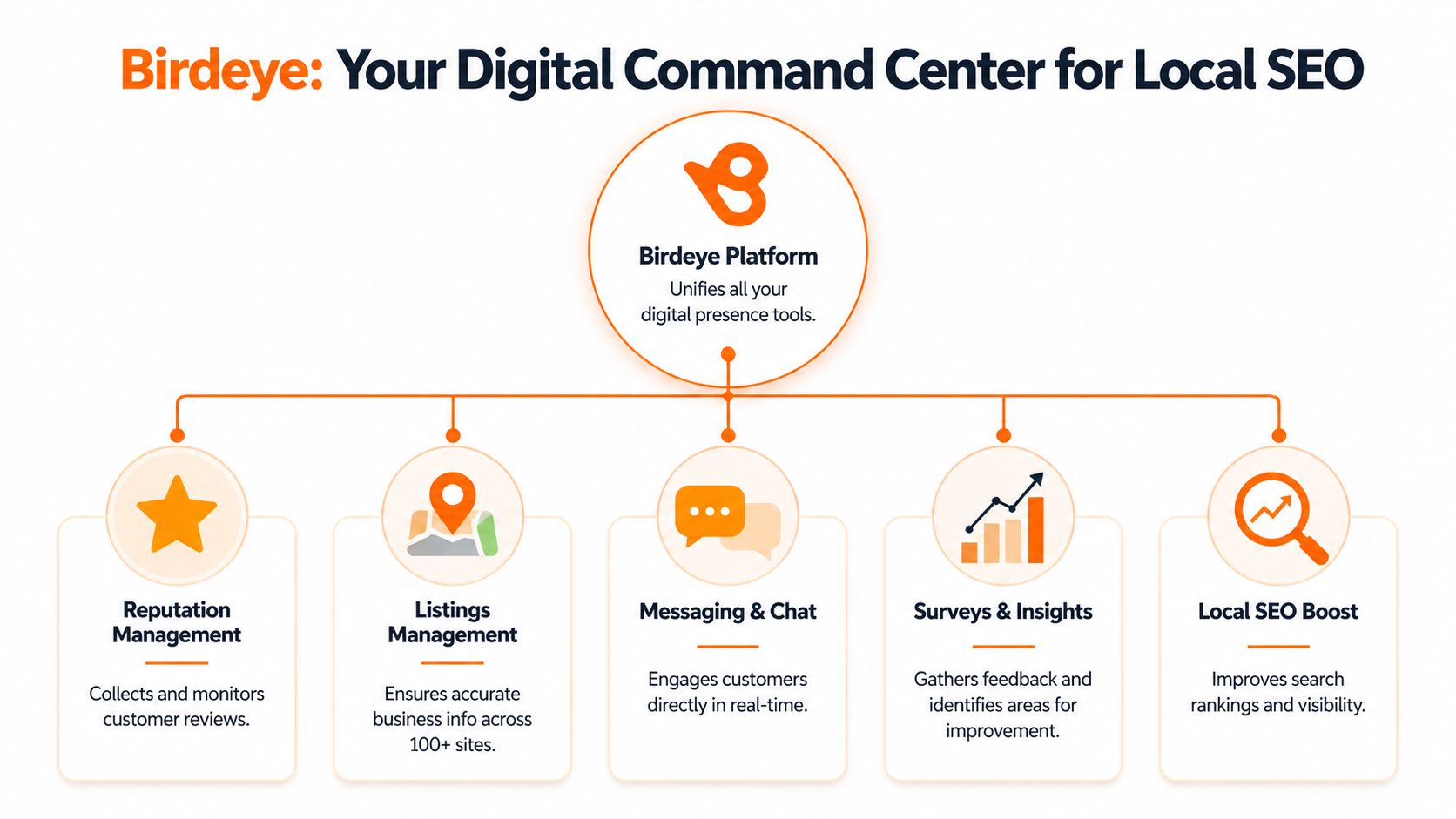
How Birdeye affects Google's local ranking model
Google's local results are often explained through three factors: proximity, relevance, and prominence.
Proximity
Proximity is about how close a searcher is to your business or service area. You can't control where the user stands, but you can control whether Google clearly understands where each location is and what service area it serves.
Listings management helps here. When your name, address, and phone number are consistent across Google, Apple, Bing, and other directories, you reduce confusion. Birdeye's reporting and listings tools are built around that operational discipline.
Relevance
Relevance is how well your profile matches the searcher's intent. If someone searches "emergency dental exam [City]" or "AC repair near me," Google wants service details, categories, descriptions, and recent customer language that confirm you fit the query.
Reviews support relevance because customers naturally mention services, staff, neighborhoods, and outcomes in their own words. That user-generated language often aligns better with local search intent than polished website copy does.
Prominence
Prominence is the trust layer. Reviews, ratings, response activity, and general brand presence all play into whether your business looks established and responsive.
Birdeye's Brand and Industry AI models can generate on-brand review responses with up to 95% consistency across 100+ locations, and the platform reduces response times from days to under 2 hours. The same source states this contributes to a 20 to 30% uplift in local SEO rankings by improving review velocity and engagement signals, according to the Birdeye HubSpot marketplace listing.
Fresh reviews plus fast replies send a stronger local trust signal than a dormant profile with a good star rating but no recent activity.
What this looks like in practice
A regional healthcare group might use Birdeye to keep hours accurate, request reviews after visits, and standardize responses so each location looks active and reliable. A home service brand might use it to make sure every branch shows the right service categories and phone number when someone searches in [Neighborhood].
If you want a second read on why reviews influence visibility, Constructo Marketing published a useful remodeler's guide to Google reviews and SEO that aligns with what local operators see in the field. For a deeper look at the relationship between reviews and rankings, this guide on do Google reviews help SEO is worth keeping handy when you're building your local process.
What works and what doesn't
| Approach | What happens |
|---|---|
| Consistent listings plus regular review requests | Google gets clearer business data and customers see recent activity |
| Fast, brand-safe responses | Prospects see an active business that pays attention |
| One workflow across all locations | Regional teams can enforce standards without constant chasing |
| Manual updates and occasional review pushes | Location quality becomes uneven and visibility usually follows |
A Deep Dive into Birdeye's Core Features
A regional operator usually feels the pain first. One location is answering reviews quickly, another is ignoring them, two more have the wrong holiday hours, and corporate still expects one clean brand experience. Birdeye works best when you set it up as the system that keeps those daily tasks consistent across every location.
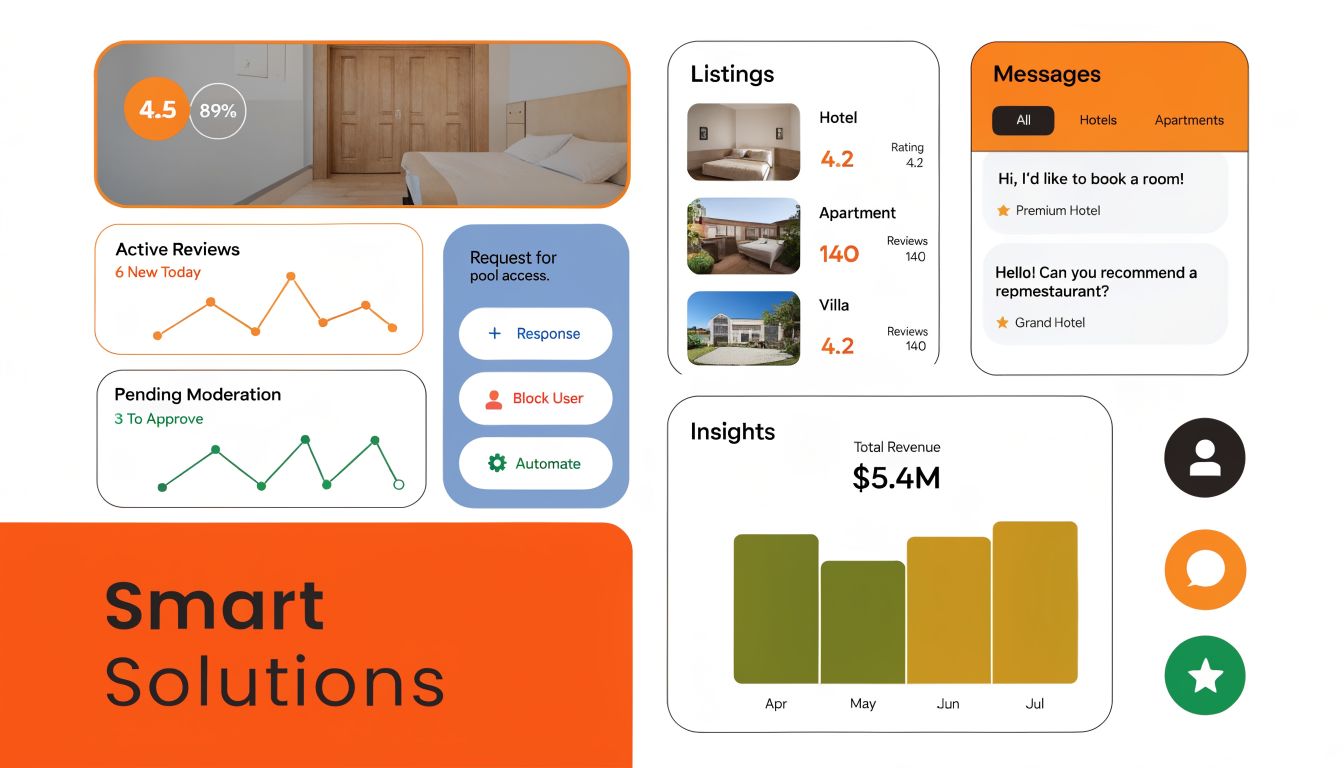
Reviews management
Reviews are usually the first workflow teams turn on, and for good reason. Birdeye can send review requests automatically, collect feedback from multiple platforms, and route responses through one dashboard so staff are not bouncing between logins all day.
For a dental group or med spa, that changes the job at the location level. Front desk staff no longer have to remember who should get a follow-up text. Practice managers can see which offices are requesting reviews consistently, which managers are responding on time, and where response quality is slipping.
The primary value for multi-location businesses is control. Regional leaders can set response rules, approval paths, and templates so the brand voice stays steady across dozens of locations. That keeps one rushed reply from creating a problem corporate has to clean up later.
If you're comparing platforms before rollout, this guide to reputation management software for multi-location teams gives useful context on where Birdeye fits and what level of oversight different tools support.
Listings management
Listings work is operational work. It is also where local revenue gets lost unnoticed.
A wrong phone number, duplicate profile, outdated service category, or missed holiday update can send a ready-to-buy customer somewhere else. Birdeye helps central teams push updates at scale while still giving local operators a process for corrections and exceptions.
For a franchise, healthcare group, or home services brand, the practical benefit is visibility into issues by location. Regional managers can review which branches still have inconsistent business data, which updates are pending, and which offices need follow-up from the local manager before a small problem spreads across directories.
Listing accuracy is never a one-time cleanup. New services get added. Hours change. Staff members edit profiles without telling marketing. A platform like Birdeye gives operators one place to monitor those changes and assign responsibility.
Listings rarely get attention until they break something. By then, the missed calls and misrouted leads have already happened.
CX automation and customer communication
Birdeye goes beyond reviews and listings. It also supports messaging, surveys, and customer feedback workflows that help operators catch issues before they show up in a public review.
That creates useful separation between public reputation and internal quality control. A vet clinic can gather post-visit feedback privately. An auto shop can manage after-hours inquiries from local search traffic. A senior living operator can track follow-up quality across communities without asking each site leader to build their own process.
For practice managers and regional operators, deployment is critical. The tool only helps if each workflow has a clear owner, a trigger, and a rule for what happens next. Survey responses need an escalation path. Messages need response-time standards. Negative feedback needs a handoff process that local teams can follow.
Here's a quick product walkthrough for businesses that want to see the interface in action before planning rollout:
Where operators get tripped up
Birdeye does not fix weak operating habits on its own. It organizes them. If your locations do not have clear rules, the platform will make inconsistency easier to spot, but it will not remove it.
The strongest rollouts usually start with four decisions:
- Set one response standard for all locations
- Assign one listing update process for hours, services, and seasonal changes
- Create one escalation rule for sensitive complaints and legal or compliance issues
- Review one reporting cadence so regional leaders act on location-level problems quickly
That is the gap many businesses miss. Enterprise features sound attractive, but day-to-day adoption lives with practice managers, store managers, and regional operators. Birdeye performs well when corporate sets the rules and local teams can carry them out without guessing.
Your 7-Day Birdeye Launch Plan with Reviews To The Top
A seven-day rollout works best when each location knows what changes on which day, who owns it, and what success looks like by the end of the week. For a multi-location practice or service brand, that matters more than turning on every Birdeye feature at once. A regional operator needs clean listings, working review requests, and a reporting view that makes weak spots obvious fast.
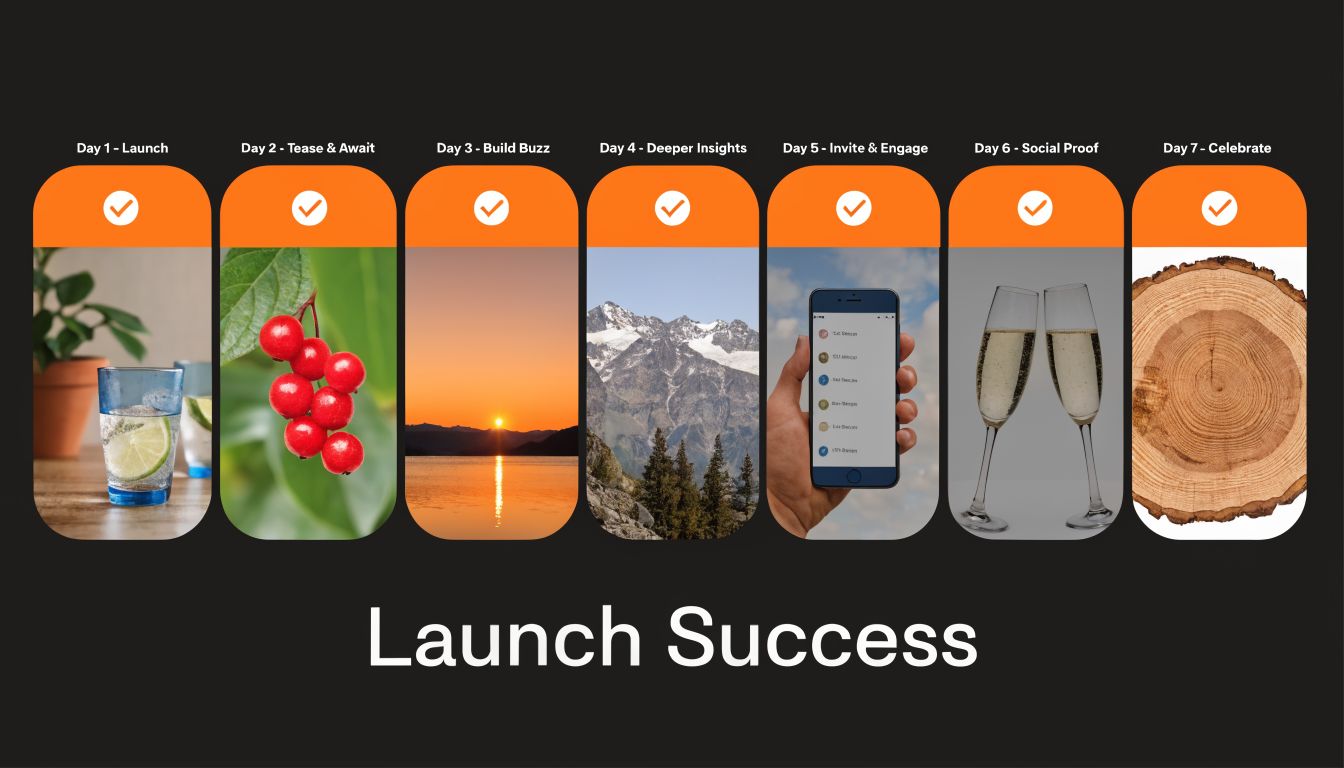
Day 1 to Day 3
Day 1. Connect your core profiles and business data
Start with Google Business Profile, Apple, Bing, and your master location data. Check name, address, phone, hours, categories, and landing pages before syncing anything. If one urgent care location still shows holiday hours from last year, Birdeye will spread that problem everywhere unless you fix the source first.
Day 2. Set brand rules and local permissions
Regional teams need consistency. Local teams need enough control to do their jobs. Set response guidelines, approval rules, escalation paths, and listing-edit permissions by role so practice managers and store managers can act without creating avoidable risk.
Day 3. Build review request workflows around real service moments
Tie the ask to an actual customer outcome. A med spa may send after checkout. An HVAC company may send after the technician closes the ticket. A dental group may trigger after the appointment is marked complete. If your team needs help tightening the request itself, this guide on how to request a Google review gives your staff a practical starting point.
Day 4 to Day 5
Day 4. Train by role, not by feature
Do not run one generic training session and call it done. Practice managers need to know how to monitor incoming feedback and route issues. Regional leaders need dashboard views and exception reporting. Corporate marketing needs control over templates, listings, and brand standards. Birdeye adoption sticks when each group learns the tasks they will repeat every week.
Day 5. Launch one controlled campaign
Start with one SMS template and one email template for one recent customer segment. That gives your team a clean test of deliverability, timing, response volume, and follow-up workload. Reviews To The Top usually treats this as a pilot, not a full rollout, because small issues are easier to correct before all locations start sending at scale.
A strong first launch is simple. Clean records, one request flow, clear response ownership, and a fast escalation path.
Day 6 to Day 7
Day 6. Respond, route, and recover
Once reviews start coming in, speed matters. Positive feedback should get a prompt, on-brand reply. Negative feedback should move to the right local or regional owner the same day, especially in healthcare, home services, and senior living where privacy, compliance, and service recovery can quickly become operational issues.
Day 7. Set up reporting your field teams will use
This is the point where Birdeye shifts from software to operating system. Build dashboards by region, brand, or location owner. Track review volume, response time, listing accuracy, and location-level outliers. The goal is not more reports. The goal is for a regional manager to spot that Location 12 has stopped sending requests, has unanswered reviews, or has incorrect hours before it turns into a revenue problem.
Your 7-day launch checklist
- Verify location records: Confirm name, address, phone, categories, hours, and URLs for every location.
- Choose response owners: Assign who handles daily reviews and who takes escalations.
- Prepare compliant messaging: Keep healthcare outreach HIPAA-aware and avoid promises or incentives.
- Set review timing: Trigger requests after a real service interaction, not on a fixed batch schedule with no context.
- Tag your key links: Prepare UTM-tagged booking and website links before tracking performance.
- Create operator dashboards: Group reporting by region, brand, or owner so each team sees the locations they manage.
- Schedule weekly review time: Set one recurring check-in for local managers and one for regional oversight.
- Audit the first week: Review what sent, what failed, what got responses, and where teams needed help.
Essential Scripts and Response Templates to Get Started
Good scripts do two things. They make the ask easy for the customer, and they make the process repeatable for your team. Keep them short, specific, and neutral. Don't ask only happy customers, and don't offer incentives.
SMS review request script for HVAC
Template
Hi [First Name], thanks for choosing [Business Name] for your [service] today. If you'd share your feedback, we'd appreciate a quick review here: [Review Link]. Your input helps other homeowners in [City] find a reliable team. Reply here if there's anything we should follow up on.
Why it works: It mentions the service, keeps the ask direct, and leaves room for service recovery without steering only happy customers to review.
Email review request script for dental
Subject: Thanks for visiting [Practice Name]
Hi [First Name],
Thank you for coming in today. If you'd like to share feedback about your visit, you can leave a review here: [Review Link].
Your feedback helps patients in [City] choose care with confidence. If you have any concerns about your experience, please reply to this email so our team can follow up directly.
Thank you,
[Practice Name]
Why it works: It's simple, professional, and HIPAA-aware. It doesn't mention treatment details or protected health information.
Positive review response template
Template
Thank you, [First Name]. We appreciate you taking the time to share this feedback about your experience with [Business Name]. We're glad our team could help with [general service category]. We look forward to serving you again.
Pro tip: Mention the service category, not private details. Specificity feels real, but privacy still comes first.
Negative review response template
Template
Thank you for your feedback. We're sorry to hear your experience didn't meet expectations. We take concerns like this seriously and would like the chance to learn more. Please contact [phone/email] and ask for [manager name or role] so we can review this directly.
Pro tip: Don't argue in public. A calm response shows future customers that your business listens and acts.
For more examples your staff can adapt by scenario, keep this library of customer service response templates on hand.
How to Measure Success and Optimize Your Local Presence
Most local teams know when activity goes up. Fewer know which actions drive calls, bookings, and lead quality. That's why measurement matters more than the dashboard itself.
There's also a real data gap here. Birdeye has clear enterprise credibility, but public, niche-specific ROI examples for contractors and similar home service categories remain limited. The opportunity is to close that gap with disciplined tracking, not assumptions. Birdeye itself acknowledges a gap in granular home service ROI examples on its about page.
What to track first
Use a scorecard that a location manager and a regional operator can both understand.
- Review volume: Track whether each location is earning reviews consistently, not in bursts.
- Review recency: Watch how long a location goes without a new review.
- Response time: Measure how quickly reviews get a reply once posted.
- Star rating trend: Don't obsess over a single review. Watch the direction over time.
- GBP actions: Monitor website clicks, calls, direction requests, and booking actions from Google Business Profile.
- Lead-to-sale conversion: Connect local leads to booked jobs, appointments, or tours when your CRM allows it.
What gets missed most often isn't review count. It's the handoff between visibility and revenue.
How to track from GBP to conversions
Use UTM parameters on the website link, appointment link, and other trackable Google Business Profile links. UTM stands for Urchin Tracking Module, which is just a short tag added to a URL so analytics tools can identify where the click came from.
A simple structure might include:
- Source: google
- Medium: organic
- Campaign: gbp
- Content: location-name
That lets you distinguish traffic from a branded search, a local map listing, or another profile asset when someone lands on your site and then calls or books.
A short Google Business Profile checklist
- Complete every core field: Name, category, hours, phone, website, services, and business description.
- Keep service details current: Add real services customers search for, including "near me" intent where it fits naturally in profile content.
- Upload fresh photos regularly: Show the team, exterior, interior, jobs, rooms, bays, or treatment areas as appropriate.
- Use Q&A proactively: Answer common questions about parking, insurance, financing, emergency service, or appointment flow.
- Match local reality: If a branch in [City] operates differently than one in [Neighborhood], reflect that in hours and service details.
If you want a cleaner way to organize this reporting by location and channel, this guide to local SEO reporting is useful for building a scorecard your team will review.
What optimization looks like over time
In the early phase, you're fixing data integrity and review consistency. After that, the work becomes comparative. Which locations request reviews consistently. Which managers respond fastest. Which profiles convert more visitors into calls or bookings. That's where Birdeye becomes operationally valuable.
Frequently Asked Questions About Birdeye
Is Birdeye a good fit for a single-location business
It can be, especially if the business depends on local search and wants one place to manage reviews, listings, and customer communication. A common concern is whether Birdeye's enterprise momentum makes it too heavy for smaller operators. That concern is real, but the platform is still scalable, as discussed in this Glassdoor overview of Birdeye's company direction.
How much does Birdeye cost
Pricing varies by business size, locations, modules, and level of support. The right question isn't just cost. It's whether you'll use the workflows enough to improve visibility and conversion discipline.
How does Birdeye help with negative or fake reviews
It centralizes incoming reviews, helps teams respond quickly, and supports a cleaner escalation process. That doesn't mean every bad review disappears. It means your team can handle issues consistently instead of letting them sit unanswered.
What's the difference between Birdeye and managing reviews manually
Manual management usually breaks at the same points. Requests don't go out consistently, listing edits get missed, response tone varies by employee, and no one can see performance across locations in one place.
How long does it take to see results
You can usually see process improvements quickly, such as more consistent requests or faster responses. Business outcomes take longer and depend on your location data, service quality, staff follow-through, and competitive market.
Does my staff need to be tech-savvy
Not especially. They do need clear roles. Most failures come from ownership gaps, not software complexity.
Should I use Birdeye alone or with outside guidance
If you already have a disciplined local marketing team, you may run it internally. If not, outside guidance helps with rollout, governance, scripting, reporting, and location accountability. For a useful example of how agencies answer common client concerns before onboarding, Restate Social FAQs show the kind of practical questions businesses should ask any partner.
Ready to see how this works for your locations? Reviews To The Top helps local and multi-location businesses run Birdeye with a practical system for reviews, listings, responses, and reporting. If you want a straightforward plan without long-term lock-in, you can book a strategy call and explore month-to-month support.


