
If you're running a location in [City] and posting on X or Twitter between phone calls, staffing issues, and customer follow-up, the question is simple. Do twitter tweet analytics help drive calls, messages, bookings, and reviews, or are they just another dashboard? Yes. When you read the right metrics and connect them to review generation, local SEO, and profile conversion, tweet data stops being vanity and starts becoming operational.
For local businesses, social performance only matters if it moves someone closer to action. That might mean a patient books a consult, a homeowner requests service, a diner leaves a review, or a prospect checks your profile and decides you're the right option nearby.
Why Twitter Tweet Analytics Matter for Local Businesses
A store manager posts three updates in a week. One gets plenty of impressions. Another gets a handful of replies from local customers asking about hours, availability, and pricing. The third sends people to the profile, where they click through to the website, read recent reviews, and decide whether to call. For a local business, the second and third posts usually matter more.
Twitter tweet analytics show which posts create action close to revenue. If you need a quick grounding in what social media analytics entails, start with the idea that social data helps you measure audience behavior and improve decisions about content, timing, and conversion paths.
That matters more for a plumber, med spa, dental group, home services brand, or franchise system than many general social guides admit. A local business does not win because a post traveled far. It wins because the right nearby person saw it, checked the business, trusted what they found, and took the next step. In practice, that means tweet analytics should be read alongside review trends, Google Business Profile activity, and location-level search visibility. That is also how strong digital marketing for local businesses gets managed practically.
What makes tweet analytics useful at the local level
For national creators, a strong post can be its own result. For a local operator, a strong post is usually a trigger inside a bigger customer journey.
A tweet can:
- send someone to your profile to confirm you are active and responsive
- create a branded search later that day or later that week
- prompt a customer to leave a review after a good visit
- surface a service issue early through replies or sentiment patterns
- support local SEO indirectly by increasing brand searches, review velocity, and trust signals across your web presence
That last point gets missed often. Social metrics do not change local rankings by themselves. They influence the behaviors that support rankings and conversion. If tweet activity increases profile checks, branded search, review requests completed, and review response speed, it starts affecting the parts of local visibility that do matter.
What to watch for
The useful signals are usually simple.
Engagement quality matters more than raw reach. A smaller post with replies, saves, profile visits, and clicks from people in your service area often beats a broad post that draws casual views from outside your market.
Profile interest matters because local buyers investigate. Before booking, people often check whether your business looks current, credible, and responsive.
Sentiment matters because X often becomes an early warning channel. If one location gets repeated complaints about wait times, staff behavior, or missed appointments, tweet patterns can help you catch the issue before it shows up in public reviews at scale.
Review impact matters because social activity can support reputation management. A post that highlights a technician, shares before-and-after work, or celebrates a customer outcome gives happy customers a natural moment to respond publicly, then leave a review on the platform that helps local search most.
Practical rule: Judge tweet performance by what it improves downstream. Better review volume, faster review response, more branded search, stronger profile actions, and more qualified inquiries all count. Impressions alone do not.
I tell multi-location teams to stop asking whether a tweet was popular. Ask whether it made the location easier to trust, easier to choose, and easier to find. That is where Twitter analytics become useful for operations, not just reporting.
How to Access and Navigate Your Twitter Analytics
A location manager sees a spike in replies after a plumbing post, assumes the campaign worked, and moves on. Two weeks later, review volume stays flat and branded search does not move. The problem usually is not lack of activity. It is poor inspection of the right screens.
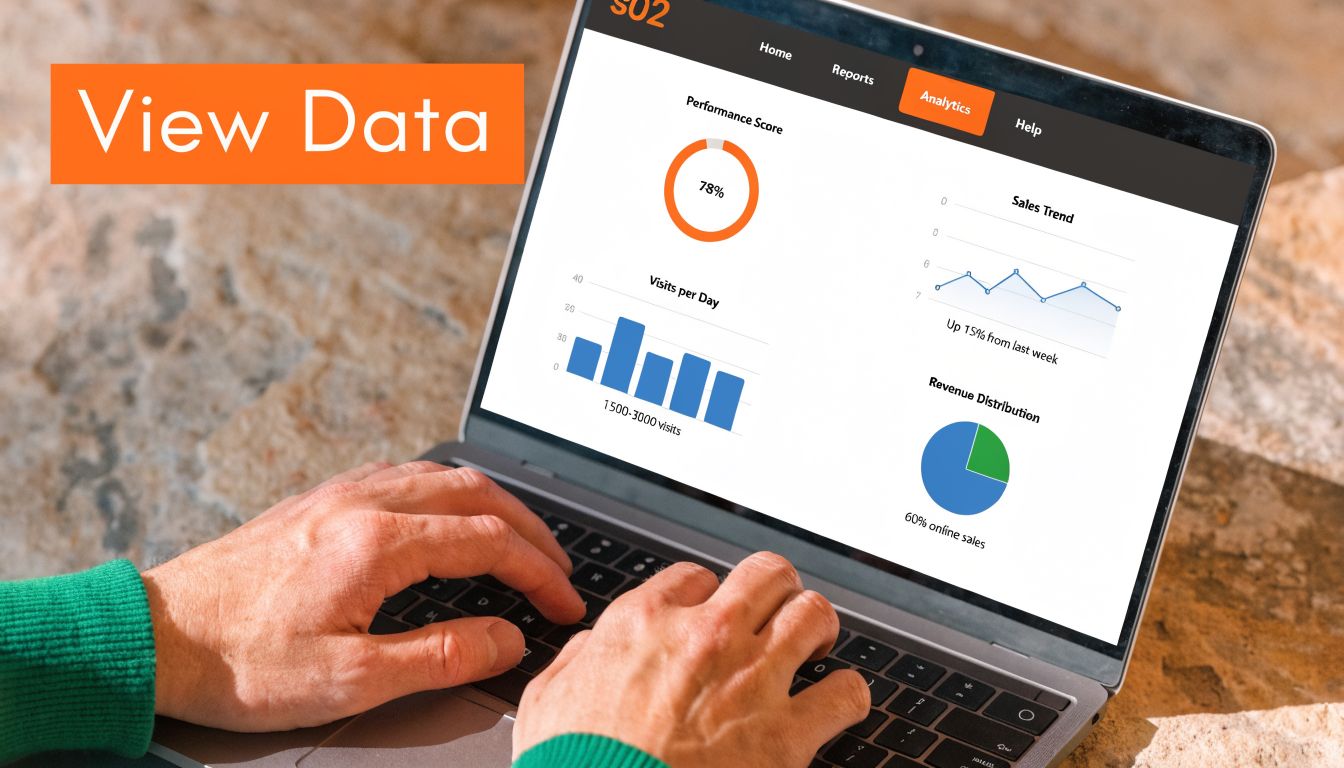
Start on desktop. Phone access works for spot checks, but a monthly review is easier when you can compare tweet performance, profile activity, and exported data side by side.
The fastest path to your data
Use a simple workflow:
- Log into your X or Twitter account on desktop.
- Open the analytics area from the platform menu or direct analytics view.
- Review the account overview first to see recent account-level movement.
- Open tweet activity for individual posts by clicking the analytics icon on a post.
- Export your data if you manage multiple locations or need month-over-month comparisons.
The account overview is your operating snapshot. It helps you spot whether recent posting increased attention to the brand overall, or whether one tweet performed well while the account stayed flat.
If your team is new to the dashboard, this overview of Twitter account analytics is a useful companion to the native platform view.
What to check first
Three areas matter most for local and service brands.
Account summary
Use this screen to gauge direction, not to make final decisions. Look for changes in profile visits, follower movement, and overall engagement across the last reporting window. For a multi-location brand, corporate marketing can quickly use it to determine whether the channel is gaining traction or just producing isolated spikes.
Individual tweet activity
This view shows which posts caused people to click, reply, visit the profile, or share. That matters because a tweet can look successful in the feed and still fail to drive any action that supports reviews, bookings, or local visibility. Posts about staff milestones, community events, before-and-after jobs, and resolved service issues often reveal stronger business intent than generic promotional posts.
Exported reporting data
Exports matter when you need patterns the dashboard will not surface clearly. Franchise groups, healthcare practices, home service brands, and regional retailers often need to compare locations, service lines, or campaigns over time. Pairing tweet exports with your broader local SEO reporting process makes it easier to connect social activity to review requests, Google Business Profile engagement, and location-level demand.
A short video walkthrough helps if your team hasn't used the dashboard before:
A clean monthly review routine
Constant checking creates noise. A fixed review cadence works better.
| Review level | What to inspect | Why it matters |
|---|---|---|
| Weekly | Top tweets, underperforming tweets, profile visits | Helps location managers catch obvious wins, misses, and service topics getting attention |
| Monthly | 28-day trends, follower changes, repeat content themes | Supports planning, review outreach timing, and content adjustments by market |
| Campaign-based | Specific service promos, openings, events, or reputation pushes | Shows whether a local campaign produced useful actions, not just extra impressions |
I tell franchise owners to open analytics only when they are ready to make a decision. Pause a weak content pattern. Repeat a tweet format that drives profile checks. Match strong local posts with review asks while attention is still high.
Decoding Key Metrics in Your Twitter Tweet Analytics
A location can post three tweets in a week, get decent reach, and still produce zero bookings, zero review lift, and no meaningful local interest. That usually happens because the team treats every number in Twitter analytics as if it has the same business value.
The better approach is to sort metrics by job. Some show exposure. Some show curiosity. A smaller set shows buying or trust intent. If you want another practical reference point for reading Twitter account analytics, use it to compare definitions and reporting views, then judge performance against your own location goals. A med spa, HVAC company, and regional restaurant group should not score success the same way.
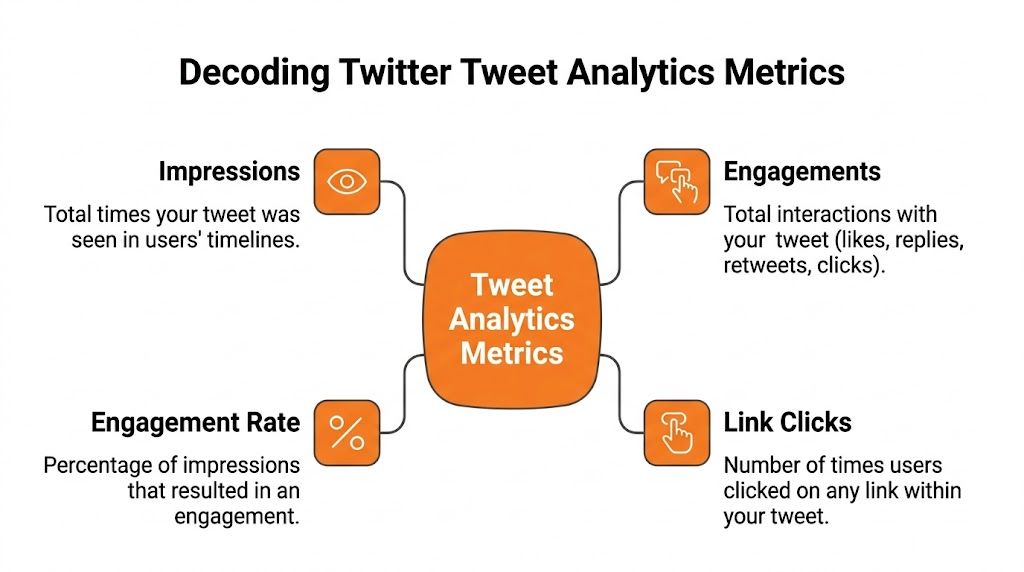
The four metrics that matter first
Start with the metrics that help a local operator decide whether a tweet reached the right people and prompted a next step.
| Metric | Plain-English meaning | Local business analogy |
|---|---|---|
| Impressions | How many times the tweet was shown | Cars passing your billboard |
| Engagements | Total interactions with the tweet | People who stop, look closer, or ask a question |
| Engagement rate | Share of impressions that produced engagement | Percentage of passersby who actually respond |
| Link clicks | Clicks on the URL in the tweet | People who walk in after seeing the sign |
Engagement rate deserves early attention because it adds context to reach. A tweet with high impressions and weak engagement often means the topic traveled farther than the offer resonated. A tweet with moderate reach and strong engagement usually signals better audience fit. For a closer explanation of visibility versus action, this guide on tweet impressions and how they drive customers is worth reading.
What each metric actually tells you
Impressions measure exposure.
They do not prove relevance. A storm-prep tweet from one roofing location may collect a lot of views because the topic is timely, but if nearby homeowners do not click, reply, or visit the profile, the post did not create much commercial value.
Engagements measure interest, but they blend unlike actions.
A like, reply, media view, and profile click do not carry the same weight. For service businesses, replies, profile visits, and link clicks usually matter more than passive reactions because they suggest someone is checking credibility or considering a service.
Engagement rate helps compare tweets fairly.
This metric is useful when one location has a much larger audience than another. A smaller branch can outperform the flagship account on efficiency even if total engagement is lower. That matters in franchise systems, where local relevance often beats broad exposure.
Link clicks show whether the post created intent off-platform.
Use this metric when the tweet points to a booking page, service page, review landing page, coupon, event registration, or location page. If clicks stay low, check the offer first, then the creative, then the audience match.
Profile visits signal trust-checking behavior.
I pay close attention to this for multi-location brands. People often visit the profile before they call, book, or leave a review. If profile visits rise after customer service posts, staff spotlights, or local proof points, the account is helping reduce hesitation.
How local operators should read the numbers
Read each tweet against its purpose.
A review request tweet should be judged differently from a hiring post. A seasonal promotion should be judged differently from a service update. If the goal is review generation, strong performance may look like moderate impressions, solid profile visits, and clicks to a review page. If the goal is local SEO support, the win may be increased branded searches, more traffic to a location page, or stronger review velocity after a tweet series highlights customer experience.
That is the part many broad Twitter guides skip. For multi-location and service brands, tweet analytics become more useful when you connect them to reputation signals. If a location posts before-and-after work, answers service questions publicly, and then sees more profile visits and more recent reviews, those metrics are not isolated social wins. They support trust, which can influence both conversion and local search performance.
A simple rule helps here. High impressions with weak action usually point to broad visibility. Moderate impressions with strong clicks, replies, or profile visits often point to local intent.
Use that rule before calling a tweet successful.
How to Interpret Analytics for Local Business Growth
A location manager posts three tweets in a week. One gets broad reach because the topic is seasonal. One gets replies from current customers. One sends a smaller group to the profile, then the Google Business Profile picks up new reviews over the next few days. The third tweet is usually the one that matters most to local growth.

Read patterns by business outcome
Tweet analytics are more useful when each post is tied to a local objective. For service brands, that usually means one of four jobs: create awareness in a service area, build trust before a call, generate reviews, or support branded search behavior that helps location pages and Google Business Profiles perform better.
Start by grouping posts by both format and intent. A patient testimonial video serves a different purpose than a storm-prep HVAC update. A hiring post should not be judged by the same standard as a review request or a service explainer.
Use buckets such as:
- Service promotion
- Review or testimonial content
- Staff and behind-the-scenes
- Tutorial or educational
- Community and local event posts
- Urgent update or service advisory
Then review what happened after each bucket ran for a few weeks. Look at clicks, replies, profile visits, branded search lift in Search Console, review volume by location, and whether location pages saw better engagement. This is the discipline behind stronger social media and review strategies for local brands. Twitter should support the rest of your local presence, not sit in a separate reporting file.
What common metric patterns usually mean
A tweet with high impressions and weak action often means the topic was visible but the message did not help a customer take the next step. That next step might be calling, checking reviews, confirming service availability, or visiting the nearest location page.
Use the pattern to diagnose the problem faster:
| Pattern | Likely issue | Better move |
|---|---|---|
| High impressions, low clicks | Broad reach, weak intent match | Rewrite the offer and send traffic to the most relevant local page |
| High engagements, low profile interest | People reacted, but trust did not increase | Add technician names, location details, review proof, or clearer service context |
| Good profile activity, weak follows | Curiosity increased, but the profile did not answer key questions | Improve bio, pinned post, service area language, and location links |
| Replies increase, but sentiment is mixed | The post surfaced friction or confusion | Respond quickly, clarify publicly, and feed the objection into future content |
| Modest impressions, strong review-page clicks | Reach was smaller, but local intent was high | Repeat the format and localize it for other locations |
That last pattern is easy to miss. Franchise owners often chase the biggest number on the dashboard and overlook the tweet that produced five review visits or two direct service inquiries from the right ZIP code.
How to read performance by business type
Dental practice in [City]
A smile-makeover post may earn likes because the result looks strong. If profile visits rise but bookings do not, the audience probably wants proof and clarity before they commit. Post a dentist Q&A, financing details, or a short clip explaining who the treatment fits.
HVAC operator in [Neighborhood]
Weather posts can spike impressions fast. If that attention does not turn into calls or clicks, the content likely caught interest without creating urgency. Service-area-specific reminders, emergency availability, and a direct path to book usually perform better.
Auto repair shop
Safety advice often beats discount language. A brake warning, dashboard-light explainer, or tire wear photo gives customers a reason to act now. Watch for saves, replies, and clicks to the location page, then compare that activity against appointment requests.
Veterinary clinic
Pet-care education can start strong conversations. The local growth question is whether that attention leads to trust signals. Check for profile visits, direction requests, appointment clicks, and review velocity after posts that feature staff expertise or patient stories.
A simple test helps. If the team cannot explain what customer concern a top post addressed, it will be hard to repeat the result across locations.
Build next month's content from repeatable winners
Skip one-off social wins. Build a monthly operating pattern.
Review your best posts and answer five practical questions:
- What format was used? Video, image, thread, or plain text.
- What customer concern did it address? Cost, urgency, trust, convenience, confusion, or risk.
- What local cue made it relevant? A neighborhood mention, weather event, city reference, staff member, or location-specific offer.
- What action came next? Call, click, profile visit, branded search, or review submission.
- Can other locations adapt it without losing local relevance? Good system content gives each franchise a structure, then leaves room for local proof.
As noted earlier, broader benchmarks can help set expectations. Day-to-day decisions should still come from your own location data. If tutorial posts consistently produce profile visits, review clicks, or stronger engagement on service pages, commit more calendar space to that format. If polished promos get reach but do not improve trust signals, reduce them.
That is how Twitter analytics become useful for local growth. The goal is not a prettier social report. The goal is more qualified local intent, more recent reviews, and stronger brand demand around each location.
Linking Tweet Performance to Reviews and Local Search
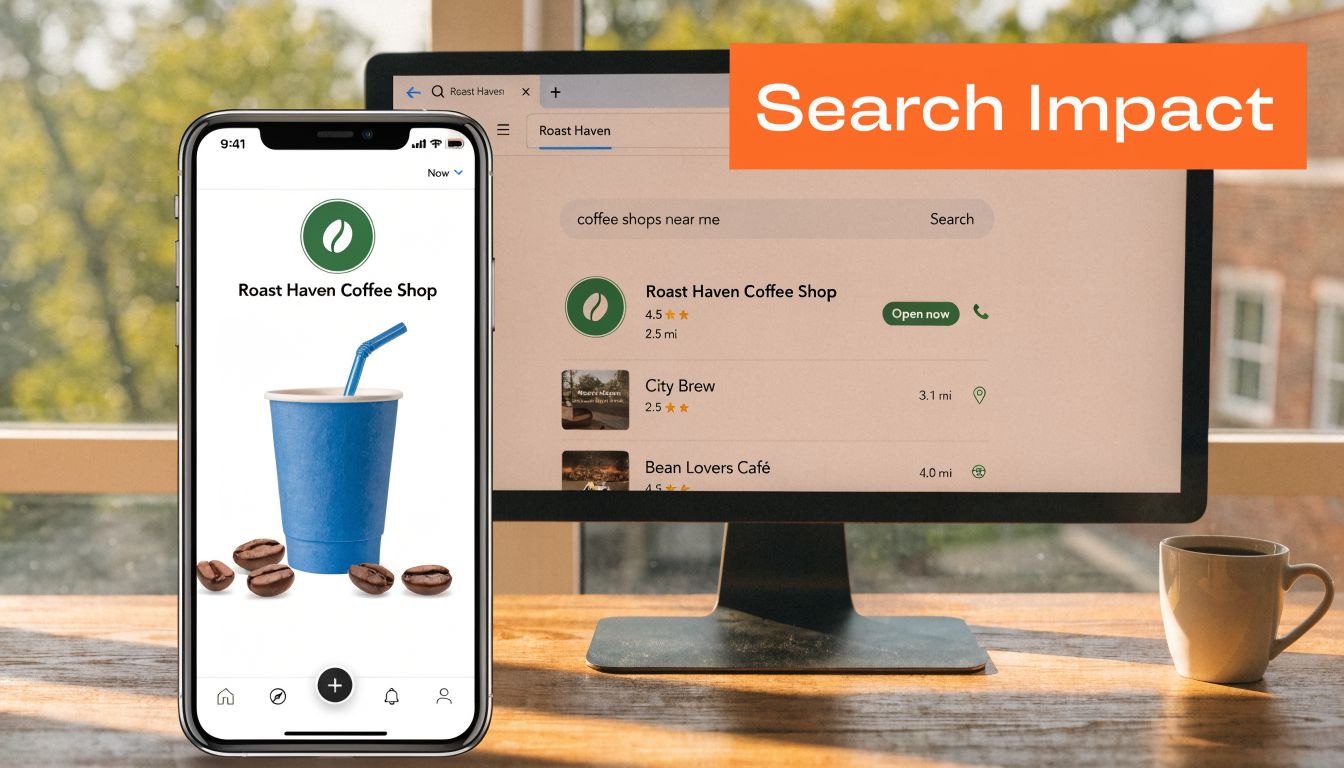
A homeowner sees a storm-prep tweet from your HVAC brand at 7:10 a.m. By 7:20, they have checked the nearest location's Google reviews, searched your brand plus the city name, and compared you with two competitors in the map pack. That decision path is common for service businesses, and it is why tweet analytics should be tied to reputation and local search, not reviewed in isolation.
How social supports local search
For a multi-location brand, Twitter often creates the first touch, while Google closes the sale. A tweet can trigger a branded search, a profile visit, or a review check. If the location page, Google Business Profile, and review profile all confirm the same promise made in the tweet, trust builds fast. If they do not, the social win does not turn into local demand.
Google still weighs proximity, relevance, and prominence in local results. Your tweets will not compensate for weak location data or neglected listings. They can, however, strengthen the signals around prominence by keeping the brand active, current, and publicly discussed in each market.
That matters most in high-intent categories like dental, urgent care, home services, legal, and senior living. People comparing providers in those categories want recent proof. They look for signs that a location is active, responsive, and trusted now, not six months ago.
A strong social media reviews strategy connects those signals so social activity supports review generation, local trust, and branded search behavior.
Where review management fits
This is the gap a lot of general Twitter analytics advice misses. The useful question is not just which tweet got engagement. The better question is which tweet pattern led to stronger review quality, faster review response, or more branded searches for a specific location.
In practice, tweet performance can work as an early warning system for reputation issues. If one location starts getting more complaints in replies, more service-delay questions, or more profile visits paired with negative sentiment, treat that as a local operations signal. Do not wait for the next batch of Google reviews to confirm the problem.
I have seen this pattern show up before review scores moved. Social replies got sharper, customer service DMs increased, and then negative reviews followed a few days later. Teams that caught it early could adjust staffing, update messaging, and respond to frustrated customers before the local listing took the hit.
Use a simple operating rule across locations:
- High engagement plus positive replies often supports review requests and testimonial content.
- High impressions plus low engagement usually signals weak message-market fit, not local traction.
- Rising profile visits plus complaint-heavy replies calls for review monitoring and location follow-up.
- Service-specific tweets that trigger branded search deserve support from matching local landing pages and GBP updates.
Public friction on Twitter often shows up in reviews next.
A simple UTM and tracking workflow
If tweets send traffic to booking pages, location pages, or review request pages, tag every link with UTMs. Keep the naming convention consistent across locations so the reporting is usable.
A practical setup includes:
- Source for Twitter
- Medium for social
- Campaign for the service, season, or promotion
- Content for the location, creative angle, or tweet variation
That structure helps you separate a Phoenix emergency plumbing tweet from a Mesa drain-cleaning promotion. Once visitors land on the site, connect those sessions to calls, forms, bookings, direction requests, and review invites in your CRM or reporting stack. That is where social metrics start becoming local business metrics.
Google Business Profile checklist
Strong tweets can create interest. Your Google Business Profile still has to convert that interest.
Use this checklist at the location level:
- Verify core details including name, address, phone, hours, and primary category
- Match service language to the terms customers search in each market
- Refresh photos regularly so the listing reflects current staff, signage, vehicles, or office condition
- Respond to reviews quickly and route sensitive complaints to the right local manager
- Check destination links so traffic from tweets reaches the correct location or service page
- Review Q&A and service details for accuracy after promotions, staffing changes, or seasonal campaigns
For healthcare and senior living, keep every response compliant. Stay general, avoid personal health details, and write with the assumption that a regulator, patient, or family member could read it later.
Practical Templates to Boost Engagement and Reviews
Analytics tell you what earns attention. Templates help your team act on that insight without rewriting everything from scratch.
The operators who do this well don't improvise every post, request, and reply. They build a repeatable system. That matters even more because franchise operators often outperform independents on tutorial tweets, with cited engagement of 2.5% versus 0.8%, driven by video and hashtag combinations in the comparison covered by RivalSense. Standardization is part of the advantage.
If your team needs a broader framework for asking for a review, use that as a companion to the scripts below.
SMS review request script
For HVAC
Hi [First Name], thanks for choosing [Business Name] today. If your visit went well, would you mind sharing a quick review about your experience with our team? Your feedback helps other homeowners in [City] find a reliable local company: [Review Link]
Email review request script
For dental, HIPAA-aware
Subject: Thanks for visiting [Practice Name]
Hi [First Name],
Thank you for choosing [Practice Name]. We appreciate the opportunity to serve you.
If you'd like to share feedback about your experience with our team, you can leave a review here: [Review Link]
We read every review and use feedback to improve the patient experience at our [City] office.
Thank you,
[Practice Name]
Review response templates
Positive review response
Thank you, [First Name]. We appreciate you taking the time to share your feedback. Our team in [City] works hard to make each visit smooth and helpful, and we're glad that came through. We look forward to serving you again.
Negative review response
Thank you for sharing this feedback, [First Name]. We're sorry your experience didn't meet expectations. We take concerns seriously and want to learn more so we can address the issue appropriately. Please contact our team at [Phone] or [Email] and reference your visit so we can follow up directly.
In healthcare, keep responses general. Don't confirm treatment details, conditions, or appointment specifics.
Two tweet templates that support reviews
Tutorial-style tweet
Not sure whether it's time to replace your AC filter? Our tech walks through the signs homeowners in [City] should watch for. [Link]
#HVAC #HomeMaintenance #[City]
Reputation-supporting tweet
Thanks to everyone who trusts our [Neighborhood] team. If you've visited us recently, we'd love your honest feedback. Your review helps neighbors choose with confidence. [Review Link]
7-day launch checklist for a review program
- Day 1. Confirm each location's review link, hours, phone, and booking URL.
- Day 2. Write approved SMS and email templates by vertical.
- Day 3. Create positive and negative response templates with escalation rules.
- Day 4. Tag tweet links with UTMs for service, location, and campaign.
- Day 5. Publish one educational tweet and one trust-building tweet per location.
- Day 6. Check replies, review inflow, and profile behavior. Escalate complaints quickly.
- Day 7. Review what earned clicks, replies, reviews, or calls, then refine the next week's calendar.
Your Twitter Tweet Analytics Questions Answered
A practical FAQ should answer the questions owners ask once the dashboard is open and the posting calendar is live. For local brands, the true test is whether Twitter activity supports calls, reviews, bookings, and branded search demand at the location level.
How do I track whether a tweet led to a phone call
Twitter will not show call attribution on its own. To get close, tag links with UTMs, send traffic to a location page with click-to-call tracking, and compare tweet timing against call spikes in your call reporting tool. For franchise groups, use location-specific URLs so one market's performance does not get mixed into another's.
What's the best way to use hashtags for a local business
Keep them tight and specific. One or two relevant hashtags usually work better than stacking broad tags that attract the wrong audience.
For a service brand, city, neighborhood, seasonal need, and service category are the best places to start. A plumber in Dallas gets more from a tweet tied to a local weather event or service issue than from a generic trending tag that brings impressions without leads.
How does Twitter's algorithm affect local visibility
Twitter tends to reward posts that get early interaction, clear relevance, and strong recency. For local businesses, that means timing and audience fit matter more than volume.
A tweet about storm damage cleanup posted during a local weather event has a better chance of earning replies, clicks, and profile visits than the same message sent three days later. Local relevance is a distribution advantage if the content matches what customers already care about.
Should each location have its own Twitter account
It depends on how different the markets are. If each location has unique staff, reviews, promotions, and community ties, separate accounts can work. If the brand lacks the team to post, reply, and monitor consistently for every branch, one strong brand account with location-specific landing pages is usually the better choice.
I usually recommend separate accounts only when the business can support them operationally. An inactive local profile creates trust problems fast.
Can Twitter analytics help me improve review volume
Yes, especially if you compare tweet themes against review requests and review inflow by location. Educational tweets and trust-building posts often warm up customers before the ask.
If a location gets more profile visits and link clicks after customer story content, test a review request within the next day or two. That sequence often works better than asking cold.
What should I do if a tweet gets replies but no business result
Check the quality of the interaction. Replies from local prospects asking about availability, pricing, or service areas are useful. Replies that stay at the level of jokes, opinions, or unrelated commentary usually do not move revenue.
Then review the next step. If the tweet earned attention but sent users to a weak page, unclear booking flow, or generic homepage, the problem is conversion, not interest.
Can Twitter activity influence local SEO outcomes
Yes, indirectly. Strong tweet performance can increase branded searches, drive visits to location pages, surface service issues before they turn into negative reviews, and support a steadier review pipeline.
That matters for multi-location brands because local search performance is shaped by more than rankings alone. Reputation strength, review freshness, and consistent engagement with real customers all affect whether a location earns trust once it appears in search.
If you want help connecting reviews, listings, social signals, and local SEO into one operating system, Reviews To The Top can help. We support local and multi-location brands with practical, month-to-month guidance that turns customer feedback into stronger visibility and better conversion paths. If you want a hands-on plan, you can book a strategy call or explore our reputation management approach, see how we help by category on our industry solutions page, or request a closer look with a demo.


