
Software reputation management uses a single platform to automatically request, monitor, and respond to customer reviews. For local businesses, this is crucial because a steady stream of positive, recent reviews directly influences your ranking on Google Maps and convinces potential customers to call, book an appointment, or visit your location. This process turns your happy customers into your most powerful tool for driving conversions.
The Busy Operator's Guide to Reputation Management Software
For a busy owner or manager, software reputation management is your automated system for ensuring your online presence reflects the quality of your in-person service. It takes the manual, time-consuming work of chasing reviews and monitoring feedback off your plate. Instead of juggling dozens of sites like Google, Yelp, and industry-specific directories, the software centralizes everything, saving your team 5–10 hours per week and turning customer feedback into measurable growth.
Key Facts
- Conversion Driver: 93% of consumers use online reviews to make local buying decisions. A high star rating is a direct path to more calls and bookings.
- Google Ranking Factor: Google's local search algorithm is built on proximity, relevance, and prominence. A high volume of recent, positive reviews is a primary signal of prominence, boosting your visibility in the Map Pack.
- Time Savings: Automation saves an average of 5–10 hours per location each week by streamlining review requests and centralizing responses.
- Competitive Edge: Businesses that actively manage their reviews with software see faster growth in leads from sources like Google Business Profile than competitors who do not.
- ROI: For most businesses, the software pays for itself by generating just 1–2 new customers per month.
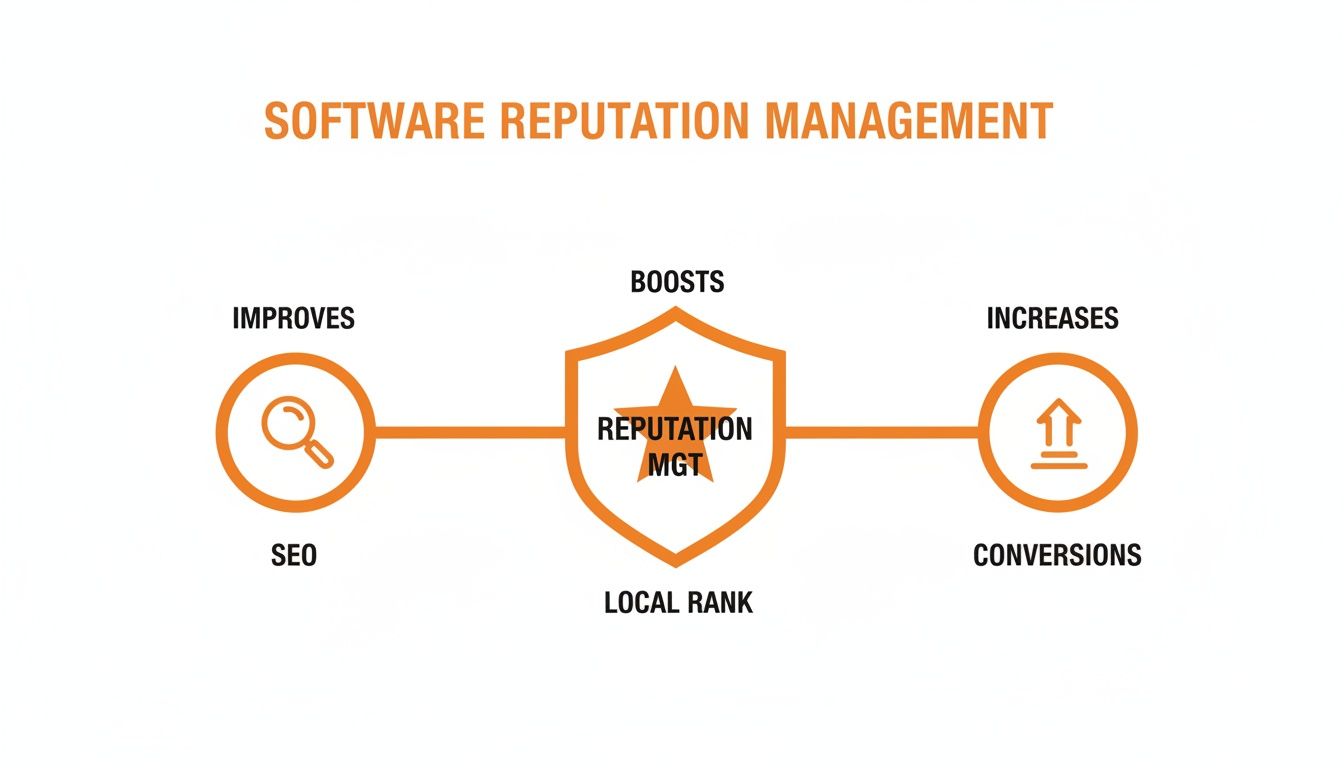
This is where Search Engine Optimization (SEO) and Online Reputation Management (ORM) work together. SEO helps a dental practice in [City] rank for "emergency dentist near me," but it's the 4.9-star rating and 200+ positive reviews—collected and managed by online reputation management software—that convince a person in pain to actually make the call. Effective reputation management builds the trust and social proof needed to convert search visibility into actual customers. To learn more, explore our comprehensive guide on reputation management.
How to Use Software for Reputation Management: A Step-by-Step Guide
Reputation management software acts as a central command center for your customer feedback. It automates the entire review lifecycle: asking for feedback, monitoring what's said about you online, and helping you respond quickly. This strategic process directly improves how you appear in local search results and increases the number of inbound calls, messages, and appointment requests you receive.
Step 1: Automate Your Review Requests
The foundation of a great reputation is a consistent flow of new reviews. The software automates this by integrating with your Customer Relationship Management (CRM) or Point of Sale (POS) system. Once a service is complete, it automatically triggers a review request via SMS or email.
- Example (Auto Repair): Two hours after a customer pays their invoice, the system sends them a text: "Hi [Customer Name], thanks for visiting [Auto Shop Name] in [Neighborhood]. Could you take a moment to share your experience on Google? [Link]"
Step 2: Monitor All Reviews in One Place
Your customers leave feedback on Google, Yelp, Facebook, and niche sites like Healthgrades or Angi. The software pulls all these reviews into a single, unified dashboard in real-time, so you can stop logging into a dozen different platforms.
- Example (Multi-Location Med Spa): A regional manager can log in once and see every new review for all five of their [City] locations, instantly spotting trends or recognizing top-performing staff.
Step 3: Respond to Feedback Efficiently
Responding to every review is critical, but time-consuming. AI-powered response tools help you draft personalized, on-brand replies in seconds. The AI analyzes the review's sentiment and suggests a draft that your team can quickly edit and approve.
- Example (HVAC Company): For a 5-star review praising a technician, the AI drafts a reply thanking the customer and acknowledging the specific technician's great work. The office manager can post it with one click. Explore our guide on how to respond to reviews.
Step 4: Manage Your Business Listings
Inaccurate information online, like the wrong address or phone number (known as your NAP: Name, Address, Phone), costs you customers. The software ensures your business data is correct and consistent across 70+ critical online directories.
- Example (Senior Living): The community director updates weekend tour hours once in the software, and the change is automatically pushed to Google, Bing, and Apple Maps, preventing confusion for prospective families. For more on connecting with clients, explore our guide on customer communication management software.
Step 5: Track Your Performance and ROI
Good software connects your reputation efforts to business results. The analytics dashboard tracks your star rating, review volume, and response time, and ties it directly to performance on your Google Business Profile (GBP), including calls, website clicks, and direction requests. Advanced platforms use methods like company data enrichment for deeper insights.
- Example (Dental Practice): The practice manager can see that a 15% increase in 5-star reviews last quarter directly corresponds with a 25% increase in "click-to-call" actions from their GBP listing.
Templates, Scripts, and Checklists to Get Started
Success comes from having a practical plan. Here are the exact templates and checklists you need to launch an effective review program using software reputation management tools. The goal is to make providing and responding to feedback seamless for both your customers and your team.
Scripts for Requesting Reviews
Timing and simplicity are key. Ask for a review shortly after a service is completed, when the positive experience is fresh.
SMS Review Request Script (Veterinary Clinic):
Hi [Pet Owner Name], this is [Your Name] from [Clinic Name]. We loved seeing [Pet's Name] today! If you have 30 seconds, could you share your experience with our [City] team? [Link to Google Review]
Email Review Request Script (Med Spa):
Subject: Your feedback on your visit to [Med Spa Name]
Hi [Client Name],
Thank you for trusting us with your recent treatment. We strive to provide a 5-star experience and would be grateful to hear your thoughts.
Your feedback helps others in our community find care they can trust. You can leave us a review here:
[Leave a Review on Google]
We look forward to seeing you again soon.
Sincerely,
The Team at [Med Spa Name]
Templates for Responding to Reviews
A prompt, professional response to every review shows potential customers you are engaged and attentive. This builds trust before they even contact you.
Positive Review Response Template:
Hi [Customer Name], thank you for the wonderful 5-star review! We are so glad to hear you had a great experience with [mention a specific detail, e.g., 'our technician, Sarah']. We appreciate you choosing us and look forward to serving you again.
Negative Review Response Template:
Hi [Customer Name], thank you for sharing your feedback. We are sorry to hear your experience did not meet expectations, and we take this very seriously. I would like the opportunity to discuss this with you directly. Please call me at [Direct Phone Number] at your convenience. – [Your Name], Manager
Remember, a thoughtful response demonstrating the role of empathy in customer service can resolve issues and show other prospects that you care.
Your 7-Day Launch Checklist
Follow this simple plan to get your review program running in one week.
- Day 1: Setup & Customization. Connect the software to your CRM/POS. Customize the SMS and email templates with your brand's voice.
- Day 2: Team Training. Hold a 20-minute meeting with your front-line staff. Explain why reviews are critical for bookings and show them how the automated system works.
- Day 3: Internal Testing. Send test requests to yourself and a few team members to ensure links work and messaging is correct.
- Day 4: Go Live. Activate automated review requests for all eligible customers.
- Day 5: Monitor & Respond. Log into the dashboard and use your new templates to respond to the first few reviews as they come in.
- Day 6: Listings Audit. Use the software to do a quick check of your business listings on Google, Apple Maps, and Yelp. Correct any inaccuracies.
- Day 7: First Weekly Review. Check your dashboard. Note the number of requests sent, new reviews received, and your current average star rating.
How to Measure Your Reputation Management ROI
Investing in software reputation management is only the first step. To prove its value, you must connect your online reputation to tangible business outcomes like more calls, bookings, and revenue. Measuring your return on investment (ROI) provides the hard data needed to make smarter operational decisions and justify the spend.

Key Metrics and Performance Targets to Track
Focus on the numbers that signal real business growth. Set clear, achievable targets for your team.
- Average Star Rating: Maintain 4.5 stars or higher. This is a key trust signal for consumers.
- Review Volume: Aim for 5–10 new reviews per location, per month. Consistency tells Google your business is active and relevant.
- Review Recency: Ensure your latest review is no more than 30 days old. Fresh feedback is more persuasive.
- Response Time: Respond to all new reviews within 24 hours.
- GBP Views & Calls: Track the monthly increase in views, clicks-to-call, and direction requests from your Google Business Profile. Aim for a 10-15% lift within 90 days.
- Lead-to-Sale Conversion: Measure the percentage of leads from GBP that become paying customers. An improvement of 5% is a significant win.
Connecting Reputation to Revenue with UTM Tracking
Your Google Business Profile (GBP) is your digital front door. To track its impact on your bottom line, use Urchin Tracking Module (UTM) tags. A UTM is a simple code snippet added to the end of a URL to track the performance of campaigns and content.
By adding UTM tags to the website link in your GBP listing, you can log into Google Analytics and see exactly how many website visits, form submissions, or booked appointments originated from your local search profile. When you see your GBP Clicks-to-Call and Website Clicks increase alongside your star rating, you have concrete proof that your reputation management strategy is driving revenue. This is a core function of the best customer feedback management software.
Google Business Profile Optimization Checklist
Your GBP is a critical asset. Keep it optimized to convert searchers into customers.
- Complete 100% of Your Profile: Fill out every section, including services, products, accessibility attributes, and business hours.
- Upload High-Quality Photos Weekly: Add new, clear images of your location, team, and work.
- Enable Messaging: Allow customers to message you directly from your profile for quick answers.
- Publish Google Posts Weekly: Share updates, offers, and news to keep your profile fresh.
- Answer All Questions in the Q&A Section: Proactively add common questions and answers, and monitor for new inquiries.
Consistently managing these elements strengthens your local SEO and improves the customer experience.
For agencies or brands managing reputation for clients, white label reputation management software is a powerful solution. A good reputation management software white label partner provides a robust platform that you can brand as your own, strengthening client relationships and expanding your service offerings.
Frequently Asked Questions (FAQs)
What is reputation management software?
Reputation management software is an all-in-one tool that automates the process of generating, monitoring, and responding to online customer reviews. It centralizes feedback from sites like Google, Yelp, and Facebook into a single dashboard, helping businesses save time, improve their online star rating, and attract more customers.
How does this software improve my local SEO?
The software boosts local Search Engine Optimization (SEO) by generating a steady stream of new, positive reviews. This signals "prominence" and "relevance" to Google's local search algorithm, which helps your business rank higher in the Google Map Pack for searches like "best med spa near me" or "plumber in [City]." It also helps ensure your business name, address, and phone number (NAP) are consistent across the web, another key local ranking factor.
How quickly will I see results?
You can expect to see an increase in new reviews within the first 30 days of launching an automated request program. Measurable business impact, such as a noticeable increase in calls and website clicks from your Google Business Profile, typically becomes evident within 90 days as your review volume and star rating improve.
Can the software remove bad reviews?
No legitimate software can delete negative reviews from third-party sites like Google. However, it helps you manage them effectively in three ways: (1) it allows for a rapid response to show other customers you care, (2) it helps you generate a high volume of positive reviews to push the negative one down, and (3) it makes it easy to flag reviews that violate platform policies (e.g., spam or fake content) for potential removal by the site itself.
How much does reputation management software cost?
Pricing typically depends on the number of locations you have and the features you need. Most businesses find that the software provides a strong return on investment (ROI), often paying for itself by generating just one or two new customers per month. The cost is an investment in an automated system that drives measurable revenue.
What is the difference between reputation management and social media monitoring?
Reputation management focuses on review sites where customers make buying decisions (e.g., Google, Angi, Healthgrades). Its goal is conversion: turning a strong reputation into new leads and sales. Social media monitoring focuses on brand conversation on platforms like Facebook and Instagram. Its goal is engagement and brand awareness.
What is the best online reputation management software?
The best online reputation management software is a platform that integrates seamlessly with your existing systems (like your CRM), is easy for your team to use, and provides clear, actionable analytics that tie reputation metrics to revenue. For multi-location businesses, the best choice is an all-in-one platform that offers centralized control, AI-assisted responses, and dedicated support.
By bringing your review requests, monitoring, and responses under one roof, you directly fuel your local SEO. Ready to see how a focused review program can make your phone ring? Let's show you how to optimize your Google Business Profile and turn customer feedback into your most valuable marketing asset. Book a strategy call with our team today to learn how our flexible, month-to-month support can work for you.


