
If you run a local or multi-location business, reviews on Google are one of your most impactful assets because they shape both visibility and conversion at the exact moment a customer is ready to choose. When someone searches for “dentist near me” or “HVAC repair in [City],” your review profile often decides who gets the call, booking, message, or tour request.
Most operators already know reviews matter. What they usually need is an operating system: how to ask consistently, respond fast, protect quality, govern multiple locations, and tie the work to revenue.
Your Guide to Winning with Google Reviews
A customer searches “auto repair near me” on a phone in [Neighborhood]. Two listings appear in Google Maps. One profile looks active, trusted, and recent. The other looks neglected. In most categories, that choice gets made in seconds.
That’s why reviews on google matter so much. They aren’t just public testimonials. They sit directly inside your Google Business Profile, influence how your location appears in Maps and local search, and shape whether a buyer calls now or keeps scrolling.
Google has become the center of gravity for online reviews. It now hosts 80.8% of all online reviews, up from 73% in 2022, and its concentration is even stronger in some local categories, including 90.2% of retail reviews and 86.4% of automotive reviews, according to this Google review statistics analysis.
Key Facts
| Fact | Impact |
|---|---|
| Google hosts 80.8% of all online reviews | If your team treats Google as a secondary channel, you’re likely underinvesting in the place customers check first. |
| Google hosted 73% of reviews in 2022 | The platform’s influence is still increasing, not flattening. |
| Retail reaches 90.2% share on Google | Store operators should prioritize review requests at checkout, pickup, and post-purchase follow-up. |
| Automotive reaches 86.4% share on Google | Service advisors and location managers should make review capture part of the closeout process. |
Practical rule: If you can only build one disciplined review workflow first, build it for Google.
What matters most in practice
For busy operators, the winning approach is simple:
- Ask every satisfied customer instead of asking only the easy ones.
- Ask quickly while the service experience is still fresh.
- Respond consistently so future buyers see that someone is paying attention.
- Run one process across every location with room for local nuance.
That last point matters more than most brands realize. A single-location med spa can manage reviews from the front desk. A regional dental group, vet chain, senior living operator, or HVAC brand needs governance, permissions, templates, and escalation rules.
A short Google Business Profile checklist
Before you push harder on review generation, make sure the profile itself is usable:
- Verify location accuracy so the right address, phone, and hours appear.
- Choose the best primary category so Google understands what you do.
- Add service details for queries like “emergency plumber in [City]” or “teeth cleaning in [Neighborhood].”
- Upload current photos so the profile doesn’t look abandoned.
- Set the right booking or website destination so review traffic can convert cleanly.
How Reviews Impact Your Local Search Ranking
Google’s local results are built around three core ideas: proximity, relevance, and prominence.
Proximity is how close the searcher is to your business. Relevance is how well your profile matches the search. Prominence is how established and trusted your business appears. Reviews affect the last two most directly, and they also influence whether a searcher clicks once you do appear.
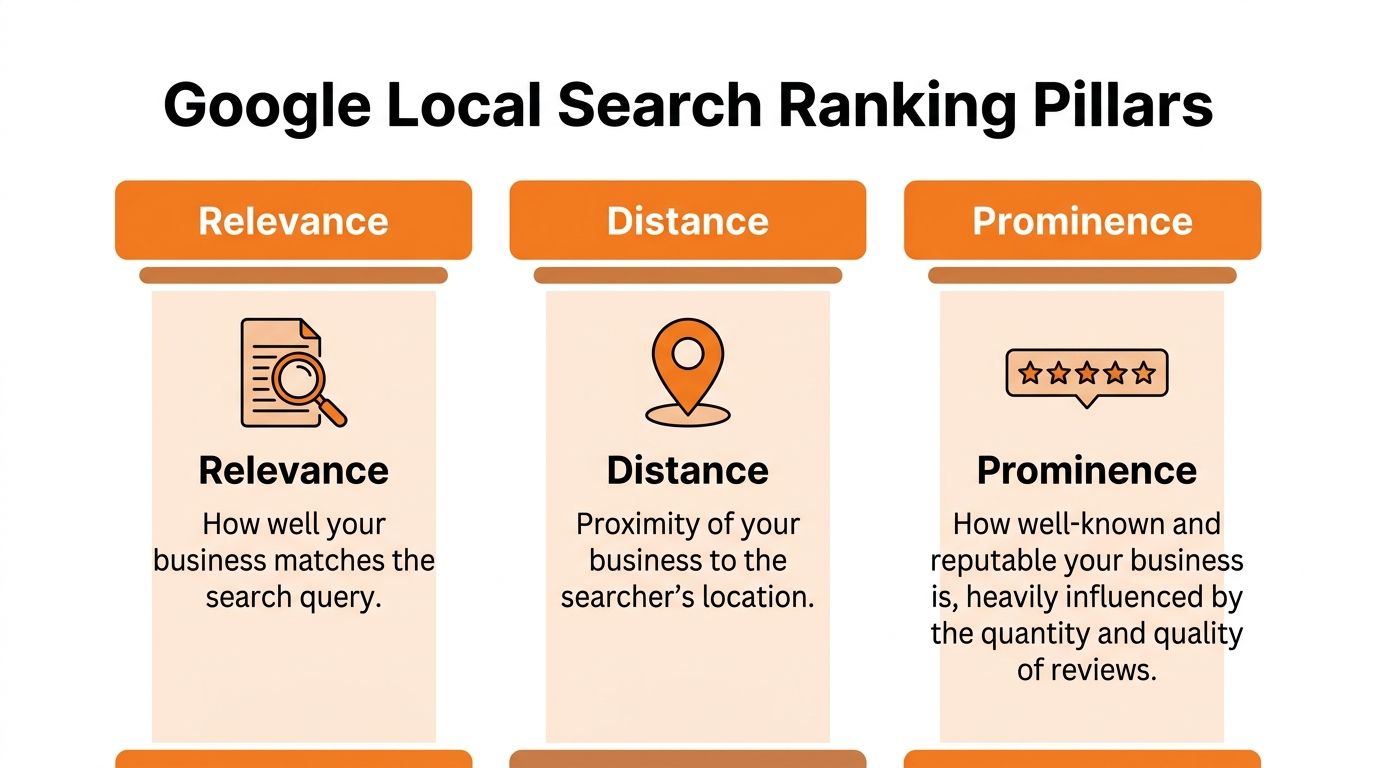
Proximity, relevance, and prominence in plain English
Relevance
Your Google Business Profile needs to match what the person wants. That includes business categories, services, and review language that reflects real customer experiences.
If customers repeatedly mention “same-day AC repair in [City]” or “friendly pediatric dentist in [Neighborhood],” that creates useful context. It helps Google understand what your location is known for and helps a buyer confirm they’re in the right place.
Proximity
You can’t change where the searcher is standing. A practice in one part of [City] won’t outrank a closer option every time.
What reviews do here is improve your odds when Google has several nearby candidates to choose from. Stronger profiles earn more clicks, and better click behavior tends to support stronger local performance over time.
Prominence
Reviews carry the most visible weight. Google reviews contribute about 10% to local SEO ranking factors, according to this review ranking analysis.
That doesn’t mean reviews are the only lever. It means they are one of the few levers you can improve every week without rebuilding your website or opening new locations.
The review signals that matter
A lot of businesses obsess over total review count. That’s incomplete.
What matters operationally is a mix of signals:
- Volume helps establish baseline trust.
- Recency shows your business is active now.
- Velocity shows you earn new feedback consistently.
- Rating quality affects whether buyers feel safe choosing you.
- Review text helps reinforce service relevance.
A Sterling Sky case study cited in the same source found a threshold where businesses that acquired a certain number of reviews saw a meaningful ranking boost. After that, the bigger advantage came from steady inflow. The same analysis notes that consistent monthly inflows of several reviews tend to sustain stronger positions more effectively than letting a larger profile go stale.
If your locations get reviews in bursts after a campaign and then go quiet, you’ll usually lose ground to operators who ask steadily every week.
What works better than chasing a giant number
For most local businesses, a simple operating rhythm beats heroics:
- Make review requests part of normal service delivery.
- Trigger the ask soon after a successful visit or completed job.
- Coach staff to mention the request before the message lands.
- Reply to reviews so the profile looks active and managed.
This is also why the old playbook of “let’s get 100 reviews this quarter” often underperforms. A profile with old praise and no fresh activity can look less trustworthy than a profile with fewer total reviews but a consistent stream of current feedback.
If you want a deeper breakdown of the ranking connection, this guide on do Google reviews help SEO is a useful companion.
Why rankings and conversions rise together
Reviews don’t just help you appear. They help you win the click and the call.
A buyer comparing two nearby businesses usually scans:
- star rating
- freshness of reviews
- details in review text
- whether the owner responds
- whether complaints are ignored or handled
That’s the practical bridge between local SEO and revenue. Better reviews improve prominence. Better presentation improves trust. Trust improves action.
The Playbook for Getting More High-Quality Reviews
Most businesses don’t have a review problem. They have a process problem.
They ask inconsistently, they wait too long, or they leave it up to whoever remembers at the counter. If you want more high-quality reviews on google, build a repeatable workflow that fits the way your locations already operate.
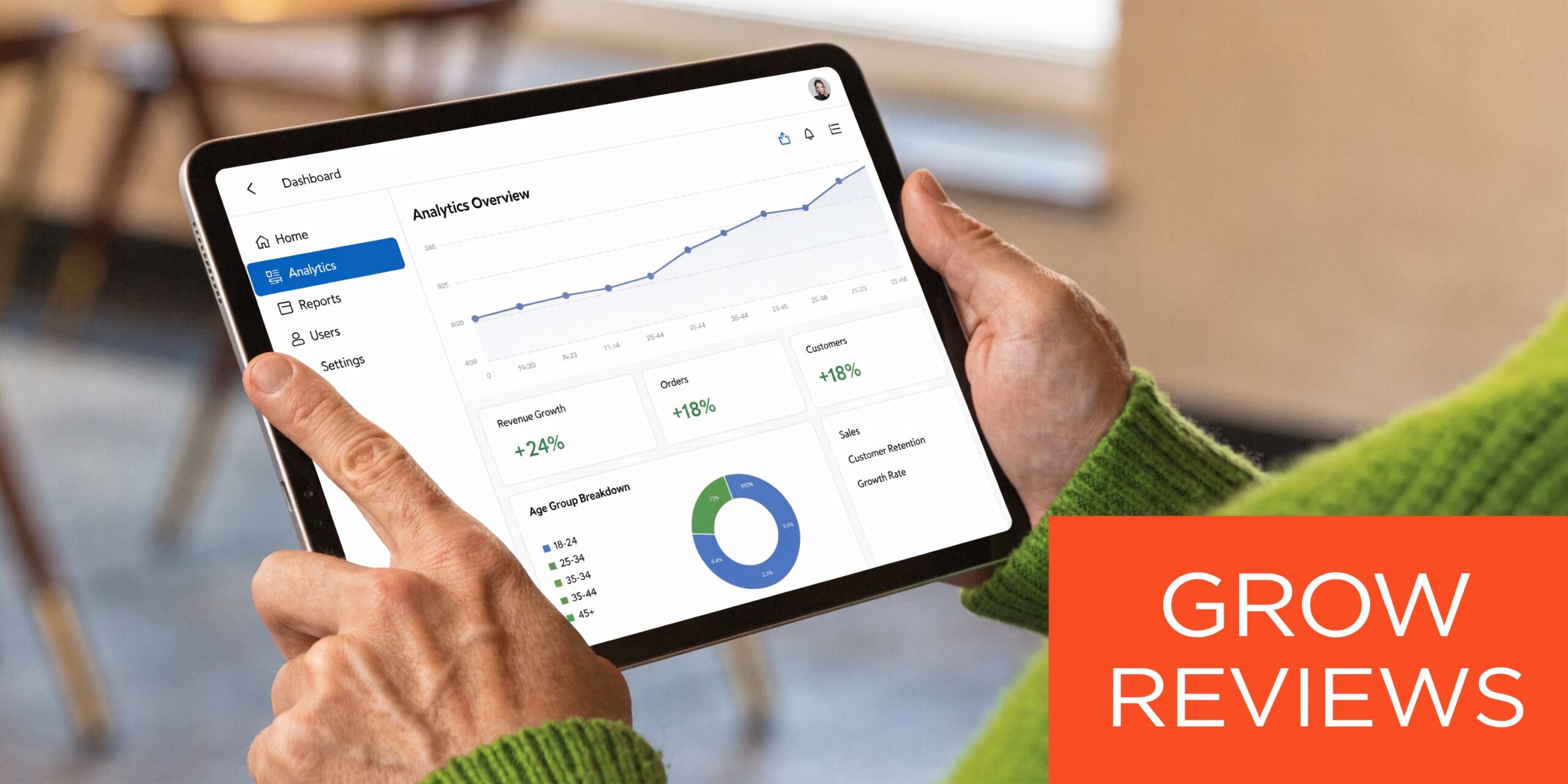
Ask at the right moment
The best time to ask is shortly after a successful interaction.
For an HVAC company, that might be right after the technician closes the ticket. For a dental office, it may be after checkout. For an auto shop, it’s usually when the customer picks up the vehicle and the service advisor confirms everything was completed.
Bad timing kills response rates. Don’t ask:
- Before the outcome is clear because the customer hasn’t formed an opinion yet.
- During a stressful moment like a billing dispute or reschedule.
- Long after the visit because recall fades and urgency disappears.
Build one request path per location
Keep the path simple. One link. One clear ask. No extra clicks if you can avoid them.
A good request system usually includes:
- Verbal mention from staff so the message doesn’t arrive cold
- SMS follow-up for speed and convenience
- Email backup for customers who don’t act on text
- Central tracking so managers know which locations are asking consistently
For teams that need help operationalizing this, this walkthrough on how to get Google reviews for my business covers the mechanics.
Don’t incentivize reviews
This is one of the easiest ways to create long-term problems.
Google has rules against incentivized reviews, and categories with high volume can run into moderation issues when patterns look artificial. Keep the program clean. Ask every customer. Don’t offer gifts, discounts, raffles, or freebies in exchange for feedback.
That’s especially important in healthcare, hospitality, and restaurants, where request patterns can attract more scrutiny.
Templates you can use today
SMS review request for an auto shop
Hi [First Name], thanks for trusting [Business Name] with your vehicle today. If you have a minute, would you share your experience in a Google review? Your feedback helps other drivers in [City] find a reliable shop: [Review Link]
Email review request for a med spa
Subject: Quick favor after your visit to [Business Name]
Hi [First Name],
Thank you for visiting [Business Name] in [City]. We’d appreciate your feedback on Google so future clients can learn what it’s like to work with our team.
You can leave a review here: [Review Link]
Thank you again,
[Business Name]
Healthcare note: keep requests and responses HIPAA-aware. Don’t mention treatment details, diagnoses, or anything that could disclose PHI.
The best scripts sound like your staff. If the message looks automated and generic, customers ignore it.
Positive and negative response templates
You also need templates ready before volume increases.
Positive review response template
Thank you, [First Name]. We appreciate you taking the time to share your experience with [Business Name]. Our team works hard to provide dependable service in [City], and we’re glad we could help. We look forward to serving you again.
Negative review response template
Thank you for the feedback, [First Name]. We’re sorry your experience didn’t meet expectations. We take concerns like this seriously and would like the chance to learn more and make it right. Please contact [Manager Name or Team] at [Phone/Email] so we can follow up directly.
A 7-day launch checklist
If you’re starting from scratch, use this one-week rollout.
Day 1
- Claim and audit profiles for each location.
- Confirm review links point to the correct listing.
- Assign owners for each market or branch.
Day 2
- Write scripts for front desk, advisors, technicians, and managers.
- Create SMS and email templates by vertical.
Day 3
- Train the team on when to ask and when not to ask.
- Define escalation rules for unhappy customers before a request goes out.
Day 4
- Turn on messaging or automation in your CRM, POS, or review platform.
- Tag each location so reporting stays clean.
Day 5
- Launch with one location or region first if you need a pilot.
- Review message delivery and fix broken links fast.
Day 6
- Check incoming reviews for quality, speed, and location accuracy.
- Refine scripts if customers seem confused.
Day 7
- Set a weekly cadence for manager review.
- Track asks, reviews, response times, and business outcomes so this becomes a system, not a campaign.
How to Respond to Every Positive and Negative Review
Getting the review is only half the job. The response is what future customers read when they’re deciding whether your business is organized, respectful, and accountable.
A neglected review section sends a clear signal. So does a defensive one.

What good positive responses do
A weak reply says, “Thanks so much.”
That’s polite, but it wastes the moment. A better response does three things:
- thanks the customer by name when appropriate
- reflects the service experience in plain language
- reinforces the brand without sounding scripted
Positive review template
Thank you, [First Name]. We’re glad you had a good experience with our team at [Business Name]. It means a lot to know you felt taken care of, and we appreciate you choosing us in [City]. We’re here whenever you need us again.
For verticals like dental, vet, HVAC, and senior living, it also helps to keep the tone warm and specific without revealing anything sensitive.
How to handle negative reviews without making them worse
The goal isn’t to win an argument in public. The goal is to show calm, responsible leadership.
Use this sequence:
- Respond quickly
- Acknowledge the concern
- Move the resolution offline
- Document the issue internally
If you need a stronger framework for difficult cases, this guide on how to respond to negative comments is worth bookmarking.
A negative review can still help you if your response is measured, specific, and professional.
Negative review template
Thank you for sharing this feedback. We’re sorry to hear your experience fell short of expectations. We’d like the opportunity to look into what happened and address it directly. Please contact [Manager Name/Department] at [Phone Number] or [Email] so we can follow up with you.
What not to do
Operators get into trouble when they react like the review is a personal attack.
Avoid these mistakes:
- Don’t argue point by point in public.
- Don’t accuse the customer of lying unless you’re pursuing formal reporting through Google.
- Don’t reveal account, patient, resident, or service details.
- Don’t copy-paste the exact same reply to every complaint.
That last one matters more in multi-location environments. Templates are fine. Robotic repetition isn’t.
This short video is useful for coaching local managers on tone and structure before they start replying at scale.
Set a response standard
Every brand should define a service level agreement for responses.
A practical standard looks like this:
- Positive reviews get a timely thank-you.
- Negative reviews get priority handling and escalation.
- Sensitive categories like healthcare and senior living route through trained staff.
- Location managers can reply, but corporate or regional leaders review edge cases.
If you want a more complete workflow for owners and regional teams, this resource on how to respond to reviews is a solid reference.
Managing Google Reviews for Multi-Location Businesses
A five-location operator and a fifty-location operator do not have the same review problem.
At scale, the challenge isn’t just getting more reviews on google. It’s keeping request quality, response quality, brand tone, and escalation discipline consistent across every market.
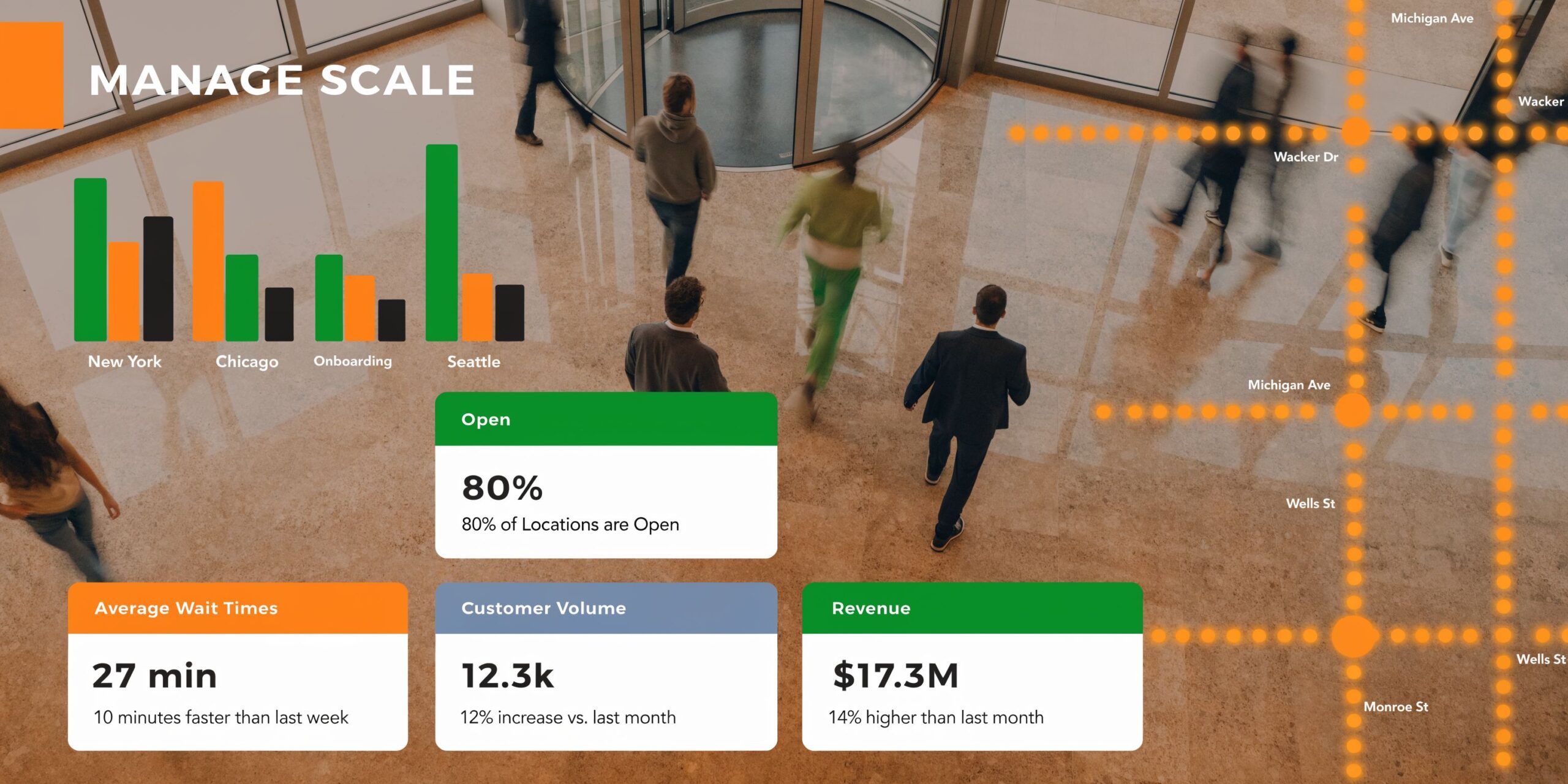
What governance looks like in practice
Strong multi-location programs usually have three layers.
Central standards
Corporate or regional marketing owns:
- review request timing
- approved templates
- escalation paths
- access permissions
- reporting format
Local execution
Store managers, office managers, service advisors, and front desk teams handle the ask in the moment because they own the customer interaction.
Escalation and oversight
Regional leaders or a central reputation team step in for legal issues, discrimination claims, patient privacy concerns, resident-family complaints, or coordinated attacks.
That split matters. If everything is centralized, local teams move too slowly. If everything is local, brand control breaks down fast.
The issue many operators miss
Google’s AI-driven review deletions have become a real operating risk for high-volume categories. Restaurants are affected disproportionately, and both positive and negative reviews can be removed unpredictably, even years later, causing sudden rating drops, according to this report on Google deleting restaurant reviews at record levels.
For multi-location brands, that creates two practical problems:
- one location can appear to “lose” trust overnight
- leadership may blame local teams when the cause is platform moderation
How to reduce deletion risk
You can’t control Google’s moderation systems, but you can reduce behaviors that create risk.
- Keep requests authentic and tied to real customer interactions.
- Avoid incentive language or influencer-style freebies in exchange for reviews.
- Watch for unnatural spikes from one campaign, event, or list dump.
- Maintain records of request sources so you can audit patterns by location.
- Spread requests consistently instead of batch blasting old contacts.
Multi-location brands need governance because platform issues rarely stay isolated to one storefront.
A practical Google Business Profile checklist
Review performance improves when the underlying profile is complete and accurate.
For every location, confirm these basics
- Business name is consistent
- Primary category reflects the core service
- Address, phone, and hours are current
- Service areas or service lists are filled out where relevant
- Photos are recent
- Booking, website, or appointment links point to the correct local destination
- Managers know who has reply access
That profile hygiene supports both discoverability and conversion. It also reduces the confusion that often leads to poor reviews in the first place.
For operators managing several branches, this guide to local SEO for multiple locations is useful for connecting review governance with broader location visibility.
When to flag a review
Not every bad review is fake. Some are painful and true.
Flag a review when there is a credible policy issue, such as impersonation, obvious spam, irrelevant content, or a coordinated attack. Don’t flag every complaint just because the location disagrees with it.
The better discipline is this:
- solve real service failures
- respond publicly with care
- escalate suspicious patterns
- track recurring themes by location, region, and category
That’s how review management turns into operational intelligence instead of a constant cleanup exercise.
How to Measure the ROI of Your Review Program
If your reporting ends at star rating, you’re not measuring ROI. You’re measuring appearance.
Operators need to tie review activity to business outcomes such as calls, messages, bookings, tours, and closed revenue. That requires a simple funnel: Google Business Profile visibility, interaction, lead capture, and sale.
Review Program KPI Targets
| Metric | Target |
|---|---|
| Review volume | Steady new reviews every month for every active location |
| Recency | No long gaps without fresh feedback |
| Response time | Fast replies, with negative reviews handled first |
| Star rating | Maintain a strong, trust-building average over time |
| GBP views and actions | Monitor trends in calls, direction requests, website clicks, and bookings |
| Lead-to-sale conversion | Track whether leads from GBP become customers, patients, or residents |
What to track weekly and monthly
At the location level, track:
- new reviews received
- review recency
- response completion
- response speed
- themes in review text
- GBP actions such as calls and booking clicks
At the regional or brand level, compare locations against each other. Not to shame teams. To find gaps in process.
A dental office with strong reviews but weak call handling has one problem. An HVAC branch with low review volume and strong close rate has another. The fix should match the bottleneck.
Use UTM tracking so GBP traffic isn’t invisible
Add UTM parameters to the website link in each Google Business Profile. That lets you identify visits and conversions that came specifically from the profile.
A simple structure can include:
- source for Google
- medium for organic local profile traffic
- campaign for the location or region
Then connect that traffic to form fills, calls, appointment requests, and booked jobs inside your analytics and CRM.
For teams building better attribution habits across local marketing, this piece on measuring return on marketing investment offers a practical framework.
The metric that matters most
The most useful question isn’t “Did reviews go up?”
It’s “Did better review operations increase qualified actions from GBP and improve conversion from those actions into revenue?”
That’s the standard. If reviews are improving but calls and bookings aren’t, inspect the rest of the path:
- wrong landing page
- poor call handling
- broken booking flow
- weak location data
- slow review responses
- mismatched service expectations
If you need a cleaner reporting structure, this guide on local SEO reporting can help organize location-level dashboards around outcomes rather than vanity metrics.
Frequently Asked Questions About Google Reviews
How many reviews on Google does a business need?
There isn’t one universal target for every category or market. In practice, the first meaningful milestone is credibility, then consistency. Earlier in this guide, the ranking section covered the importance of crossing an initial threshold and maintaining steady inflow rather than chasing a huge stale total.
Should every location have its own review strategy?
Yes. Every location needs its own request cadence, monitoring, and response accountability, even if the brand uses shared templates and governance. A med spa in [City] and an HVAC branch in [Suburb] will see different customer behavior, staffing realities, and complaint patterns.
Can I ask every customer for a review?
Yes, and that’s usually the cleanest policy. Ask broadly and fairly after legitimate interactions. Don’t cherry-pick only happy customers, and don’t offer incentives in exchange for reviews.
Can I remove a bad review?
Sometimes, but only when there’s a valid policy reason. Google may remove content that appears to violate its policies, but many negative reviews won’t qualify. Focus first on whether the feedback is real, whether it reveals an operational issue, and whether a calm public reply would help future customers trust you more.
What if a customer mentions private information?
In healthcare, senior living, and other sensitive categories, keep responses neutral and privacy-aware. Don’t confirm treatment, residency, account status, or personal details. Thank them for the feedback, acknowledge the concern in general terms, and offer an offline contact path.
How fast should we respond to reviews?
As fast as your team can respond thoughtfully and consistently. Negative feedback should be prioritized. Multi-location operators should set internal response standards so no location goes quiet for long stretches.
Do reviews on Google help with “near me” searches?
Yes, because reviews support the signals Google uses to decide which nearby businesses look relevant and prominent. They also improve click confidence when users compare options in Maps or local results for searches like “vet near me,” “best dentist near me,” or “AC repair near me.”
Should staff use templates or write every reply from scratch?
Use templates as guardrails, not as a script you paste blindly. Templates protect tone, privacy, and compliance. Staff should still personalize replies enough that customers can tell a real person read the review.
What’s the biggest mistake multi-location brands make?
They treat reviews like a side task instead of an operating discipline. The result is uneven asking, uneven response times, weak escalation, poor profile hygiene, and bad attribution. The brands that win build a system and run it every week.
If you want help turning reviews on google into more calls, bookings, and location-level revenue, Reviews To The Top offers month-to-month support for local and multi-location businesses. The team helps you centralize review requests, monitor every location, respond faster, and optimize your Google Business Profile so your reputation work shows up where it counts.


