
Getting positive reviews for your dermatology practice requires a simple, automated system that asks happy patients for feedback via SMS within 1–2 hours of their appointment. This strategy is critical because a steady stream of recent, high-quality reviews directly boosts your visibility in local search, builds immediate trust, and drives more patient calls and bookings from your Google Business Profile. This guide explains how to get more reviews and turn them into your best patient acquisition tool.
Key Facts
- Patient Satisfaction: Dermatologists have one of the highest patient satisfaction rates (9.52/10), providing a large pool of happy patients to ask for reviews.
- Timing is Critical: The best time to request a review is within 1–2 hours post-appointment, when the experience is fresh.
- Google's Algorithm: Local search rankings depend on Proximity (location), Relevance (services offered), and Prominence (reputation), which is heavily influenced by review quantity and quality.
- HIPAA Compliance: Review requests and responses must never contain Protected Health Information (PHI) or confirm that a reviewer was a patient.
- Business Impact: A 0.1-star increase in your average rating can boost conversion rates by 25%. Responding to all reviews within 24 hours shows you're attentive.
How to Set Up Your Review Program: A Step-by-Step Guide
A proactive review strategy doesn't just collect feedback; it turns your happiest patients into your most effective marketers. Here’s how to build a HIPAA-compliant system that gets results.
Step 1: Optimize Your Google Business Profile
Your Google Business Profile (GBP) is your digital front door. It must be complete and accurate to show up in searches like "dermatologist near me."
GBP Optimization Checklist:
- NAP Consistency: Ensure your Name, Address, and Phone number are identical across your website and all online directories.
- Categories: Select "Dermatologist" as your primary category. Add secondary categories like "Medical Spa" or "Skin Care Clinic" if they apply.
- Services: List every service you offer, using specific, searchable terms like "Botox in [City]" or "acne treatment in [Neighborhood]."
- Photos: Upload at least 15 high-quality photos of your clinic's exterior, interior, team, and treatment rooms.
- Q&A Section: Proactively add and answer common questions like "Do you accept [Insurance Provider]?" or "Is parking available?" to provide instant information.
Step 2: Automate Your Review Requests
Manual follow-up is inefficient and inconsistent. Automation ensures every patient gets a timely request without burdening your staff.
- Choose a System: Use a reputation management platform that integrates with your Electronic Health Record (EHR) system. This allows appointment completion to automatically trigger a review request.
- Set the Timing: Configure the system to send requests via SMS 1-2 hours after an appointment ends. Text messages have a 98% open rate, making them far more effective than email.
- Use a Direct Link: The request must include a direct link that opens the review submission box on your GBP. Do not link to your homepage; every extra click reduces the chance of getting a review.
Step 3: Implement a HIPAA-Compliant Response Strategy
Responding to reviews is as important as collecting them. Your replies show prospective patients that you are attentive and professional.
- Respond Quickly: Aim to reply to every review within 24 hours.
- Be HIPAA-Aware: Never acknowledge that a reviewer is a patient or mention any PHI in a public response.
- Take It Offline: For negative feedback, the goal is to move the conversation to a private channel like a phone call or email.
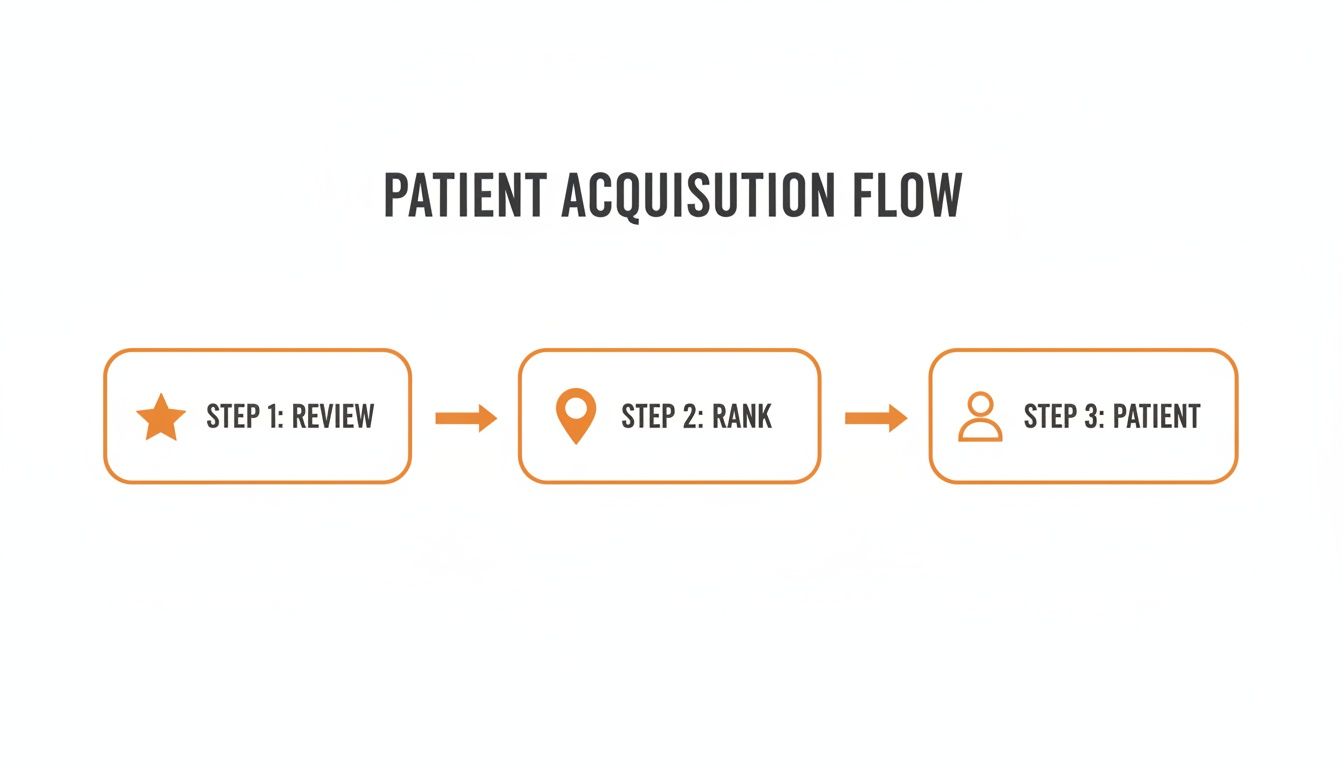
This structured process turns positive patient experiences into powerful social proof, driving your practice to the top of local search results.
Templates & Scripts for Your Dermatology Practice
Use these HIPAA-compliant templates as a starting point for your review request and response workflow.
Review Request Scripts
SMS Template:
Hi [Patient First Name], thanks for visiting [Practice Name] today! We hope you had a great experience. Would you mind sharing your feedback with our team? It helps others in our community find great care. [Direct Link to Google Review Page]
Email Template:
Subject: A quick question about your visit to [Practice Name]
Hi [Patient First Name],
Thank you for trusting us with your care today. We are always working to improve our patient experience and would love to hear your feedback.
If you have a moment, please consider leaving us a review on Google. Your comments help us and also guide others in the [City] area.
[Leave a Review Button Linked to Google]
We appreciate your time and look forward to seeing you again.
Sincerely,
The Team at [Practice Name]
Review Response Templates

Positive Review Response Template:
"Thank you so much for your kind words! We work hard to create a welcoming and comfortable environment, and we're so glad you had a great experience with our team. We appreciate you choosing us and look forward to seeing you again."
Negative Review Response Template:
"Thank you for taking the time to share your feedback. We are committed to providing a positive experience for everyone who interacts with our practice, and we are sorry we did not meet expectations. We would appreciate the opportunity to discuss this directly. Please contact our Practice Manager, [Name], at [Phone Number] or [Email Address]."
Measuring Your Review Program's Success
A successful review program delivers measurable results. Track these Key Performance Indicators (KPIs) to prove your efforts are translating into new patients.
Key Metrics and Targets
- Average Star Rating: Aim for 4.7 stars or higher.
- Review Volume: Target 5–10+ new reviews per location per month.
- Review Recency: The majority of your reviews should be less than 3 months old.
- Response Time: Respond to 100% of reviews in under 24 hours.
- GBP Performance: Look for a 15–20% month-over-month increase in GBP profile views, clicks-to-call, and direction requests.
- Lead-to-Patient Conversion: Aim for a 15%+ conversion rate from GBP booking link clicks to new patient appointments.
How to Track Conversions from GBP
To connect your Google Business Profile activity to actual patient bookings, you need to use UTM parameters. A UTM (Urchin Tracking Module) is a code snippet added to your website URL that tells Google Analytics where the visitor came from.
- Add UTM tags to the website and appointment booking links in your GBP settings.
- Set up conversion goals in Google Analytics to track appointment form submissions or booking confirmations.
- This will allow you to see exactly how many people clicked from your GBP and completed a booking, giving you a clear return on investment.
Your 7-Day Review Program Launch Checklist
- Day 1: Optimize GBP. Complete a full audit of your Google Business Profile for all locations. Correct NAP, add services, and upload new photos.
- Day 2: Set Up Tracking. Add UTM-tagged URLs to your GBP website and booking links. Configure conversion goals in Google Analytics.
- Day 3: Finalize Templates. Approve your HIPAA-compliant SMS request script and your positive/negative response templates.
- Day 4: Train Your Team. Hold a brief meeting with front-desk staff to explain the program and their role in encouraging feedback at checkout.
- Day 5: Activate Automation. Turn on your automated review request system, ensuring it’s set to send within 1–2 hours post-visit.
- Day 6: Monitor and Respond. Watch for the first new reviews. Use your templates to respond within 24 hours.
- Day 7: Review Initial Data. Pull your first report. Check request open rates, new review volume, and GBP actions. For more ideas, see our guide on local SEO reporting.
Frequently Asked Questions
Here are concise, factual answers to the most common questions from dermatology practice managers.
1. How do we get more positive reviews without annoying patients?
Ask for a review via SMS within 1–2 hours of an appointment using an automated system. Provide a direct link to your Google review page to make it effortless. This timing captures the patient when their positive experience is top of mind.
2. Is it a HIPAA violation to respond to online reviews?
No, as long as you do it correctly. Never acknowledge the reviewer is a patient or mention any Protected Health Information (PHI). Your public reply must be general and professional, inviting them to discuss specifics offline.
3. What actually helps a dermatology practice rank higher on Google Maps?
Google's local algorithm uses three main factors: Proximity (how close you are to the searcher), Relevance (how well your GBP services match the search), and Prominence. Prominence is heavily influenced by the quantity, quality, and recency of your patient reviews.
4. What is the best way to handle a factually incorrect negative review?
First, post a calm, professional, HIPAA-compliant public response inviting the reviewer to contact you privately. Do not argue or correct them publicly. Second, if the review violates the platform’s terms of service (e.g., spam, hate speech), flag it for removal.
5. How should a practice with multiple locations manage all their reviews?
Use a centralized reputation management platform. This allows you to monitor all reviews from a single dashboard, use approved templates for consistent responses, and get alerts for negative feedback, ensuring no review is missed.
At Reviews To The Top, we build disciplined programs that turn patient feedback into measurable growth. We centralize your requests, monitoring, and replies to ensure every location is consistently earning great reviews and responding quickly. With month-to-month support, we help you optimize your Google Business Profile and get found by more local patients. Book a strategy call to see how we can help.


