
Reputation management services help you actively shape how customers see your business online, turning positive perception into more calls, bookings, and sales. For a local or multi-location operator, a strong online reputation is critical because over 90% of consumers check online reviews before making a purchase decision. Mastering your online presence on sites like Google and Yelp directly impacts your ability to convert searchers into paying customers.
This guide provides a step-by-step framework for building a 5-star reputation. We'll cover the core components, provide ready-to-use templates, and show you how to measure the return on your investment (ROI).
Key Facts About Reputation Management Services
- Core Goal: To build and maintain a positive public image online, primarily through customer reviews, listings accuracy, and strategic communication.
- Key Platforms: Google Business Profile (GBP), Yelp, Facebook, and industry-specific sites (e.g., Healthgrades for doctors, Houzz for home services).
- Impact on SEO: A strong reputation, particularly a high volume of recent, positive reviews, significantly boosts your "prominence" in Google's local search algorithm, leading to better visibility in the Maps 3-Pack.
- Critical Activities: The work involves four main pillars: (1) Review Generation, (2) Online Monitoring, (3) Strategic Response, and (4) Listings Management.
- Business Impact: Effective reputation management directly increases leads, phone calls, and foot traffic by building trust with potential customers before they ever contact you.
- Response Time Target: A best practice is to respond to over 90% of all new reviews (both positive and negative) within 24 hours.
How Reputation Management Services Work: A Step-by-Step Guide
A stellar online reputation isn’t built by accident—it's the result of a consistent, proactive system. This process is designed to turn what people say about you online into your most powerful marketing asset. Here are the four essential steps that professional reputation management services use to drive growth.
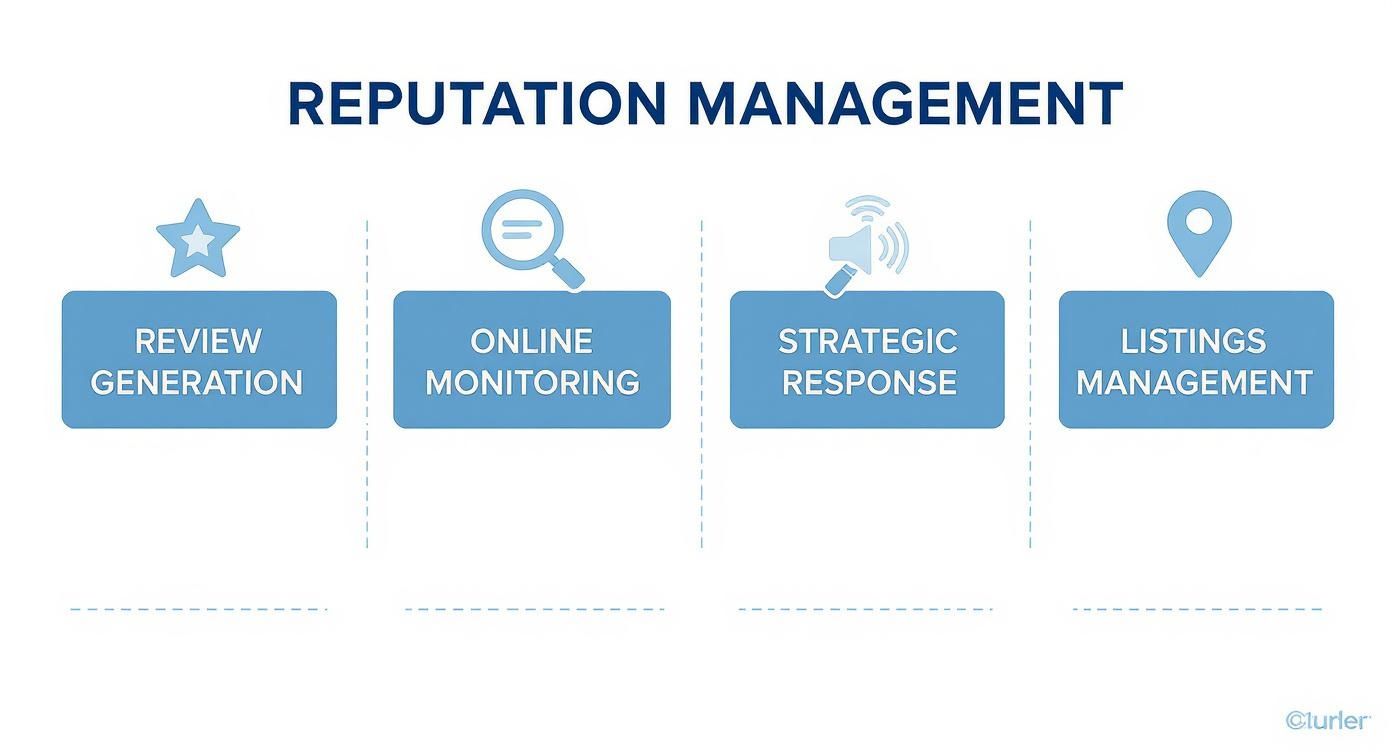
Step 1: Generate a Steady Stream of New Reviews
Instead of waiting for feedback to trickle in, this step involves systematically asking your happy customers to share their experiences. A consistent flow of new, positive reviews is the single most powerful trust signal for both potential customers and search engines.
- Real-World Example (Vet Clinic): An hour after a pet's wellness check-up, the owner receives an automated SMS message asking them to share their experience on Google. The link takes them directly to the clinic's review page, making it a 30-second process.
Step 2: Monitor All Online Mentions
You can't manage what you don't monitor. This step involves using software to track mentions of your business across the web—not just on major review sites, but also on social media, local blogs, and forums.
- Real-World Example (Senior Living): A regional manager gets an alert about a comment in a local [City] Facebook group where a family member expressed frustration about communication. The manager can now jump in immediately, address the concern publicly, and show hundreds of other group members that they are responsive and caring.
Step 3: Respond Strategically to All Feedback
Responding to reviews is no longer optional. It's a public conversation that shows potential customers you're engaged and value feedback. The goal is to reply to all reviews—good and bad—promptly and professionally.
- Real-World Example (Auto Repair): A customer leaves a 2-star review complaining about the price of a repair. The shop owner responds within hours, acknowledging the frustration, explaining the value of the parts used, and offering to discuss the invoice offline. This public response demonstrates accountability and can be more powerful than ten 5-star reviews.
Step 4: Manage and Optimize Your Online Listings
This is the foundational work of ensuring your business's core information—Name, Address, Phone number (NAP)—is 100% accurate and consistent across all online directories, from Google and Apple Maps to Yelp. Inaccurate information kills conversions and hurts local search rankings.
- Real-World Example (Multi-Location Dental Practice): A marketing manager uses a platform to update the business hours for a holiday across all 15 locations at once, ensuring no potential patient in [Neighborhood] drives to a closed office.
This consistent effort directly impacts Google’s local search ranking algorithm, which is based on Proximity, Relevance, and Prominence.
- Proximity: How close your business is to the searcher.
- Relevance: How well your business profile matches the search query (e.g., "emergency dentist").
- Prominence: How well-known and trusted your business is. A high volume of positive reviews and active responses are primary drivers of prominence, helping you rank higher.
Templates & Scripts for Your Reputation Program
Execution is everything. The best reputation management services rely on clear, consistent communication. Here are some practical, ready-to-use scripts and templates you can adapt for your business today.
Review Request Scripts
1. SMS Review Request Template (For HVAC, Plumbing, or other Home Services)
This text is sent 30-60 minutes after a job is completed. It's quick, mobile-friendly, and has a high open rate.
"Hi [Customer Name], this is [Tech Name] from [Company Name]. Thanks again for your business today. If you have a minute, we'd be grateful if you shared your experience on Google: [Link to Google Review Page]. Your feedback helps us serve the [City] area better!"
2. Email Review Request Template (For Med Spa, Dental, or other Healthcare)
An email feels a bit more personal and is perfect for a post-appointment follow-up.
Subject: A quick question about your visit to [Practice Name]
Hi [Patient Name],
We hope you had a great experience with our team today. We're always working to provide the best possible care, and your confidential feedback is a huge part of that.
Would you be willing to take 60 seconds to leave us a review on Google? It helps others in our community find our practice.
[Link to Google Review Page]
Thank you for choosing us for your care.
Best,
The Team at [Practice Name]
Review Response Templates
1. Positive Review Response Template
Always thank customers for their praise. Personalize it by mentioning a specific detail from their review.
"Hi [Reviewer Name], thank you so much for the kind words! We’re thrilled to hear you had such a positive experience with [Mention a specific person or service, e.g., 'Dr. Smith' or 'your recent cleaning']. We appreciate you taking the time to share your feedback and look forward to seeing you again!"
2. Negative Review Response Template (HIPAA-Aware)
Acknowledge the issue, apologize sincerely, and move the conversation offline to protect privacy and resolve the problem directly. Never confirm patient status or discuss Protected Health Information (PHI).
"Hi [Reviewer Name], thank you for sharing your feedback. We are sorry to hear that your experience did not meet your expectations, as providing excellent service is our top priority. We take these matters very seriously and would appreciate the opportunity to discuss this with you directly. Please contact our Practice Manager, [Manager Name], at [Phone Number] at your convenience."
7-Day Launch Checklist for a Review Program

- Day 1: Optimize Your Google Business Profile (GBP). Fill out every section, upload at least 10 high-quality photos, and write a keyword-rich description.
- Day 2: Finalize Review Request Templates. Customize the SMS and email templates with your brand voice.
- Day 3: Configure Automation. Set up your software to automatically send review requests after a service is completed (e.g., 1 hour after an appointment).
- Day 4: Assign a "Reputation Champion". Designate one person per location to own review monitoring and response.
- Day 5: Team Training. Hold a 15-minute meeting to explain the program and why reviews are critical for growth.
- Day 6: Set Up Alerts. Ensure your Reputation Champion receives instant email or SMS notifications for every new review.
- Day 7: Go Live! Activate the automated requests and monitor the first few to ensure they are working correctly.
How to Measure Reputation Management Success
Investing in your reputation is about driving measurable business results. By tracking the right key performance indicators (KPIs), you can connect your efforts directly to increased calls, bookings, and revenue.
Key Metrics and Realistic Targets
Here are the essential metrics to track, along with realistic targets for a local or multi-location business.
| Metric | What to Track | Recommended Target |
|---|---|---|
| Average Star Rating | Your overall rating on Google. | 4.5+ stars |
| Review Volume & Recency | Number of new reviews per month per location. | 5-10 new reviews |
| Review Response Rate | The percentage of all new reviews you reply to. | Over 90% |
| Review Response Time | How quickly your team responds on average. | Under 24 hours |
| GBP Views/Calls | Monthly impressions, calls, and direction requests from your Google Business Profile. | 15-20% month-over-month growth in the first 90 days. |
| Lead-to-Sale Conversion | The percentage of leads from GBP that become paying customers. | Track and aim for improvement over your baseline. |
How to Track Leads and ROI from Google Business Profile
To prove ROI, you must connect your GBP activity to actual leads.
- Use UTM Tracking Links: Add UTM (Urchin Tracking Module) parameters to the website link on your GBP. This lets you see in Google Analytics exactly how many website visitors and conversions came directly from your profile. Example:
yourwebsite.com?utm_source=google&utm_medium=organic&utm_campaign=gmb - Use Call Tracking Numbers: Assign a unique, trackable phone number exclusively to your GBP. This allows you to count every single call that originated from customers finding you in a Google search or on Maps.
By tracking these conversions, you can calculate the ROI of your reputation management services and make data-driven decisions to grow your business.
Frequently Asked Questions (FAQ)
1. What are reputation management services?
Reputation management services are professional offerings that help businesses monitor, influence, and manage their online image. This includes generating positive customer reviews, responding to feedback, ensuring online business listings are accurate, and mitigating the impact of negative comments to attract more customers.
2. How long does it take to see results from reputation management?
You can expect to see an increase in new reviews within the first 30 days. More significant results, such as improved local search rankings (e.g., appearing in the Google Maps 3-Pack) and a measurable increase in calls and leads, typically become apparent within 90 days of consistent effort.
3. Can you remove bad reviews from Google?
Generally, no. Google will only remove reviews that violate its specific content policies (e.g., hate speech, spam, conflicts of interest). The best strategy is not removal, but to respond professionally to the negative review and generate a high volume of new, positive reviews to improve your overall rating.
4. How much do reputation management services cost?
Pricing varies widely based on the provider, scope of services, and number of business locations. Monthly fees per location can range from a few hundred to over a thousand dollars. Look for providers with transparent pricing and flexible month-to-month contracts rather than long-term lock-ins.
5. How many reviews do I need?
Focus on consistency over sheer volume. A good target for most local businesses is 5 to 10 new reviews per location, per month. A steady stream of recent feedback is more valuable to both customers and Google than a large number of old, stale reviews.
6. What is the difference between SEO and reputation management?
SEO (Search Engine Optimization) is the technical process of making your website more visible to search engines. Reputation management is focused on influencing what customers see and think about your business. They are closely related, as a strong reputation (especially positive reviews) is a major factor in modern local SEO.
7. How can I optimize my Google Business Profile for reputation?
Here is a quick checklist:
- Fill out every single section of your profile completely.
- Upload at least 10 high-quality, recent photos of your business, team, and work.
- Ensure your business Name, Address, and Phone Number (NAP) are 100% accurate.
- Use the Q&A feature to answer common customer questions proactively.
- Encourage customers to leave reviews and respond to every single one you receive.
Ready to build a 5-star reputation that drives real growth? Our experts can help you optimize your Google Business Profile and implement a system that gets results. To see how our flexible, month-to-month support can work for you, book a strategy call.


