
You can't directly delete a negative review, but you can report reviews that violate Facebook's policies for removal. Successfully removing fake, spammy, or harassing reviews is critical for protecting your online reputation, as 94% of consumers say a negative online review has convinced them to avoid a business, directly impacting your calls, bookings, and sales. This guide will walk you through the process for removing reviews from Facebook and managing your overall reputation.
Key Facts
- Direct Deletion is Impossible: Business owners cannot unilaterally delete a review simply because it's negative.
- Reporting is Your Tool: Your only option is to report a review for violating Facebook’s Community Standards (e.g., spam, hate speech, harassment, irrelevance).
- Removal is Not Guaranteed: Facebook's moderation team makes the final decision, and they often allow reviews to stand if they don't clearly violate a policy.
- Disabling Reviews is an Option: You can turn off the entire Recommendations feature, but this hides all reviews, both good and bad.
- Response is Crucial: For legitimate negative reviews you can't remove, a prompt, professional public response is the best strategy.
- Proactive Strategy Wins: The most effective defense is a strong offense—consistently generating positive reviews on multiple platforms to dilute the impact of any negatives.
Step-by-Step: How to Report a Facebook Review for Removal
When you get a review that violates Facebook's rules, your first step is to report it. This process is for clear violations like spam, hate speech, harassment, or content that has nothing to do with your business. Simply disagreeing with a customer's opinion is not enough to get a review removed.
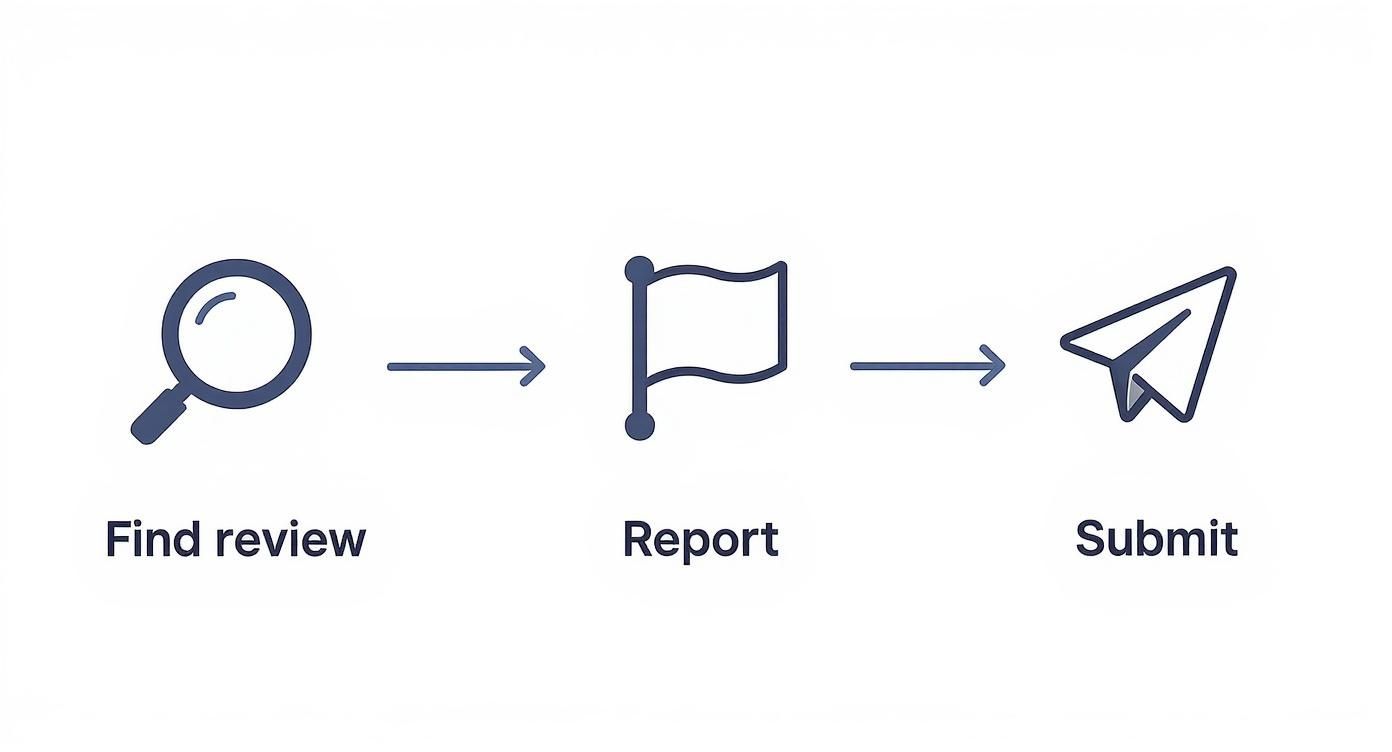
Here's how to do it:
- Navigate to your business's Facebook Page and click on the "Reviews" or "Recommendations" tab.
- Locate the specific review you want to report.
- Click the three dots (…) in the top right corner of the review box.
- Select "Find support or report Recommendation" from the menu.
- Choose the reason that best fits the violation. The most common options for businesses are:
- Spam: For reviews from fake profiles, bots, or irrelevant advertisements.
- Harassment: For bullying, threats, or personal attacks against you or an employee.
- Hate Speech: For content attacking individuals based on race, gender, religion, etc.
- Irrelevant: For comments that have no connection to a customer experience at your business.
- Follow any additional prompts and submit your report.
After submitting, expect to wait anywhere from 24 hours to over a week for Facebook to review your request. You will receive a notification in your "Support Inbox" with their final decision. If they deny your request, the review will remain, and your next best step is to post a professional public response.
Templates & Scripts for Review Management
Consistency is key when managing your online reputation. Use these templates as a starting point for responding to feedback and requesting new reviews, but always customize them to fit the specific situation.
Review Request Scripts
1. SMS Script (for a Dental Practice)
"Hi [Patient Name], thanks for visiting [Practice Name] today. We'd be so grateful if you could take a moment to share your experience on our Facebook page. Your feedback helps others in [City] find great dental care! [Link to Facebook Reviews]"
2. Email Script (for an Auto Repair Shop)
"Hi [Customer Name], Thank you for trusting [Shop Name] with your vehicle. We strive to provide 5-star service, and your feedback is incredibly valuable to our team. When you have a moment, would you mind leaving us a recommendation on Facebook? It makes a huge difference. [Link to Facebook Reviews] Thank you, The [Shop Name] Team"
Review Response Templates
1. Positive Review Response Template
"Hi [Customer Name], thank you for the wonderful feedback! We're thrilled to hear that [mention a specific detail they liked]. We appreciate you choosing us and look forward to seeing you again soon!"
2. Negative Review Response Template
"Hi [Customer Name], thank you for sharing your feedback. We are sorry to hear your experience did not meet your expectations, and we take this very seriously. We would appreciate the opportunity to learn more and make things right. Please contact our manager, [Manager Name], at [Phone Number] or [Email Address] at your convenience."
How to Measure Your Reputation Management Success
Tracking your efforts ensures your reputation strategy is driving real business results. Focus on these key performance indicators (KPIs) to measure your progress.
Key Metrics & Targets:
- Review Volume: Aim for a steady flow of 5-10 new reviews per location per month.
- Star Rating: Target an average rating of 4.5 stars or higher on key platforms.
- Response Time: Respond to all reviews (positive and negative) within 24 hours.
- Recency: Ensure your latest reviews are from within the last 90 days.
- GBP Views/Calls: Monitor your Google Business Profile Insights for a month-over-month increase in profile views, clicks to your website, and calls.
- Lead-to-Sale Conversion: Track if more positive reviews correlate with a higher conversion rate from leads to paying customers.
To track conversions from your Google Business Profile (GBP), use UTM (Urchin Tracking Module) parameters on your website links. For example, add ?utm_source=google&utm_medium=organic&utm_campaign=gmb to your website URL in your GBP listing. This allows you to see in Google Analytics how many website visitors and conversions originated directly from your profile, giving you a clear view of your ROI.
7-Day Launch Checklist for a Review Program
- Day 1: Audit & Optimize. Update your Google Business Profile and Facebook Page with correct NAP (Name, Address, Phone), hours, and recent photos.
- Day 2: Train Your Team. Hold a 15-minute meeting to explain the importance of reviews and train staff on when and how to ask for them.
- Day 3: Set Up Templates. Finalize your SMS/email request scripts and your positive/negative response templates.
- Day 4: Segment Your Customer List. Create a list of recent, happy customers to contact for your initial review requests.
- Day 5: Launch Your First Request Campaign. Send out your first batch of review requests via SMS or email.
- Day 6: Monitor & Respond. Check for new reviews and respond to every single one within 24 hours using your templates.
- Day 7: Review & Plan. Analyze your first week's results (how many requests sent, how many reviews received) and schedule your next batch of requests.
Building a Stronger Reputation Beyond Facebook
Obsessing over a single bad Facebook review is a distraction. A resilient online reputation is built across multiple platforms, especially Google, where most of your customers in [City] are searching. The best defense against a negative review is a strong offense of positive feedback everywhere else.

When a potential customer searches "best med spa near me," Google's algorithm prioritizes businesses based on three factors:
- Proximity: How close the business is to the searcher.
- Relevance: How well the business's services match the search query.
- Prominence: How well-known and trusted the business is, which is heavily influenced by the quantity and quality of its Google reviews.
A steady stream of positive Google reviews is the single most powerful signal you can send to boost your local search ranking. A comprehensive reputation management strategy focuses heavily here.
Quick Checklist for Optimizing Your Google Business Profile
- Verify Your Information: Ensure your business name, address, and phone number (NAP) are 100% consistent across all online listings.
- Complete Every Section: Fill out your services, products, accessibility attributes, and business hours.
- Upload High-Quality Photos: Add at least 10-15 recent photos of your location, team, and work. Add new ones weekly.
- Use the Q&A Feature: Proactively add and answer common questions to provide helpful information upfront.
- Enable Messaging: Allow customers to message you directly from your profile for easy lead generation.
- Create Posts: Regularly share updates, offers, and news using Google Posts to keep your profile active.
By focusing on your GBP, you build an asset that drives measurable growth, making your business far more resilient to the occasional negative comment on any platform.
Frequently Asked Questions (FAQ)
1. Can I permanently disable reviews on my Facebook Page?
Yes, you can disable the Recommendations feature in your Page settings. Go to Settings > Privacy > Page and Tagging, and toggle off "Allow others to view and post recommendations on your Page." However, this hides all reviews, including your positive ones, which can appear suspicious to potential customers.
2. How long does Facebook take to respond to a reported review?
The timeline varies widely. You may get a response within 24-48 hours, but it can often take a week or longer. Facebook will notify you of their decision in your Page's Support Inbox.
3. Will responding to a negative review make it more visible?
Potentially. Facebook's algorithm may show content with more engagement (likes, comments, replies) to more people. However, the benefit of showing other customers that you are responsive and professional almost always outweighs the risk of slightly increased visibility for that single review.
4. What should I do if the negative review is from a competitor or ex-employee?
Report the review immediately. This falls under a conflict of interest and can be flagged as spam or harassment. In your report, provide as much context as possible to help Facebook's moderators understand the situation.
5. Is it a good idea to offer an incentive for removing a bad review?
No. Offering a customer a refund or discount in exchange for removing a negative review can be seen as manipulative and violates the policies of most review platforms. Instead, address their issue publicly and then take the conversation offline to resolve it professionally. The customer may then choose to update their review on their own.
A proactive approach is the only sustainable way to build a five-star reputation. If you need a partner to help optimize your Google Business Profile and manage your online presence, our team offers expert, month-to-month support. To learn more, book a strategy call.


