
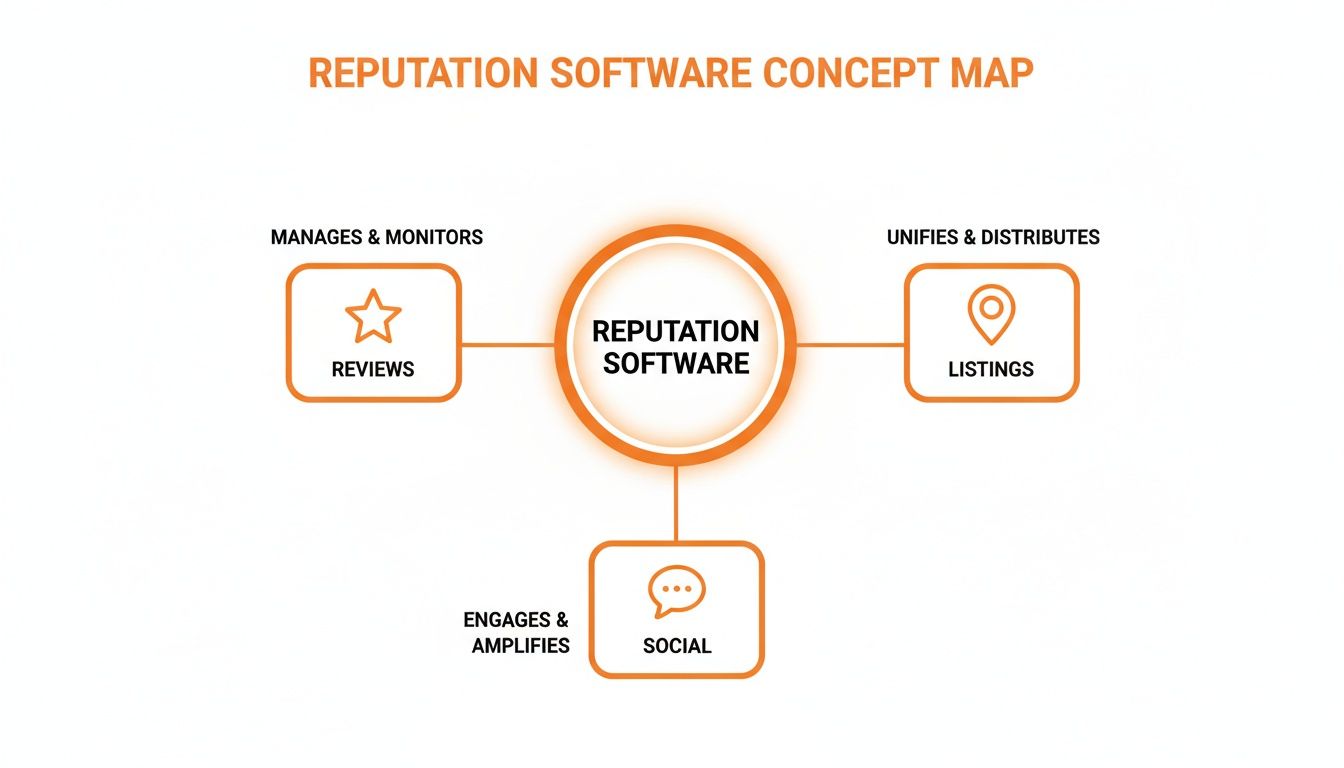
Online reputation management software pulls all your customer reviews, business listings, and social media comments into one simple dashboard. For a busy local business, this is critical because a high star rating and recent, positive reviews directly lead to more calls, messages, and bookings. A strong online reputation is often the deciding factor that turns a local searcher into your next customer.
Key Facts
- Unified Dashboard: Gathers reviews from Google, Facebook, Yelp, and industry sites into a single inbox for fast responses.
- Boosts Local SEO: A steady stream of positive reviews is a major ranking factor for Google's local "Map Pack," helping you appear above competitors.
- Automates Review Requests: Sends automated SMS and email requests to happy customers, increasing your review volume by up to 3x.
- Corrects Business Listings: Syncs your correct name, address, and phone number (NAP) across 70+ online directories, preventing lost sales from bad data.
- Drives Conversions: A higher star rating directly influences customer trust, leading to more phone calls, website clicks, and walk-ins.
- Provides Actionable Insights: Tracks key metrics like review volume, star rating trends, and response times to prove ROI.
How-To: Boost Local SEO with Reputation Software
Online reputation management software is your secret weapon for climbing local search rankings and making your phone ring. It helps you send the right signals to Google, which wants to show the most trusted local businesses to users. When deciding who appears in the local "Map Pack," Google looks at three things: proximity, relevance, and prominence. This software gives you a huge advantage on the last two.
Let's break down the steps to turn your reputation into a customer acquisition engine.
Step 1: Understand Google's Ranking Model
Google’s local algorithm isn't a mystery; it’s a system you can influence.
- Proximity: This is how close your business is to the person searching. You can't change this, but you can dominate the other two factors.
- Relevance: This is how well you match the searcher's needs. The software helps you gather new reviews filled with keywords that matter. A review saying, "They fixed my 'emergency HVAC repair in [City]' on a Sunday!" tells Google you're a perfect match for that search.
- Prominence: This is how well-known and trusted your business is. A high volume of recent, positive reviews is one of the strongest ways to prove your prominence. It tells Google you're a popular, active, and reliable choice in the [Neighborhood] area. Every new review you get is another vote of confidence that feeds directly into Google's algorithm.
Step 2: Optimize Your Google Business Profile
Your Google Business Profile (GBP) is your digital front door. Your software is the engine, but your GBP is the car. Both must be in great shape.
Here’s a quick checklist to make sure your GBP is ready to perform:
- Nail Your NAP: Your business Name, Address, and Phone number must be 100% identical everywhere online.
- Pick the Right Categories: Choose a primary category that best describes your business (e.g., "Dental Clinic"), then add all relevant secondary categories (e.g., "Cosmetic Dentist," "Pediatric Dentist").
- Show, Don't Just Tell: Upload at least 10 high-quality, recent photos of your storefront, team, and work.
- Turn on Messaging: Let customers contact you directly from your profile for low-friction leads.
- Answer the Obvious: Use the Q&A section to proactively add and answer common questions about services, hours, or insurance.
Step 3: Automate Your Review Generation
Use your online reputation management software to create a steady flow of new reviews. Set up automated SMS and email workflows that trigger after a customer interaction, like a completed appointment or a paid invoice. This ensures you are constantly collecting fresh feedback, which is a major factor for both relevance and prominence. By consistently getting new reviews, you show potential customers searching for services "near me" that you are an active and trusted business.
Templates & Scripts for Your Review Program
Here are battle-tested templates you can adapt for your business. The key is to keep them short, friendly, and direct. For a deeper dive, check out our resources on reputation management.
Review Request Templates
SMS Review Request Script (Veterinary Clinic)
Hi [Client Name], it's [Staff Name] from [Clinic Name]. We hope [Pet's Name] is doing well! Would you mind sharing your experience on Google? Your feedback helps other pet parents in [City] find us. [Link]
Email Review Request Script (Auto Repair)
Subject: How was your service at [Shop Name]?
Hi [Client Name],
Thank you for choosing [Shop Name]. We work hard to provide 5-star service and your feedback is crucial. Could you take 60 seconds to leave us a review on Google? It makes a huge difference for our local team.
[Review Link]
Thank you for your business,
The [Shop Name] Team
Review Response Templates
Positive Review Response Template (Dental Practice)
Hi [Reviewer Name], thank you so much for your kind words! We are thrilled to hear you had a positive experience with our team. We work hard to provide comfortable and professional care, and your review means the world to us. We look forward to seeing you at your next appointment!
Negative Review Response Template (Senior Living)
Hi [Reviewer Name], thank you for bringing this to our attention. We are sorry to hear that your experience did not meet expectations. Providing excellent care and communication is our top priority, and we would like to learn more. Please call our director, [Manager Name], at [Phone Number] at your convenience so we can address your concerns.
A 7-Day Launch Checklist

Use this playbook to get your review program running in just one week.
- Day 1: System Setup. Connect your CRM or POS to the software. Upload your logo and brand colors.
- Day 2: Finalize Templates. Customize your SMS/email request scripts and your positive/negative response templates.
- Day 3: Team Training. Hold a 30-minute meeting to explain the "why" behind reviews and walk through the response process.
- Day 4: Go Live. Activate your automated review request workflows.
- Day 5: Monitor & Respond. Watch the first reviews come in and respond within 24 hours using your templates.
- Day 6: Check Early Data. Review open rates for SMS vs. email. Are you getting more clicks from one channel?
- Day 7: Adjust & Optimize. Based on Day 6 data, refine your strategy. If SMS is winning, make it your primary request method.
How to Measure Your ROI
How do you prove that your online reputation management software is paying off? You connect the dots between your reviews and real-world business results like phone calls and new bookings.
Set Clear Targets
First, set clear Key Performance Indicators (KPIs) to aim for:
- Average Star Rating: Target 4.5 stars or higher on Google.
- Review Volume: Aim for at least 10 new reviews per location each month.
- Response Time: Respond to 90% of all reviews within 24 hours.
- Review Recency: Ensure your latest review is no more than 2 weeks old.
- GBP Views/Calls: Track month-over-month growth in views, clicks, and calls from your Google Business Profile.
- Lead-to-Sale Conversion: Measure how many leads from GBP turn into paying customers.
Track from GBP to Your Bank
This is how you draw a straight line from a glowing review to a new sale.
- Tag Your Links (UTMs): Add UTM tracking codes to the website link on your Google Business Profile. This tells your analytics software (like Google Analytics) exactly which visitors came from your GBP.
- Track On-Site Conversions: In your analytics, track how many of those UTM-tagged visitors complete a goal, like filling out a contact form or booking an appointment online.
- Calculate Conversion Rate: Divide the number of conversions by the total number of clicks from your GBP. Now you have hard data showing how many leads your improved reputation is generating.
For example, a med spa in [City] can see that a 25% increase in positive reviews led to a 15% increase in clicks from their GBP, resulting in 12 new patient bookings last month. That's a clear return on investment.
Frequently Asked Questions (Q&A)
Here are concise answers to the most common questions from local business operators.
What is online reputation management software?
It is a tool that centralizes customer reviews, business listings, and social media mentions into one dashboard. It helps businesses automate review requests, respond to feedback quickly, and ensure their online information is accurate, all to attract more customers.
Can this software remove bad reviews?
No, legitimate software cannot delete a customer's review from sites like Google or Yelp. However, it helps you manage negative feedback by notifying you instantly so you can respond quickly and professionally. It also helps you generate a high volume of positive reviews to minimize the impact of any negative ones.
How much time does this software save?
A multi-location business can save 5–10 hours per week. It automates tedious tasks like sending review requests, monitoring dozens of sites for feedback, and manually updating business listings across the web.
What's the difference between SEO and AIO?
- SEO (Search Engine Optimization): Optimizing your website and online presence to rank high in traditional search results, like Google's "Map Pack."
- AIO (Artificial Intelligence Optimization): Structuring your business data (reviews, services, Q&A) so AI assistants like ChatGPT and Google's AI Overviews can find and recommend you in conversational searches. A strong reputation is critical for both.
How soon will I see results?
You can expect to see an increase in new reviews within the first 30 days of launching an automated request program. Measurable improvements in local search rankings and an increase in leads typically become apparent within 60–90 days of consistent effort.
Is online reputation management software HIPAA compliant?
Reputable platforms designed for healthcare are HIPAA-aware. They ensure no Protected Health Information (PHI) is requested or stored in reviews. For example, review requests should be generic and not reference a specific treatment or condition. Always respond to reviews carefully to avoid disclosing PHI.
Ready to turn customer feedback into a reliable growth engine? Our team helps you optimize your Google Business Profile, generate more reviews, and prove your ROI. We offer flexible, month-to-month support to become a true extension of your team. To see how we can help your specific industry, book a strategy call with our experts.


