
A store manager opens Google on Monday morning and sees a fresh one-star review sitting above last week’s five-star praise. That’s the moment most businesses start thinking about how to review Google Business, but by then they’re already behind. The better approach is to make reviews part of operations, because strong review management affects the actions that matter most: calls, messages, bookings, tours, and walk-ins.
Why Google Reviews Drive Local Business Growth
When people ask how to review Google Business, they usually mean one of two things. First, how a customer leaves a review. Second, how a business reviews its own Google Business Profile and review program so it shows up when someone searches for a service “near me” in places like [City] or [Neighborhood].
For operators, the second meaning matters more. Reviews are not just public comments. They shape how your business looks in local search, how trustworthy it appears, and whether a shopper chooses your listing or the one below it.

A lot of owners still treat review management as a front-desk courtesy task. That’s too narrow. In practice, reviews are part of local demand generation. Restaurant groups already understand this when they build promotions, loyalty, local content, and guest feedback into a modern marketing plan for restaurants. The same operating logic applies to dental groups, HVAC companies, med spas, vet clinics, auto shops, and senior living operators.
Key facts
- Google’s local algorithm weighs proximity, relevance, and prominence. Reviews mainly strengthen prominence, but they also reinforce relevance when your profile and services are accurately set up.
- Google Business Profile Performance is the source of truth for calls, clicks, and other customer actions tied to your listing, with daily updates for interactions and monthly updates for searches and views, according to Google Business Profile insights guidance.
- Review management has to be operationalized if you run multiple locations. One-off responses from store managers won’t hold up at scale.
- Profile completeness matters. If your categories, services, hours, and location details are off, review momentum can’t carry the whole load.
- Customer intent is local and immediate. A “dentist near me” or “AC repair [City]” search usually happens close to a decision.
Proximity, relevance, and prominence in plain English
Proximity is how close the searcher is to your location, or to the area named in the search.
Relevance is how well your profile matches what the person is looking for. If someone searches “emergency plumber [Neighborhood],” Google looks at your category, services, and profile content to decide whether you fit.
Prominence is your overall local authority. Reviews, ratings, recent activity, and brand visibility all feed that signal.
Practical rule: You can’t control where the searcher stands, but you can control relevance and prominence every week.
If you want a fuller explanation of the search side, this guide on whether Google reviews help SEO is useful context. The short version is simple: reviews help more when they’re part of a disciplined local SEO process, not a random burst of requests after someone complains.
How Customers Leave a Google Review in 60 Seconds
Most businesses overcomplicate the ask because they haven’t walked through the customer experience themselves. The path is short. If you remove friction, people can leave a review in about a minute.
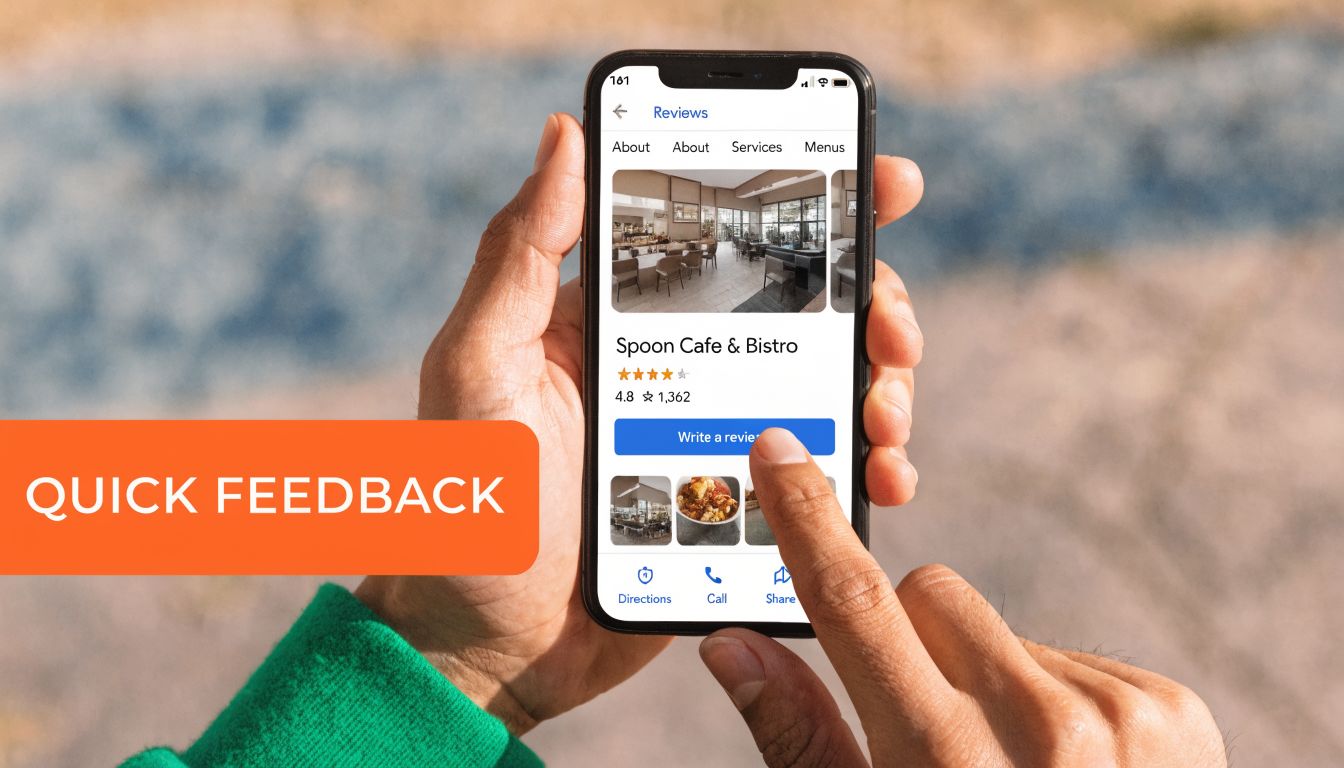
On a phone with Google Maps
- Open Google Maps and search for the business name.
- Tap the correct business listing.
- Scroll to the reviews section.
- Tap Write a review.
- Choose a star rating.
- Add a short comment if they want.
- Tap Post.
That’s why QR codes, direct links, and text-message requests work well. They cut out the search step and get the customer closer to the review box.
On desktop through Google Search
The desktop path is just as simple:
- Search the business name in Google.
- Open the business panel on the right side of search results.
- Click Write a review.
- Select the star rating.
- Add comments.
- Submit.
For operators training staff, the key lesson isn’t the technology. It’s the friction points. Customers drop off when they have to hunt for the right listing, log in unexpectedly, or wonder which location to review.
Here’s a quick visual walkthrough you can share with a team lead during training:
What operators should do with this knowledge
If a customer has to search “best vet near me in [City]” and then guess which clinic is yours, your review request process is broken. The same goes for a dental group with multiple nearby practices or a home service brand with several service-area profiles.
Use a direct review link. Make sure every location sends the correct location-specific link. Keep the ask short. Don’t bury it in a long follow-up email.
This step-by-step guide on how to leave a Google review is also handy to share internally with managers who need to understand the customer side before they coach staff.
How to Generate a Steady Stream of New Reviews
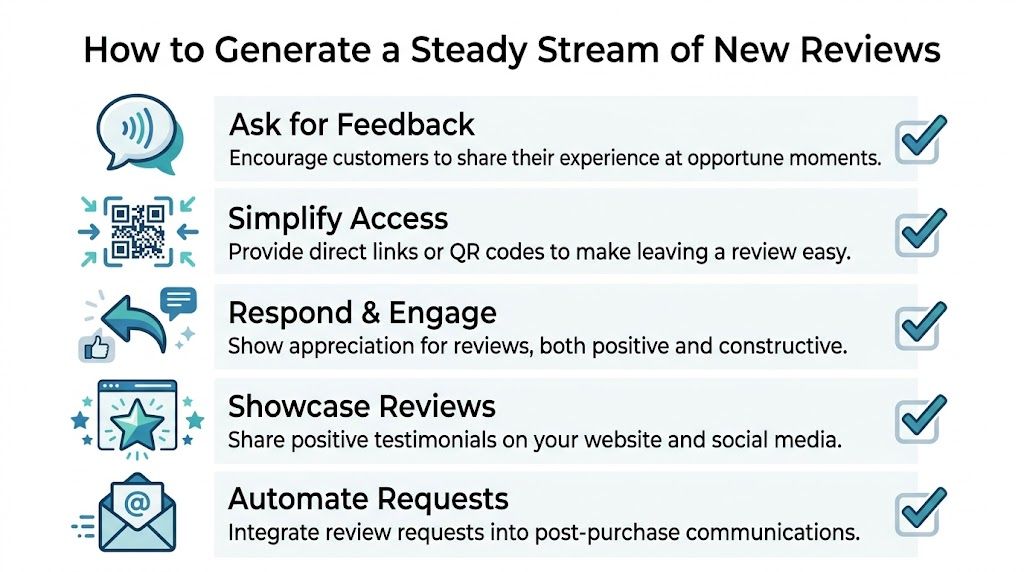
The businesses that win locally don’t rely on occasional heroics. They build a repeatable review pipeline into the customer journey.
Google’s local ranking system rewards freshness. According to Search Engine Land’s Google Business Profile audit guidance, Google’s algorithm prioritizes review recency and velocity, and a competitor with 100 reviews from the past month can outrank a business with 500 older reviews. The same guidance recommends a minimum of 10-15 new reviews monthly per location in competitive service categories.
That single fact changes how operators should think. The goal is not “get more reviews someday.” The goal is a consistent monthly flow by location.
Build the ask into the workflow
The best request timing is right after the service experience, when the customer still remembers the staff member, the technician, or the result.
For example:
- Dental practice: ask after checkout, then send a text the same day
- HVAC company: ask when the technician closes the job, then send a follow-up text within the next day
- Vet clinic: ask after a routine appointment, while staying general and privacy-aware in the message
- Auto repair shop: ask when the vehicle is picked up and the invoice has been explained
Ask closest to the moment of satisfaction. Waiting too long lowers response rates and gives the customer time to forget details.
If you want additional ideas for the request channel itself, this practical roundup on How To Get More Google Reviews is a useful companion to the operating model here.
What works and what doesn’t
A few patterns consistently work:
- Direct links beat vague requests. “Leave us a review on Google” is weaker than a location-specific review link.
- Short messages beat long explanations. Customers don’t need a paragraph on why reviews matter.
- Specific ownership beats diffuse ownership. One person should own the program at the brand level, even if local teams participate.
- Daily sends beat end-of-month scramble. A bursty pattern creates uneven velocity and often gets forgotten.
What usually fails:
- Front desk staff who “try to remember”
- Requests sent only after obviously happy interactions
- No list hygiene, so old customers get hit with stale requests
- One generic link for all locations
- No escalation path when a bad experience is still unresolved
For businesses that want help operationalizing that workflow, reputation management tools and services can centralize requests, tracking, and response rules. The right choice depends on whether your team can reliably execute every week without adding friction at the location level.
Review request scripts
SMS script for HVAC
Hi [First Name], thanks for choosing [Brand/Location] for your service today. If you’re open to it, would you leave a quick Google review about your experience with [Technician Name]? It helps neighbors in [City] find a trusted HVAC team. [Direct Review Link]
Email script for dental
Subject: Quick favor about your visit to [Practice Name]
Hi [First Name],
Thank you for visiting [Practice Name] today. If you have a minute, we’d appreciate a Google review about your experience with our team. Your feedback helps other patients in [Neighborhood] find a dental office they can trust.
Leave a review here: [Direct Review Link]
Thank you again,
[Practice Manager Name]
[Practice Name]
7-day review program launch checklist
Day 1
- Pull every location’s direct Google review link
- Confirm ownership at brand, regional, and location levels
- List approved request channels such as SMS, email, and printed QR cards
Day 2
- Write scripts by vertical instead of using one generic message
- Create response rules for positive, neutral, and negative feedback
- Set a reply SLA so managers know what “on time” means
Day 3
- Train location teams on when to ask and how to ask naturally
- Show the exact customer path on phone and desktop
- Explain what not to say, including promises or incentives
Day 4
- Connect requests to the operational trigger such as closed invoice, completed appointment, or completed service
- Test each link so the right location opens every time
Day 5
- Launch with a small group of locations
- Check delivery and completion patterns
- Fix friction fast, especially broken links or wrong-location sends
Day 6
- Review incoming feedback themes
- Escalate unresolved complaints before they turn into public issues
- Coach managers on reply tone and speed
Day 7
- Roll out to all locations
- Start weekly reporting by location, region, and brand
- Audit consistency so the process survives staff turnover
A Framework for Responding to Positive and Negative Reviews
A new one-star review at 8:12 a.m. can sit on a high-traffic location profile all day if nobody owns the queue. In a multi-location business, that is not a customer service issue alone. It is a conversion issue, a compliance issue, and an operations issue.
The job of a response is simple. Show future customers that your team pays attention, handles problems like adults, and follows through.
That requires a repeatable standard, not improvised replies from whoever notices the alert first.
What every public response needs to do
Strong review responses follow three steps.
Acknowledge the experience in plain language.
Clarify only when context helps and facts are safe to share.
Redirect to a private channel when resolution requires account details, medical information, payment history, or a service dispute.
That structure holds up across industries, but the risk level changes by vertical:
- A med spa should not discuss treatment details in public
- A dental office should avoid confirming patient status or care specifics
- An auto shop may need to address pricing concerns without debating the estimate line by line
- A senior living operator should avoid resident-specific facts and family matters
A defensive response can satisfy the manager who wrote it. It rarely helps the brand.
Positive reviews need reinforcement, not fluff
A good reply to a positive review does two things. It thanks the customer and reinforces the service theme that future shoppers care about.
Use this pattern when a reviewer mentions a staff member, speed, cleanliness, communication, or outcome:
Thank you, [First Name]. We appreciate you taking the time to share your experience with [Location Name]. We’re glad [specific point they mentioned] stood out, and we’ll make sure [Staff Member Name or Team] sees your feedback. Thank you for choosing us in [City].
This works because it sounds specific without turning into a script. It also gives prospective customers another proof point tied to the exact location.
Negative reviews need control and escalation
Negative responses have a different job. They need to lower tension, protect the brand, and move the case into a channel where your team can verify facts and resolve the issue.
Use this pattern when the customer is upset and the details should not be handled in public:
Thank you for your feedback, [First Name]. We’re sorry your experience didn’t meet expectations. We take comments like this seriously and would like the chance to learn more and address it directly. Please contact [Manager Name or Team Email/Phone] so we can review what happened and follow up with you.
The trade-off is straightforward. Generic replies are safe but forgettable. Specific replies build credibility, but too much detail creates risk.
Here is the standard I use with location teams:
| Review type | Public reply should include | Public reply should avoid |
|---|---|---|
| Positive | Gratitude, service theme, location reference | Repetitive wording, generic praise |
| Negative | Acknowledgment, accountability, offline contact path | Blame, arguments, refund negotiations, private facts |
| Sensitive | Short acknowledgment and escalation | Medical, legal, financial, or resident-specific details |
Set response rules before volume increases
Once a brand has multiple locations, inconsistency becomes the main problem. One manager writes warm, concise replies. Another argues with reviewers. A third never responds at all. Customers see all of it.
Set a reply SLA of within 24 hours for standard reviews. For high-risk reviews involving discrimination claims, safety issues, billing disputes, or regulated information, require same-day escalation to a trained owner at brand or regional level.
In-house teams often find their capabilities constrained. Local managers know the context, but they are rarely the right people to handle every public reply. Central teams are more consistent, but they can sound detached if they do not get location input fast enough. The practical model is hybrid: centralize monitoring and policy, let locations provide facts, and reserve sensitive cases for trained responders. If your team needs examples by scenario, this guide on how to respond to reviews is a useful reference.
Write for the next customer, not the last one
The reviewer may never update their post. Future customers still read your reply.
That is why every response should sound calm, brief, and accountable. Thank people clearly. Address complaints without sparring. Move sensitive issues offline. Then track response time, resolution rate, and review themes by location so replies improve operations instead of becoming another inbox task.
How to Manage Google Reviews Across Multiple Locations
A three-location brand can still run reviews by instinct. A thirty-location brand cannot. Once multiple managers, regions, and profiles are involved, Google reviews stop being a simple customer service task and become an operating system issue.
The failure point is rarely effort. It is uneven execution across locations. One store asks for reviews after every completed job. Another asks only when a manager remembers. One region responds with the right tone and timing. Another lets negative reviews sit for days. Customers do not judge those locations in isolation. They judge the brand.
Build a review operating model, not a loose set of habits
Multi-location teams need clear ownership at brand, regional, and local level. Without that structure, review quality drifts fast.
A model that works in practice looks like this:
- Brand level owns policy, response standards, escalation paths, reporting, and platform access
- Regional level audits compliance, coaches underperforming locations, and spots recurring service issues across stores
- Location level requests reviews, supplies context on incidents, and follows through on service recovery
That division protects consistency without stripping out local knowledge. It also makes performance management possible. If review volume drops in one market, leadership can see whether the issue is request behavior, response coverage, or a service problem inside the location.
Set permissions with risk in mind
Review access should match the risk of the action.
| Role | What they should do | What they should not do |
|---|---|---|
| Brand marketing or operations | Set templates, approve policy, audit reply quality, report trends | Personally write every reply for every location |
| Regional manager | Review backlog, approve exceptions, coach location leaders | Rewrite policy based on one-off complaints |
| Store or practice manager | Add facts, confirm what happened, resolve local issues | Handle legal, privacy, or safety-sensitive reviews alone |
This matters more in regulated or high-trust categories. A dental office, senior living community, auto shop, or franchise group has more exposure than a single retail storefront replying to routine comments.
Use a separate escalation path for reviews involving protected health information, discrimination claims, threats, billing disputes, safety incidents, or media risk. Public replies in those cases should stay general, acknowledge the concern, and move the conversation into the right private channel.
Standardize the workflow before you scale the volume
The core process should be boring. Boring scales.
Each location needs the same weekly rhythm: check new reviews, assign exceptions, confirm service recovery, and roll up recurring themes to regional and brand teams. The operators who do this well do not rely on memory or goodwill. They use a shared queue, documented response rules, and a monthly scorecard by location.
For brands managing local visibility as a system, review operations usually sit next to listings accuracy, local pages, and category management. That is why teams often connect this work with a broader local SEO strategy for multiple locations. The same teams, data, and failure points overlap.
Decide what stays in-house and what gets outside help
There is no universal right answer here. The trade-off is control versus consistency at scale.
An in-house model works well when local leaders are disciplined, turnover is low, and someone at brand or regional level audits quality every week. The upside is speed on local context. The downside is predictable. Managers get pulled into staffing, scheduling, and day-to-day issues, and review follow-up slips first.
A partner model can reduce that operational drag if the partner handles monitoring, drafting, routing, and reporting while your team keeps final control over policy and sensitive cases. That usually makes sense when a brand has too many profiles for manual oversight but still needs brand-safe replies and location-level context. The risk is loss of nuance if the workflow does not capture store facts quickly enough.
The middle ground often works best. Centralize monitoring, templates, QA, and reporting. Keep fact gathering and service recovery with the location. Reserve edge cases for trained reviewers.
Audit the profile layer too
A weak process is not the only thing that hurts review performance. Broken profile data does real damage.
Review management gets harder when the underlying Google Business Profiles are inaccurate or inconsistent across locations. Before blaming a slow review pace or weak local visibility, check the basics:
- Primary category matches the core service at that location
- Secondary categories reflect real services, not wishful targeting
- Hours are current, including holidays and temporary changes
- Phone number routes to the correct location
- Landing page points to the right local page, not the homepage
- Photos reflect the actual storefront, team, and services
- Managers and permissions are reviewed quarterly so former employees do not retain access
I usually start there when one location says reviews are fine but performance is still weak. In many cases, the problem is not review sentiment alone. It is a messy profile, weak operating discipline, or both.
Measuring the ROI of Your Review Management Program
A regional manager sees two locations with the same rating. One location is growing calls and booked appointments. The other is flat. The difference usually is not the star average alone. It is review pace, response discipline, profile traffic, and what happens after the lead comes in.
That is how review ROI should be measured across a multi-location business. Reviews affect visibility and conversion, but the program only earns its keep when that lift shows up in location-level actions and revenue.
The KPIs that matter
Track performance by location, then roll it up by region and brand. That gives central teams a clear view of where the process is working and where local execution is breaking down.
The core KPI set is:
- Review volume by month
- Review recency
- Average rating
- Response time
- Calls from GBP
- Website clicks from GBP
- Direction requests
- Bookings or lead submissions from GBP traffic
- Lead-to-sale conversion for leads sourced from GBP
I would not judge a program on rating alone. A location can hold a solid average while review flow slows down, responses lag, and customer intent drops. In practice, recency and response SLA often tell you more about operating discipline than rating does.
Read Google Business Profile data on the right cadence
Google Business Profile gives operators enough signal to run a monthly review program if the reporting cadence is clean.
Interaction metrics such as calls and clicks can change quickly. Search appearance and visibility trends are better reviewed over completed months, not partial ones. If a field team starts celebrating a mid-month spike or panicking over an incomplete month, the discussion usually turns into noise instead of diagnosis.
Use a fixed monthly reporting window. Compare completed months year over year where possible. Keep the same cutoff date for every location so regional scorecards are comparable.
Use UTMs so local traffic can be tied to revenue
Without tracking parameters, GBP traffic often disappears into general website traffic. That makes it hard to prove what the review program is producing.
Add UTM parameters to each location’s website link in Google Business Profile. Keep naming conventions consistent across the brand. Source should identify Google Business Profile. Medium should identify local listing traffic. Campaign should identify the location or market.
Then map that traffic to business outcomes:
- form fills
- booking requests
- tour requests
- click-to-call actions on site
- closed revenue in the CRM
Many teams often overlook a critical trade-off. Marketing may show stronger review volume and more GBP clicks, while operations still sees weak revenue impact. In that case, the issue usually sits in call handling, scheduling speed, no-show management, pricing, or lead follow-up. Reviews improved demand capture. The intake process failed to convert it.
A practical monthly scorecard
For multi-location operators, the scorecard has to do two jobs. It has to show brand-level ROI, and it has to expose which locations need intervention.
A workable monthly scorecard looks like this:
| Area | What to review monthly | What to ask |
|---|---|---|
| Reviews | New reviews, pace, rating trend | Which locations are building steady volume, and which are slipping? |
| Responses | Speed, coverage, unresolved negative reviews | Are locations meeting SLA and using approved response standards? |
| GBP actions | Calls, clicks, directions, bookings | Where is customer intent rising or falling? |
| Conversion | Lead quality, appointment rate, close rate | Are review gains producing booked business and revenue? |
One more metric belongs on the operator dashboard. Track review request coverage. If only a fraction of completed transactions trigger an ask, review volume becomes a staffing accident instead of a managed channel.
How to interpret the numbers
Patterns matter more than isolated metrics.
If review volume rises and GBP actions rise, the program is likely improving local demand capture.
If reviews rise but calls and clicks stay flat, inspect category fit, local landing pages, and whether the profile is attracting the right searches.
If calls rise but booked business does not, audit call answer rate, hold time, scheduling friction, and follow-up.
If one region consistently outperforms another, compare process adherence before assuming a market difference. In my experience, the highest-performing regions usually do three things well: they ask consistently, respond inside SLA, and push lead outcomes back into a shared reporting loop.
That is the point of ROI measurement. It turns reviews from a reputation metric into an operating metric. Once that happens, central teams can coach weak locations, defend budget, and decide whether to keep management in-house or bring in a partner for scale, QA, and reporting.
Frequently Asked Questions About Google Reviews
Can I delete a bad Google review?
In most cases, no. A location cannot remove a legitimate negative review just because it hurts the rating. The practical play is to report reviews that appear to violate Google policy, respond in public with a calm, specific reply, and keep building new legitimate reviews so one bad experience does not define the profile.
What should I do about a fake review or an ex-employee review?
Treat it like a process issue, not a one-off annoyance. Flag the review in Google Business Profile, save screenshots, log the date, and document the reason you believe it is fake or conflicts with policy. If the review stays live, post a short response that protects the brand without escalating the situation. Do not speculate about who wrote it unless you can prove it and your legal team has approved that language.
Does Google penalize businesses for asking for reviews?
No, asking is standard practice. Problems start when teams offer rewards, ask only happy customers, or pressure people to leave a certain type of feedback. For multi-location operators, the safer path is a consistent ask tied to a real transaction or completed service, with the same process across every location.
Should I offer incentives for reviews?
No. Incentives create compliance risk and weaken trust in the feedback. They also make reporting less useful, because the review stream stops reflecting the actual customer experience.
Does the length of a review matter?
Longer reviews usually help prospects more because they include detail about the service, timing, staff interaction, or outcome. That said, a short review from a real customer still has value. The goal is not to coach language. The goal is to earn feedback detailed enough to help the next buyer decide.
What is the first thing I should audit if local visibility is weak?
Start with the basics inside the profile before you change anything else. Check that the primary category matches the core service, secondary categories support real offerings, business hours are accurate, and the correct landing page is attached to the location. Category mistakes are common in large fleets, especially after ownership changes, agency transitions, or bulk updates. One wrong setting at the template level can create visibility problems across dozens of locations.
How often should I review Google Business performance?
Use two cadences. Review daily or weekly for operational work such as new reviews, response backlog, profile edits, and escalation issues. Review monthly for trend analysis, location comparisons, and ROI, because that is the right interval for spotting whether review gains are improving calls, direction requests, bookings, and closed revenue.
Should review responses be written by the local team or the corporate team?
Both models work, but the trade-offs are real. Local teams usually write with more context and sound more human. Central teams are better at speed control, policy compliance, QA, and consistent brand standards. In practice, the strongest programs use a shared model: central sets templates, SLAs, and escalation rules, while local managers add the specifics that show they indeed read the review.
How fast should we respond to reviews?
Set a service level and manage to it. For most brands, responding within 24 to 72 hours is a reasonable standard. Faster matters more for negative reviews, especially when the complaint points to an active service failure that could affect more customers.
Can I manage Google reviews in-house, or should I use a partner?
That depends on location count, internal discipline, and reporting needs. In-house management gives you more control and can work well if you already have clear ownership, response standards, and someone watching compliance across the portfolio. A partner becomes useful when review requests are inconsistent, replies are late, profile governance is fragmented, or leadership wants one reporting layer across many locations. Reviews To The Top provides month-to-month support for teams that need outside help with review requests, responses, profile governance, and reporting across one location or many.


