
You can't directly delete a negative review on your Facebook Business Page just because you dislike it. Instead, you can either report reviews that violate Facebook's Community Standards or disable the Recommendations feature entirely, which removes all reviews, both good and bad. Managing your Facebook reviews effectively is critical for conversions, as a high star rating and positive feedback directly influence whether a potential customer in [City] calls your practice, books a tour at your senior living community, or schedules a service.
Key Facts
- You Cannot Delete Reviews: Business owners do not have a button to delete individual negative reviews.
- Reporting is for Violations: Your primary tool is reporting reviews that are spam, fake, hate speech, or harassment.
- Disabling is a Nuclear Option: Turning off Recommendations removes all reviews, including positive ones.
- Response Time Matters: Aim to respond to all new reviews within 24 hours to show you're engaged.
- Diversification is Key: Don't rely solely on Facebook; build your reputation on Google Business Profile and other relevant platforms.
- Google's Algorithm: Local search visibility on Google is driven by proximity (how close you are), relevance (how well you match the search), and prominence (your review volume and rating).
Step-by-Step: How to Manage Unwanted Facebook Reviews
When that negative review hits, you've got a few moves you can make. It's crucial to understand what's possible and what's not, so you can choose the best path forward for your business.
Step 1: Report Reviews That Violate Facebook Policy
Your first action for fake or malicious reviews is to report them. Facebook’s Community Standards prohibit content like spam, hate speech, harassment, or posts from fake accounts. A competitor in your [Neighborhood] leaving a fake one-star review is a clear violation. A real customer complaining about wait times at your dental practice is not.
How to Report a Review (Desktop):
- Navigate to your business's Facebook Page.
- Click the Reviews or Recommendations tab.
- Find the review and click the three dots (…) next to the reviewer's name.
- Select "Find support or report recommendation."
- Choose the most specific reason for the report (e.g., Spam, Hate Speech, Harassment).
How to Report a Review (Mobile App):
- Open the app and go to your business Page.
- Tap the Reviews/Recommendations tab.
- Find the review and tap the three dots (…) next to it.
- Choose "Report recommendation."
- Select the most accurate reason from the list.
After reporting, expect a decision from Facebook within 2–7 days, which you can track in your "Support Inbox."
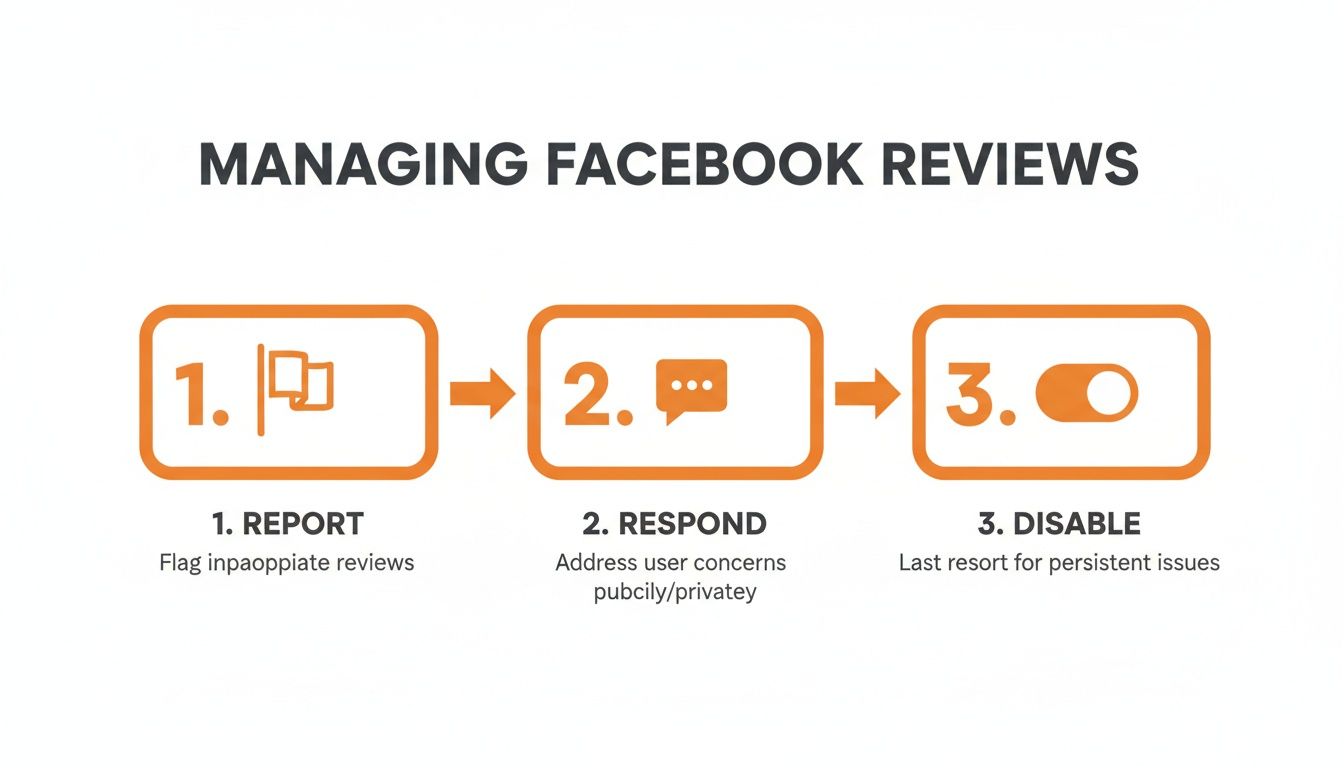
Step 2: Disable Recommendations (The "Nuclear Option")
If you are under a coordinated attack or want to stop all new reviews, you can disable the Recommendations feature entirely. This is an extreme measure because it removes all your reviews—good and bad—and can damage the trust of potential customers looking for social proof.
How to Turn Off Facebook Recommendations:
- Go to your Facebook Business Page as an admin.
- Click Settings in the left-hand menu.
- Select Privacy, then click Page and Tagging.
- Find the option "Allow others to view and leave reviews on your Page."
- Click the toggle switch to turn it Off.
This change is instant. You can re-enable it later, but all your old reviews will reappear. While this is an option, it's often better to focus on a proactive strategy for building a positive online presence through expert reputation management.
Templates & Scripts for Review Management
Having ready-to-use scripts saves time and ensures a professional response every time. Whether you run a med spa or an auto shop, these templates can be adapted for your business.
Templates for Requesting New Reviews
The best defense against a bad review is a steady stream of good ones from your real customers.
SMS Review Request Template (Healthcare/Med Spa)
Hi [Patient Name], this is [Your Name] from [Practice Name]. Thank you for trusting us with your care today. Would you mind sharing your experience on our Facebook Page? Your feedback helps others in our community. [Link to Facebook Page]
Email Review Request Template (Healthcare/Med Spa)
Subject: How was your visit with us at [Practice Name]?
Hi [Patient Name],
Thank you for choosing [Practice Name]. We value your trust in us.
If you have a moment, we would greatly appreciate it if you could leave a recommendation on our Facebook Page. Your feedback is important to us and helps future patients in [City] make informed decisions.
[Link to Facebook Page]
Thank you for your time,
The [Practice Name] Team
Templates for Responding to Reviews
Your public reply is a powerful tool to show potential customers you are engaged and professional.
Response to a Positive Review
Hi [Customer Name], thank you so much for the kind words! We're thrilled to hear you had a great experience with our team. We appreciate you taking the time to share, and we look forward to seeing you again soon.
Response to a Negative Review
Hi [Customer Name], thank you for bringing this to our attention. We are sorry to hear your experience did not meet your expectations, as providing excellent service is our top priority. We would like to learn more and make things right. Please call me directly at [Phone Number] at your convenience.
Sincerely,
[Your Name], Manager
Measuring Your Review Management Success
Obsessing over a single bad Facebook review is playing defense. The real win comes from a proactive offense: building a strong reputation that drives calls, clicks, and customers.
Key Metrics to Track
- Star Rating: Aim for a 4.5+ average rating on key platforms.
- Review Volume: Target 5–10 new reviews per month, per location.
- Review Recency: Fresh reviews (within the last 90 days) carry more weight.
- Response Time: Respond to 100% of reviews within 24 hours.
- Google Business Profile (GBP) Performance: Track increases in GBP Views, Clicks-to-Call, and Website Clicks.
- Lead-to-Sale Conversion: Monitor if an increase in positive reviews correlates with a higher conversion rate from leads to booked appointments.
To measure conversions, use UTM (Urchin Tracking Module) parameters on the links in your review requests and GBP profile. For example, a link to your booking page could be tagged with utm_source=google&utm_medium=organic&utm_campaign=gbp_profile, allowing you to see in Google Analytics exactly how many bookings originated from your GBP listing.
7-Day Launch Checklist for Your Review Program
- Day 1: Set Your Goals. Define your targets for star rating, review volume, and response time.
- Day 2: Choose Your Tools. Select a review request software that integrates with your CRM for automation.
- Day 3: Train Your Team. Hold a brief meeting to explain the importance of reviews and provide simple scripts for asking customers in person.
- Day 4: Create Your Templates. Write your SMS and email review request templates. Link directly to your Google Business Profile first, as it has the most impact on local search for services like HVAC repair in your area.
- Day 5: Segment Your Audience. Pull a list of happy customers from the last 30–60 days to contact first.
- Day 6: Launch Your Campaign. Send out the first batch of review requests.
- Day 7: Respond and Analyze. Respond to all incoming reviews promptly. Check open and click-through rates to refine your approach.
GBP Optimization Checklist
Your GBP is the champion of local search. Make sure it's fully optimized.
- Complete Every Section: Fill out services, attributes, business hours, and your description.
- Upload High-Quality Photos: Regularly add new photos of your work, team, and location.
- Enable Messaging: Allow customers to contact you directly from your profile.
- Use Google Posts: Share weekly updates, offers, and news to keep your profile active.
- Answer Q&A: Proactively add and answer common questions to provide value upfront.
Following this checklist will help you optimize your Google Business Profile for maximum visibility.

Q&A: Your Top Questions About Facebook Reviews
Here are concise, factual answers to the most common questions from business owners.
1. Can I delete a bad review on my Facebook page?
No, you cannot unilaterally delete a negative review. You can only report reviews that violate Facebook's Community Standards or disable the Recommendations feature entirely, which removes all reviews.
2. What types of reviews violate Facebook's policies?
Reviews that contain spam, hate speech, threats of violence, harassment, nudity, or are posted from fake accounts are considered violations. A negative opinion about your service from a real customer does not violate policy.
3. How long does it take for Facebook to remove a reported review?
If Facebook determines a review violates its standards, it typically takes 2–7 days for them to process the report and remove the content. The timeline can vary based on the clarity of the violation and the volume of reports their team is handling.
4. Should I turn off reviews on my Facebook page?
Disabling reviews is a drastic measure and generally not recommended. It removes all your positive social proof and can make your business appear less transparent. This option should only be considered in extreme cases, such as a coordinated spam attack.
5. What's more important: Facebook reviews or Google reviews?
For most local businesses, Google reviews are more important because they directly impact your ranking in local search results (e.g., "dentist near me"). However, Facebook reviews are still valuable for social proof on the platform. A balanced strategy that encourages reviews on both platforms is ideal.
6. What should I do if a review contains false information?
Respond publicly, professionally, and factually without violating the customer's privacy. State your side of the story calmly and concisely. For example: "Hi [Name], we have no record of this incident but would like to investigate further. Please contact us directly at [Phone Number]." This shows other potential customers that you are responsive and that the reviewer's claim may not be accurate.
7. What does SEO and AIO mean?
SEO stands for Search Engine Optimization, the process of improving your website's visibility on search engines like Google. AIO stands for Artificial Intelligence Optimization, which involves structuring your content so that AI-powered search tools like ChatGPT can easily understand and use it to answer user questions. Both are influenced by your online reviews.
Managing your online reputation is a constant process, but you don’t have to handle it all on your own. We offer month-to-month support to help your business consistently gather positive feedback, respond like a pro, and strengthen your visibility in local search. If you're ready to turn your customer voice into your most powerful marketing asset, book a strategy call.


