
A customer searches “dentist near me” or “HVAC repair near me,” taps your main number, and sends a quick text asking for an appointment or estimate. If that number is a standard landline, that message may never reach your team. Yes, you can text from a landline phone, and for local businesses, that matters because faster conversations usually mean more booked jobs, tours, appointments, and review opportunities.
For most operators, the goal isn’t shiny new tech. It’s simple. Keep the number customers already trust, make it textable, and remove friction from the path between local search and conversion.
Table of Contents
- Yes You Can Text from a Landline and It’s Crucial for Leads
- Why Your Business Must Be Textable in 2026
- How to Enable Texting on Your Existing Landline Number
- Landline Texting Scripts and Response Templates
- Your 7-Day Launch Plan and Measuring Success
- Frequently Asked Questions About Landline Texting
Yes You Can Text from a Landline and It’s Crucial for Leads
A customer finds your business on Google, sees your main number, and sends a quick text: “Do you have an opening today?” If that message goes nowhere, you may never know the lead existed. The customer just moves on to the next listing.
Yes, you can text from a landline phone. The handset does not send the message itself. Your number gets text-enabled through a messaging platform, and those conversations show up in a shared inbox or mobile app while your calls keep routing the way they do now.
For local businesses, that setup solves a real revenue problem. Your main number is already attached to your trucks, signs, website, invoices, directory profiles, and Google Business Profile. Changing it creates friction and weakens trust. Keeping the same number and adding text gives customers one more easy way to contact you, book faster, and follow through.
I usually recommend this approach because it keeps risk low. Owners protect the number they have spent years promoting, while the team gets a practical way to handle missed calls, quote requests, appointment questions, and post-service follow-up in one place.
What matters most:
- Your existing landline number can be made textable without replacing it.
- Calls and texts can share the same public-facing number, which is often the cleanest option for lead capture and customer service.
- A textable main number supports faster follow-up, which helps turn search traffic into booked jobs.
- It also fits well for teams comparing call management systems for local businesses and trying to reduce missed opportunities without adding another number for customers to remember.
Why owners should treat this as a lead and review channel
This is bigger than convenience.
A textable landline helps you recover leads that would otherwise stall after the first touch. It helps front desk staff and office managers confirm appointments without long phone exchanges. It gives technicians and service teams a simple way to send updates, ask for photos, and request reviews while the experience is still fresh.
That last point matters more than many owners realize. A customer who can text your business is often easier to guide from completed job to review request. That can improve review volume, response speed, and overall customer satisfaction, all of which support stronger Google Business Profile performance over time.
For businesses already investing in follow-up and faster response times, this 2026 conversational marketing guide is a helpful companion read.
The practical rule is simple. Keep the number people already know. Add texting to it, train staff to answer quickly, and use that channel to capture more leads, close service gaps, and create more review opportunities.
Why Your Business Must Be Textable in 2026
A homeowner finds your business on Google at 7:12 p.m., right after work. They do not want to wait on hold, leave a voicemail, and hope someone calls back tomorrow. They want to send a quick text, get a clear reply, and decide whether to book.

If your main number cannot receive that message, the prospect often moves on. Local businesses feel that loss in booked jobs, slower front-desk workflows, and fewer reviews from satisfied customers who meant to follow through but never did.
The missed lead problem shows up in revenue and operations
Owners usually notice missed calls. They do not always notice missed texts, because those prospects often disappear without leaving a trace.
That creates real business costs. A customer may want to ask for pricing, send a photo of damage, confirm insurance details, or check whether you serve their ZIP code. Those are easy text conversations. When texting is not available on the number listed across your Google Business Profile, website, and directories, your team forces every inquiry into a phone call or web form. Response rates usually suffer.
The result is familiar for local teams:
- Leads cool off fast: The business that replies first often gets the estimate request, consultation, or appointment.
- Staff spend more time on phone tag: Short status questions turn into repeated callbacks and voicemails.
- Fewer reviews get captured: Customers are far more likely to tap a texted review link right after service than search for your profile later.
- Customer satisfaction drops: People interpret slow, inconvenient communication as poor service, even when the actual work is strong.
For businesses trying to tighten follow-up across sales and service, CRM texting for local businesses can help keep conversations, reminders, and review requests in one place.
The broader shift is simple. Customers now expect businesses to be reachable in the same low-friction way they talk to everyone else. This 2026 conversational marketing guide gives useful context on why faster, message-first communication keeps winning.
If one phone number carries your brand across Google, ads, your website, trucks, and yard signs, that number should support the contact method customers are most likely to use in the moment.
How texting supports Google Business Profile performance
Texting does not improve Google rankings by magic. It improves the business signals that tend to support stronger local visibility over time.
Google Business Profile performance depends heavily on how well you convert attention into action. A searcher finds your listing, checks reviews, taps to contact you, and decides whether your business feels responsive and trustworthy. A textable number helps at each of those points because it shortens the path from interest to response.
It also helps with the parts owners care about most:
- More lead capture from profile views: Prospects who hesitate to call will still text.
- Faster appointment confirmation: Office staff can confirm, reschedule, and reduce no-shows with less effort.
- Better review follow-up: Teams can send review requests while the job is still fresh.
- Stronger customer experience: Clear updates reduce anxiety, especially for high-trust services like dental, home services, legal, and senior care.
That matters for prominence. A business with steady review activity, timely responses, and fewer dropped inquiries usually presents stronger local trust signals than a competitor that makes every interaction harder than it needs to be.
Google Business Profile checklist for text-ready locations
Use this checklist for each location, not just the brand as a whole:
- Keep NAP details consistent: Your business name, address, and primary phone number should match across Google, Apple, Bing, and major directories.
- Use the main number customers already know: Do not split attention across extra numbers unless there is a clear routing reason.
- Complete profile details fully: Categories, services, hours, attributes, and descriptions should match what you offer in that market.
- Request reviews quickly: Send review prompts soon after the visit, delivery, or completed job.
- Respond to reviews promptly: Fast, professional replies help both reputation and conversion.
- Track contact outcomes: Measure which profile interactions lead to calls, texts, bookings, and closed revenue.
- Train staff on response standards: Speed matters, but clarity matters too. A fast, vague reply still loses business.
For local businesses, being textable is not a technology upgrade for its own sake. It is a practical way to protect the value of your main phone number, convert more Google-driven leads, and run a tighter operation with less missed opportunity.
How to Enable Texting on Your Existing Landline Number
This is the part most owners expect to be complicated. Usually it isn’t.
What text-enabling actually means
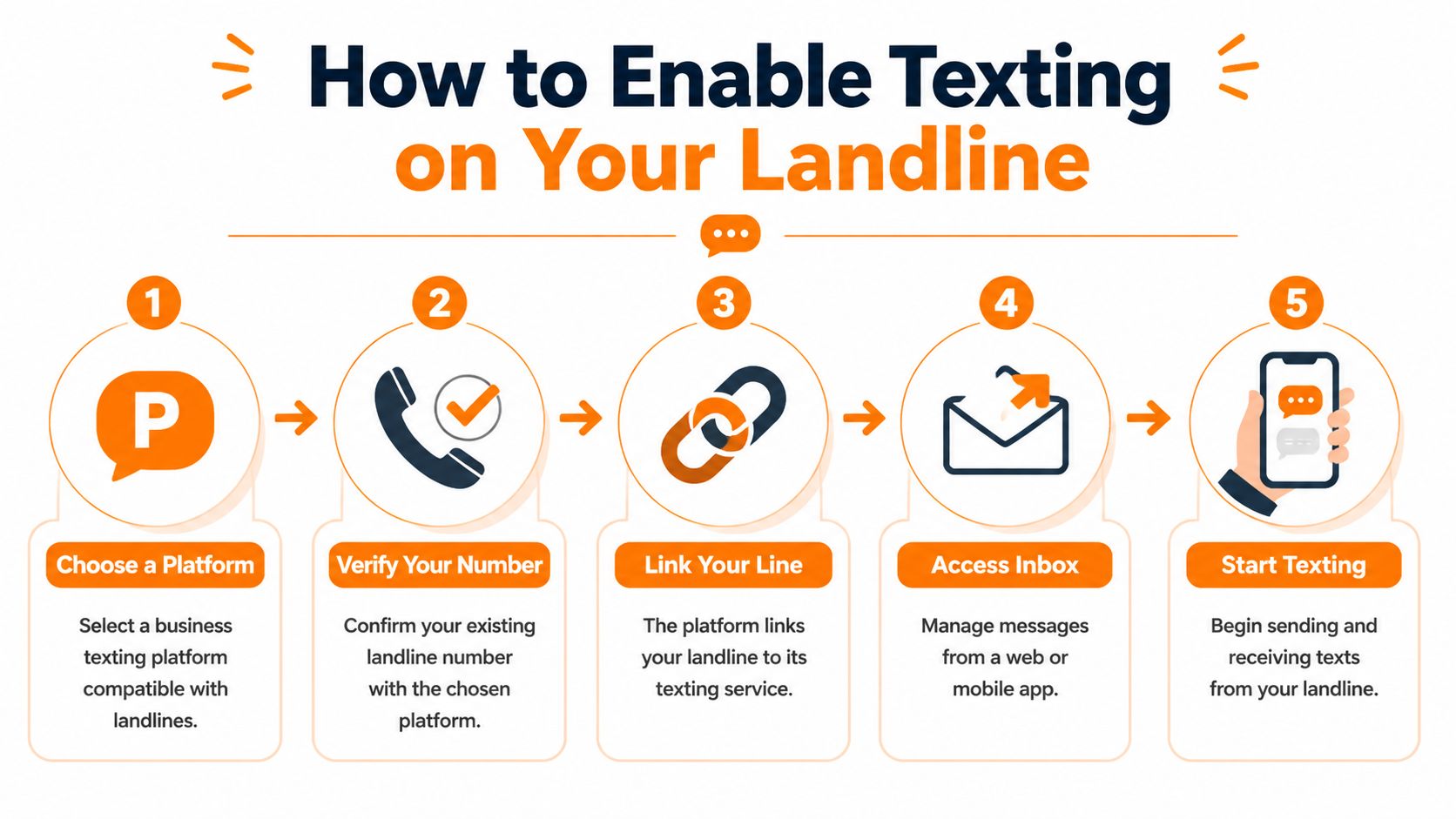
Your landline still handles voice through the PSTN, which stands for Public Switched Telephone Network. A texting platform connects that number to an IP-based message system so inbound and outbound texts flow through a dashboard rather than through the desk phone itself.
You may also hear SIP, or Session Initiation Protocol. In plain English, that’s part of the connection layer used to route communications between legacy phone systems and cloud applications.
The compliance acronym you can’t ignore is 10DLC, which stands for 10-Digit Long Code. It’s the U.S. carrier registration framework for business messaging. According to Birdeye’s guide to texting from a landline, text-enabling requires provisioning your number for 10DLC. Without registration, carrier filtering can block 90% to 100% of messages. After proper provisioning through a platform, delivery rates typically exceed 98%.
That’s why this isn’t just “turn on texting.” It’s registration, verification, routing, and inbox setup.
The practical setup process
The fastest path for most local businesses is a business texting platform that supports landline enablement and centralizes messaging with reviews and web chat. Birdeye is a common choice for that kind of setup.
Here’s the typical process:
Choose the platform
Pick a platform that supports landline text-enablement, two-way messaging, template management, review requests, and user permissions. If you run multiple locations, make sure it supports location-level inboxes and governance.
Submit your existing number
You’re not replacing the number. You’re asking the provider to provision that number for texting.
Verify ownership
Many setups include an automated verification call to the landline with a PIN. That confirms the number belongs to your business.
Complete 10DLC registration
Many DIY attempts stall at this point. Carriers want business messaging traffic registered correctly so compliant traffic gets through and spam gets filtered.
A related workflow many operators also add at this stage is missed call text-back automation, especially if the front desk or dispatcher can’t answer every inbound call live.
After your number is provisioned, your team sends and receives messages from the platform inbox on desktop or mobile.
A quick walkthrough helps if your staff is visual:
What works and what usually causes problems
The low-friction version looks like this:
| Setup choice | What usually happens |
|---|---|
| Keep your main landline number and text-enable it | Customers use the number they already know |
| Register 10DLC properly | Messages are far more likely to deliver reliably |
| Train staff on inbox ownership | Leads don’t sit unanswered |
| Use templates with guardrails | Responses stay consistent across locations |
Common mistakes are less technical than operational:
- No owner for the inbox: If everyone can reply, often no one does.
- No consent process: Marketing texts need express written consent under TCPA rules.
- No templates: Staff improvise, tone drifts, and sensitive issues get handled poorly.
- No tagging or routing: Sales, service, and review requests all pile into one stream.
- No compliance baseline: Teams skip registration or ignore 10DLC messaging basics, then wonder why messages disappear.
Don’t judge the channel by a bad setup. Most “texting didn’t work for us” stories come down to poor provisioning, weak ownership, or no follow-up process.
Landline Texting Scripts and Response Templates
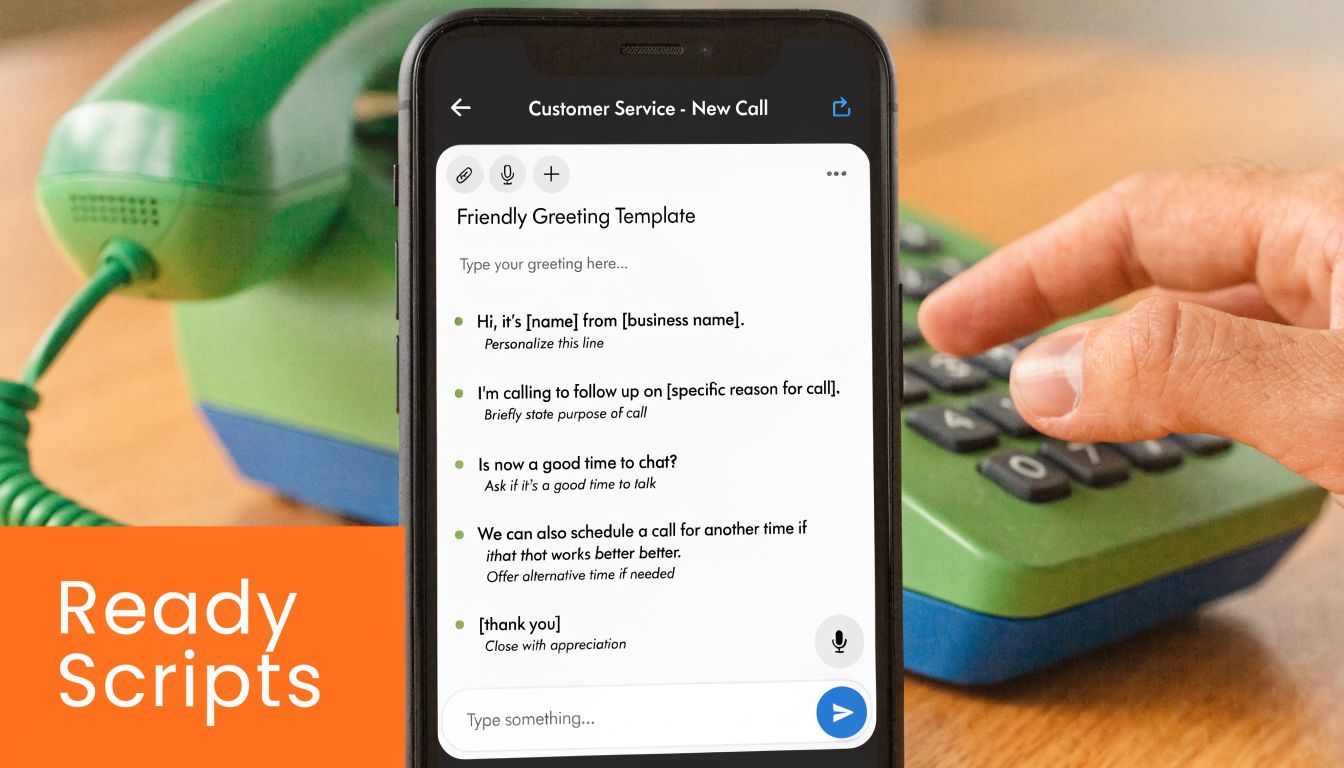
Once the number is live, the next question is simple. What should your team send?
Review request scripts you can use today
For a vet clinic, keep the ask warm and direct. Don’t make it sound automated if you can avoid it.
SMS review request for a vet clinic
Hi [First Name], thanks for visiting [Clinic Name] today with [Pet Name]. If you have a minute, we’d appreciate your feedback here: [Review Link]. Thank you for trusting our team.
Email review request for a vet clinic
Subject: Thanks for visiting [Clinic Name]
Hi [First Name],
Thank you for bringing [Pet Name] in today. We’re always working to make visits easier for pets and owners, and your feedback helps. If you’d be willing to share your experience, you can leave a review here:
[Review Link]
Thank you again,
[Clinic Name]
[Phone Number]
If you need help tightening your reminder and confirmation wording, Twizzlo’s appointment confirmation guide is a useful reference for keeping messages clear and easy to act on.
Positive and negative review response templates
These are best stored inside your response library so teams across [City] and [Neighborhood] use the same voice.
Positive review response template
Hi [Reviewer Name], thank you for the kind words about your visit to [Business Name]. We’re glad our team could help. We appreciate your trust and look forward to seeing you again.
Negative review response template
Hi [Reviewer Name], thank you for sharing your feedback. We’re sorry your experience didn’t meet expectations. We’d like the chance to learn more and address the issue directly. Please contact our team at [Phone] so we can follow up.
For teams that want a stronger starting library, these customer service response templates are useful for standardizing tone without sounding robotic.
Keep negative-review responses calm, short, and offline-focused. The public reply should acknowledge the issue, not litigate it.
Compliance notes for real-world teams
Healthcare, housing, and service businesses all need message discipline.
- TCPA consent matters: Get express written consent before sending marketing texts.
- Healthcare teams should stay HIPAA-aware: Don’t include protected health information in texts. Keep messages generic.
- Housing teams should stay neutral: Avoid language that could create fair housing concerns.
- Don’t overpromise: No guarantees, no inflated claims, no bait language.
- Use brand-approved templates: This protects quality across locations and reduces risk when staff turnover happens.
For med spas, dental offices, HVAC companies, and auto shops, the most effective texts are usually the least flashy. Confirm. Remind. Follow up. Request feedback. Make it easy to reply.
Your 7-Day Launch Plan and Measuring Success
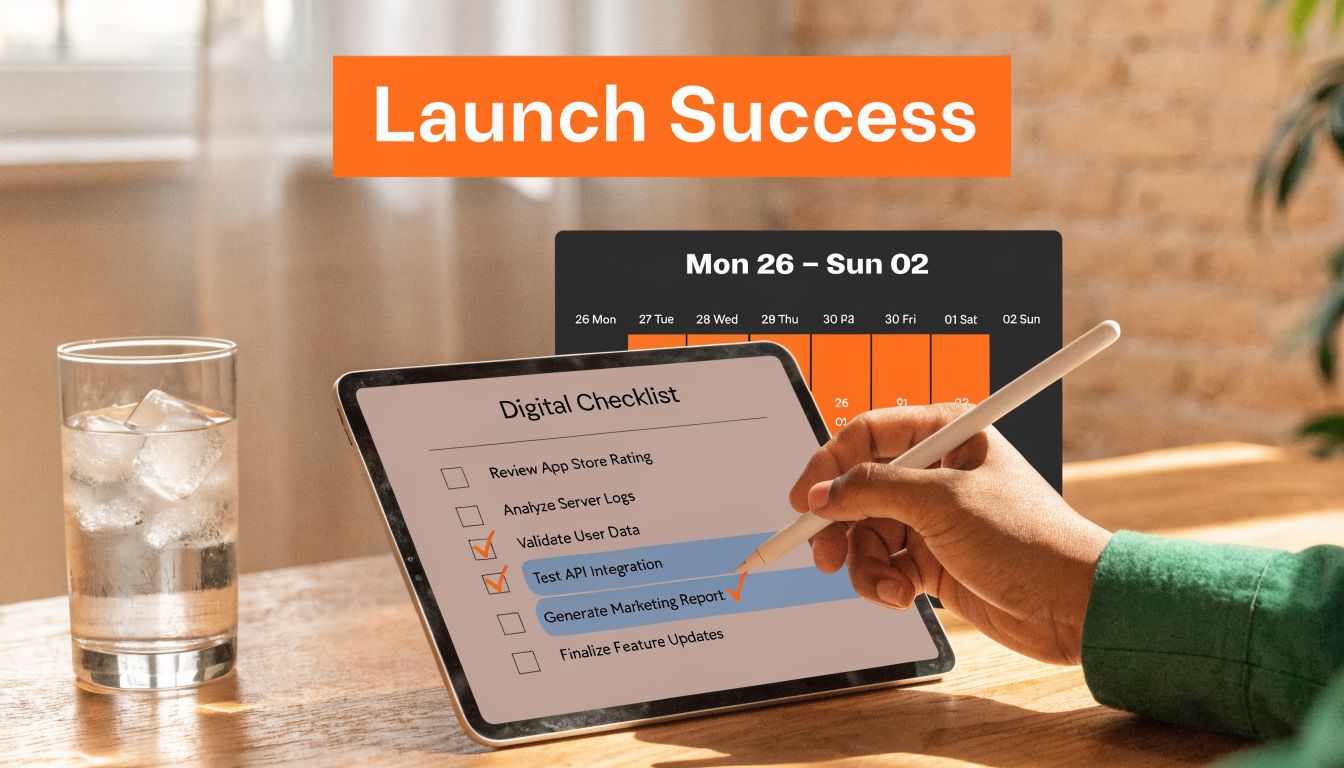
A landline texting rollout works best when you treat it like an operating process, not a software purchase.
A simple 7-day rollout
Day 1
Choose the platform, define inbox owners, and list which locations will launch first.
Day 2
Submit the landline numbers for text-enablement and complete verification.
Day 3
Finalize your approved templates for appointment replies, estimate follow-up, review requests, and issue escalation.
Day 4
Train the people who’ll use it. Front desk, service advisors, dispatch, and regional managers should all know who handles what.
Day 5
Connect your booking, forms, or CRM workflows where needed. If your business already depends on phone software, then VoIP and CRM integration planning becomes important.
Day 6
Send a controlled first batch. Use real customer scenarios such as service follow-up, review requests, or unreturned call recovery.
Day 7
Audit the first week. Check delivery, response handling, handoffs, and any unanswered threads.
One more strategic point matters now. As of May 2025, AT&T’s PSTN shutdown began in select U.S. markets, with a full transition forcing VoIP migration expected by 2026, according to Salesmessage’s review of texting from landlines. That’s one more reason to put messaging on a modern IP-based platform instead of depending on legacy assumptions.
What to measure without overcomplicating it
You don’t need a giant dashboard on day one. You do need consistency.
Track these five areas:
- Review volume: Are locations receiving a steady flow of new feedback?
- Review recency: Are fresh reviews showing up regularly, not in bursts once a quarter?
- Response time: How quickly does someone answer inbound texts and public reviews?
- Star rating trend: Is sentiment stable, improving, or slipping?
- GBP outcomes: Are calls, bookings, and direction requests moving in the right direction?
For web tracking, add UTM parameters to links you place in texts. That lets you distinguish traffic from review requests, appointment reminders, and follow-up messages. A simple example is tagging a booking link by source, medium, and campaign so your analytics can connect a texted link to a completed form or appointment.
A useful measurement habit is to compare three things each month: inbound leads, review activity, and profile engagement. If all three improve together, the channel is doing real work.
For local search performance, pay attention to whether each location’s Google Business Profile is complete, accurate, and active. That’s often where operators see the clearest connection between messaging, review recency, and lead flow.
Frequently Asked Questions About Landline Texting
Owners usually ask the same thing first. If we turn on texting for the main business number, will anything break?
In a good setup, no. Your phone system keeps handling calls the way it does now, and texts route to a shared inbox your team can manage without passing around a personal cell number. That gives you a safer way to capture leads, answer questions faster, and keep follow-up tied to the number customers already know from your signage, website, and Google Business Profile.
FAQ Quick Answers
| Question | Short Answer |
|---|---|
| Can you text from a landline phone? | Yes, if you text-enable the number through a business messaging platform. |
| Does my voice service change? | Usually no. Calls keep routing through your current phone system while texts go to a separate inbox. |
| Can customers tell it’s not a cell phone? | Usually no. They see your business number. |
| What happens if someone texts a non-text-enabled landline? | The message may fail or be handled by carrier text-to-landline systems, depending on the route. |
| Is compliance required? | Yes. Business texting requires consent practices and proper registration. |
| Is this useful for multi-location brands? | Yes, especially when each location wants to keep its established local number. |
What happens when someone texts a landline that isn’t text-enabled?
Sometimes the message goes nowhere useful. In some carrier environments, it can be converted into a voice playback message instead of arriving as a text. Either outcome is a poor customer experience, especially if that person was ready to book, ask about availability, or leave feedback right after a visit.
Will calls still ring my normal phone system?
Yes. In most setups, voice and messaging are handled separately. Calls continue through your current routing, and texts land in a web or mobile inbox for staff.
Can customers send photos and quick replies to a text-enabled landline?
That depends on the platform. Many businesses use landline texting for simple two-way conversations such as appointment questions, estimate follow-up, service updates, and review requests.
Is this better than giving staff a cell phone number?
For many local businesses, yes. The company keeps control of the number, conversation history, templates, permissions, and reporting. If an employee leaves, your lead history and customer communication stay with the business.
What’s the difference between a true landline and VoIP here?
The setup varies by provider, and eligibility is not identical across every number type. The practical step is to confirm whether your current number can be text-enabled and whether the platform handles it cleanly without disrupting call flow.
Does this help with reviews and Google Business Profile performance?
It often does. Texting gives staff a faster way to follow up after a job, answer complaints before they turn into public reviews, and send review requests while the experience is still fresh. That can lead to steadier review activity, faster response times, and stronger engagement signals on your Google Business Profile.
Should every location in a multi-location business use its own textable number?
Usually yes. Each location keeps its local identity, and managers can see which store is answering quickly, generating reviews, and converting inquiries into booked work.
If your main number already has local trust, texting it is usually one of the lower-risk upgrades you can make. You keep the asset you built, remove friction for customers, and give your team a faster path from inquiry to booked job.


