
A Birdeye review shows that it is an all-in-one reputation management and customer experience platform designed for local businesses. It automates review generation, standardizes online business listings, and unifies customer messaging to help you rank higher in "near me" searches, build trust, and ultimately drive more calls, messages, and bookings. This review will show you how to leverage it to win more customers.
Key Facts
- All-in-One Platform: Combines review generation, listings management, messaging, webchat, and referrals in one dashboard.
- Built for Local SEO: Focuses on improving the three pillars of Google's local search model: prominence (more reviews), relevance (accurate info), and proximity.
- Automation at its Core: Automatically sends SMS and email review requests to capture feedback at peak moments.
- Proven Results: Used by over 150,000 businesses, Birdeye customers see an average 128% increase in review volume.
- Actionable AI Insights: Analyzes review text to identify customer sentiment and recurring themes, turning feedback into operational improvements.
- Centralized Control: Ideal for multi-location businesses, allowing operators to manage the reputation of all sites from one place.
Step 1: Understand What Birdeye Is and How It Works
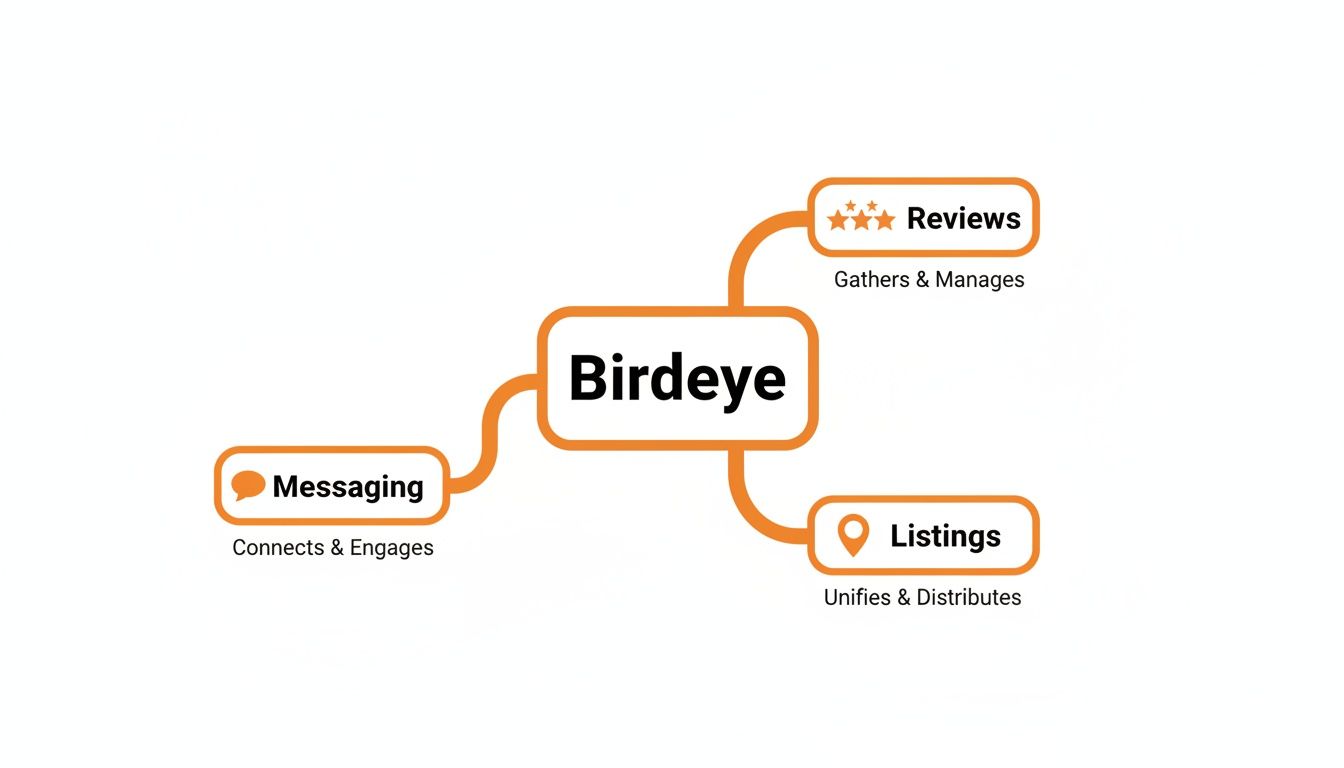
Birdeye is a software platform that helps local and multi-location businesses manage their online reputation and customer interactions. For a busy operator, like a practice manager at a dental office or a regional marketing lead for an HVAC company, it consolidates tasks that would otherwise require multiple tools. It pulls all your customer reviews, business listings information, and messages from various channels (SMS, webchat, social media) into a single, manageable dashboard.
The core purpose is to help you master Google’s local search algorithm, which relies on three main factors:
- Proximity: How close your business is to the person searching.
- Relevance: How well your business profile matches what the person is looking for.
- Prominence: How well-known and trusted your business is, which is heavily influenced by the quantity and quality of your online reviews.
By automating review requests, you increase your review volume and recency, boosting your prominence. By syncing your Name, Address, and Phone number (NAP) across 50+ online directories, you improve your relevance. This integrated approach helps you show up more often in the coveted Google Maps "3-pack" when a potential customer in [City] searches for "vet near me" or "med spa in [Neighborhood]." This visibility is the first step toward converting searchers into new patients or clients. To learn more, see our full guide on reputation management.
A Quick Checklist to Optimize Your Google Business Profile
Your Google Business Profile (GBP) is your most important local marketing asset. Here’s a quick checklist to ensure it’s optimized to convert:
- Claim and verify your listing.
- Ensure your Business Name, Address, and Phone number (NAP) are 100% accurate.
- Select all relevant primary and secondary categories.
- Add high-quality photos of your location, team, and services.
- Enable the Messaging feature to allow customers to contact you directly.
- Use Google Posts weekly to share updates, offers, and events.
- Build out a comprehensive Q&A section with common customer questions.
- Actively request reviews and respond to every single one.
Step 2: Use Birdeye’s Core Features to Drive Growth
Once you understand the strategy, you can use Birdeye’s features to execute it systematically. Each tool is designed to address a specific part of the customer journey, from getting found to getting chosen.
Automated Review Generation
The foundation of a strong online reputation is a steady flow of fresh customer feedback. A comprehensive birdeye review strategy hinges on this. The platform automates sending review requests via SMS and email immediately after a customer interaction, like a vet appointment or auto service. This consistent stream of new reviews signals to Google that your business is active and prominent, which helps you rank higher in local searches and builds trust with potential customers.
Centralized Listings Management
For a business with multiple locations, like a chain of senior living communities, maintaining accurate online information is a logistical nightmare. Incorrect hours on Yelp or a wrong phone number on Bing can lead to lost leads and frustration. Birdeye’s Listings feature syncs your essential business details across more than 50 online directories from one dashboard. This consistency is a powerful trust signal for search engines, helping to optimize your Google Business Profile and ensuring customers always have the right information.
Unified Messaging and Webchat
Today's customers expect instant communication, whether through SMS, webchat on your site, or a Facebook message. Juggling these channels separately leads to slow response times and missed opportunities. Birdeye funnels all these conversations into a single inbox. This allows your team at the front desk or your call center to respond to leads faster, improving the customer experience and significantly increasing conversion rates from inquiry to appointment.
Step 3: Use Templates and Scripts to Launch Your Program
The most common roadblock for businesses is not knowing what to say. These templates provide a starting point for requesting reviews and responding to feedback professionally. They ensure a consistent brand voice, whether you run a single med spa or a multi-state home services franchise.
SMS and Email Review Request Scripts
Personalize these scripts with customer and business details for the best results.
1. SMS Script for a Med Spa:
"Hi [Customer Name], it was a pleasure seeing you at [Spa Name] today. We hope you enjoyed your treatment! If you have a moment, we'd love it if you could share your experience. Your feedback helps others in [City] find us. Thank you! [Review Link]"
2. Email Script for a Senior Living Community (HIPAA-aware):
Subject: A quick question about your visit to [Community Name]
Dear [Family Member Name],
Thank you for touring [Community Name] today. We enjoyed showing you our community and answering your questions.
We are always striving to create the best possible experience for families. Would you be willing to share your thoughts on your visit by leaving a brief online review? Your perspective is incredibly valuable to other families considering their options.
[Click Here to Leave a Review]
We appreciate your time and consideration.
Sincerely,
The Team at [Community Name]
Positive and Negative Review Response Templates
Responding to all reviews is non-negotiable. It shows you are engaged and value customer feedback.
Template for a Positive Review:
"Hi [Customer Name], thank you for the wonderful 5-star review! We are so glad to hear you had a positive experience with [Mentioned Service or Team Member]. Our team strives to provide exceptional care, and your feedback is a great encouragement. We look forward to seeing you again!"
Template for a Negative Review (HIPAA-aware for healthcare):
"Hi [Reviewer Name], thank you for sharing your feedback. We are sorry to hear your experience did not meet expectations. We take patient concerns very seriously. To protect your privacy, we cannot discuss specifics here, but we want to connect. Please call our Practice Manager, [Manager Name], at [Phone Number] at your convenience so we can address this directly."
Your 7-Day Birdeye Launch Checklist
A structured launch ensures you get value from the platform quickly. Follow this day-by-day plan to build a solid foundation for your review program.
- Day 1: Connect Accounts. Log in to Birdeye and connect your Google Business Profile(s) and other relevant review sites like Facebook. This is the essential first step.
- Day 2: Customize Templates. Edit the default SMS and email review request templates to reflect your brand's voice and tone. Personalize them.
- Day 3: Clean Up Listings. Run a listings scan to find and fix any inconsistencies in your business Name, Address, and Phone number (NAP) across the web.
- Day 4: Train Your Team. Hold a 30-minute training session. Show frontline staff (receptionists, office managers) how to view the dashboard and use the unified inbox to respond to messages.
- Day 5: Launch a Small Campaign. Don't try to contact everyone at once. Send your first automated review request campaign to customers from the past 7–14 days.
- Day 6: Monitor and Respond. Dedicate time to monitoring the dashboard for new reviews. Use your response templates to reply to every single review within 24 hours.
- Day 7: Review Initial Data. Look at your first week's results: review volume, star rating, and response rate. Use this as your baseline to set future goals.
Step 4: Measure What Matters for Your Review Program
Investing in a platform like Birdeye is only worthwhile if you can prove its return on investment (ROI). This means tracking metrics that connect your reputation efforts to tangible business outcomes like calls, bookings, and revenue.
Recommended Performance Targets
Set clear, numeric goals to measure success. Here are realistic targets for a new review program:
| Metric | Recommended Target | Why It Matters |
|---|---|---|
| Average Star Rating | 4.5+ across all platforms | This is the primary trust signal for prospective customers. |
| New Reviews Per Month | 10-15 per location | Recency is a key Google ranking factor and shows your business is active. |
| Review Response Time | < 24 hours | Speed shows you are attentive and can mitigate negative experiences. |
| GBP Views/Calls | 15% month-over-month increase | This tracks direct lead generation from your Google profile. |
| Lead-to-Sale Conversion | 5% increase from tracked sources | This measures the quality of leads generated from your efforts. |
How to Track Conversions from GBP
To prove ROI, you must track the customer journey from your Google Business Profile to a conversion action (like a call or form submission). The best way to do this is with UTM tags.
A UTM (Urchin Tracking Module) is a snippet of code added to a URL that tells Google Analytics where a visitor came from.
- Create a Tagged URL: Use Google's free Campaign URL Builder to create a unique link for the website field in your Google Business Profile. For example:
yourwebsite.com/?utm_source=google&utm_medium=organic&utm_campaign=gmb. - Implement the Link: Add this tagged URL to the website button on your GBP listing.
- Track in Google Analytics: In Google Analytics 4, go to Reports > Acquisition > Traffic acquisition. You can now see exactly how many users, sessions, and conversions came from your GBP listing by filtering for the "gmb" campaign.
This method provides concrete data to show stakeholders that your improved birdeye review performance is directly generating leads and revenue. This is a key part of effective local SEO reporting.
Step 5: Frequently Asked Questions (Q&A)
Here are concise answers to the most common questions from local business operators.
1. What does Birdeye pricing look like?
Birdeye’s pricing is customized based on the number of locations and features you need, typically starting in the low hundreds of dollars per month for a single location. For a precise figure, you must request a custom quote.
2. How does Birdeye compare to Podium?
Birdeye is a true all-in-one reputation platform, strong in reviews, listings, and surveys. Podium excels at messaging and payments but is less focused on listings management. Choose Birdeye for comprehensive reputation management; choose Podium for a messaging-first strategy.
3. Is Birdeye difficult to set up and use?
The platform is user-friendly once configured, but the initial setup can be intensive. It involves connecting all profiles, cleaning data, and setting up automations. Many businesses use a partner to manage the implementation to ensure it's done correctly without draining internal resources.
4. Can I use Birdeye for just one location?
Yes. Birdeye is highly effective for single-location businesses, as the core needs of automating review requests, managing listings, and unifying messages are universal for any business wanting to win in local search.
5. How long does it take to see results with Birdeye?
Businesses often see a significant increase in review volume within the first 30-60 days. Improvements in local search rankings and lead volume typically follow over the next 3-6 months as the new, positive reviews build authority with Google.
6. What is AIO and how does it relate to reviews?
AIO stands for Answer Engine Optimization. It refers to optimizing your business information for AI-powered search engines like Google's SGE and Perplexity. Having a high volume of positive reviews with detailed text helps AI models understand what your business is known for and recommend it in conversational search results.
7. Does Birdeye work for healthcare and other regulated industries?
Yes, Birdeye is HIPAA-compliant and is used widely by medical, dental, and veterinary practices. The platform has safeguards to ensure patient privacy is protected, particularly in review request and response workflows. This makes it a trusted choice for our clients in the healthcare industry.
Ready to turn your customer feedback into a reliable growth engine? Our team combines Birdeye’s powerful technology with hands-on, expert management to boost your visibility and convert more local customers. We offer flexible month-to-month support to ensure you get results. Let’s book a strategy call to discuss a plan that fits your business.


