
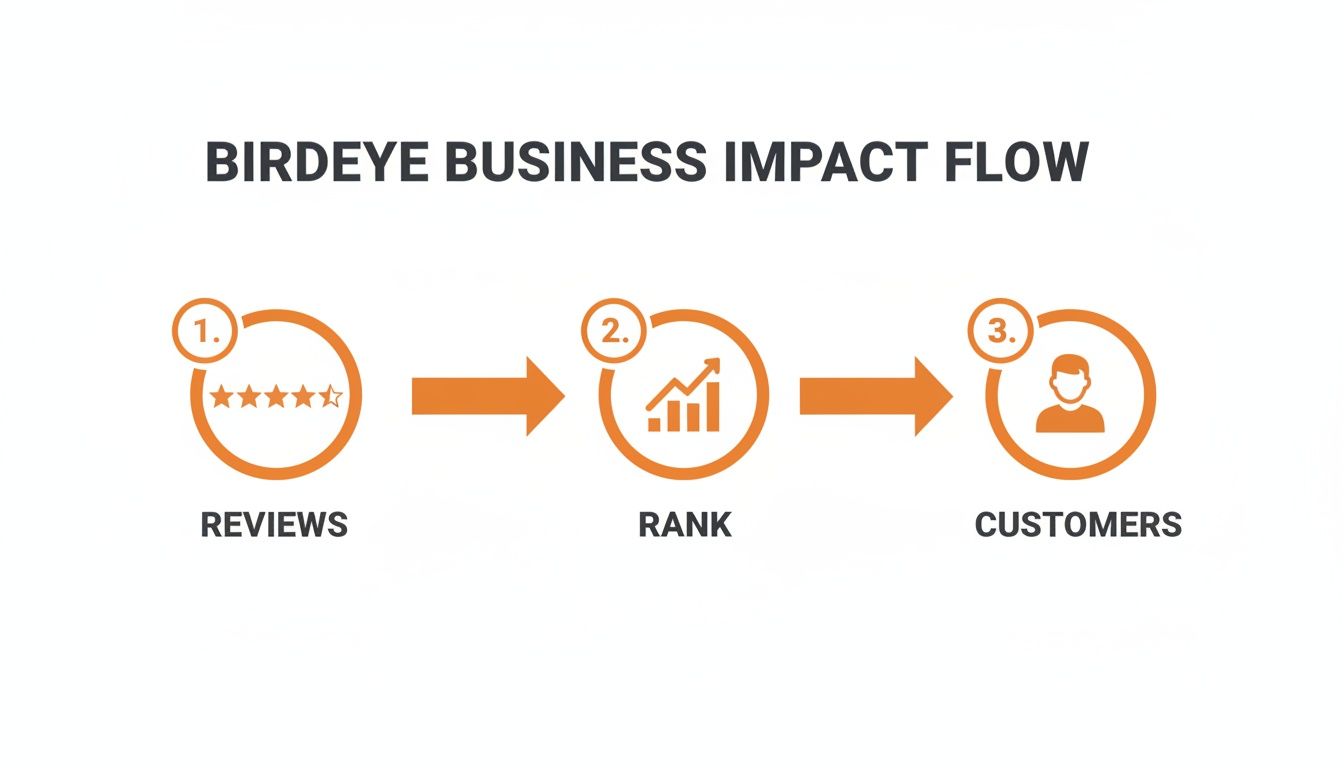
Birdeye is an all-in-one platform that helps local businesses manage their online reputation and customer experience from a single dashboard. It gathers reviews, business listings, messages, and analytics so you can control how customers find and perceive you online. This matters because a strong online presence with fresh, positive reviews directly boosts your local search rank, leading to more calls, messages, and bookings.
Key Facts about Birdeye
- All-in-One Dashboard: Manages reviews, listings, messaging, and analytics from one login.
- Drives Local SEO: Fresh reviews and accurate listings are critical for ranking in "near me" searches on Google.
- Automates Customer Feedback: Sends review requests via SMS and email automatically after a service or purchase.
- Multi-Location Management: Built to ensure brand consistency for franchises and businesses with multiple locations.
- Converts Leads: Unified messaging helps your team respond faster to inquiries from web chat, text, and social media.
Step-by-Step Guide: Launching a Birdeye Review Program
Getting a review generation program started with a platform like Birdeye is straightforward. The goal is to build an automated engine that consistently asks for feedback, monitors what people are saying, and helps you respond quickly. This consistency is crucial for Google's algorithm, which rewards active, well-regarded businesses with higher local rankings.
7-Day Birdeye Review Program Launch Checklist
This simple, 7-day checklist is designed for a busy operator to implement a complete review program without disrupting daily work.
| Day | Task | Objective |
|---|---|---|
| 1 | Connect Your Business Profiles | Link your Google Business Profile (GBP), Facebook page, and key industry sites (e.g., Healthgrades, DealerRater) to the Birdeye dashboard. |
| 2 | Set Up Automation Rules | Create your first workflow to automatically send a review request via SMS or email 24 hours after a customer's appointment or purchase. |
| 3 | Customize SMS & Email Templates | Edit the default messages to match your brand's voice. A personal touch increases response rates. |
| 4 | Craft Review Response Templates | Write pre-approved responses for both positive and negative reviews for quick, consistent, and professional replies. |
| 5 | Train Your Team | Walk your front-line staff through the process. Show them how to view incoming feedback and use the system. |
| 6 | Launch Your First Request Campaign | Go live! Activate your automation rules and let Birdeye start sending requests to your recent customers. |
| 7 | Review Initial Results & Refine | Check the dashboard for new reviews. Monitor your star rating and response times, and adjust templates or timing as needed. |
By the end of the first week, you'll have a fully functional review generation system working for you in the background.
Templates and Scripts for Your Review Program
The best requests and responses are short, personal, and easy to act on. Here are templates you can adapt for your business.
Example Review Request Scripts
SMS Script (for a Med Spa):
"Hi [Client Name], this is the team at [Spa Name]. Thanks for visiting us today! We'd be so grateful if you could share your experience. It only takes a moment: [Link]"
Email Script (for an HVAC Company):
Subject: How was your service with [Company Name]?
Hi [Customer Name],
Thanks for trusting us with your home comfort. Your feedback helps us improve and lets other homeowners in [City] know what to expect from our team.
If you have a minute, could you please leave us a review on Google?
[Link to Google Reviews]
We appreciate your business.
The team at [Company Name]
Example Review Response Templates
Responding to every review shows you are engaged and value customer feedback.
Positive Review Response Template (4 or 5 stars):
"Hi [Reviewer Name], thank you so much for the wonderful feedback! We're thrilled to hear you had a great experience with our team. We appreciate you choosing us and look forward to seeing you again at our [Neighborhood] location!"
Negative Review Response Template (1 or 2 stars):
"Hi [Reviewer Name], thank you for sharing your feedback. We are very sorry to hear that your experience did not meet expectations. We take this seriously and want to learn more. Could you please call our manager, [Manager's Name], at [Phone Number] at your convenience so we can address this?"
Using Birdeye to Optimize Your Google Business Profile
For any local business, your Google Business Profile (GBP) is your digital front door. It is the most critical asset for turning online searchers into customers. A platform like Birdeye gives you a central dashboard to manage this vital tool, especially if you're juggling multiple locations like a regional vet clinic or an auto service franchise.
How Birdeye Improves Your Local Search Rank
When someone searches for a local service, Google's algorithm weighs three key factors: proximity, relevance, and prominence. A well-managed GBP, streamlined by Birdeye's tools, directly boosts all three.
- Proximity: Birdeye ensures your business name, address, and phone number (NAP) are 100% accurate across 50+ sites. This gives Google the confidence to show your business to searchers in your immediate area.
- Relevance: A complete profile with correct service categories, detailed descriptions, and weekly Google Posts tells Google exactly what you do. This helps you show up for relevant searches like "dental implants in [City]."
- Prominence: The steady flow of new reviews you get through Birdeye is a powerful signal. It tells Google your business is active and valued by the community, raising your authority and search rank.
Nailing all three dramatically increases your chances of landing in the Google Maps 3-Pack for high-value searches. This is where effective reputation management turns into real revenue.
Quick GBP Optimization Checklist
Use this checklist to ensure you're getting the most from your profile. Birdeye helps you manage these tasks with far less effort.
- Complete All Sections: Fill out every field, from services and attributes to accessibility information and your business description.
- Use High-Quality Photos: Regularly add clear photos of your storefront, team, and work. Aim for at least 10-15 high-resolution images.
- Encourage and Respond to Reviews: Use Birdeye to automate review requests and respond to all new reviews within 24 hours.
- Publish Google Posts Weekly: Share updates, offers, or news to keep your profile fresh and engaging.
- Enable Messaging: Allow customers to message you directly from your Google profile for fast, easy communication.
- Build Out Your Q&A Section: Proactively add and answer common customer questions to provide immediate value.
If you need help creating a winning strategy, you can get expert support to optimize your Google Business Profile.
How to Measure Your Return on Investment (ROI) from Birdeye
An investment in a platform like Birdeye must be measured to prove its value. The goal is to connect your efforts (getting reviews, responding faster) to business growth (more calls, messages, and sales). This means tracking clear metrics that show how your online reputation directly impacts your bottom line.
Key Performance Indicators (KPIs) to Track
Set clear targets for these essential metrics to measure your success.
- Review Volume & Recency: Aim for a 10-15% increase in new reviews each quarter. A steady flow of recent reviews is a key ranking factor.
- Average Star Rating: Maintain an average rating of 4.5 stars or higher to build trust with potential customers.
- Review Response Time: Respond to 100% of reviews within 24 hours. Birdeye's dashboard helps you monitor this.
- GBP Views, Calls & Clicks: Track your Google Business Profile Insights for upward trends in profile views, clicks-to-website, and direct phone calls.
- Lead-to-Sale Conversion Rate: Monitor how many leads from your GBP (tracked via calls or forms) become paying customers.
Tracking Conversions from GBP to Bookings
To get undeniable proof of ROI, you must track where your leads come from. The best way to do this is with UTM parameters. A UTM (Urchin Tracking Module) is a simple code added to a URL to tell analytics tools how a user found you.
- Create Tagged URLs: Use Google's free Campaign URL Builder to create unique links for the website and appointment buttons on your GBP. Set the source to
google, the medium toorganic, and the campaign name togbp_profile. - Add Links to Birdeye & GBP: Update the website links in your Birdeye Listings profile and directly on your GBP listings with these new, tagged URLs.
- Analyze in Google Analytics: In Google Analytics, you can now filter by these campaign parameters to see exactly how many website visitors, form submissions, or online bookings originated from your GBP.
This method provides concrete data, proving how Birdeye turns a strong reputation into measurable revenue. For more guidance on setting up this tracking, you can book a strategy call with an expert.
Frequently Asked Questions (Q&A) About Birdeye
Here are straightforward answers to the most common questions we hear from business owners considering the platform.
What is Birdeye?
Birdeye is an all-in-one reputation management and customer experience platform. It helps local and multi-location businesses manage online reviews, business listings, web chat, and customer messaging from a single dashboard.
How does Birdeye help with local SEO?
Birdeye boosts local search engine optimization (SEO) by automating the generation of new reviews, a key Google ranking factor. It also ensures business information (name, address, phone number) is accurate and consistent across dozens of online directories, which builds trust with search engines and helps you rank higher in "near me" searches.
Can Birdeye remove bad reviews?
No, Birdeye cannot delete legitimate negative reviews from sites like Google or Yelp, as this violates their terms of service. Instead, the platform's strategy is to generate a large volume of positive reviews from happy customers, which raises your overall star rating and diminishes the impact of the occasional negative comment.
What industries use Birdeye?
Birdeye is used across many local service industries. Common verticals include healthcare (dental, medical, vets), home services (HVAC, plumbing, roofing), legal, real estate, senior living, and automotive (dealerships, repair shops). Its tools are flexible for both single-location operators and large franchises.
How much does Birdeye cost?
Birdeye's pricing is customized and typically based on a per-location, per-month subscription model. The cost depends on the number of locations and the specific products you need (e.g., Reviews, Listings, Messaging, Payments). Getting a custom quote is the best way to determine the investment for your business.
How long does it take to see results with Birdeye?
You can see immediate results in listing accuracy once your profiles are synced. For ranking and review volume, most businesses see a meaningful impact within 60 to 90 days of consistent use. This includes an increase in new reviews, a higher average star rating, and improved visibility in local search results.
What is the main benefit of Birdeye for a multi-location business?
For multi-location businesses, the main benefit is centralized control and brand consistency. From one dashboard, a corporate or regional manager can monitor the reputation of every location, deploy brand-approved response templates, and compare performance across the entire organization.
Thinking about how to get more from the Birdeye platform? We specialize in managing review programs to deliver results you can see and measure. If you’re looking for month-to-month support from a team of experts, book a no-pressure strategy call with us today.


