
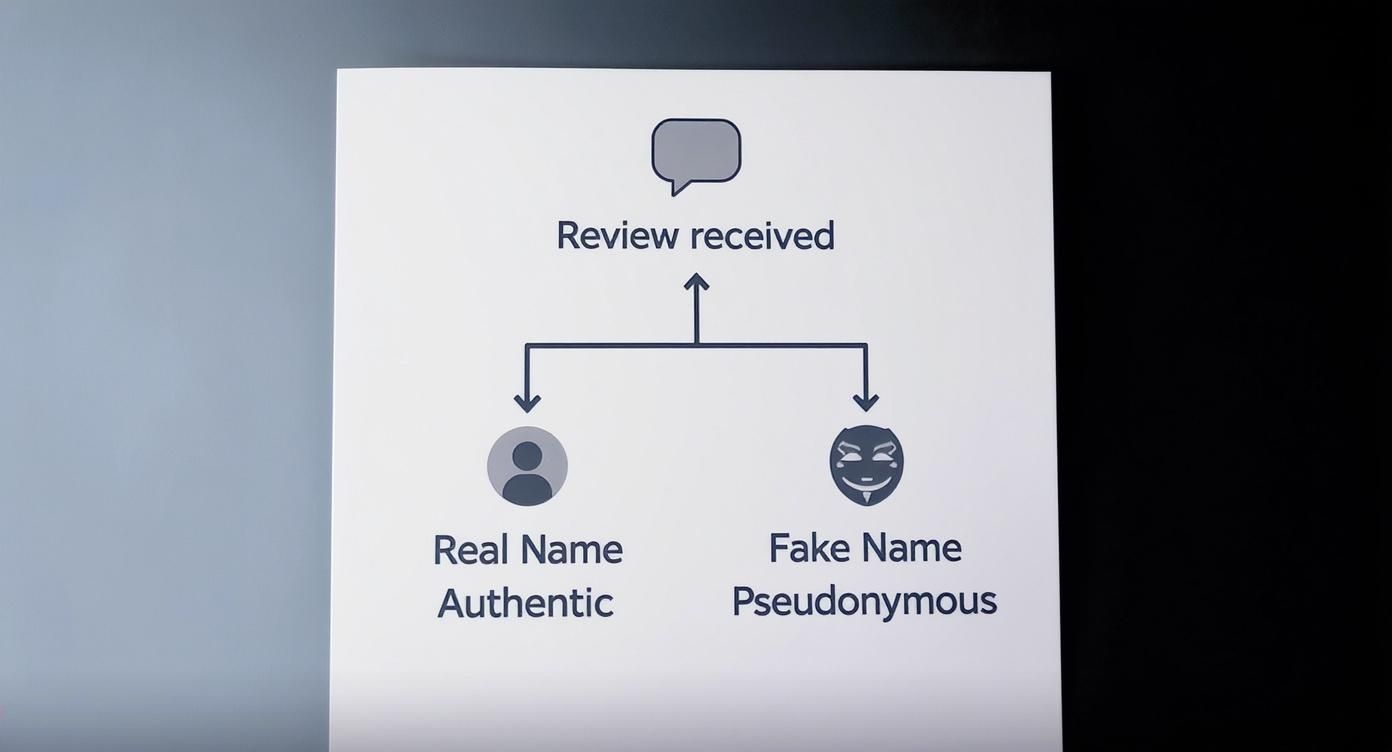
You can't leave a truly anonymous Google review, as every review is tied to a real Google account. However, users can use a pseudonym or fake name, making the review appear anonymous. Understanding how to handle these reviews is critical for local businesses because your star rating and review responses directly impact conversions—influencing whether a customer calls, books an appointment, or visits your [City] location.
Key Facts
- True Anonymity is a Myth: Every Google review is linked to a verified Google account, even if the user's display name is a pseudonym like "HappyCustomer123."
- Response is Non-Negotiable: A professional, timely response to all reviews—positive or negative—shows potential customers you are engaged and trustworthy.
- Proactive Strategy Wins: The best way to combat a negative pseudonymous review is to bury it with a consistent stream of positive, authentic reviews from real customers.
- Flagging Has Rules: You can flag reviews that violate Google's policies (like spam or conflicts of interest), but not just because they are negative.
- Reviews Drive Rankings: Your review volume, recency, and star rating are key factors in Google's proximity–relevance–prominence algorithm, which determines who shows up in local searches like "HVAC repair near me."
Step-by-Step: How to Manage an Anonymous Google Review
When a review from a name you don't recognize appears, it can be frustrating. Your goal is to verify the feedback internally, respond professionally, and take the conversation offline. This process protects your reputation and shows prospective customers that you are committed to quality service.
Step 1: Investigate Internally (Within 1-2 Hours)
Before responding, try to determine if the reviewer was a real customer.
- Check Your Records: Search your Customer Relationship Management (CRM) software or appointment book for details mentioned in the review, like the date of service, specific products purchased, or the issue described. For a dental practice in [City], you might search for a patient who had a specific procedure on the mentioned date.
- Talk to Your Team: Share the review's content with your staff. A front-desk employee at a med spa or a technician at an auto shop might remember the interaction.
- Look for Patterns: Does the review use language similar to other negative feedback? Does it sound like a competitor or a disgruntled ex-employee? Documenting these patterns is useful if you need to flag the review later.
Step 2: Respond Publicly (Within 24 Hours)
Your public response is for all future customers, not just the reviewer. Stay calm and professional.
- Acknowledge and Empathize: Thank them for the feedback.
- State Your Position Calmly: Briefly address the issue without getting defensive.
- Take it Offline: Provide contact information (a specific manager's name, phone number, and email) to resolve the issue privately. This is especially critical for healthcare providers to avoid sharing Protected Health Information (PHI).
Step 3: Flag the Review (If It Violates Policy)
If your internal investigation suggests the review is fake, flag it for removal. Google will not remove a review simply because it's negative, but it will if it violates policies like:
- Spam or Fake Content: The review is from a bot or paid actor.
- Conflict of Interest: The review is from a competitor or former employee.
- Off-Topic: The comment is a personal rant unrelated to a customer experience.
- Harassment or Hate Speech: The review contains threats or discriminatory language.
To flag a review, find it on your Google Business Profile, click the three-dot menu, select "Report review," and choose the most accurate violation. For more detailed instructions, see our guide on how to remove fake Google reviews.
Templates and Checklists for Your Review Program
A systematic approach ensures consistency and effectiveness. Use these scripts and checklists to build a powerful review management engine.
Review Request Scripts
SMS Script (Senior Living):
"Hi [Family Member Name], we hope [Resident Name] is settling in well at [Community Name]. Would you mind taking a moment to share your experience with our team? Your feedback helps other families in [City] find the right care. [Review Link]"
Email Script (Dental Practice):
"Hi [Patient Name], thank you for visiting us at [Practice Name] today. We'd be grateful if you could share your feedback in a Google review. It only takes 30 seconds and helps our practice immensely. [Review Link]"
Review Response Templates
Negative Review Response Template:
"Thank you for sharing your feedback. We take these comments seriously, but we were unable to locate a record of your visit based on the details provided. Our top priority is patient satisfaction, and we would appreciate the opportunity to discuss this with you directly. Please contact our Practice Manager, [Manager's Name], at [Phone Number] or [Email Address]."
Positive Review Response Template:
"This is wonderful to hear! While we can't thank you by name, we sincerely appreciate you taking the time to share your positive experience. Our team at [Business Name] was happy to help, and we look forward to seeing you again."
For more response strategies, explore our complete guide to responding to bad reviews.
7-Day Launch Checklist for Your Review Program
- Day 1: Optimize your Google Business Profile (GBP). Ensure Name, Address, Phone (NAP) are 100% accurate, upload 10+ high-quality photos, and add secondary business categories.
- Day 2: Create short, trackable review links for each location.
- Day 3: Finalize and get approval for your SMS and email review request scripts.
- Day 4: Train your team on when and how to ask for reviews.
- Day 5: Launch your first automated review request campaign to recent customers.
- Day 6: Monitor for new reviews and respond to all of them within 24 hours.
- Day 7: Review initial results and set monthly targets for review volume and star rating.

Measuring the Impact of Your Review Strategy
Effective reputation management isn't just about collecting stars; it's about driving revenue. By tracking the right Key Performance Indicators (KPIs), you can prove the direct connection between your online reputation and your bottom line.
Key Metrics and Recommended Targets
| Metric | Recommended Target | How to Track |
|---|---|---|
| Overall Star Rating | 4.5+ | Google Business Profile, Reputation Software |
| New Reviews / Month | 5-10 per location | Google Business Profile, Reputation Software |
| Review Response Rate | >90% | Google Business Profile, Reputation Software |
| Average Response Time | <24 Hours | Google Business Profile, Reputation Software |
| GBP Views/Calls | 10-15% Quarter-over-Quarter Growth | GBP Insights |
| Lead-to-Sale Conversion | Varies by industry | CRM, Google Analytics Goals |
How to Track Conversions from GBP
To connect reviews to revenue, you need to track a customer's journey from your GBP to a sale. The easiest way is using Urchin Tracking Module (UTM) parameters. A UTM is a code snippet added to a URL that tells analytics tools where a user came from.
Create a unique, UTM-tagged URL for the "Website" or "Booking" link on your Google Business Profile. When a user clicks it, Google Analytics will record that visit as coming directly from your GBP. This allows you to track exactly how many leads, calls, and sales your optimized profile is generating, helping you calculate marketing ROI for real impact.
Frequently Asked Questions (FAQs)
1. Can I find out who is behind an anonymous Google review?
No. Google's privacy policy prevents them from sharing a user's personal information, regardless of the display name used. Focus your energy on a professional public response and internal investigation rather than trying to identify the person.
2. What if a competitor leaves a fake review?
If you suspect a competitor is leaving fake negative reviews, document any patterns (e.g., multiple reviews in a short period with similar phrasing). Flag each review individually, select "Conflict of Interest" as the reason, and briefly explain why you suspect a competitor. This provides a stronger case for Google's review team.
3. Does responding to a negative review make my business look bad?
No, the opposite is true. A calm, professional, and helpful response shows potential customers that you take feedback seriously and are committed to customer service. Ignoring negative reviews can suggest you are hiding something or simply don't care.
4. How many reviews do I need for my local SEO?
There is no magic number, but recency and consistency are crucial. Aim for a steady stream of 5-10 new reviews per month for each location. This signals to Google that your business is active and relevant, which helps improve your ranking for searches like "best vet in [Neighborhood]."
5. Is it legal for someone to use a fake name for a review?
Yes, it is generally legal and permitted by Google's policies to use a pseudonym. The legality issue arises from the content of the review. If a review contains defamatory statements that are provably false, it may cross a legal line into libel.
6. Should we have a standard policy for responding to reviews?
Absolutely. For multi-location businesses, a standardized response playbook is essential. It ensures a consistent brand voice, minimizes legal risks (like HIPAA violations for a medical practice), and empowers local managers to respond quickly and confidently. A good policy includes approved templates and clear guidelines on when to escalate an issue.
7. How do I get more positive reviews?
The best way is to ask happy customers at the right time—usually right after a positive experience. Use automated tools to send simple, polite requests via SMS or email, making it easy for them to leave a review with a direct link. If you need help, you can always work with a partner to optimize your Google Business Profile.
Managing your online reputation is an ongoing effort that pays dividends in customer trust and local search visibility. If you're ready to turn customer feedback into a powerful marketing engine, book a strategy call. Our team provides expert guidance and flexible, month-to-month support to help you win online.


