
You post on X because customers are there, but most local businesses still can't answer the only question that matters: is it helping generate calls, messages, bookings, tours, or walk-ins? Twitter analytics gives you that answer when you stop treating it like a social scorecard and start using it as an operating tool for content, listings, and reputation.
For a business in [City] or [Neighborhood], that matters because social activity doesn't live in a vacuum. The right posts can send more people to your profile, your website, and your Google Business Profile, which affects how often nearby customers find and trust you when they search for services "near me."
Your Guide to Twitter Analytics for Local Business Growth
A plumber posts three service tips after a winter freeze. One gets shared around town, sends people to the website, and leads to two estimate requests. The other two collect a few likes and go nowhere. Twitter analytics helps you tell the difference, then repeat what produced demand.
For local businesses, that matters because the customer journey is scattered. A homeowner might see your post, visit your profile, search your business name on Google, read your reviews, and call from your Google Business Profile. If your reporting only tracks social engagement, you miss the part that affects revenue and local visibility.
I use Twitter analytics as a decision tool. It shows which topics attract nearby buyers, which offers push people to click, and which posts create branded searches that support trust. That last part gets ignored in a lot of social guides. Strong social activity can reinforce review generation, branded search behavior, and profile visits that help your business look more active and more credible when customers compare options on Google Maps.
A single post will not raise map rankings by itself. But steady posting tied to real local demand can support the signals around prominence and trust, especially when the traffic lands on a well-built site and a Google Business Profile with recent reviews, accurate services, and thoughtful responses.
Key Facts
- Link clicks, profile visits, and replies with buying intent matter most because they show movement toward a call, form fill, booking, or store visit.
- Local context beats generic posting for service businesses. Posts about storm damage, neighborhood events, seasonal issues, or location-specific promotions usually reveal more commercial intent than polished brand updates.
- Twitter activity can support local SEO indirectly by driving branded searches, sending users to your site and Google Business Profile, and reinforcing trust before someone chooses a business on Google Maps.
- Review management and social performance are connected. If a post gets attention but prospects find weak ratings, outdated hours, or no owner responses, that traffic does not convert well.
- Multi-location brands need location-level signals so they can see whether one branch is generating interest that leads to local action, instead of blending every result into one top-line report.
For teams building a wider digital marketing strategy for local businesses, Twitter analytics works best as part of the same system as listings, reviews, and conversion tracking.
Accessing and Navigating Your Analytics Dashboard
The dashboard is only useful if your team can find it quickly and read it without guessing. Keep this simple. Use desktop first, because the layout is easier to scan and easier to compare over time.
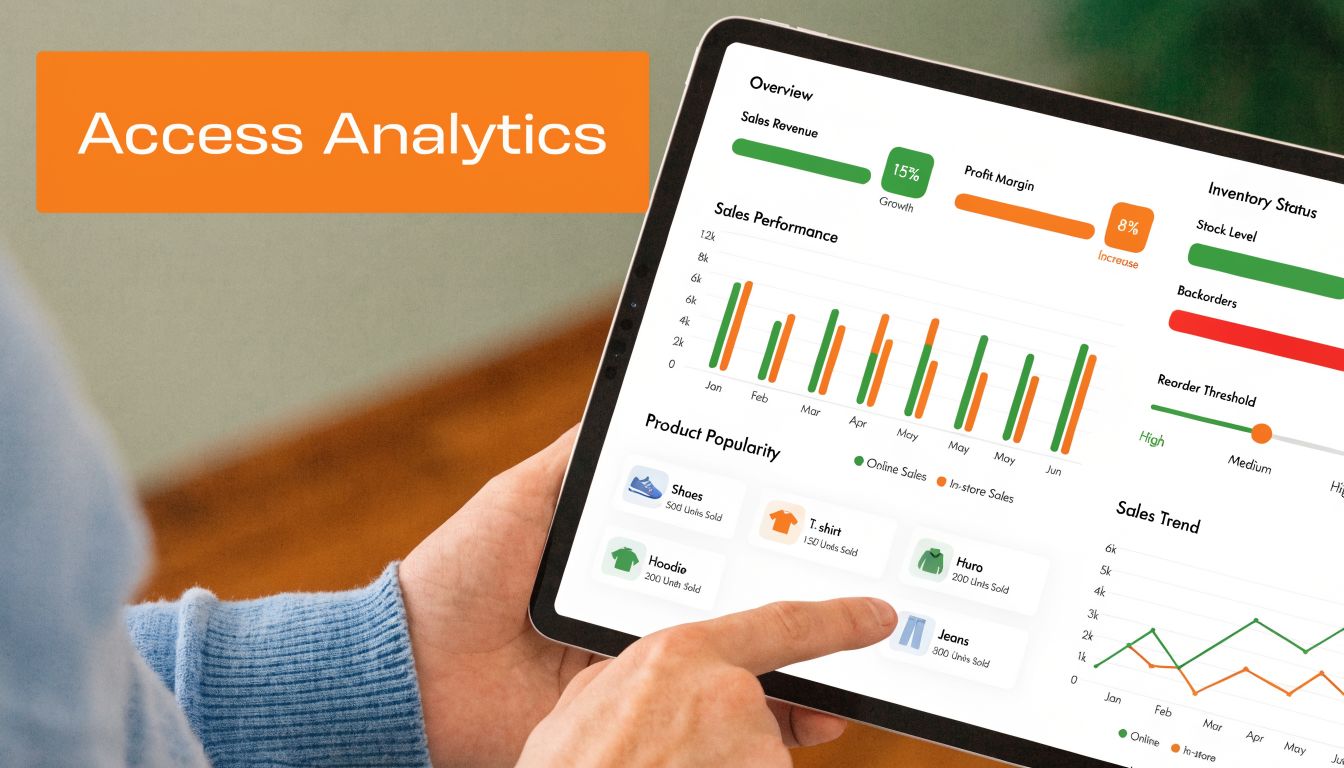
How to get into twitter analytics
Use this sequence:
- Log into your X account on desktop.
- Open your analytics area from the account analytics view if your account has access.
- Start with the account overview rather than individual tweets.
- Set a habit to review the same date range each time so your comparisons stay clean.
If you're on a free setup and don't have full dashboard access, you can still inspect post-level data from individual tweets. That won't replace a full reporting workflow, but it's enough to start spotting which posts bring clicks, replies, and profile interest.
The first screen usually gives you a rolling summary. Treat that as a pulse check, not a conclusion. It tells you whether things are moving up or down, but not why.
What the main areas mean
Most local businesses should care about three views first:
- Account overview gives you the broad trend line. Use it to see whether visibility and interaction are generally improving.
- Tweet activity or content view shows which specific posts are doing the work.
- Audience insights helps you understand whether the people engaging are close to your target customer profile.
A dental group, for example, might notice that office culture posts get attention from staff and peers, while insurance, emergency visit, and cosmetic service posts draw more profile visits and clicks. Those are different outcomes. The dashboard helps you separate "liked by everyone" from "acted on by buyers."
Don't overread one strong post. Look for repeatable patterns across several weeks.
A fast way to review the dashboard
When I review an account for a local operator, I move in this order:
| Dashboard area | What to look for | What it usually tells you |
|---|---|---|
| Overview | Spikes and dips | Whether something changed in posting, topic, or timing |
| Content | Best posts by clicks, replies, and profile visits | What people actually care enough to act on |
| Audience | Geography and follower fit | Whether you're attracting the right market or the wrong crowd |
That order matters. If you start in audience insights, you'll get curious and lose focus. If you start in content, you'll find the practical signals first.
A short visual walkthrough can help if your team prefers to see the interface before they use it.
What not to do in the dashboard
A few mistakes waste time fast:
- Don't judge performance by impressions alone. Reach without response often means the topic was broad but weak.
- Don't compare unrelated posts. A hiring post and a service explainer have different jobs.
- Don't let one regional manager use one standard for every location. A med spa in [City] and an auto shop in [Neighborhood] won't get the same response to the same message.
- Don't ignore post intent. Some tweets should educate. Some should drive clicks. Some should start conversations that later lead to reviews.
The dashboard is not complicated once you stop treating every metric as equally important. Most of the value comes from reading a few screens the same way every week.
Key Twitter Metrics That Actually Drive Business
A plumbing company can pull 20,000 impressions on a tweet about a frozen pipe warning and still get zero calls. Another tweet with far fewer views can send people to the emergency service page, trigger profile visits, and lead to two booked jobs by lunch. That is the difference between a busy dashboard and useful analytics.
The metrics that matter for local business are the ones tied to action. Start with response, then intent, then trust signals. That order keeps the team focused on outcomes instead of vanity.
Engagement rate shows whether the topic earns attention
Engagement rate is the first filter because it answers a practical question fast. Did the post make the right people care enough to do something?
A high-impression tweet with weak engagement usually means the topic was broad, vague, or poorly matched to buyer intent. A lower-reach tweet with stronger engagement often points to a service issue people need help with. For a roofer, "storm damage checklist for [City]" usually says more about demand than a generic company update.
Use engagement rate to sort topics into three groups. Keep the subjects that consistently earn replies, saves, clicks, or profile taps. Rewrite weak topics with a stronger local angle. Drop the filler.
Impressions still matter because they show whether people saw the post at all. If your team needs that distinction clarified, this guide on tweet impressions and how they drive customers explains the visibility side well.
Link clicks show commercial intent
For service businesses, link clicks are often the clearest sign that a tweet did real work. A click to a booking page, financing page, service page, or location page is closer to revenue than a like.
Look at clicks by post type, not as one blended average. A med spa may find that treatment prep tips get light engagement but steady clicks to the consultation page. A restoration company may see that storm updates earn reach, while insurance checklist posts drive visits to the contact form. Those posts deserve more repetition because they move people toward a decision.
This metric also has local SEO value. Posts that drive traffic to location pages, service pages, and review pages reinforce the pages you want customers to visit before they search your brand again on Google. Social activity is not a direct ranking shortcut, but it can increase branded searches, page visits, and review requests. Those signals support the broader visibility picture in Maps.
Profile visits measure trust before the conversion
Profile visits are easy to underestimate. In local marketing, they often signal a customer doing a quick credibility check before calling, booking, or searching your business name on Google.
That behavior matters. If someone taps through to your profile after seeing a tweet about emergency dental care, they want confirmation that you serve their area, handle the problem, and look legitimate. If the profile is messy, generic, or unclear about location, the path often breaks there.
A good profile supports more than Twitter performance. It strengthens branded trust across channels. Consistent city naming, service language, and links to the right location page help connect your social presence with your listings, reviews, and Google Business Profile. That consistency helps customers trust what they find when they compare you across platforms.
Strong tweets create interest. A clear profile turns that interest into a next step.
Follower growth matters only if the followers match your market
Follower count has some value, but only in context. A local business does not need a large audience from outside its service area. It needs an audience that can become callers, patients, walk-ins, or reviewers.
I look at follower growth as a lagging signal. If the account keeps attracting nearby homeowners, local professionals, or customers from target neighborhoods, that is useful. If growth comes from irrelevant accounts that never click, reply, or convert, the number means little.
This is a common issue with multi-location brands. One location can grow quickly because it posts about local problems and local proof. Another location can post polished brand content and add followers who never become leads. The better account is the one building demand in the market it serves.
Replies and media views help you refine message and format
Replies expose customer language. That makes them useful far beyond Twitter.
A garage door company might notice that posts about broken springs attract replies with urgency, while posts about noisy doors get more casual discussion. A dentist may see repeated questions about insurance, pain, and same-day availability. Those patterns can improve website copy, FAQ sections, Google Business Profile updates, and even the way front-desk staff answer the phone.
Media views help when you are testing format. Short technician videos, before-and-after clips, and quick service explanations can earn attention that static posts miss. The trade-off is simple. Video may increase awareness and profile visits, while plain-text or image posts often drive cleaner clicks when the offer is direct. Track both, then keep the format that supports the goal of the post.
If your content calendar is running thin, build from proven local questions first, then fill gaps with evergreen social media content ideas that can be adapted to each location.
A simple scorecard keeps this section practical:
- Engagement rate identifies topics worth repeating.
- Link clicks show which posts support leads and bookings.
- Profile visits reveal whether interest is turning into trust.
- Follower growth shows whether attention is compounding in the right market.
- Replies and media views help improve message, offers, and format.
The useful pattern is not "which tweet won." It is which tweet brought the right local customer one step closer to calling, booking, visiting, or leaving a review.
Practical Growth Tactics for Local and Multi-Location Brands
A homeowner sees your tweet about a same-day AC repair, clicks your profile, searches your business name, checks your Google Business Profile, reads two recent reviews, and calls. That path is common for local service businesses. Twitter analytics matter because they show which posts start that path, not because they produce nice-looking engagement charts.
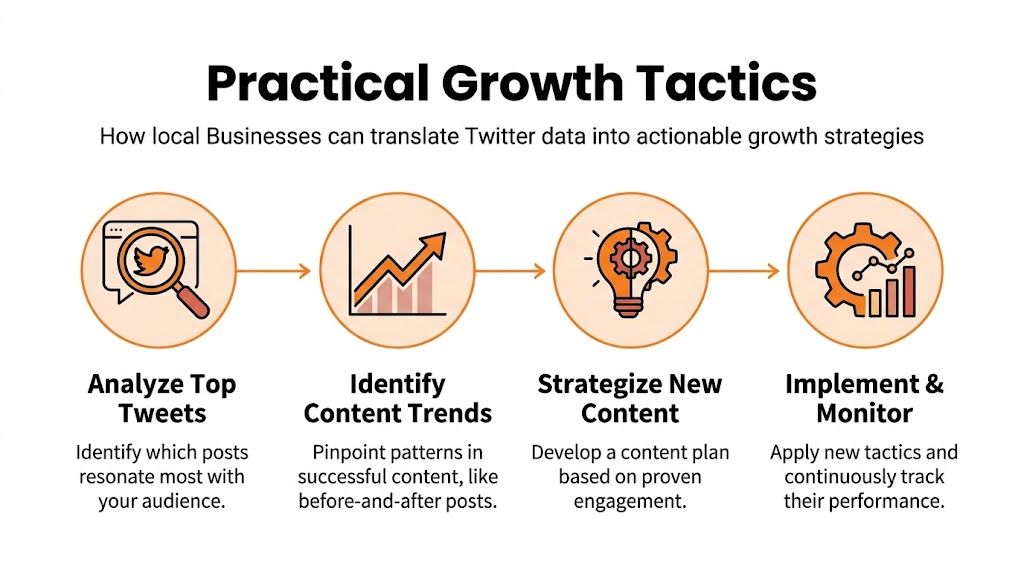
Publish around real local problems
Generic brand posts rarely help a buyer choose a local provider. Problem-focused posts do.
An HVAC company in [City] should test posts tied to actual service demand. Examples include "AC running but not cooling," "why the upstairs stays hot," "what to check before you call for emergency repair," and "how fast we can get to your neighborhood today." A dental office can do the same with urgent tooth pain, insurance questions, sedation concerns, and same-day visit availability. An auto shop can post about brake noise, battery failure during cold snaps, and check-engine light questions.
Twitter analytics help sort this fast. If posts tied to clear service problems consistently earn more clicks, replies, and profile visits than culture posts, the content plan should shift toward service intent. Keep some brand personality. Do not let it take over the calendar.
Turn winning tweets into a location-based system
Strong local teams do not chase endless new ideas. They reuse proven themes and adapt them by market.
Use a simple monthly workflow:
- Review top-performing tweets by location.
- Mark each post by intent. Calls, bookings, directions, review generation, or awareness.
- Pull out repeat themes such as emergencies, seasonal issues, before-and-after photos, financing questions, or staff expertise.
- Rewrite each winning theme for three versions. One for urgency, one for education, and one for trust.
- Send each post to the right page, such as a location page, service page, booking form, or review request destination.
If your team needs a broader prompt list, this collection of evergreen social media content ideas can help fill the calendar. The key is local adaptation. A plumbing brand with ten locations should not post the same frozen-pipe message in every market if only three locations are dealing with a cold-weather spike.
Multi-location brands usually lose results when corporate publishes one generic feed and calls it local marketing. A better model is a shared playbook with room for each location to swap in neighborhood names, weather triggers, local photos, nearby landmarks, and service availability.
Posting time also matters, but only after message fit is right. Review your own performance patterns and compare them against a practical guide to the best times and best day for social media posts so each location posts when its audience is active.
Use Twitter to support Google Maps visibility
Twitter does not directly control local rankings. It does affect the signals around your brand that influence whether people search you, trust you, and choose you.
For local SEO, that matters. A steady stream of useful, place-specific tweets can reinforce the services you want to be known for. It can also increase branded searches when people see your posts, remember your name, and look you up later. Then your Google Business Profile, reviews, and website have to close the sale.
That is the trade-off. Social content can create demand and attention. Google Business Profile and reviews convert that attention into calls, direction requests, and booked jobs. If either side is weak, performance drops.
Tighten the handoff from tweet to search to call
Before pushing harder on Twitter, clean up the assets people check after they leave the platform:
- Confirm your name, address, phone number, hours, and primary category are accurate across every location.
- Make sure each location page matches the services and cities your tweets mention.
- Add recent photos that show the office, team, vehicles, job results, or storefront.
- Keep review responses current so prospects do not see a neglected profile.
- Check that call, booking, and website links work on mobile.
- Match social offers to real landing pages. Do not tweet about emergency service and send people to a generic homepage.
Many local brands waste good traffic. The tweet gets attention, but the Google profile looks stale, the reviews are old, or the landing page does not match the promise in the post.
A better approach is to treat Twitter analytics as an early signal. If one topic earns strong clicks and profile interest, support it across search and reputation assets too. Update the related service page. Refresh the Google Business Profile photos. Ask for reviews tied to that service line. For multi-location brands, repeat that process market by market instead of assuming one winning topic applies everywhere.
Integrate Twitter With Your Review and Listing Strategy
Twitter works best when it's part of a reputation workflow. On its own, it's a distribution channel. Connected to reviews and listings, it becomes a trust amplifier.
A local buyer often checks multiple surfaces before choosing you. They may see a tweet, look at your recent posts, search your business name, read your reviews, and decide based on how current and credible your business appears. If your tweets sound helpful but your reviews are stale or your listings are messy, trust breaks.
How to use Twitter to support reviews
Use the platform for three review-related jobs.
First, spot service moments worth requesting a review. If a customer replies publicly with praise, that's a soft signal to follow up through your approved review request process.
Second, amplify proof without overdoing it. Share selected review themes in plain language, especially around speed, friendliness, cleanliness, communication, or outcome quality. Keep it simple and stay compliant. Healthcare teams should never disclose PHI, and housing brands should stay neutral and Fair Housing aware.
Third, watch for friction. Complaints in replies often show up before formal reviews do. If your staff handles those quickly, you may prevent a poor public review later.
If your team is trying to centralize that process, this overview of social media reviews and reputation workflows is relevant.
The best time to ask for a review is right after the customer says, "Thanks, that was easy."
Review request scripts for a home services business
Use these as templates. Personalize the service and location.
SMS review request for HVAC
Hi [First Name], thanks again for choosing [Business Name] for your HVAC service in [City]. If you have a minute, would you share your experience in a review? Your feedback helps other local homeowners know what to expect: [Review Link]
Email review request for HVAC
Subject: Quick favor about your service visit
Hi [First Name],
Thanks for choosing [Business Name] for your recent service in [City]. If our team helped get things back on track, we'd appreciate a quick review. It helps other local customers feel confident when they need help fast.
Leave a review here: [Review Link]
Thank you,
[Team Member Name]
[Business Name]
Review response templates
Positive review response
Hi [First Name], thank you for the kind words and for trusting [Business Name]. We're glad our team could help with your [service type] in [City]. We appreciate you taking the time to share your experience.
Negative review response
Hi [First Name], we're sorry your experience didn't meet expectations. We take feedback seriously and want to look into this. Please contact [phone/email] so our team can review the details and work toward a resolution.
For healthcare, keep responses general. Don't confirm treatment details, appointment specifics, or anything that could expose PHI.
A 7-day launch checklist for a review program
Use one week to build the habit:
- Day 1 Set review goals by location and assign one owner for follow-up.
- Day 2 Finalize SMS and email templates for each vertical.
- Day 3 Update your Google Business Profile links and landing pages.
- Day 4 Train staff on when to ask and what not to say.
- Day 5 Create response templates for positive and negative reviews.
- Day 6 Start monitoring mentions, replies, and reviews in one workflow.
- Day 7 Review the first round of responses and adjust scripts.
This doesn't need to be complicated. It needs to be consistent. Social proof gets stronger when request timing, response quality, and listing accuracy all move together.
Measuring for Growth A Reporting Framework
A local owner does not need a 20-slide social report. They need answers to a few business questions. Did Twitter activity drive site visits from the right towns. Did those visits turn into calls, forms, or booked appointments. Did the extra visibility support branded searches, Google Maps actions, and fresh reviews.

A useful reporting framework ties Twitter performance to local demand signals. That means tracking what happens on the platform, what happens on your site, and what happens after someone searches your business again on Google.
Keep the reporting cadence simple
Use two reporting rhythms and keep both focused on decisions:
- Weekly check-in for top posts, link clicks, profile visits, mentions, review activity, and any drop in response quality
- Monthly review for trend lines, location-by-location comparisons, campaign themes, branded search lift, and lead quality
For a plumber with three service areas, the weekly review might show that posts about emergency repairs get clicks but little engagement, while financing posts get fewer impressions and more form fills. That changes the next week's content plan fast. The monthly review is where you check whether those clicks also lined up with more Google Business Profile calls and newer reviews in the same markets.
Tag every important link with UTMs
UTMs let you trace a tweet back to a real action on your site. Without them, social traffic gets lumped together and the handoff to local SEO becomes hard to prove.
A simple structure looks like this:
- utm_source = x
- utm_medium = social
- utm_campaign = spring_ac_tuneup
- utm_content = video_post or pinned_post
Consistency matters more than complexity. Use the same naming rules every time so your reports stay clean.
A dental office might use one tagged link for cosmetic consults and another for emergency appointments. A med spa might separate promotional posts from educational threads. An HVAC company might tag links by city page, not just by campaign, so the team can see whether tweets are sending traffic into the location pages that support Maps visibility.
Track the handoff from social to local search
Local buying journeys rarely happen in one click. Someone sees a tweet, visits the site, leaves, searches your brand two days later, reads reviews, then calls from Google Maps. If you only report Twitter impressions and engagements, you miss the part that pays the bills.
Review these handoff points each month:
- Twitter post to website click
- Website visit to form fill, call click, or booking
- Branded search activity
- Google Business Profile views, calls, and direction requests
- Review recency and review response coverage
- Location page engagement by market
That last layer matters more than many social guides admit. Consistent social activity can support brand familiarity, branded search behavior, and review momentum. Those signals do not replace local SEO fundamentals, but they often reinforce them. If you want one place to organize those numbers, this local SEO reporting framework is a practical model.
Build a scorecard that a location manager will actually use
Keep the scorecard short enough to review in 10 minutes. I usually want one row per location and one row for total brand performance. Each line should answer three things: what got attention, what drove action, and what helped trust.
| Metric | What to Look For in Service Businesses | What to Look For in Healthcare | Why It Matters |
|---|---|---|---|
| Engagement rate | Steady or improving response on posts tied to offers, seasonal needs, and local topics | Steady response on service-line education and office updates | Shows whether content connects with the audience you want |
| Link clicks | More clicks to service pages, financing pages, and contact paths | More clicks to provider, location, and appointment pages | Connects posting activity to site visits |
| Profile visits | Spikes after useful local posts or customer proof | Spikes after trust-building content and staff highlights | Signals brand interest before a search or call |
| Review volume | Consistent new reviews by location | Consistent, compliant review growth | Fresh reviews support trust and local visibility |
| Review recency | Reviews arrive throughout the month | Reviews arrive steadily without staff bunching requests | Reduces hesitation for new buyers |
| Review response coverage | High response coverage across locations | High response coverage without exposing private details | Shows the business is active and attentive |
| GBP calls and direction requests | Upward trends after campaigns and local content pushes | Upward trends by office or service line | Connects visibility to real inquiries |
| Lead quality | Calls and forms from target service areas | Appointment requests that match target treatments and locations | Separates useful traffic from empty activity |
One warning. Do not grade Twitter in isolation. A post can look average on-platform and still perform well if it sends people to the right location page, triggers a branded search later, or helps a prospect trust the business enough to choose you after reading reviews.
Good reporting proves contribution, not busyness.
Common Twitter Analytics Questions Answered
Why does my data change from one day to the next
Platforms update reporting windows, late interactions come in, and attribution can shift as posts continue getting seen. Don't make decisions from a single day. Compare at a consistent weekly or monthly cadence.
What's the difference between impressions and engagements
Impressions are how many times a post was displayed. Engagements are the actions people took after seeing it, such as likes, replies, reposts, clicks, and similar interactions included in the platform's engagement formula. Impressions tell you reach. Engagements tell you response.
How far back should I compare performance
Use enough history to spot patterns, not random noise. For operational decisions, compare recent periods consistently and review enough posts to identify repeated behavior rather than one-off spikes.
Can I see who liked or reposted my post in analytics
Not fully in native reporting. That's a common limitation. Twitter Analytics provides aggregate numbers but not a list of who engaged, and marketers often want that detail for follow-up. The practical workaround is using outside tools and monitoring engaged non-followers instead of obsessing over vanity counts, as covered in the Hootsuite guide to Twitter analytics limitations and workarounds.
Which metric should a local business watch first
Start with engagement rate if you need to understand content fit. Then look at link clicks and profile visits to see whether that attention is moving toward action. If you jump straight to followers, you'll miss the buyer signals.
Do "near me" topics belong on X
Yes, when they're written naturally. Service businesses should post around real local intent phrases and local problems, such as emergency plumbing in [City], brake repair near [Neighborhood], or same-day dental help in [City]. Forced keyword stuffing looks bad and usually performs badly.
Does twitter activity help local SEO
Indirectly, yes. It can support branded awareness, content discovery, review amplification, and stronger trust signals across the buyer journey. It will not fix weak listings, poor reviews, or a broken website. Social helps most when the rest of your local presence is already functional.
Twitter analytics is useful when it helps you make better local decisions. Post more of what earns real intent, clean up the paths from tweet to profile to listing to booking, and stop measuring success by applause alone.
If you want help tying social activity to reviews, local visibility, and measurable leads, Reviews To The Top can help. Their team supports local and multi-location brands with month-to-month programs focused on review generation, listing accuracy, response workflows, and reporting that connects activity to calls, bookings, and new customers. You can book a strategy call when you're ready for a practical plan.


