
If you're searching for google reviews my business, the short answer is this: Google reviews directly affect whether people call, message, book, or keep scrolling to a competitor. For local and multi-location operators, a disciplined review program matters because buyers use reviews as a gate before they act, and Google uses review signals to decide who looks most credible in local results.
You already know the situation. One location gets steady praise, another has stale reviews, a third has an unanswered complaint from last month, and your regional team is trying to manage it all from a spreadsheet. That setup leaks conversions.
Introduction and Key Facts
A customer searches your category on Google, sees three nearby options, and clicks the one with fresh, specific reviews. That decision happens in seconds. For a multi-location brand, review management is not a branding side project. It is an operating discipline that affects who gets the click, who gets the call, and which locations keep falling behind.
That matters even more when corporate teams are trying to scale local performance. One location may need more first-party service feedback. Another may need faster owner responses in a high-complaint category. A third may need tighter request timing after completed jobs. The right program is not one generic review push across every branch. It is an AI-assisted, category-specific workflow with response SLAs, escalation rules, and location-level standards that match how Google evaluates local businesses.
If you want a solid companion read on profile fundamentals, these effective Google My Business SEO tips are useful. For a closer look at the visibility question, see how Google reviews help SEO for local rankings.
Practical rule: Treat reviews like a managed channel. Set targets by category, assign response-time SLAs, and use AI to draft faster, but keep human approval for exceptions and escalations.
Key Facts
- Google dominates review discovery for local businesses. Analysts at Shapo found Google holds a leading share of online reviews and remains the primary review platform for business evaluation. For operators, the implication is simple. If your review process is weak on Google, your local visibility and conversion rate both suffer.
- Review volume still matters, but review quality and recency decide whether that volume helps. Good Reviews notes businesses in the Google Maps Pack tend to have more reviews than lower-ranked competitors, and it also cites research connecting higher star ratings with revenue gains. The takeaway is to stop chasing raw count alone. Build a steady flow of recent, detailed reviews tied to the services and categories each location wants to rank for.
- Consumers use Google reviews as a screening tool before they act. That changes how multi-location teams should operate. Request timing, response speed, issue routing, and category tagging should be standardized, measured, and enforced the same way you manage lead follow-up or missed-call handling.
- Multi-location brands get better results with location-specific review workflows. A dental group, storage operator, and home service brand should not ask for reviews the same way or respond the same way. Use AI to speed up drafting, sentiment sorting, and escalation, but set clear rules for what must be customized by location, service line, and review type.
Step by Step Review Program Setup
A regional director opens the dashboard on Monday morning and sees the same brand performing like three different companies. One location gets fresh, detailed reviews every week. Another gets almost none. A third gets reviews, but nobody replies and a complaint about wait times has been sitting there for nine days. That gap is not a marketing problem. It is an operating problem.
Set this up like an SLA-driven local visibility program. Each location needs the same rules, the same triggers, and the same escalation path. Then adapt the wording and response logic by category, service line, and review type.
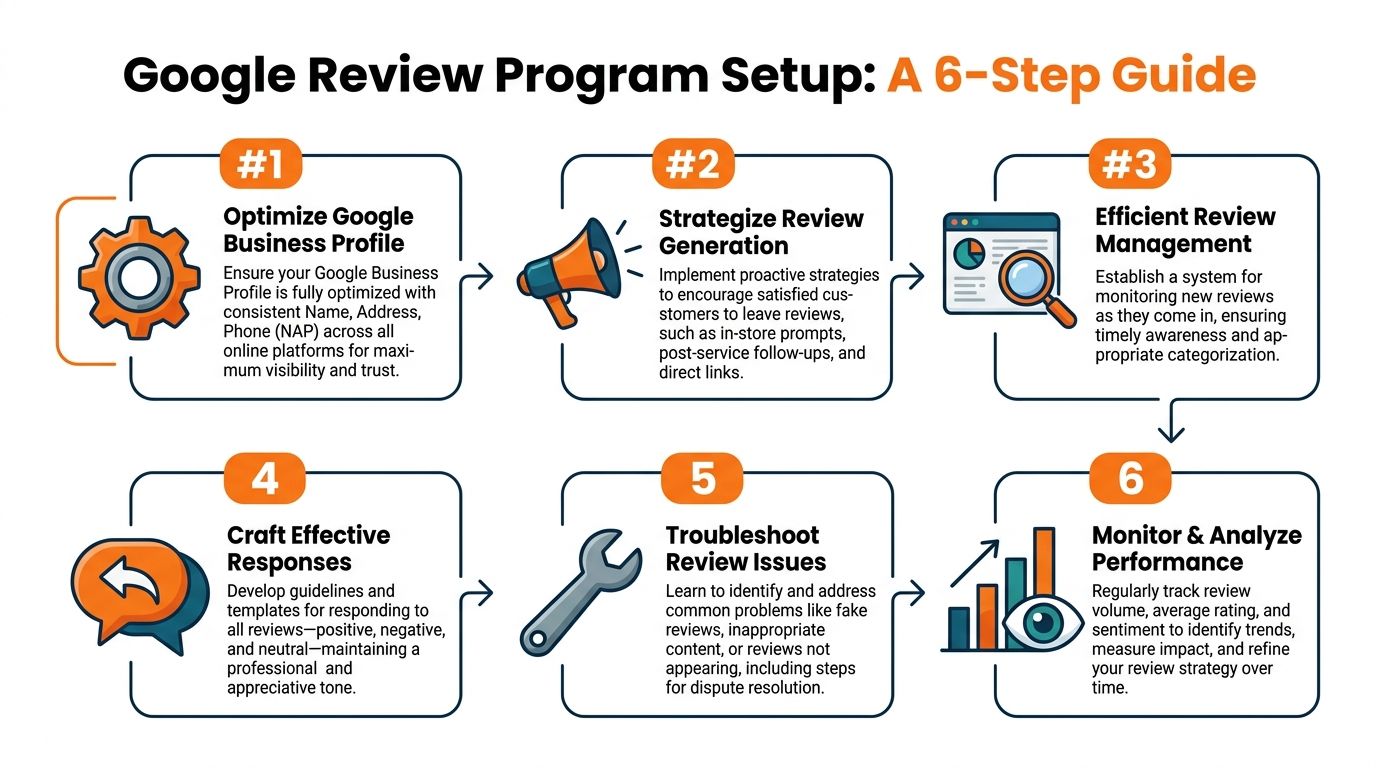
Step 1 Optimize the Google Business Profile
Fix the profile before you ask for more reviews. Sending customers to a weak listing wastes good customer moments and limits what those reviews can do for local rankings and conversion.
Use this short checklist:
- Match NAP everywhere. Your business name, address, and phone must be consistent across your site, listings, and location pages.
- Set the right primary and secondary categories. Use categories that match buyer intent and the services you want each location to rank for.
- Upload strong photos. Show storefront, team, equipment, treatment rooms, service vehicles, menu items, or waiting areas.
- Fill the services section. Use plain-English service names tied to what each location offers.
- Seed the Q&A area. Add useful questions buyers ask in [City] or [Neighborhood], then answer them clearly.
- Check hours and holiday updates. Wrong hours create preventable one-star reviews.
- Link the right landing page. Each profile should point to the matching location page, not the homepage.
For a practical walkthrough, use this guide on how to optimize your Google Business Profile.
Step 2 Build a review request system that runs automatically
Manual reminders fail. Trigger-based requests scale.
Send the ask right after the moment of satisfaction, not at the end of the week when the customer barely remembers the interaction. Tie SMS or email to the event that matters: completed checkout, closed work order, vehicle pickup, finished appointment, signed lease milestone, or completed tour.
A verified case study from YourCX reported that a disciplined 6-step Google Business Profile review management system increased average ratings by 44%, raised weekly review volume by 338%, and improved positive share from 60% to 89% within 4–6 months. That benchmark appears in their guide on Google review management.
If your team is still sending links by hand, fix that first. Use systems that automate your review requests based on completed jobs, visits, or tours.
What to trigger by vertical
- Dental and med spa. Send after checkout, once the visit is complete. Keep wording HIPAA-aware and never mention treatment details.
- HVAC and plumbing. Send after the tech closes the job and the customer confirms the issue is resolved.
- Auto repair. Send after vehicle pickup, once payment is complete.
- Senior living. Send after a tour or move-in milestone, with neutral language that stays Fair Housing safe.
Step 3 Set monitoring rules and ownership
| Review type | Owner | Action | SLA |
|---|---|---|---|
| Positive review | Local manager or approved responder | Reply with a location-specific thank you and mention the service delivered | Within 2 business days |
| Neutral review | Local manager | Acknowledge the issue and clarify what happened | Within 1 business day |
| Negative review involving service delay or staff conduct | Regional leader | Investigate, coordinate facts, and respond with next steps | Same business day |
| Sensitive review involving healthcare privacy, legal threats, discrimination claims, or safety | Central team | Remove risky details from the reply and escalate internally | Immediate review before posting |
One brand owner and one local owner per location is enough. More than that creates delay and finger-pointing.
Put the rules in writing. Define who can post without approval, what language requires escalation, and how locations log follow-up. Busy teams do better with tight guardrails than with broad “use your judgment” instructions.
One sloppy reply from one location can undercut the work of the other 49.
Step 4 Respond in a way that helps trust, conversion, and AI visibility
Responses are not customer service theater. They are structured local content.
A good reply confirms the experience, reflects the category, and reinforces the service language you want associated with that location. For example, an HVAC location should mention the resolved cooling issue, emergency repair, or maintenance visit when appropriate. A dental office should mention the team, the office, and the patient experience without crossing privacy lines. That category fit matters because generic replies do not strengthen the service themes tied to the listing.
AI-assisted workflows earn their keep. Use AI to draft responses from approved brand language, location data, service tags, and review sentiment. Then require human approval for anything negative, regulated, or sensitive. That setup gives multi-location brands speed without losing control.
Done right, AI-assisted replies support the exact signals your local program is trying to build. Category-specific wording improves service relevance. Consistent mention of the location, staff role, and experience details strengthens entity clarity for search systems. Fast response times and disciplined volume management improve the public record buyers and ranking systems see over time. AI should not write vague pleasantries faster. It should help each location produce better, safer, more consistent review content at scale.
Here’s a useful explainer before you implement the workflow at scale:
Step 5 Troubleshoot missing, filtered, or fake reviews
Start with the failure points.
- Confirm the customer posted the review. Many customers copy the link, start the process, and never submit.
- Check the location URL used in the request. Multi-location brands often send the wrong link from the CRM or front desk.
- Review the request language. Anything that looks manipulative, repetitive, or selective can create filtering issues.
- Audit the send pattern. A sudden burst from one location or one device cluster can create problems.
- Log repeat issues by store. If one location always has missing reviews, the process is broken there.
If a review looks fake or abusive:
- Flag it in Google Business Profile
- Capture screenshots
- Record why it violates policy
- Track status in a shared log
- Avoid arguing publicly while the dispute is pending
Train managers on one more rule. Never improvise a public fight in the replies. Investigate first, document the case, and use a standard path for escalation.
Step 6 Run weekly and monthly review operations
A review program works on cadence. Weekly actions keep the queue clean. Monthly review shows which locations are drifting, which categories are producing useful review language, and where automation or training is failing.
Weekly operating rhythm
- Check new reviews by location
- Review unanswered items
- Spot locations with weak recent volume
- Look for recurring complaint themes
- Escalate anything with legal, safety, or privacy risk
Monthly leadership review
- Compare locations side by side
- Identify stores with stale review recency
- Look for category-specific language in positive reviews
- Audit whether replies reflect the brand properly
- Decide which underperforming locations need training or automation fixes
First-week accountability tracker
Use this to keep launch week on schedule without repeating the whole setup process.
- All location profiles audited and corrected
- One approved review link assigned to each location
- Request triggers connected to the right customer events
- Governance owners and SLAs assigned
- Alerts, logs, and escalation paths activated
- Pilot locations trained with category-specific examples
- First batch of live reviews reviewed for quality and speed
Templates and Scripts for Requests and Responses
Most operators overcomplicate this. Keep the ask short, easy to tap, and specific to the location.
Use a unique link for each store or office. If you shorten it, keep a clear naming convention by brand, location, and channel. If you add UTM parameters to a landing page tied to your review process, label them so your team can trace source and location later.
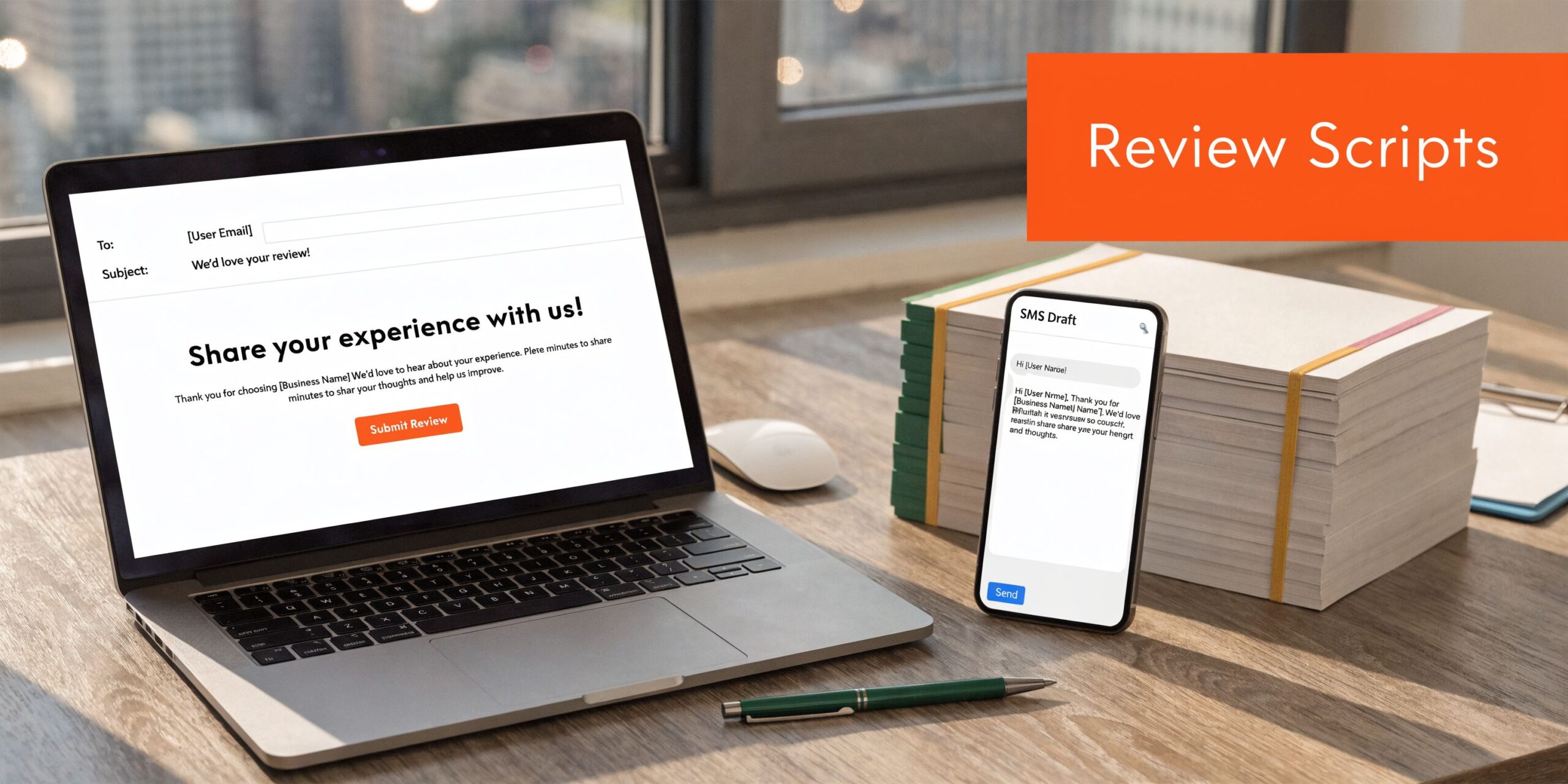
SMS review request template
Use case
Best for HVAC, dental, auto repair, vet, and med spa after the visit or completed job.
Template
Hi [First Name], thanks for choosing [Brand] in [City]. If you have a minute, would you share your experience with our team here? Your feedback helps other local customers who are searching for [service] near me. [Review Link]
Customize it like this
- Dental: Replace “[service]” with “dentist” or “dental office”
- HVAC: Use “AC repair” or “heating service”
- Auto: Use “auto repair” or “oil change”
- Vet: Use “veterinarian” or “pet care”
- Med spa: Use “med spa” or “aesthetic services”
Compliance notes
- Healthcare: Don’t include treatment details. Keep it HIPAA-aware.
- Senior living and housing-related businesses: Keep the message neutral. Don’t imply protected-class preferences or outcomes.
Email review request template
Subject line
Thanks for visiting [Brand] in [City]
Body
Hi [First Name],
Thank you for visiting [Brand] at our [Neighborhood] location. We’d appreciate your feedback on your experience with our team.
If you’re open to it, please leave a Google review here: [Review Link]
Your comments help other local customers choose a provider they can trust.
Thank you,
[Manager Name]
[Brand]
[Location Phone]
This version works well for dental practices, senior living communities, and med spas because it feels a little more personal than SMS.
A good request sounds like a follow-up from a competent business, not a marketing blast.
Positive review response template
For a reusable starting point, keep a location-approved library like this Google review template collection.
Template
Hi [Reviewer Name], thank you for taking the time to share your feedback about our [City] location. We’re glad you had a strong experience with our [team/service]. We appreciate you choosing [Brand], and we look forward to helping you again.
Why this works
- It names the location
- It reinforces the service category
- It avoids robotic filler
- It stays safe for healthcare and regulated categories
Negative review response template
Template
Hi [Reviewer Name], thank you for your feedback. We’re sorry your experience did not meet expectations at our [City] location. We take concerns like this seriously and want to review what happened. Please contact us at [Direct Contact Method] so our team can look into it and work toward a resolution.
Rules for using it
- Don’t argue in public
- Don’t mention private account or patient details
- Don’t promise an outcome before you investigate
- Don’t copy the same exact message to every complaint
AI-assisted responses can help here if they are context-aware, brand-approved, and tied to escalation rules. One verified source states that businesses using AI-optimized review responses saw 25% more foot traffic from LLM-powered queries compared with manual replies flagged as inconsistent, according to this PMC reference.
Quick response standards by vertical
| Vertical | Positive reply tone | Negative reply caution |
|---|---|---|
| Dental | Warm and professional | Never confirm treatment details |
| Med spa | Polished and service-focused | Avoid discussing procedures publicly |
| HVAC | Direct and practical | Address delays without blame |
| Auto | Helpful and straightforward | Acknowledge inconvenience clearly |
| Senior living | Respectful and calm | Stay Fair Housing neutral |
Measurement and Tracking Best Practices
If you can’t measure review activity by location, you can’t manage it.
A 60-location brand can have the same average rating across the company and still lose ground in Google Maps because eight stores stopped generating fresh reviews. Total review count is slow and blunt. Review velocity, the rate of new reviews each week by location and category, is the metric that shows where visibility is likely to rise, stall, or slip.
Google’s local model rewards the mix of proximity, relevance, and prominence. You cannot change proximity. You can strengthen relevance with the right category and service signals in your profile and responses. Prominence is where review measurement matters. For multi-location operators, that means tracking review activity with location-level SLAs, not just watching the company average.
What to track every month
Track the metrics that show whether the review program is helping locations win more local demand.
| Metric | What to watch | Measurement method |
|---|---|---|
| Review velocity | New reviews per week by location, compared against that location’s prior 8 to 12 weeks | Google Business Profile review count by location and week |
| Review recency | Days since last new review | Location-level review feed |
| Response SLA | Time from review posted to reply published, split by positive and negative reviews | Timestamp comparison in your review management tool or GBP workflow |
| Star rating trend | Rolling change in average rating, not just current score | Monthly location-level rating trend |
| Theme mix by category | Service, staff, wait time, billing, cleanliness, outcomes, or other category-specific topics | AI-assisted tagging with human QA |
| GBP actions | Calls, directions, bookings, messages, website clicks | Google Business Profile performance reporting |
| Down-funnel outcome | Booked appointments, tours, sold jobs, or closed leads tied back to location | CRM, call tracking, or booking system |
One rule matters here. Compare locations against their own category and market context. A dental office, med spa, and HVAC branch do not earn reviews at the same pace, and they should not share the same targets.
A reporting setup that actually works
Use one dashboard with three views. This is the cleanest setup for a multi-location brand because each level sees only what it can act on.
Executive view
This view is for owners, regional leaders, and senior marketing operators.
Show:
- Current rating by location
- Review velocity trend by region
- Locations below SLA
- Unanswered negative reviews
- GBP actions by location
- Revenue-impact locations that need intervention first
If you want a clean model for structuring those reports, use this local SEO reporting framework for multi-location teams.
Regional operations view
Review governance is managed through these operations.
Include:
- Review velocity by location and category
- Response SLA compliance
- Escalated negative reviews
- AI-tagged complaint themes
- Locations with recency gaps
- Rating drops over the last 30 days
- Locations where GBP actions are rising but review flow is falling
This view should tell a regional director where to coach, where to audit process, and where to send central help.
Location manager view
Keep it short. If a store manager needs five minutes to understand it, you built the right report.
Show:
- Reviews received this week
- Reviews awaiting reply
- Reviews nearing SLA breach
- Top positive themes
- Top service issues mentioned in recent reviews
- Request coverage rate, if you track asks through SMS, email, or POS
That last metric matters more than operators think. Low review volume usually starts with poor request coverage, not market demand.
How to tag and attribute review-driven traffic
Generic UTM rules are not enough. Your naming has to show which location, which request channel, and which review workflow produced the visit.
Use a consistent structure tied to the location and ask method:
- utm_source=google
- utm_medium=sms-review-request
- utm_campaign=chicago-dental-loop
- utm_content=post-visit-day-1
A real example looks like this:
?utm_source=google&utm_medium=sms-review-request&utm_campaign=chicago-dental-loop&utm_content=post-visit-day-1
That tells you four useful things fast. The traffic came from Google, the ask was sent by SMS, the campaign belongs to the Chicago Loop dental location, and the request timing was the day-one post-visit workflow.
Use the same discipline for QR cards, front-desk follow-up emails, technician text requests, and kiosk flows. If one location gets strong review volume from SMS and another gets better results from email, your reporting should make that obvious within a month.
Call tracking should also stay location-specific. If a profile drives calls but the location’s review velocity is weak, fix the ask process at the point of service, not just the profile.
What should trigger action
Set hard thresholds. Then enforce them.
- Review velocity drops for two straight weeks. Check request coverage, link accuracy, staff compliance, and whether the automation failed.
- No new review within the allowed recency window. Trigger a local recovery plan by category and location.
- Negative review response misses SLA. Reassign ownership and escalate if the issue involves legal, safety, privacy, or discrimination risk.
- Rating trend declines over the month. Audit operations, staffing, wait times, and service quality. Do not treat this as a copywriting problem.
- Complaint themes cluster around one issue. Feed that issue to operations, not just the response team.
- GBP actions increase but bookings or sales do not. Fix intake, scheduling, front-desk handling, or call routing.
The best review programs are disciplined, category-specific, and measured against SLAs. They use AI to classify themes, speed up reporting, and route issues faster. They still hold local teams accountable by location, because Google ranks locations, not brand slogans.
Frequently Asked Questions
Can we offer discounts or gifts for Google reviews
Bad idea. Keep your review program focused on authentic feedback, not incentives. If you want more volume, improve timing, make the link easier to use, and ask consistently.
What should I do if Google removes a review
First, check whether the review may have triggered a policy issue or filtering problem. Then confirm the customer used the correct location link and published the review. If you need to handle removal or dispute questions, start with this guide on how to remove Google reviews from my business.
How do we enforce reply SLAs across 50 or more locations
Centralize ownership rules. Local teams can handle standard positive reviews, but negative, legal, privacy, safety, and discrimination-related issues should route to a regional or central team. Put it in writing and audit it weekly.
One location gets plenty of reviews and another gets almost none. What now
That’s usually an execution problem, not a market problem. Compare timing, staff behavior, request coverage, and whether the weak location is using the correct review link. Then standardize the workflow so each store follows the same playbook.
Can review data feed into our CRM
Yes, if your stack supports it. At minimum, map location, review volume, rating trend, and source data into your reporting so you can compare reputation metrics against leads, booked appointments, completed jobs, and closed revenue.
Should we respond to every review
Yes. Positive reviews deserve acknowledgment, and negative reviews need controlled, professional handling. The response itself is public proof that your business is active, accountable, and paying attention.
Does “near me” matter in our review strategy
Yes, but not because you should stuff the phrase everywhere. It matters because buyers often search that way, and your profile, services, categories, and review language should clearly reflect what you do and where you do it in [City], [Neighborhood], and nearby service areas.
If you want help turning scattered review activity into a disciplined program, Reviews To The Top can help you centralize requests, responses, and profile governance across locations without locking you into a long contract. If you want a practical next step, explore their reputation management options, tighten your location workflows, or book a strategy call for month-to-month support.


