
If you searched for my google reviews, you might mean one of two things. You either want to find a review you personally wrote, or you need a reliable way to manage the reviews your business gets so they turn into more calls, messages, bookings, and tours. For most local operators, the second issue matters more because reviews affect whether a customer chooses you or the business down the street in [City] or [Neighborhood].
Your Complete Guide to Google Reviews Management
A customer checks your Google profile at 8:10 a.m., reads three recent reviews, taps Call, and books with the location that looks active and trustworthy. Another customer opens Google Maps that same morning because they want to fix a review they wrote last month. Both searches can start with "my google reviews," but the job behind each one is different.
For an individual, review management is a quick account task. For a business, it is an operating system for local demand. That shift matters. A single-location owner can still manage reviews manually for a while. A multi-location brand cannot rely on whoever notices a notification first.
Practical rule: If reviews only get attention when a bad one appears, you don’t have a review strategy. You have a review emergency process.
The businesses that get revenue from reviews do four things well. They make it easy for happy customers to leave feedback, respond fast enough to shape the next buyer’s decision, keep ownership and policy tight across locations, and track review activity against calls, form fills, visits, and booked revenue.
That is the gap this guide closes. It starts with the consumer side, because many people searching this phrase want to find or edit something they already posted. Then it shifts to the business side, where the primary work is building a repeatable process instead of reacting one review at a time.
Reviews also do not operate alone. They affect how your brand looks inside Google, how store teams handle customer issues, and how your wider marketing stack supports trust. For teams trying to connect those channels, social media and reputation management belongs in the same conversation.
If you need the business framework first, start with this practical reputation management guide for local brands.
The rest of this article focuses on execution. First, the personal account steps. Then the business system: responses, review generation, reporting, and the controls required when several locations share one brand name.
Finding and Editing Reviews You Have Written
If you mean my google reviews as a consumer, the fastest fix is to locate the review in your Google account and update it there.

On desktop
- Open Google Maps while signed in to the account that wrote the review.
- Click the menu or your profile image.
- Go to Your contributions.
- Open Reviews to see the businesses you’ve reviewed.
- Find the review you want to change.
- Select edit or delete from the options attached to that review.
On mobile
- Open the Google Maps app and confirm you’re using the right account.
- Tap your profile icon, then go to Your profile or Your contributions.
- Tap Reviews.
- Choose the review, then edit or remove it.
What to change
A few simple fixes help:
- Correct factual errors if you posted the wrong date, location, or service detail.
- Remove personal information you wouldn’t want public.
- Keep the review specific so it’s useful to others.
- Delete duplicates if you accidentally posted more than once.
If you’re looking for the public-facing side of the process, this walkthrough on how to leave a Google review is a helpful reference.
For business operators, this consumer workflow matters because it shows how little friction customers will tolerate. If your request process is clunky, they won’t finish it.
How to Respond to Your Business Reviews
A prospect finds your business at 8:15 p.m., compares you with two nearby competitors, and opens the reviews. They are not reading every word. They are scanning for signs that you answer people, solve problems, and run a real operation. Your responses help close that decision.

For a single owner, replying to reviews can feel like a daily chore inside Google Business Profile. For a multi-location brand, it needs to become a process with rules, templates, escalation paths, and service-level expectations. The goal is the same in both cases. Build trust fast enough to win the click, the call, or the booking.
How review responses affect local visibility
Google local rankings are usually explained through three factors: proximity, relevance, and prominence. You cannot control proximity. You can improve relevance and prominence through the way reviews are earned, managed, and answered.
Relevance shows up when customer language matches what people search for. A dentist who gets reviews mentioning Invisalign, teeth whitening, or emergency extraction has stronger topical signals than a profile filled with generic comments like “great place.” Prominence grows when your profile shows steady review activity, current feedback, and visible owner responses that tell a searcher the business is active.
That matters because review responses do two jobs at once. They support local visibility, and they improve conversion once someone lands on the profile.
If you need a more detailed operating guide, use this walkthrough on how to respond to reviews.
What works and what fails in practice
Good responses are fast, specific, and controlled. They sound like someone who knows the business and has seen the case notes, not like a generic script pasted into fifty listings.
What works:
- Reply within a set window, ideally the same day or next business day
- Reference the service category or visit context when it can be done safely and naturally
- Keep healthcare replies HIPAA-aware and avoid protected health information
- Move billing, scheduling, and service disputes offline with a direct contact path
- Use templates for speed, then customize enough to sound local and credible
What fails:
- Public arguments
- Defensive wording
- The same canned response across every location
- Private account or appointment details
- Admitting fault before the team checks the record
One rule I give new multi-location clients is simple. Standardize the framework, not the voice. Your locations need consistency, but they also need replies that fit the actual review.
Positive review response template
Use this for a dental office, med spa, vet clinic, or other appointment-based business.
Template for a positive review
Thank you for the kind feedback, [First Name]. We’re glad our team made your visit feel smooth and welcoming. We appreciate you trusting us with your care, and we’ll share your comments with the staff at our [Neighborhood] office.
Why this works:
- It sounds warm without oversharing
- It avoids confirming treatment details
- It adds light local context without stuffing keywords
This video shows a practical review response workflow, including how to keep replies fast without making them sound automated.
Negative review response template
Negative reviews need tighter handling because they affect both trust and operations. A weak reply can create legal risk, expose private details, or invite a longer public fight. A strong reply acknowledges the concern, protects the business, and gives your team room to verify the facts.
Use this for HVAC, plumbing, auto repair, or another service business where delays, pricing, and expectations often drive complaints.
Template for a negative review
Hi [First Name], we’re sorry to hear this didn’t feel like a good experience. This isn’t the standard our team aims for. We’d like to look into the visit and address the issue directly. Please contact our manager at [phone/email] with your name, service date, and best callback number so we can review it with the local team.
Why this works:
- It acknowledges the complaint
- It moves resolution offline
- It avoids admitting fault before the facts are verified
A short response checklist
- Answer every new review
- Set one tone standard across locations
- Use the city or neighborhood only when it fits naturally
- Never include PHI in healthcare replies
- Escalate legal, safety, discrimination, and refund issues internally
- Track response time by location, not just overall brand average
That last point matters once you scale. One owner can manage by memory. A growing brand needs response coverage that holds up across every storefront, provider, and market.
Building a Proactive Review Generation System
A single owner can ask for reviews from memory. A growing brand cannot.
Once you have multiple locations, providers, or field teams, review generation stops being a personal habit and becomes an operating system. The goal is simple: ask every eligible customer at the right point in the journey, send them to one clear destination, and surface service problems before they turn into public damage.
What the system needs to do
A good review program should be boring in the best way.
It runs on rules, timing, and accountability. Staff should not have to remember who to ask, which link to send, or what to say. If the process depends on memory, location managers will execute it unevenly, volume will come in spikes, and weaker operators will disappear from the data until ratings slip.
The business case is straightforward. Fresh reviews help prospects trust what they see on your profile, and consistent review flow gives each location a steadier stream of social proof. For a consumer managing “my Google reviews,” the task is occasional and manual. For a brand with 5, 25, or 200 locations, the same task needs triggers, routing, ownership, and QA.
A simple operating model
Use this setup for a med spa, dental group, HVAC company, vet clinic, or auto shop.
- Trigger the request after the service outcome is clear. For HVAC, plumbing, and auto repair, send within 2 hours of job close. For dental, med spa, and vet visits, send within 4 hours of checkout, while the visit is still fresh but the patient is no longer in the chair.
- Use one main review destination. The first ask should point to Google, not a menu of five platforms.
- Separate issue capture from public review flow. Give unhappy customers a direct path to your team so service recovery starts fast.
- Assign one owner. Someone needs to monitor missed sends, response SLAs, and escalation by location.
Field note: The biggest failure point isn't bad software. It's bad timing. Ask too early and the customer hasn't felt the service. Ask too late and the moment is gone.
Teams that struggle with the wording should keep this guide on how to ask for reviews without sounding pushy in the playbook.
SMS review request script
For HVAC or auto repair
Hi [First Name], thanks for choosing [Business Name] today. If your visit with our [City] team went well, would you mind sharing a quick Google review? Your feedback helps other local customers find us: [review link]
Best send window: within 2 hours of the technician closing the job or the vehicle being picked up.
Email review request script
For med spa or dental
Subject: Quick favor from [Business Name]
Hi [First Name],
Thank you for visiting [Business Name]. If you have a minute, we’d appreciate a Google review about your experience with our [Neighborhood] team.
Your feedback helps future patients and gives our staff useful recognition.
[review link]
Thank you,
[Business Name]
Best send window: within 4 hours of checkout, after the customer has left and had a little space to process the visit.
7-day review program launch checklist
Day 1
Confirm every location’s Google Business Profile link, primary category, hours, phone, and booking URL.
Day 2
Build review request triggers by visit type, service type, or location.
Day 3
Write approved SMS and email scripts for each vertical.
Day 4
Create response templates for positive, neutral, and negative reviews.
Day 5
Train front-line staff on when to mention the review request and what not to say. Don’t offer incentives or pressure customers.
Day 6
Test the full flow from completed job to review link to manager alert.
Day 7
Launch, then check daily for missed sends, fresh reviews, and unresolved issues.
What to avoid
- Review gating that filters public feedback unfairly
- Asking only when a manager remembers
- Sending from a no-reply address
- Ignoring neutral reviews
- Treating every location the same when buyer journeys differ
Measuring Review Performance and ROI
Review work needs a scoreboard. A location can add stars every month and still miss revenue if those reviews are not increasing calls, bookings, or qualified traffic.
This is the point where review management shifts from a personal habit to an operating system. As an individual, checking "my Google reviews" is usually reactive. Read the comment, write a reply, move on. A business with several locations needs a tighter loop. It needs to track whether review volume, recency, response speed, and profile actions are producing real customer demand.
Google Business Profile gives you the operating signals that matter. Focus on four groups: review strength, customer actions, search visibility by intent, and lead quality after the click. If a location looks healthy in one group and weak in another, the fix becomes much clearer.
The KPI table to use
| Metric | Target | Why It Matters |
|---|---|---|
| Review volume | Reach 50 reviews for initial credibility, 100 for strong trust, and 300+ for established reputation | These thresholds help you judge whether a location looks established or under-reviewed in its market. |
| Review recency | New reviews should arrive consistently, not in bursts | Fresh activity supports trust and keeps the profile from looking neglected. |
| Response time | Reply within 24-48 hours | Fast replies show customers that someone is paying attention. |
| Star rating | Stay above the level where customers hesitate to buy | Use rating as a conversion guardrail, not a vanity metric. |
| GBP actions | Track calls, website clicks, direction requests, and bookings weekly | These actions sit closest to revenue from local search. |
| Search phrase trends | Review monthly by location | This shows whether customers are finding you through branded searches or broader service intent, such as local category searches in that market. |
| Lead-to-sale conversion | Tie GBP leads to booked jobs, appointments, or tours in your CRM | This shows whether review activity is improving pipeline quality, not just traffic volume. |
A common mistake is treating all locations as if they need the same fix. One office may need more review requests because trust looks thin. Another may already have enough volume and instead need better response handling, stronger categories, or a cleaner booking path. For brands managing multiple markets, this overlap with local SEO for multiple locations becomes hard to ignore.
How to track GBP to lead
Use UTM parameters on your website and booking links inside Google Business Profile. Keep naming simple and consistent by location so reporting stays usable after you add more stores.
A practical format:
- utm_source = google
- utm_medium = organic
- utm_campaign = gbp-[location-name]
- utm_content = website-button or booking-button
Then connect the flow:
- GBP click
- Landing page session
- Form fill, call, or booking
- Qualified lead
- Sale or scheduled appointment
Manual review monitoring usually breaks at this point. A single owner can remember which review spike matched a busy week. A multi-location team cannot run on memory. Tags, call tracking, CRM fields, and consistent campaign names make review ROI visible enough to manage.
Weekly operator checklist
Use this as a standing review in your weekly reporting:
- Calls by location
- Bookings from GBP
- New review count
- Average response time
- Negative review themes
- Search phrase shifts
The pattern matters more than any one metric in isolation.
If one office gets plenty of views but weak calls, check offer clarity, primary category fit, and review recency first. If another location gets calls but weak conversion, the issue usually sits inside operations, front-desk handling, scheduling, or sales follow-up rather than reputation alone.
Scaling Review Management for Multi-Location Brands
A founder can keep up with one profile from a phone between appointments. A brand with 40 locations cannot. Once review volume spreads across markets, weak process shows up fast in missed complaints, inconsistent replies, and location pages that drift out of date.
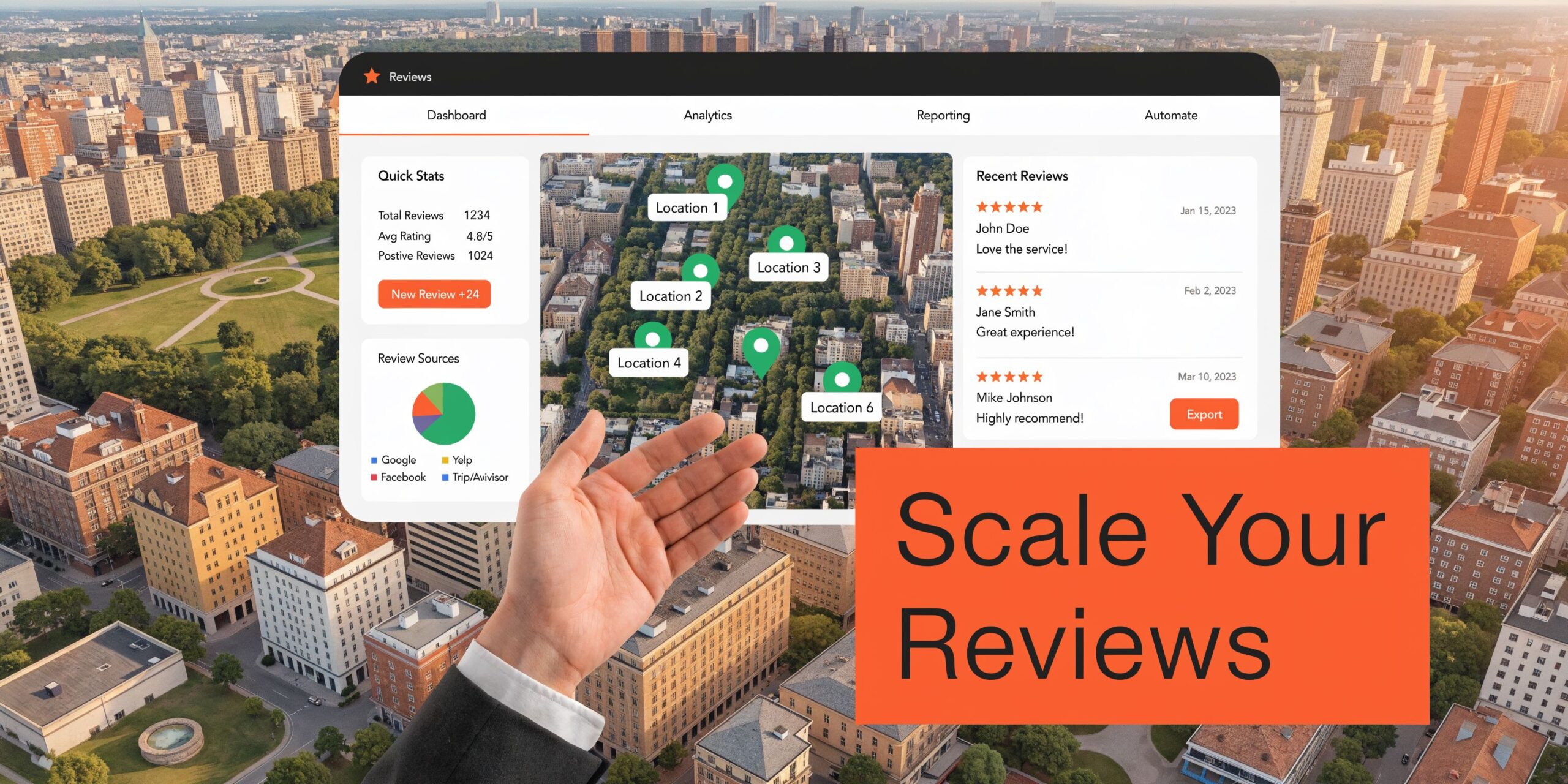
At that point, review management stops being a store-level habit and becomes an operating system. The brand needs control over standards, but each location still needs room to sound human and respond to what happened in that market.
For brands trying to improve visibility across markets, review operations also connect directly to local SEO for multiple locations. Review recency, response quality, category accuracy, and profile completeness all vary by location. If one store is managed tightly and the next is neglected, the weaker profile usually costs leads first.
A multi-location review program should feel local to the customer and controlled by the brand. If it only does one of those, it will break.
What changes at scale
The main shift is ownership.
A single owner can read every review and answer by instinct. A multi-location team needs rules for who responds, what gets escalated, how fast replies go out, and who checks profile accuracy each week. Without that structure, the loudest problem gets attention while the expensive problems sit untouched.
Set up these controls early:
- Approved response frameworks. Give locations reply patterns for common situations like wait times, billing issues, staff praise, and service recovery. Leave room for local detail so every response does not read like legal copy.
- Escalation paths by issue type. Route safety complaints, discrimination claims, refund disputes, and regulatory issues to a central owner. Store managers should not have to guess when a public reply needs legal or compliance review.
- Permission levels by role. Regional leaders, agency partners, and store teams should not all have the same access. Limit who can edit categories, URLs, and business details.
- Profile QA by location. Audit hours, services, attributes, and booking links on a schedule. One broken appointment link at a high-volume office can cost more than a month of bad review sentiment.
Google Business Profile optimization checklist for multi-location teams
Categories
Do not force every location into the same primary category if the service mix differs. A pediatric dental office and an orthodontic office under the same brand may need different category choices to match local search intent.
Core business data
Keep name, address, phone, hours, and website URLs accurate, but add a review checkpoint for seasonal hours, holiday closures, and location-specific call routing. Multi-location errors usually come from bulk updates that were never verified at the store level.
Services
Match services to what each location offers. If only certain offices provide same-day appointments, emergency repair, memory care, or walk-in consultations, reflect that at the profile level instead of copying a master list everywhere.
Photos
Set a refresh standard by location, such as new exterior, interior, team, and product or service photos every quarter. Central brand teams should review quality, but local teams should supply current images so the profile accurately reflects the customer experience.
Review monitoring
Monitor all locations daily, then sort issues by business risk. A one-star review that mentions fraud, injury, or harassment should not sit in the same queue as a five-star compliment.
Response SLAs
Set tiered deadlines. A practical model is 4 hours for 1-star reviews, 24 hours for 2- to 3-star reviews, and 48 hours for 4- to 5-star reviews. That keeps urgent issues from getting buried under routine praise.
Booking and call tracking
Use location-level links and call paths, not one shared destination for the whole brand. If every profile points to the same generic page, you lose the ability to see which locations convert review traffic into calls and appointments.
Location-level nuance
A senior living community in North Dallas should not sound like an auto repair shop in downtown Phoenix. Keep brand standards fixed, but adjust language for the service context, customer concerns, and local expectations.
The teams that do this well stop treating reviews as a reactive inbox. They build a repeatable system. That shift is what turns "my Google reviews" from a manual task into a brand asset that scales.
Frequently Asked Questions About Google Reviews
Can I remove a negative Google review from my business profile
Not just because it’s negative. If a review appears to violate Google policy, you can flag it for review. If it doesn’t violate policy, your best move is usually a calm public response and a private resolution attempt.
How do I deal with fake or inaccurate reviews
Document why the review looks false, flag it inside Google, and keep your response factual. Google’s official help content focuses mostly on users writing reviews, while business forums show ongoing complaints about fake or inaccurate reviews. There’s no official Google data on the scale of the problem, but SEO analyses cited in this discussion suggest that profiles with suspicious bursts of uniform 5-star reviews can see a 15-20% drop in Maps Pack visibility over time due to spam filters, as discussed on the Google Maps review help page context.
Should I ask every customer for a review
Ask consistently, but do it in a compliant and fair way. Don’t pressure people, don’t offer incentives that create biased feedback, and don’t build a process that only celebrates praise while hiding real service issues.
How quickly should my team respond to reviews
For most local businesses, fast matters. A reply within a day or two keeps the issue current and shows that someone is paying attention.
Can I mention customer details in a healthcare response
No. Keep healthcare replies general and HIPAA-aware. Thank the reviewer, acknowledge the feedback, and move anything specific offline.
Why do some locations rank better than others even with the same brand
Because local performance is location-specific. Review freshness, profile completeness, category fit, and operational follow-through can vary a lot between offices.
What matters more, star rating or review freshness
You need both, but fresh reviews often decide whether a profile looks active and trustworthy right now.
If you want a cleaner system for review requests, replies, tracking, and profile accuracy across one location or many, Reviews To The Top can help. You can book a strategy call, get practical guidance without a long contract, and use month-to-month support to improve calls, bookings, and local visibility without adding more work to your front line.


