
You check your phone between jobs and see a new Google review. If you are the customer, you may be trying to find something you wrote months ago so you can edit or delete it. If you own the business, you are looking at the same system from the other side and asking a harder question: how much money is this review activity creating or costing me?
That overlap matters more than many owners realize.
Business owners often search my google review for a simple reason. They want the customer-side answer first. Once you understand how a person finds, updates, or removes a review from their own account, the business side gets clearer. You stop making bad assumptions about what customers can do, what Google will change, and why old reviews sometimes stay live longer than expected.
Google reviews influence decisions at the exact moment someone is ready to act. A prospect checks your rating, scans a few recent comments, confirms you are open, and decides whether to call, book, visit, or move on. That makes review management part of operations, not a marketing side task delegated only when someone remembers.
I advise owners to treat this topic in two layers. First, solve the consumer question cleanly: how to find, edit, and delete your own review. Then build the business system behind it: response standards, fake review handling, review requests, and local visibility. That approach saves time because it connects what customers see in their account with what your team can control on your profile.
If you need the customer basics before you manage the business process, this walkthrough on how to leave a Google review and manage review activity is a useful starting point.
For a single-location shop, this affects calls and walk-ins. For a multi-location brand, it affects staffing, conversion, and whether one weak location drags down the rest. The mechanics are simple. The discipline is not.
How to Find, Edit, and Delete Your Own Google Reviews
Start with the consumer side. If you know exactly how my google review works from a customer account, you will manage your business profile more realistically and with a lot less confusion.

Find your review on desktop
On a desktop browser, sign into the Google account that left the review. Then:
- Open Google Search or Google Maps.
- Click your profile image.
- Go to Your profile or Your contributions.
- Open the Reviews tab.
- Scroll until you find the business and review.
If you are trying to retrace a review you left months ago, searching the business name in Google Maps can be faster. Open the listing and look for your review under your signed-in account.
Find your review on Android and iPhone
The path is similar on Android and iOS inside Google Maps:
- Open Google Maps
- Tap your profile icon
- Select Your profile or Your contributions
- Tap Reviews
- Locate the review you want to change
Google moves labels around from time to time, but the review history usually lives under your account activity in Maps.
If you need a simple consumer-facing walkthrough, this guide on how do I leave a Google review is also useful because the same menu paths typically lead you back to your existing reviews.
Edit or delete your own review
Once you find it, tap or click the three-dot menu next to the review.
You will usually see these options:
- Edit review if you want to change the text, star rating, or photos
- Delete review if you want it removed entirely
A few practical notes matter here:
- Edits are often better than deletions. If your issue was resolved, updating the review can be more honest than erasing it.
- Deletion is permanent. Once removed, you should assume it may not be recoverable.
- Photos need attention. If a photo shows private information, staff faces without permission, or something misleading, remove it at the same time.
Tip: Owners should do this exercise themselves once. It is the easiest way to understand how little patience customers have for friction.
Why this matters for business owners
A customer can update a review in minutes. That means your response speed matters. It also means the person who left a harsh review last week may be willing to revise it if your team fixes the problem cleanly.
For operators in healthcare, housing, and other sensitive categories, seeing the process from the customer side also helps your team avoid bad requests. Do not pressure people. Do not ask them to change a review in exchange for something. Ask for feedback, solve the issue, and let the customer decide.
Responding to Customer Reviews The Right Way
A customer leaves a review at 8:10 a.m. By lunch, three prospects have read it. One of them decides whether to call you based on your reply, not just the complaint itself.
That is why review responses need an operating standard, not a spare-time habit. Fast, calm, specific replies show customers that someone is paying attention. They also give your team a clean way to spot repeat service failures before they spread across locations, staff, or service lines.
Businesses that manage reviews consistently tend to improve both rating quality and the share of positive feedback over time. Speed also matters. A slow reply makes the business look disorganized, even when the original issue was minor.
What a strong response needs to do
A useful review reply has four jobs:
- Acknowledge the person without sounding scripted
- Show prospects that concerns are handled professionally
- Move private details into phone, email, or direct follow-up
- Create a signal your team can use to fix recurring problems
The last point gets missed all the time. If reviews keep mentioning no-shows, long waits, unclear pricing, or poor handoffs, the problem is not your wording. The problem is the customer experience.
How to respond to positive reviews
Positive reviews deserve more than “Thanks so much!” and a pasted emoji. A short personalized reply reinforces trust and makes the business sound active.
Template
Hi [First Name], thank you for sharing this. We are glad you had a good experience with [team member, service, or location]. We appreciate your trust and look forward to helping you again.
Example for dental or med spa
Hi Sarah, thank you for the kind words. We are glad our [City] team made your visit feel smooth and comfortable. We appreciate you choosing us and look forward to seeing you again.
Keep healthcare responses HIPAA-aware. Do not confirm procedures, diagnoses, appointment details, or any other protected health information.
How to respond to negative reviews
Public replies to negative reviews are part customer service and part sales. The unhappy customer reads it. So does the next person comparing you to two competitors.
Use a structure that stays calm under pressure:
Template
Hi [First Name], thank you for the feedback. We are sorry your experience did not meet expectations. We take concerns like this seriously and would like to learn more. Please contact [name or department] at [phone/email] so we can review what happened and work toward a resolution.
Example for HVAC or auto repair
Hi James, thank you for bringing this to our attention. We are sorry to hear the visit fell short. Please contact our service manager at [phone/email] with your invoice number so we can review the details and address the issue directly.
Do not argue facts line by line in public. Do not accuse the reviewer of lying. Do not write a legal brief in the comments. Future customers read defensiveness as risk.
Common mistakes that weaken trust
| Approach | What happens |
|---|---|
| Generic “Thanks for your feedback” replies | Feels automated and dismissive |
| Long rebuttals | Makes the business look combative |
| Sharing private account or service details | Creates compliance and privacy risk |
| Letting reviews sit unanswered for weeks | Signals low accountability |
Personalization matters, but so does control. One or two details are enough. Mention the location, service category, or team role if it helps. Skip anything that exposes private information or invites a public back-and-forth.
For a practical format guide, use this walkthrough on how to respond to reviews.
Set up a response workflow your team can keep up with
Single-location businesses can usually assign review ownership to one manager with backup coverage on weekends or during time off.
Multi-location teams need a simple routing system:
- Front desk or marketing monitor logs new reviews daily
- Location manager handles routine praise and ordinary complaints
- Regional leader, owner, or compliance lead steps in for safety, legal, billing, discrimination, or healthcare-sensitive issues
Set response time targets by review type. Positive reviews can wait a bit. Complaints should not. A same-day or next-business-day response is realistic for most local businesses and keeps the issue from sitting unanswered while prospects are reading.
Write every reply for the silent reader who has never met you. That is the audience that turns review management into revenue.
Handling Negative and Potentially Fake Reviews
A one-star review from a real customer and a fake review from someone who never used your business require different responses. Owners get into trouble when they treat both the same way.
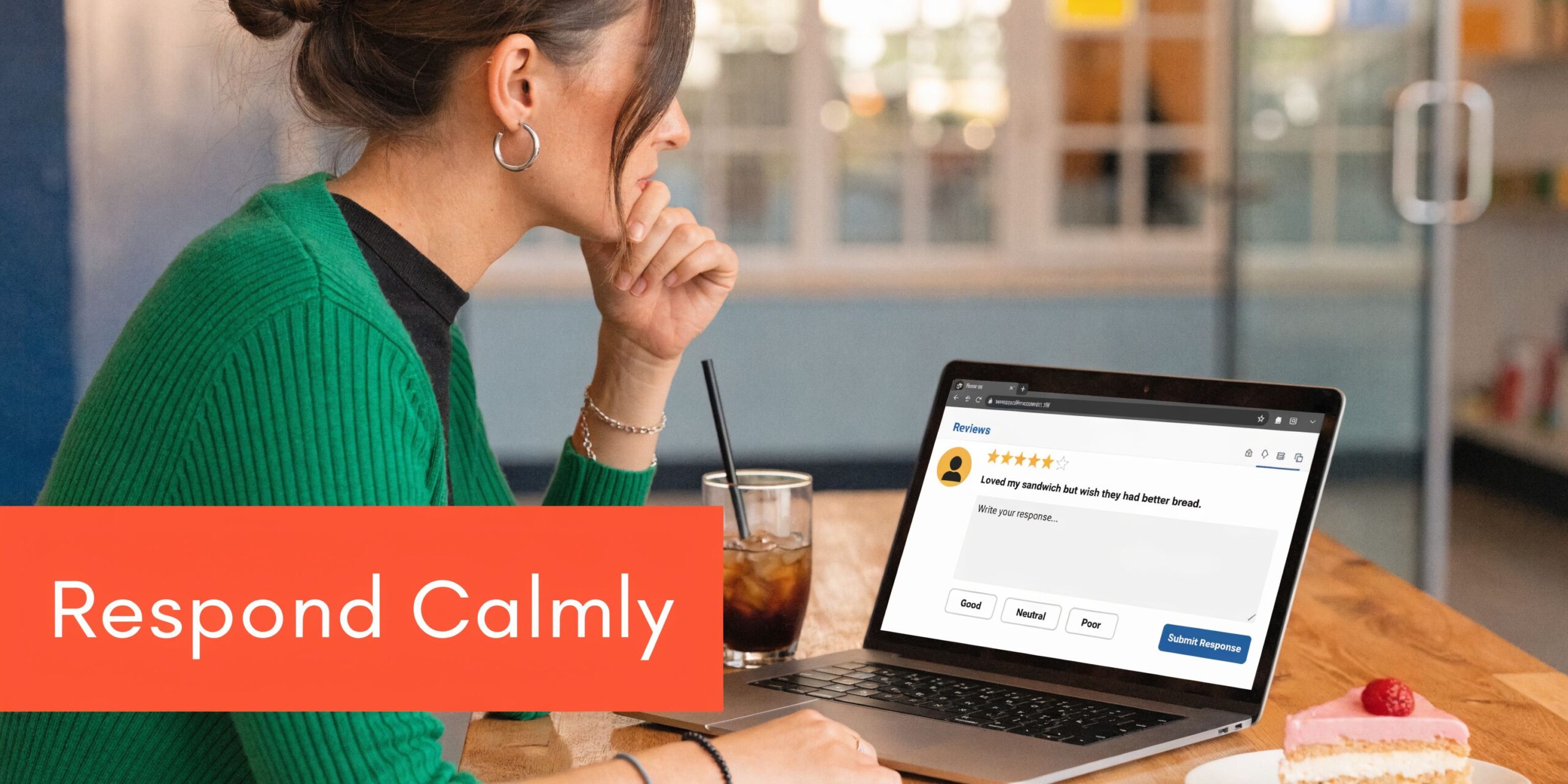
Review credibility affects more than a single comment thread. Earlier in this guide, we noted that consumers often treat online reviews like personal recommendations. Once a profile looks manipulated, whether from fake praise or suspicious attacks, prospects start questioning all of it.
Identify the review before you react
Start with classification. That saves time and keeps your team from filing weak reports or posting defensive replies.
Verified unhappy customer
This is the usual case. Respond publicly, fix the service issue offline, and document what happened so the same complaint does not repeat.
Unverified reviewer
No matching invoice, appointment, order, or customer record. That does not automatically make the review fake, but it does justify a careful check and, in some cases, a report.
Clear policy violation
Spam, impersonation, harassment, off-topic rants, employee self-reviewing, competitor reviews, and review swapping belong in the reporting queue right away.
Use a simple decision rule
The practical question is not "Do I like this review?" It is "Can I verify it, and does it violate policy?"
| Situation | Public response | Flag for removal |
|---|---|---|
| Legitimate complaint | Yes | Usually no |
| Wrong business or wrong location | Yes | Yes |
| Obvious spam or competitor attack | Briefly, yes | Yes |
| Profanity or abusive content | Minimal reply | Yes |
| Incentivized praise from insiders | Usually no public debate | Yes |
If your team needs the reporting steps, use this guide on how to remove fake Google reviews.
Report with evidence, not frustration
Google does not remove reviews because they feel unfair. Reports work better when they point to a specific policy issue and include supporting context.
Use language like this:
- Reviewer does not appear in our customer records for the claimed date or service
- Review refers to a different location or business
- Reviewer profile shows repeated patterns consistent with spam or competitor activity
- Content is abusive, off-topic, or unrelated to an service experience
Keep a file for disputed reviews. It should include:
- The full review screenshot
- The reviewer profile, if it shows suspicious activity
- A check of customer records, bookings, or invoices
- Internal notes confirming no service interaction took place
That file matters if the review stays live and your team needs a consistent public position.
A short explainer is worth watching before your team starts escalating every complaint:
Reply in public as if removal will fail
That is the safer operating assumption. Some fake reviews get removed. Some do not. A calm public reply protects the business either way.
Use this structure:
- Acknowledge the concern without confirming facts you have not verified
- State that you cannot identify the interaction if no record exists
- Invite the person to contact a manager directly
- Keep the tone neutral and brief
Here is the trade-off. A strong denial may feel satisfying, but it can make the owner look defensive. A short, controlled reply usually does more for conversion because future customers see restraint, process, and accountability.
Key takeaway: The review itself is often manageable. The owner response is what shapes trust.
Fake positive reviews need the same discipline. Do not buy them. Do not offer gifts in exchange for five stars. Do not filter requests so only happy customers get asked. Those patterns create a profile that looks engineered, and once that suspicion starts, every legitimate review carries less weight.
Building a Proactive Review Generation Program
A lot of owners look at their profile only after a bad review hits. That is too late. A review program works best when it runs in the background every week, so feedback arrives steadily instead of showing up only when someone is frustrated enough to post.
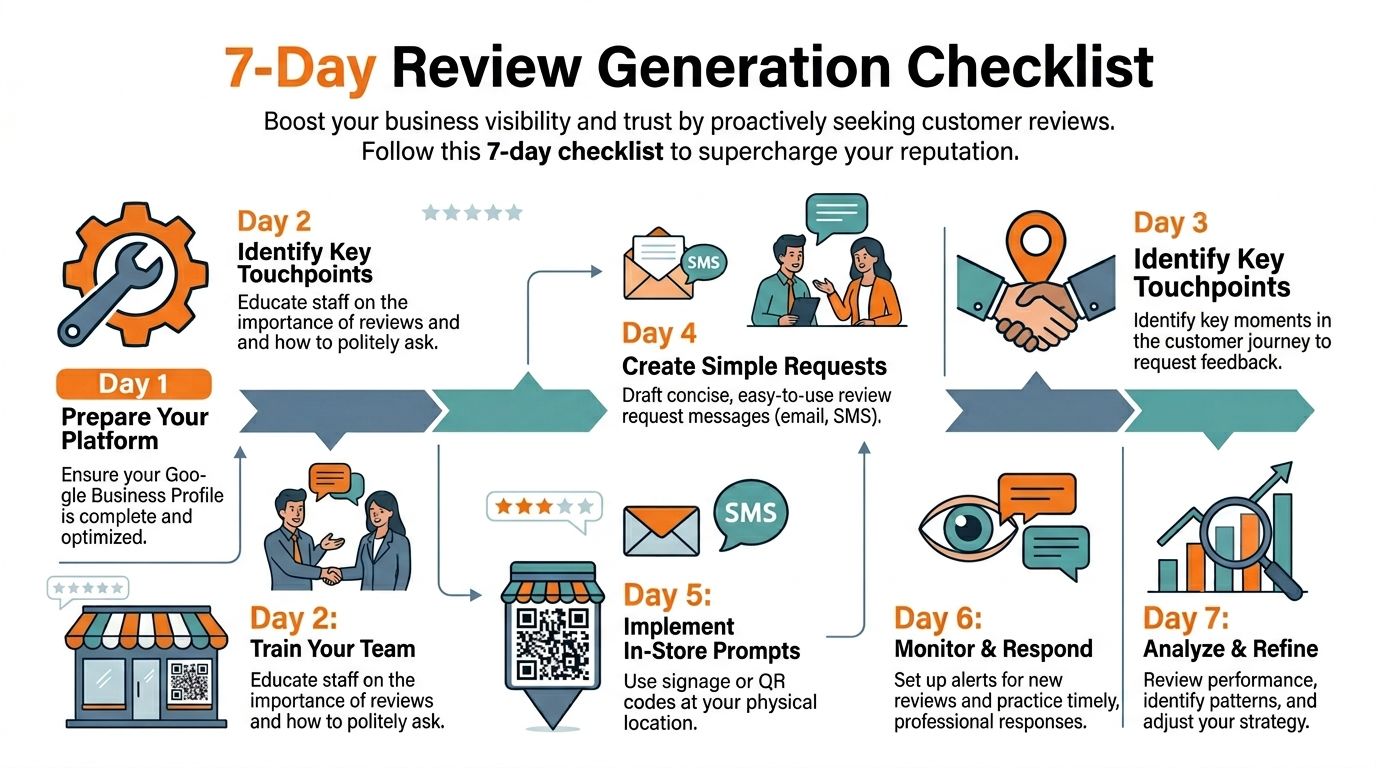
As noted earlier, recent reviews carry more weight with customers than stale ones. A profile with a consistent stream of current feedback usually converts better than one with a high lifetime count but no recent activity. That is the operating goal. Build a repeatable system your team can run without reminders from the owner.
A 7-day launch checklist
Use this plan to get the program live fast.
Day 1
Audit each profile. Check category, hours, phone number, website, appointment links, and service descriptions. If the profile is incomplete, fix that first. It is also smart to optimize your Google Business Profile before sending more customers there.
Day 2
Pick the trigger event. Use a moment that clearly follows delivery of the service, such as a paid invoice, completed appointment, closed work order, finished tour, or resolved support ticket.
Day 3
Create the request templates and the direct review link. Remove extra clicks. Every added step costs responses.
Day 4
Train the front desk, technicians, and account staff on the verbal ask. Keep the script short and neutral so it sounds natural.
Day 5
Set alerts for new reviews. Same-day visibility helps your team respond while the interaction is still fresh.
Day 6
Assign ownership by location or department. Decide who replies, who escalates complaints, and who checks for process failures.
Day 7
Review the first batch of results. Look for bottlenecks, weak timing, or staff who are skipping the ask.
Choose the right request timing
Timing matters more than wording.
Ask too early, and the customer has not felt the result yet. Ask too late, and the interaction is already forgotten. For home services, the best window is often right after the technician closes the job. For healthcare, dental, wellness, and senior living, a follow-up later that day or the next morning usually feels more appropriate. For professional services, the request often works best after a milestone is completed, not after the first call.
The trade-off is simple. Immediate requests produce more volume. Delayed requests can produce better detail. Pick one timing rule per service line and measure response rate for 30 days before changing it.
SMS review request script
This format works well for HVAC, plumbing, auto repair, pest control, and other field service businesses.
SMS template
Hi [First Name], thanks for choosing [Business Name] today. If you have a minute, would you share your feedback about your service visit? Here is the Google review link: [short link]
Short messages perform better because they ask for one action. No extra offer. No survey stack. No five-star language.
Email review request script
Email fits businesses where the customer is less likely to act from a text right away, including vet clinics, dental offices, med spas, and senior living tours.
Subject: Thank you for visiting [Business Name]
Email body:
Hi [First Name], thank you for visiting [Business Name]. We appreciate the opportunity to serve you. If you would like to share feedback about your experience, you can leave a Google review here: [link]. Your comments help future customers in [City] find a provider they can trust.
Healthcare teams should keep the message neutral and avoid references to conditions, treatment, or outcomes.
Rules that keep the program clean
A workable review program is simple, consistent, and easy to audit.
- Ask every customer segment the same way. Do not invite only your happiest customers.
- Tie requests to real service milestones. That keeps volume steady and feedback relevant.
- Use automation for delivery. Staff will forget, especially during busy weeks.
- Send customers to the correct location link. Multi-location brands lose reviews when routing is sloppy.
- Watch weekly patterns. Sharp spikes can signal a broken workflow or an aggressive campaign that should be dialed back.
If you need examples of timing, wording, and workflow options, this guide on asking for Google reviews is a useful reference.
Tools and operating model
A small business can run this with a CRM, scheduling system, and Google notifications. That setup is enough if one person owns the process and checks it daily.
Larger teams usually need more structure. Reviews To The Top is one option for centralizing review requests, monitoring new feedback, and drafting responses with AI assistance while routing sensitive cases to a manager. The value is not automation by itself. The value is consistency across locations, staff, and service lines.
Set a weekly target your team can hit, then keep the pace steady. Fresh, credible reviews beat occasional bursts every time.
Linking Google Reviews to Local SEO and Business Growth
A business owner often starts with a simple consumer question: how do I find my Google review? The business question that follows matters more. How do those reviews affect visibility, leads, and revenue across every location and service line?

Google reviews influence two things at once. They shape what prospects think when they see your profile, and they support local search performance by strengthening trust signals around your business. As noted earlier, Google dominates the review market, near me searches keep rising, and stronger review profiles tend to convert better than stale ones.
The local ranking model
Google Business Profile visibility usually comes back to three factors.
Proximity
How close your business is to the searcher or the place named in the search.
Relevance
How closely your profile matches the service the person wants. Categories, services, business description, photos, and posting activity all help Google understand that match.
Prominence
How established your business appears online. Review count, review recency, response activity, brand mentions, and profile completeness all contribute here.
You cannot change proximity. You can improve relevance and prominence every week.
That is why review management should sit inside your local SEO process, not beside it. A steady flow of recent, specific reviews helps Google connect your business to real services in real places. A complete profile helps those reviews work harder.
A short Google Business Profile checklist
Run this check monthly, and again after any service change, holiday update, or location move:
- Primary category: Match it to your main revenue-driving service
- Secondary categories: Add only the services you offer
- Hours: Keep regular and holiday hours accurate
- Services: List real services for each location, not generic copy pasted across the account
- Photos: Upload recent images that reflect the current customer experience
- Review responses: Reply consistently so both customers and Google see an active profile
- Booking and website links: Test them every month
- Location data: Keep name, address, and phone consistent across your site and directory listings
If your profile setup still feels loose, this guide on how to optimize your Google Business Profile is a useful outside reference.
If you want the search side explained in more detail, read this article on how Google reviews help SEO.
How to measure business impact
Review count and star rating are surface metrics. Business owners need to know whether reviews are producing calls, bookings, and closed sales.
Track:
- GBP views
- Calls from GBP
- Messages
- Website clicks
- Bookings
- Direction requests
- Lead-to-sale conversion by location
Use UTM parameters on your website and booking links so profile traffic shows up clearly in analytics. Tag those links separately. That makes it easier to see whether review strength is driving phone calls, appointment requests, or form submissions.
For multi-location brands, compare locations on one dashboard. If one office has strong review volume but weak conversion, the problem usually sits in profile quality, call handling, scheduling friction, or offer fit. Reviews create demand. Operations decide whether that demand turns into revenue.
Frequently Asked Questions About Google Reviews
A lot of owners start with a consumer question: how do I find my Google review? Then the business question shows up right behind it: how do I manage every review coming in without letting the process eat my week? These FAQs answer both sides.
Can I turn off Google reviews for my business
Usually, no. Google allows reviews on eligible business profiles, so the practical approach is to monitor them, reply on time, and report reviews that break policy.
How fast should my team respond
For negative reviews, reply within 48 hours. Faster is better if the complaint involves billing, safety, missed appointments, or a service failure that could influence other buyers.
Positive reviews can wait a little longer, but they still need a response rhythm. A quiet profile looks unattended.
Should I ask only happy customers for reviews
No. Ask a broad mix of real customers after real interactions.
Selective outreach creates review gating risk and can leave you with a profile that looks polished but untrustworthy. A better system invites feedback consistently, then routes operational complaints to the right person internally.
Can I pay someone to remove a bad review
Do not buy fake reviews or use questionable takedown services. If a review violates Google policy, report it through the proper channel and document why.
If the review is legitimate, the fix is different. Post a calm public response, take the conversation offline, and correct the underlying problem inside the business.
What should I measure besides star rating
Star rating is only the surface. Track calls, messages, bookings, website clicks, profile views, direction requests, and lead-to-sale conversion.
As noted earlier, review ROI shows up in acquisition cost, conversion rate, and customer lifetime value. Response coverage matters too. Businesses that answer reviews well usually earn more trust and more action from profile visitors.
Do fake reviews really matter that much
Yes. Fake criticism can scare off buyers. Fake praise can make the whole profile look manipulated.
Both create extra work because your team has to sort real customer feedback from noise. That slows response time and makes it harder to spot service issues.
What is the simplest starting point for one location
Set one review request trigger. Use one message template. Reply to every review. Check the profile once a week.
That is enough to build discipline. Once the process holds, add reporting, team ownership, and escalation rules.
If you need help turning scattered feedback into a disciplined review system, Reviews To The Top supports local and multi-location businesses with month-to-month review requests, monitoring, response workflows, and profile management. If you want a practical plan for your locations, book a strategy call and map the path from GBP traffic to more calls, bookings, and sales.


