
Getting more calls, messages, and bookings starts with your Google Business Profile. A steady flow of positive customer reviews builds immediate trust with potential customers and boosts your ranking in local search results, like the Google Maps Pack. This direct feedback loop is critical for turning online searchers into paying customers.
For any local business, a close review of Google’s system reveals it’s the most important channel for winning new customers. This guide breaks down exactly how to get more reviews, respond effectively, and measure your return on investment (ROI).
Key Facts
- Top Ranking Factor: Customer reviews are a primary factor in Google's local search algorithm, which relies on proximity, relevance, and prominence to rank businesses.
- Conversion Driver: Businesses with an average star rating between 4.0 and 4.5 can earn up to 28% more revenue.
- Trust Signal: 93% of consumers report that online reviews directly influence their purchasing decisions.
- Response Matters: Responding to all reviews, both positive and negative, shows engagement and can improve customer perception and loyalty.
How to Get More Google Reviews: A Step-by-Step Guide
Getting a consistent stream of reviews doesn't have to be complicated. A simple, repeatable process for asking happy customers for feedback can create a powerful growth engine. The secret is asking at the right time, when the customer's satisfaction is highest.
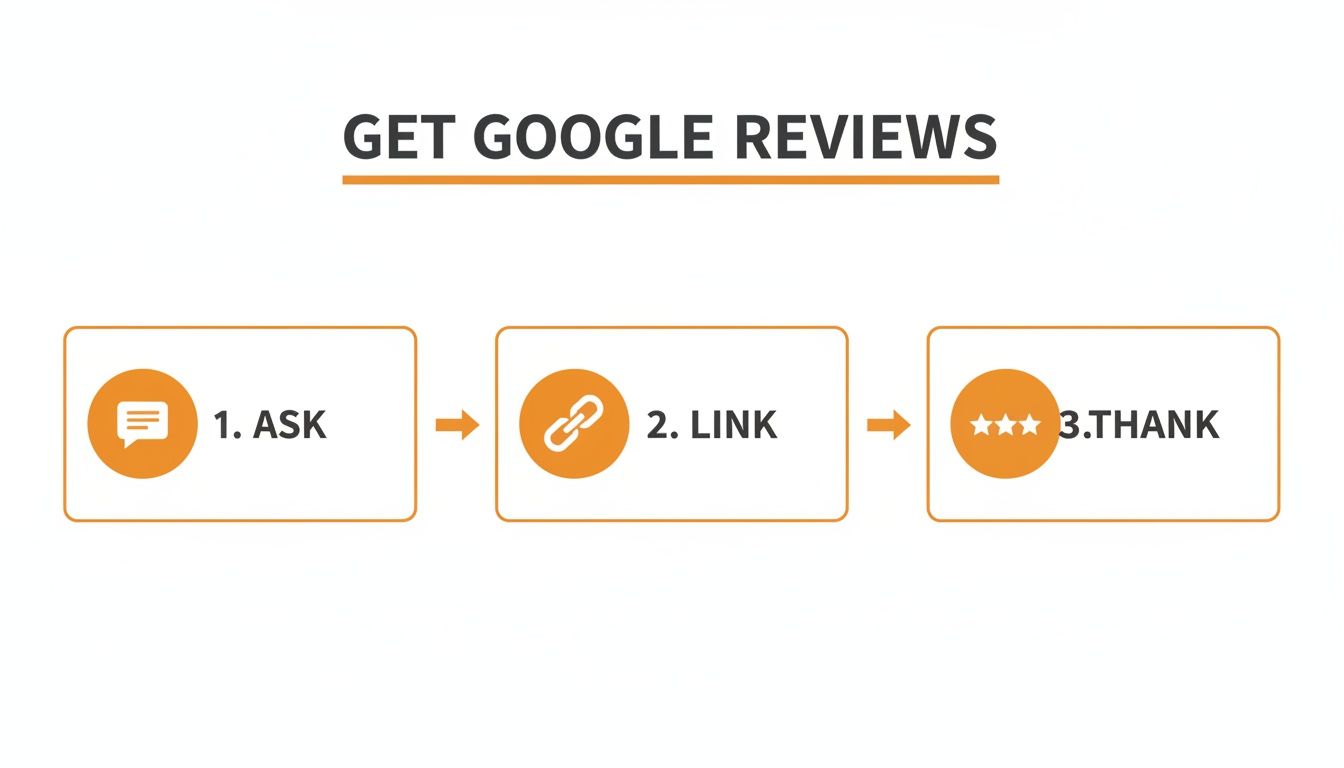
Step 1: Pinpoint the "Golden Moment"
Map your customer's journey to identify the peak moment of satisfaction. This is when they are most likely to act on a review request.
- Home Services (HVAC, Plumbing): Immediately after the job is completed and the customer has approved the work.
- Auto Repair: 24 hours after service, giving them a day to appreciate their vehicle is running smoothly.
- Med Spa & Dental: 24 to 48 hours after an appointment, allowing the positive experience to resonate.
- Veterinarians: After a positive wellness visit or a follow-up call confirming a pet is recovering well.
Step 2: Choose Your Channel (SMS or Email)
For most local businesses, SMS (Short Message Service) text messages and email are the most effective channels.
- SMS: Offers high open rates (over 90%) and feels immediate, perfect for quick responses.
- Email: Provides more space for branding and a more detailed, formal request.
Making the process easy is critical. Using a platform that provides Omnichannel customer service ensures a seamless experience for your customers, improving your results.
Step 3: Use Proven Scripts
Equip your team with ready-to-use templates to ensure every request is professional, consistent, and effective.
Templates & Scripts for Your Review Program
Review Request Scripts
SMS Template (For a Vet Clinic)
"Hi [Customer Name], this is [Your Name] from [Vet Clinic Name]. We loved seeing [Pet Name] today! Would you mind taking 30 seconds to leave us a Google review? Your feedback helps other pet parents in [City] find great care. [Link to Google Review Page]"
Email Template (For a Dental Practice)
Subject: How was your visit to [Dental Practice Name]?
"Hi [Customer Name],
We hope you had a great experience during your recent visit to our [Neighborhood] office. Our goal is to provide 5-star care to every patient.
If you have a moment, we would be grateful if you could share your feedback by leaving us a review on Google. It helps others in our community find a trusted dentist.
[Click Here to Leave Your Review]
Thank you for choosing us for your dental care.
The Team at [Dental Practice Name]"
Review Response Templates
Responding to reviews is just as important as getting them. Every reply is a public demonstration of your customer service.
Positive Review Response Template
"Hi [Customer Name], thank you so much for the wonderful 5-star review! We're thrilled to hear you had a great experience with our team during your recent HVAC installation in [City]. We appreciate you choosing us and look forward to serving you again."
Negative Review Response Template (HIPAA-Aware for Healthcare)
"[Customer Name], thank you for your feedback. We take all comments seriously and are committed to providing every patient with a 5-star experience. Please contact our Practice Manager, [Name], at [Phone Number] so we can better understand and address your concerns directly."
Important Note: For healthcare and other sensitive verticals, never acknowledge a reviewer is a patient or customer, and do not include any Protected Health Information (PHI) in your public response. For more details, see our complete guide on how to respond to reviews.
7-Day Launch Checklist for a New Review Program
Use this checklist to get your review generation system up and running in one week.
| Day | Action Item | Goal |
|---|---|---|
| 1 | Team Kick-Off Meeting: Explain the "why" and process. | Get team buy-in and assign a project lead. |
| 2 | Map The "Golden Moment": Identify the peak satisfaction point. | Decide on the perfect timing for your requests. |
| 3 | Create Your Direct Review Link: Generate and test your link. | Make it as easy as possible for customers to leave feedback. |
| 4 | Finalize Scripts: Approve your SMS and email templates. | Ensure your messaging is on-brand and effective. |
| 5 | Train Your Team: Role-play asking for reviews. | Build confidence and consistency across the team. |
| 6 | Soft Launch: Send requests to 5-10 recent happy customers. | Test the process and work out any kinks. |
| 7 | Review & Refine: Analyze results and adjust your approach. | Optimize your strategy before a full rollout. |
How to Measure Your Review Strategy's Success
A review program is only successful if it drives business outcomes like more calls, bookings, or sales. By tracking key metrics and using tools like UTM tags, you can prove that your Google Business Profile (GBP) is a valuable lead source.
Set Clear Performance Targets
Define what success looks like with specific, measurable goals for each of your business locations.
- Review Volume: Aim for at least 10 new reviews per month.
- Recency: Ensure the majority of your reviews are from the last 90 days.
- Response Time: Respond to every review in under 24 hours.
- Star Rating: Maintain an average rating of 4.5 stars or higher.
- GBP Performance: Track month-over-month increases in profile views, clicks-to-call, and direction requests.
- Lead-to-Sale Conversion: Monitor the conversion rate of leads originating from your GBP.
How Google Ranks Local Businesses
Google’s algorithm uses three main pillars to rank businesses in local search results like "med spa near me":
- Proximity: The physical distance from the searcher to your business location.
- Relevance: How well your GBP services and description match the search query.
- Prominence: How well-known and trusted your business is. Your review volume, star rating, and recency are the biggest factors influencing prominence.
A strong review profile directly boosts your prominence, making your business more visible to potential customers. Dig deeper into how Google reviews help your SEO.
Connecting Reviews to Revenue with UTMs
To draw a direct line from reviews to revenue, use Urchin Tracking Modules (UTMs). These are simple tags added to the links in your GBP, like your website URL.
Example link: yourwebsite.com/?utm_source=google&utm_medium=organic&utm_campaign=gmb
This tag tells Google Analytics that any visitor who clicks it came directly from your Google Business Profile. You can then track how many of these visitors fill out a contact form or book an appointment, allowing you to calculate the conversion rate and ROI of your GBP efforts.
Checklist for Optimizing Your Google Business Profile
A strong review strategy needs a solid foundation. Use this checklist to ensure your GBP is fully optimized.
- Verify Your Business: This is the non-negotiable first step.
- Complete All Sections: Fill out every available field, including services, attributes, and accessibility information.
- Upload High-Quality Photos: Add at least 10-15 real photos of your location, team, and work.
- Write a Keyword-Rich Description: Naturally include your main services and service areas (e.g., "[City]", "[Neighborhood]").
- Use the Q&A Feature: Proactively add and answer common customer questions.
By combining an optimized profile with a consistent review strategy, you feed Google’s algorithm the exact signals it needs to rank you higher. To get help with your strategy, you can optimize your Google Business Profile with our team's support.
Frequently Asked Questions (Q&A)
Here are concise answers to the most common questions about Google reviews.
1. Can I delete a bad Google review?
No, you cannot delete a review yourself. You can flag a review for removal if it violates Google's policies (e.g., spam, hate speech), but the most effective strategy is to respond publicly and professionally to address the customer's concerns.
2. How long does it take for a Google review to show up?
Most reviews appear almost instantly. However, some may be delayed by Google's automated filters for up to 48 hours.
3. Is it okay to buy Google reviews?
No. Buying reviews is a direct violation of Google's terms of service. It can lead to the removal of fake reviews and the suspension of your Google Business Profile. Building a genuine reputation through authentic customer feedback is the only sustainable approach.
4. How many reviews do I need to rank higher?
There is no magic number. The goal is to consistently earn more recent, high-quality reviews than your direct local competitors. A steady flow of 5-10 new reviews per month is more valuable than a single large batch.
5. Do I need to respond to every single review?
Yes. Responding to all reviews shows you value customer feedback. It reinforces positive experiences and demonstrates accountability when addressing criticism, which builds trust with potential customers.
6. Can I ask a customer to change their negative review?
Yes, but only after you have resolved their issue offline. Once the customer is satisfied, you can politely ask if they would consider updating their feedback. Never pressure them or offer an incentive.
7. What is a Google review link?
It is a direct URL that opens the "leave a review" window for your business. Using this link removes friction and significantly increases the likelihood that a customer will complete the review.
A consistent flow of positive feedback is the most reliable way to generate more leads from local search. The right reputation management strategy turns customer reviews into a powerful marketing engine. To get the platform and expert guidance to achieve your goals, book a strategy call with us. We offer flexible, month-to-month support to help you win online.


