
A suspended Google Business Profile means your business has been removed from Google Search and Maps, making you invisible to customers searching for your services. This immediately stops new calls, messages, and bookings, directly impacting your revenue until you successfully appeal the suspension and get reinstated. Fixing it requires identifying the policy violation, correcting your profile, and submitting a formal reinstatement request with proof of your business's legitimacy.
Key Facts
- Impact: A suspension makes your business invisible in local search and on Google Maps. This can reduce inbound leads by over 80% almost overnight.
- Two Types: A "soft suspension" locks you out but leaves the profile visible, while a "hard suspension" removes it from public view entirely.
- Top Causes: Common triggers include keyword stuffing in the business name, using an incorrect address (like a P.O. Box), or having multiple profiles for one business.
- Reinstatement Time: The process can take anywhere from 3 days to over 4 weeks, depending on the issue's complexity and the quality of your appeal.
- Do Not Create a New Profile: This is a major violation and will make the situation worse, likely leading to a permanent ban.
Step-by-Step: How to Reinstate Your Google Business Profile
That sinking feeling when you discover your Google Business Profile is suspended is real. The key is to act methodically, not emotionally. Now is not the time to panic or create a new profile, as that just makes the problem worse. Instead, follow this deliberate plan to identify the issue, gather your evidence, and submit a clean, compelling reinstatement request.
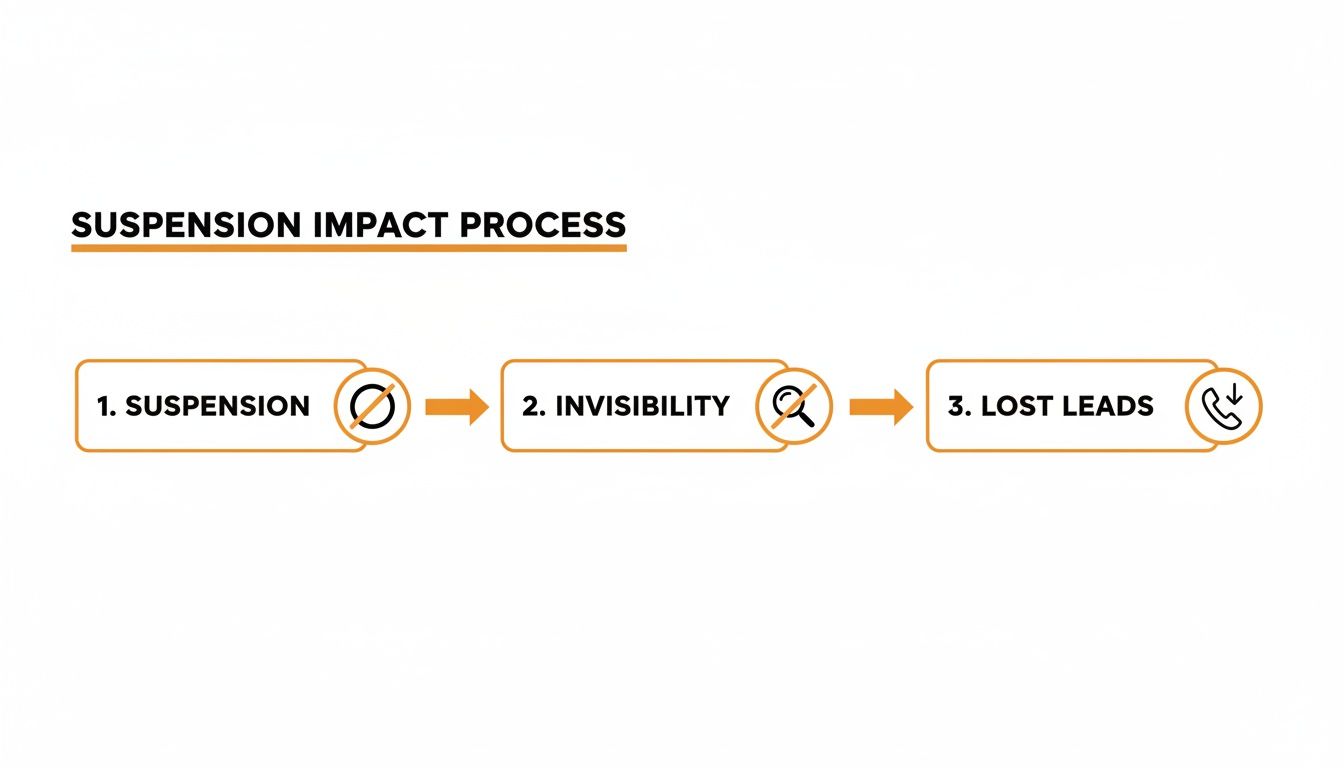
As you can see, the moment Google suspends your profile, you vanish from local search and Maps. That invisibility immediately chokes off a vital stream of inbound leads.
Step 1: Audit Your Profile Against Google's Guidelines
Before you submit an appeal, you must play detective. The biggest mistake businesses make is rushing to appeal without fixing the underlying problem. Google won't give you a detailed report; it's on you to find the violation. Pull up your GBP dashboard and Google's guidelines and compare them line by line.
GBP Optimization Checklist
- Business Name: Is it exactly your legal business name? Remove any extra keywords or location names. "Jones HVAC Repair [City]" should be "Jones HVAC."
- Address: Is this a legitimate physical location where you meet customers? P.O. boxes, virtual offices, and most co-working spaces are common suspension triggers.
- Phone Number: Is the number a direct, local line to your business? Avoid tracking numbers that don't connect directly.
- Categories: Is your primary category the most specific and accurate choice? Are secondary categories truly relevant?
- Website: Does the linked website clearly represent your business?
- User Permissions: Are all managers on the profile legitimate employees? Remove anyone who is no longer with the company.
- Service Area: For service-area businesses (SABs), is your defined area realistic? Don't claim an entire state if you only serve a few counties.
Step 2: Compile Your Evidence Package
Think of your reinstatement request as a legal case. You need to provide undeniable proof that your business is real, legitimate, and operating exactly as your profile claims. Organize everything into a single PDF file.
- Official Business Registration: Your state-issued business license or articles of incorporation.
- Utility Bill: A recent gas, electric, or water bill showing the exact business name and service address.
- Photos of Your Location: Take clear pictures of your permanent, exterior signage. For service-area businesses, this means photos of your work vehicle with permanent branding (magnetic signs don't count).
- Interior Photos: Snap a picture of your office, reception area, or workspace to prove it’s a real place of business.
Step 3: Submit the Reinstatement Form
Once your profile is clean and your evidence is compiled, it's time to submit the official reinstatement form. Be professional, concise, and to the point. State that you have reviewed the guidelines, corrected any potential violations, and have provided documentation to prove your legitimacy.

After you submit your appeal, the hardest part begins: waiting. Do not submit multiple requests. This can knock you to the back of the queue. The goal is to get it right the first time.
Why It Matters for SEO
A suspended GBP torpedoes your local search visibility. Google’s local algorithm is built on three pillars: proximity, relevance, and prominence. Proximity is how close a searcher is to your business. Relevance is how well your profile matches the search query (e.g., "vet near me"). Prominence is your business's authority, built over time through positive reviews and consistent, accurate information. A suspension erases your prominence, signaling to Google that you are no longer a trustworthy result and removing you from the valuable "Map Pack" where most customers click.
Templates & Scripts
Staring at a blank reinstatement form when your business is offline is stressful. Use these templates as a proven structure to give Google exactly what they need to see.
Reinstatement Request Template (Brick-and-Mortar Business)
Subject: Reinstatement Request for Suspended Google Business Profile: [Your Exact Business Name]
To the Google Business Profile Support Team,
I am writing to formally request the reinstatement of our Google Business Profile for [Your Exact Business Name], located at [Your Full Physical Address]. Our Profile ID is [Your Profile ID].
Since the suspension notice, I have performed a thorough audit of our profile against Google's guidelines. I have corrected our business name to ensure it is exactly our legal name and have updated our categories for accuracy.
To help verify our business's legitimacy and physical location, I have attached the following supporting documents:
- A scanned copy of our current business license issued by the City of [City].
- A recent utility bill showing our business name and service address.
- Photographs of our permanent, branded signage on the exterior of our building.
Thank you for your time and consideration.
7-Day Launch Checklist for a Review Program
- Day 1: Finalize your SMS and email review request scripts.
- Day 2: Train your front-desk staff or technicians on when and how to ask for a review.
- Day 3: Set up a system (manual or software) to track which customers have been sent a request.
- Day 4: Send the first batch of review requests to 5-10 recent, happy customers.
- Day 5: Monitor for new reviews and respond to all of them within 24 hours.
- Day 6: Review your process. Did customers open the link? Did you get any feedback?
- Day 7: Refine your scripts based on results and prepare to integrate the process into your daily workflow.
Customer Communication Scripts
SMS Review Request (Dental Practice):
"Hi [Patient Name], this is [Your Name] from [Practice Name]. We loved seeing you today! When you have a moment, could you share your experience with our team? Your feedback helps us improve. Thank you!"Email Review Request (HVAC Company):
"Subject: How was your service from [Company Name]?Hi [Customer Name],
Thank you for choosing us for your recent HVAC service. We strive to provide 5-star service on every call, and your feedback is crucial.
Would you be willing to take 60 seconds to leave us a review on Google? It helps other homeowners in [City] find us.
[Link to Google Review Page]
Thanks again,
The Team at [Company Name]"Positive Review Response Template (Med Spa):
"Hi [Customer Name], thank you for the wonderful 5-star review! We're so glad you had a relaxing and positive experience with our team. We look forward to seeing you again soon!"Negative Review Response Template (Med Spa):
"Hi [Customer Name], thank you for your feedback. We are sorry to hear that your experience did not meet expectations. We take patient satisfaction very seriously and would appreciate the opportunity to discuss this further. Please call our Practice Manager, [Manager's Name], at [Phone Number] at your convenience."
How to Measure Recovery and Prevent Future Suspensions
Getting your profile reinstated is a huge relief, but the work isn't done. Now is the time to measure the damage, track your comeback, and ensure this never happens again.

Set Performance Targets
With your profile cleaned up, it's time to measure your recovery. Focus on steady, sustainable growth to win back the local authority you lost.
| Metric | Monthly Target | How to Track It |
|---|---|---|
| New Review Volume | 5-10+ new reviews | GBP Insights, reputation management software |
| Average Star Rating | Maintain >4.5 stars | GBP Insights, manual checks |
| Review Response Time | Respond in <24 hours | Set up alerts, track via software |
| GBP Views (Search & Maps) | 10-15% month-over-month growth | GBP Insights Performance report |
| GBP Clicks (Calls/Website) | 5-10% month-over-month growth | GBP Insights, UTM-tagged links |
| Lead-to-Sale Conversion | Track call outcomes in your CRM | Your internal sales/booking system |
To track website clicks from GBP, use UTM parameters. Append ?utm_source=google&utm_medium=organic&utm_campaign=gbp to your website link in your profile. This allows you to isolate GBP-driven traffic and conversions in Google Analytics.
Following these steps will not only help prevent another suspension but will also help you optimize your Google Business Profile for better performance.
If you’d rather have the peace of mind that comes with knowing your profiles are protected, our team can help. We offer month-to-month support to manage your entire local presence. Feel free to book a strategy call with us to learn more.
Frequently Asked Questions (FAQ)
Here are clear, direct answers to the most common questions about a Google Business Profile suspended notice.
1. How long does it take to get reinstated?
The timeline varies. Simple cases can be resolved in 3-7 days. More complex issues, like those involving address verification or multiple policy violations, can take 2-4 weeks or longer. The best way to speed up the process is to submit a thorough, well-documented appeal the first time.
2. Will I lose my customer reviews?
In most cases, your reviews will be restored along with your profile. However, there is a small risk they can be permanently lost, especially in cases of severe violations. This is why ongoing reputation management is critical.
3. What is the difference between a soft and a hard suspension?
- Soft Suspension: You are locked out from managing the profile, but it remains visible to the public on Search and Maps.
- Hard Suspension: Your profile is completely removed from public view. To customers, your business no longer exists on Google.
4. Can I just create a new profile?
No. This is a critical mistake. Creating a new profile to bypass a suspension is a direct violation of Google's guidelines and will likely result in the new profile also being suspended, complicating your original appeal and risking a permanent ban.
5. What if my reinstatement appeal is denied?
Do not resubmit the same form. A denial means Google believes the issue is not fixed or your evidence was insufficient. Go back and perform a more detailed audit of your profile, gather stronger proof of legitimacy (e.g., better photos of signage, a different utility bill), and then submit a new, more detailed appeal.
6. What are the most common reasons for suspension?
The most common triggers are:
- Adding keywords or locations to your business name (e.g., "[City] Best Vet Clinic").
- Using a P.O. Box or virtual office as your address.
- Having multiple profiles for the same business at the same location.
- Selecting incorrect business categories.
- Making rapid, major changes to your profile's core information.
If you need help specific to your field, we have industry-specific solutions that can point you in the right direction. To see how we can safeguard your most valuable local marketing tool, book a strategy call with our team today.


