
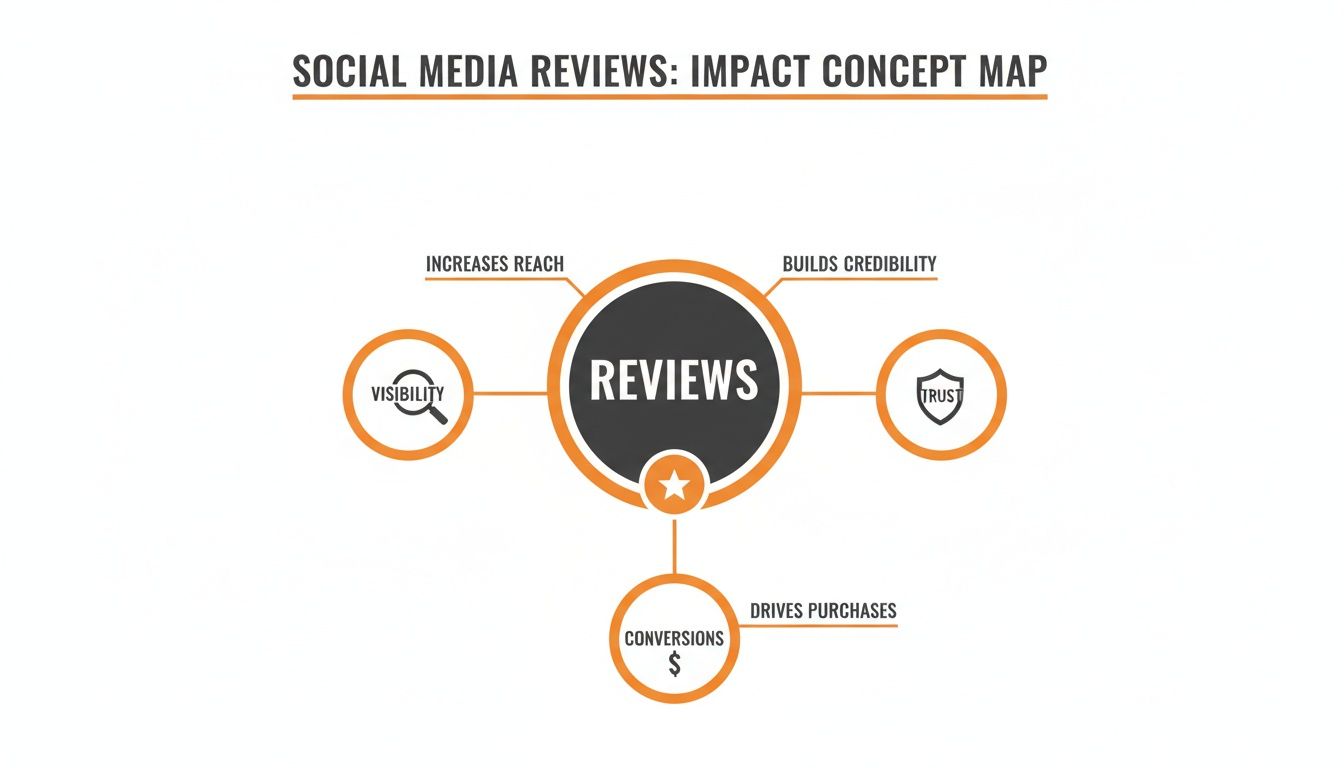
Social media reviews are the modern-day word-of-mouth that directly influences whether a potential customer chooses you or a competitor. For busy local operators, a steady stream of positive reviews boosts your visibility in "near me" searches, builds immediate trust, and drives high-value conversions like calls, messages, and bookings. Mastering your review strategy is one of the most effective ways to turn online reputation into real-world revenue.
Key Facts About Social Media Reviews
- Conversion Impact: Nearly 90% of consumers' purchasing decisions are influenced by online reviews, making them critical for converting searchers into customers.
- Local SEO Factor: Reviews are a core component of Google's local ranking algorithm, directly impacting your prominence and relevance in Map Pack results.
- Response Time Matters: Responding to new reviews within 24 hours demonstrates excellent customer service and boosts engagement signals for search engines.
- Asking Works: Around 76% of consumers who are asked to leave a review will do so, making a proactive request strategy essential.
- Google is King: For most local businesses, Google Business Profile is the most important platform for collecting and managing reviews.
- Incentives are Prohibited: Offering discounts or freebies for reviews violates the terms of service for major platforms like Google and Yelp and can lead to penalties.
Step-by-Step Guide to Mastering Social Media Reviews
A strong review profile is built through a systematic process, not by chance. This step-by-step guide breaks down how to create a reliable engine for generating, managing, and leveraging customer feedback. Your goal is to make it effortless for happy customers in places like [City] and [Neighborhood] to share their positive experiences.
Step 1: Optimize Your Foundation for Reviews
Before you ask for a single review, your online profiles must be primed for success. Any friction in the process will drastically lower your conversion rate from happy customer to positive reviewer.
Your Google Business Profile (GBP) Checklist:
- Complete all sections: Ensure your business name, address, phone number (NAP), and hours are 100% accurate.
- Add high-quality photos: Upload at least 10 recent photos of your location, team, and work.
- List all services: Detail every service you offer with clear descriptions.
- Enable messaging: Turn on the messaging feature to provide another channel for customer contact.
- Create a direct review link: Use Google’s built-in tool to generate a short URL that takes customers directly to the review submission form.
Step 2: Systemize the "Ask"
The key to a steady stream of reviews is asking consistently at the peak of customer satisfaction. This could be immediately after a successful HVAC repair, at checkout in a med spa, or following a positive post-op call from a dental office.
- Automate Requests: Use SMS or email automation to send a review request within 1-24 hours of service completion.
- Use QR Codes: Place QR codes linked to your review page on receipts, business cards, service vans, and in-office signage.
- Train Your Team: Equip your staff with simple, friendly language to personally request reviews from happy customers.
Step 3: Respond to Every Review (Good and Bad)
Responding to all social media reviews shows potential customers and search engines that you are an engaged and customer-focused business. Aim to reply within 24 hours.
- For Positive Reviews: Thank the customer by name, mention a specific detail from their review, and invite them back. This reinforces their positive experience.
- For Negative Reviews: Acknowledge their concern, apologize sincerely, and provide an offline contact (phone number or email) to resolve the issue privately. This demonstrates professionalism and a commitment to service recovery.
A Deeper Look at Google's Ranking Model
To understand why reviews are so critical for local businesses, you need to know how Google ranks them. The algorithm is based on three pillars: Proximity, Relevance, and Prominence.
- Proximity: How close your business is to the person searching. You can't change this, but you can influence the other two factors.
- Relevance: How well your business profile matches the search query. When customers mention services like "emergency vet visit in [City]" or "best dental implants" in their social media reviews, it signals to Google that you are a highly relevant result for those terms.
- Prominence: How well-known and respected your business is. Google measures this by looking at your review quantity, average star rating, and the recency of your feedback. A steady flow of 4- and 5-star reviews is a massive signal of prominence.
Strong relevance and prominence can help your business appear in searches even when you aren't the closest physical option, expanding your service area reach.
Templates & Scripts for Your Review Program
Using proven templates ensures your team communicates consistently and effectively. Customize these scripts to fit your brand's unique voice.
Review Request Scripts
SMS Request Script (For a Med Spa)
"Hi [Customer Name], it's [Your Name] from [Med Spa Name]. We loved seeing you today! Would you mind taking 30 seconds to share your experience with others in [City]? Your feedback means the world to us. [Direct Review Link]"
Email Request Script (For a Vet Clinic)
Subject: A quick question about your visit to [Clinic Name]
Body: "Hi [Pet Owner Name],
Thanks for trusting us with [Pet's Name]'s care today. We hope you both had a positive experience.
If you have a moment, could you share your feedback on Google? It helps other pet owners in our community find us.
[Direct Review Link]
We look forward to seeing you and [Pet's Name] again soon!
Warmly,
The Team at [Clinic Name]"
Review Response Templates
Positive Review Response Template (For a Dental Practice)
"Hi [Patient Name], thank you for the wonderful 5-star review! We are so happy to hear you had a great experience with our team. We appreciate you choosing us for your dental care in [City] and look forward to your next visit!"
Negative Review Response Template (HIPAA-Aware)
"Thank you for bringing this to our attention. We are sorry your experience did not meet expectations, as providing excellent care is our top priority. To protect patient privacy, we cannot discuss specifics here. Please contact our Practice Manager, [Manager's Name], at [Phone Number] so we can address your concerns directly."
7-Day Launch Checklist for Your Review Program
- Day 1: Fully audit and optimize your Google Business Profile.
- Day 2: Set up email or SMS alerts to be notified of every new review instantly.
- Day 3: Hold a team training session to explain the importance of reviews and practice asking for them.
- Day 4: Finalize and share your review request and response templates with the entire team.
- Day 5: Create your direct review links and generate QR codes for in-person use.
- Day 6: Launch your program by sending the first batch of review requests to recent, happy customers.
- Day 7: Block 15 minutes on the calendar each day for ongoing review management.
How to Measure Your Review Program's Success
Effective reputation management is not just about feeling good; it's about driving measurable results. By tracking the right Key Performance Indicators (KPIs), you can directly connect your review strategy to increases in leads and revenue.
Key Metrics and Realistic Targets
Set clear, achievable goals to guide your team's efforts and measure progress over time.
| Metric | Definition | Monthly Target (Per Location) |
|---|---|---|
| New Review Volume | The total number of new reviews received. | 5–10 new reviews |
| Average Star Rating | The overall star rating on Google. | Maintain 4.5+ stars |
| Review Recency | The freshness of your reviews. | At least one new review every 7-14 days |
| Response Time | How quickly you respond to a new review. | Under 24 hours |
| GBP Views/Calls | Views of your profile and calls initiated from it. | 10%+ month-over-month growth |
| Lead-to-Sale Conversion | The rate at which leads from GBP become paying customers. | Track and improve conversion rate |
Tracking Leads from GBP to Your Website
To prove the return on investment (ROI), you must track how many website clicks and conversions originate from your Google Business Profile. The easiest way to do this is with UTM (Urchin Tracking Module) parameters.
- Go to Google's free Campaign URL Builder.
- Enter your website URL (e.g.,
https://www.yourbusiness.com/contact). - Set the
Campaign Sourcetogoogle,Campaign Mediumtoorganic, andCampaign Nametogbp. - Copy the generated URL and add it to the website field in your Google Business Profile.
Now, in Google Analytics, you can isolate traffic from your GBP to see exactly how many users it drives and what actions they take, connecting your review efforts directly to business outcomes.
Frequently Asked Questions (FAQ)
1. What should I do about a fake or malicious review?
First, report the review to Google immediately by clicking the three dots next to it and selecting "Report review." While Google investigates, post a calm, professional public reply stating that you have no record of the individual as a customer and have flagged the post for violating platform policies. This shows other potential customers that you are proactive and professional.
2. Is it okay to offer discounts or freebies for reviews?
No. Offering incentives for reviews is against the terms of service for Google, Yelp, and other major platforms. This practice can lead to penalties, including review removal or profile suspension. Focus on providing excellent service and making it easy to leave a review organically.
3. Which review platform is the most important for my business?
For nearly all local businesses (dental, HVAC, vet, auto, med spa, senior living), Google is the most important platform. Your Google reviews directly impact your local search ranking. After mastering Google, consider industry-specific platforms like Healthgrades for healthcare or Facebook for community-based service businesses.
4. How much time should my team spend managing reviews?
For a single location, dedicate 15-20 minutes per day. This consistency is more effective than spending a few hours once a week. This daily habit ensures you can maintain a sub-24-hour response time and consistently send out new requests while experiences are fresh.
5. How do I handle a negative review that contains sensitive health information (PHI)?
Never acknowledge or discuss any Protected Health Information (PHI) in a public response. Your reply must be HIPAA-aware. Use a generic template that apologizes for their experience not meeting expectations and provides a direct, offline channel (like a practice manager's phone number) to discuss the matter privately.
6. Should I respond to positive reviews?
Yes, always. Responding to positive reviews reinforces the customer's decision, makes them feel appreciated, and shows prospective customers that you are an engaged business owner. It's a simple way to build loyalty and amplify positive sentiment.
7. Can I remove a negative review from my Google Business Profile?
You cannot remove a review yourself. You can only report a review that you believe violates Google's policies (e.g., it's spam, a conflict of interest, or contains hate speech). If Google determines it violates their guidelines, they will remove it. Otherwise, your best course of action is to post a professional public response.
Managing social media reviews is a powerful lever for local growth. If you want to optimize your Google Business Profile and turn customer feedback into a predictable stream of new business, our team can help. We offer practical, month-to-month support to build a reputation that drives results. Ready to see the difference? Book a strategy call with us today.


