
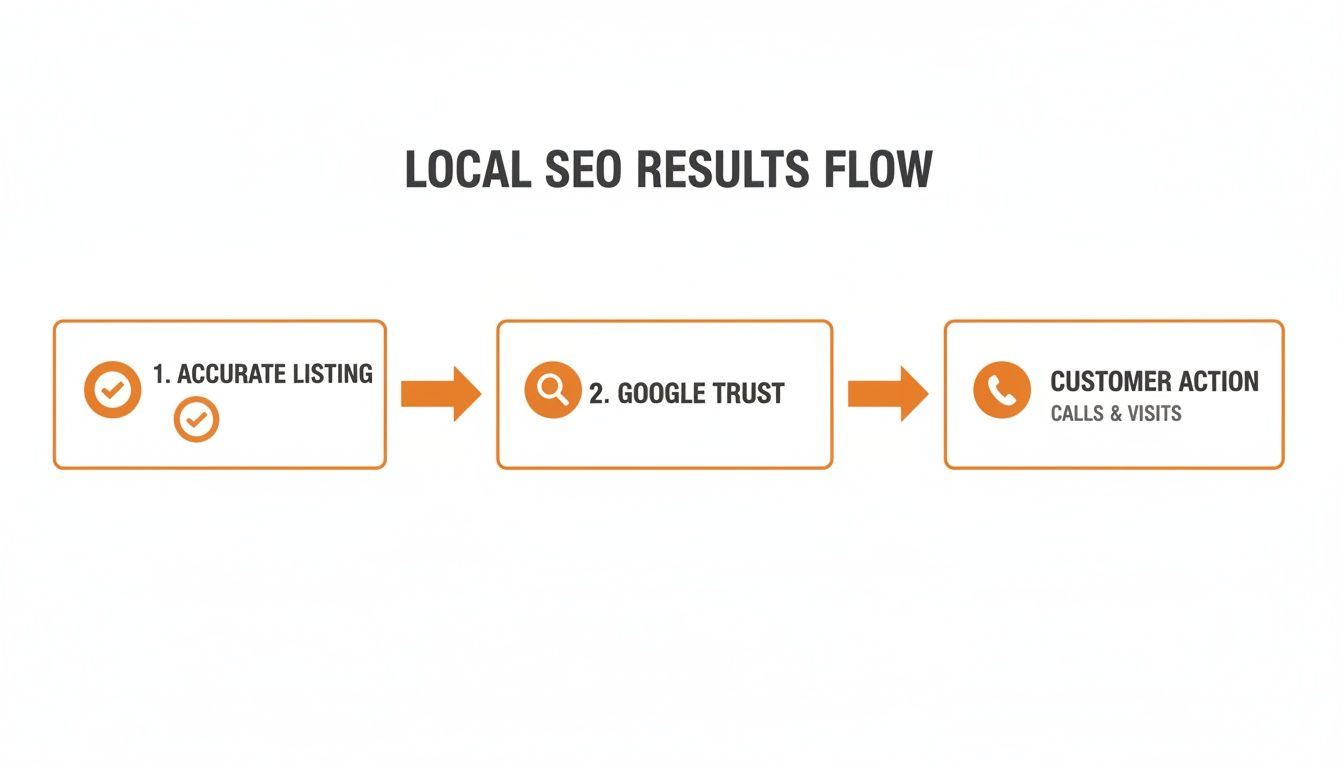
Getting your 411 business listings right means ensuring your business's name, address, and phone number are accurate and consistent everywhere online. This is critical because search engines like Google rely on this information to verify your legitimacy, which directly impacts how often you appear in local search results. Accurate listings lead to more customer calls, messages, and bookings, turning online visibility into real-world conversions.
Brief Summary: Why 411 Business Listings Matter
In today's digital world, a "411 business listing" refers to any online directory where your company's core information appears, from Google Business Profile and Yelp to industry-specific sites. These listings act as trust signals for search engines. When your Name, Address, and Phone number (NAP) are consistent across the web, it proves to Google that you are a legitimate local business, boosting your visibility in "near me" searches. Inconsistent or incorrect information creates confusion, hurts your search ranking, and leads to lost customers.
Managing your listings isn't just about being found; it's about being chosen. Accurate listings get you on the map, but a strong profile complete with positive reviews is what convinces a customer to contact you over a competitor.
Key Facts
- What it is: A 411 business listing is any online mention of your business's Name, Address, and Phone number (NAP).
- Why it matters: Consistent NAP across multiple directories is a major trust signal for Google's local search algorithm.
- The goal: To ensure every customer finds accurate information, leading to more calls, direction requests, and website visits.
- Core components: The foundation of local search visibility relies on three factors: proximity (location), relevance (services), and prominence (authority). You control prominence through accurate listings and positive reviews.
- Top priority: Your Google Business Profile (GBP) is your most important listing and should be your primary focus.
Step-by-Step: How to Claim and Optimize Your 411 Business Listings
Taking control of your online information is the fastest path to more calls and bookings. This step-by-step process ensures customers find the right details about your business.
1. Audit Your Key Listings
Before you fix anything, you need a clear picture of your current online presence.
- Start with the essentials: Search for your business on Google, Apple Maps, and Bing. Document the exact Name, Address, and Phone number (NAP) you find on each.
- Check major data aggregators: Look up your business on Yelp and Facebook. Note any variations in your business name, old addresses, or incorrect phone numbers.
- Identify errors and duplicates: Make a list of every inconsistency. Common issues include duplicate profiles created by past employees or old location data that was never updated. These errors confuse search engines and customers.
2. Claim and Correct Your Listings
Once you've identified the problems, it's time to take ownership and fix them.
- Claim your profiles: On each platform where you found a listing, look for an option like "Claim this business" or "Own this business?"
- Verify ownership: Most platforms require verification to prove you are the legitimate owner. This is typically done via a postcard mailed to your business address, a phone call to your business line, or an email to your official business email address. Digital verification usually takes 2-7 days.
- Correct your NAP first: Once verified, immediately update your Name, Address, and Phone number to be perfectly consistent with your official information. Then, update your hours and website URL.
3. Optimize Your Google Business Profile
Your GBP is your digital storefront. Optimizing it is non-negotiable.
Google Business Profile Optimization Checklist:
- Verify Your NAP: Ensure it is 100% accurate.
- Select All Relevant Categories: Choose a primary category (e.g., "Dental Clinic") and several secondary ones (e.g., "Cosmetic Dentist," "Teeth Whitening Service").
- Write a Compelling Business Description: Use keywords naturally to describe what you do, who you serve, and what makes you different. Mention your service area, like "[City] and surrounding neighborhoods."
- Upload High-Quality Photos: Add at least 10 photos of your exterior, interior, team, and work. Add new photos quarterly.
- Enable Messaging: Turn on the messaging feature to allow customers to contact you directly from your profile.
- Use Google Posts: Regularly share updates, offers, and news using the Google Posts feature to show your profile is active.
- Answer Q&A: Proactively add and answer common questions in the Q&A section.
For a deeper dive, see our guide to help you optimize your Google Business Profile.
Templates & Scripts for Reputation Management
Accurate listings get you found, but reviews get you chosen. Use these templates to build a strong reputation that converts searchers into customers.

7-Day Launch Checklist for a Review Program
| Day | Action Item | Goal |
|---|---|---|
| Day 1 | Finalize your review request templates (SMS & email). | Have ready-to-use scripts for consistency. |
| Day 2 | Identify 10 recent, happy customers to contact. | Start with a high probability of positive feedback. |
| Day 3 | Send personalized review requests to the first 5 customers. | Initiate the feedback loop. |
| Day 4 | Send requests to the remaining 5 customers. | Continue building momentum. |
| Day 5 | Monitor for and respond to all new reviews within 24 hours. | Show customers you are responsive and engaged. |
| Day 6 | Share one positive review on your social media channels. | Amplify customer satisfaction and build social proof. |
| Day 7 | Review the week's results and plan the next batch of requests. | Establish a sustainable, ongoing process. |
Review Request Scripts (Example: Med Spa)
SMS Request: "Hi [Client Name], it's [Your Name] from [Med Spa Name]. We hope you enjoyed your treatment today. If you have 60 seconds, we'd love for you to share your experience with others in [City]. Thank you! [Review Link]"
Email Request:
"Subject: How was your experience at [Med Spa Name]?Hi [Client Name],
Thank you for choosing us for your recent treatment. We are dedicated to helping our clients look and feel their best.
Your feedback is incredibly valuable, as it helps others in our community make confident decisions. Would you mind leaving us a quick review on Google?
[Link to Google Review Page]
We appreciate your time and look forward to seeing you again soon.
Sincerely,
The Team at [Med Spa Name]"
Review Response Templates
- Positive Review Response: "Thank you, [Reviewer Name]! We're so glad you had a wonderful experience with our team. We appreciate you taking the time to share your feedback and look forward to your next visit."
- Negative Review Response: "Hi [Reviewer Name], thank you for your feedback. We are sorry to hear your experience did not meet expectations, as we always aim to provide top-quality service. We would like to learn more and make things right. Please call our practice manager at [Phone Number] at your convenience."
How to Measure the ROI of Your Listing Management
Managing your 411 business listings correctly drives measurable actions that lead directly to revenue. Tracking the right metrics proves the value of your efforts and shows a clear return on investment (ROI).
Key Performance Indicators (KPIs) to Track
Your Google Business Profile Performance report is the best place to start. Focus on these conversion-focused metrics:
- Phone Calls: The number of users who clicked the "Call" button on your profile. This is a high-intent lead.
- Website Clicks: How many people visited your website from your listing. Use UTM tags (see below) to track what they do next.
- Direction Requests: The number of people who requested directions to your physical location.
- GBP Views: Track both "Search" views (from discovery queries like "HVAC repair near me") and "Maps" views to understand how customers are finding you.
How to Track Conversions from GBP to Sale
To connect your GBP activity directly to sales, use UTM tracking codes. A UTM is a small snippet of text added to the end of your website URL in your GBP listing.
Example UTM: https://yourwebsite.com/?utm_source=google&utm_medium=organic&utm_campaign=gmb
This tag allows Google Analytics to show you exactly how many website visitors, leads (e.g., form submissions, booked appointments), and sales originated from your Google Business Profile. This transforms your GBP from a simple listing into a trackable marketing channel.
Performance Targets and Benchmarks
- Review Volume: 5-10 new reviews per month per location.
- Review Recency: At least one new review every 1-2 weeks.
- Response Time: Respond to 100% of reviews within 24 hours.
- Star Rating: Maintain a 4.5-star average or higher.
- GBP Calls: Aim for a 10-15% monthly increase in calls from your profile.
- Lead-to-Sale Conversion: Track the percentage of GBP-driven leads that become paying customers. A healthy target is often 20-30%, depending on your industry.
Effective local SEO reporting relies on tracking these tangible outcomes.
Frequently Asked Questions about 411 Business Listings
1. What is a 411 business listing?
A 411 business listing is any online directory entry that contains your business's core information: Name, Address, and Phone number (NAP). This includes major platforms like Google Business Profile, Yelp, and Apple Maps, as well as smaller, industry-specific sites. Think of it as the modern, digital version of the old 411 phone directory service.
2. Why is NAP consistency important for local SEO?
NAP (Name, Address, Phone number) consistency is a critical ranking factor for local search. When Google finds the exact same NAP for your business across dozens of credible websites, it validates that your business is legitimate and located where you say it is. This builds trust and increases your prominence, helping you rank higher in local search results for queries like "auto repair in [City]."
3. What is Google's proximity-relevance-prominence model?
Google's local search algorithm uses three main factors to rank businesses:
- Proximity: How close is your business to the person searching?
- Relevance: How well do your services match the searcher's query?
- Prominence: How well-known and trusted is your business? Google measures this through factors like the quantity and quality of your online listings (citations), the number of positive reviews you have, and your overall online authority. You have the most control over your prominence.
4. How do I find and fix incorrect business listings?
Start by searching for your business on major search engines and directories. Use a tool or manually create a spreadsheet to document all variations of your NAP that you find. Then, visit each site, "claim" your business listing, and go through the verification process. Once you have access, you can correct the inaccurate information and optimize the profile. This is the foundation of business listing management.
5. What are the most important business listings to be on?
Your Google Business Profile is by far the most important. After that, focus on primary data aggregators and major platforms like Apple Maps, Yelp, Bing Places, and Facebook. Depending on your industry, specialized directories are also valuable (e.g., Healthgrades for doctors, Angi for home services, or Tripadvisor for hospitality).
6. Can I manage my 411 listings myself?
Yes, you can manage them manually, but it can be very time-consuming, especially for multi-location businesses. The process involves finding, claiming, and updating dozens or even hundreds of individual listings. Many business operators choose to use a service to ensure accuracy and consistency across all platforms efficiently.
7. How often should I check my business listings?
You should audit your main listings at least once per quarter to check for accuracy. Unwanted changes can occur without your knowledge from automated data sources or user-suggested edits. Regularly monitoring your listings ensures your online information remains correct and trustworthy.
Managing your digital storefront shouldn't feel like a second job. Our reputation management services handle the complexities of listing accuracy and review generation so you can focus on running your business. With flexible month-to-month support, we ensure your online presence consistently attracts new customers.
Ready to turn searches into sales for your business, whether it's one of the med spas in [City] or a dental practice in the suburbs? Book a strategy call with our team today.


